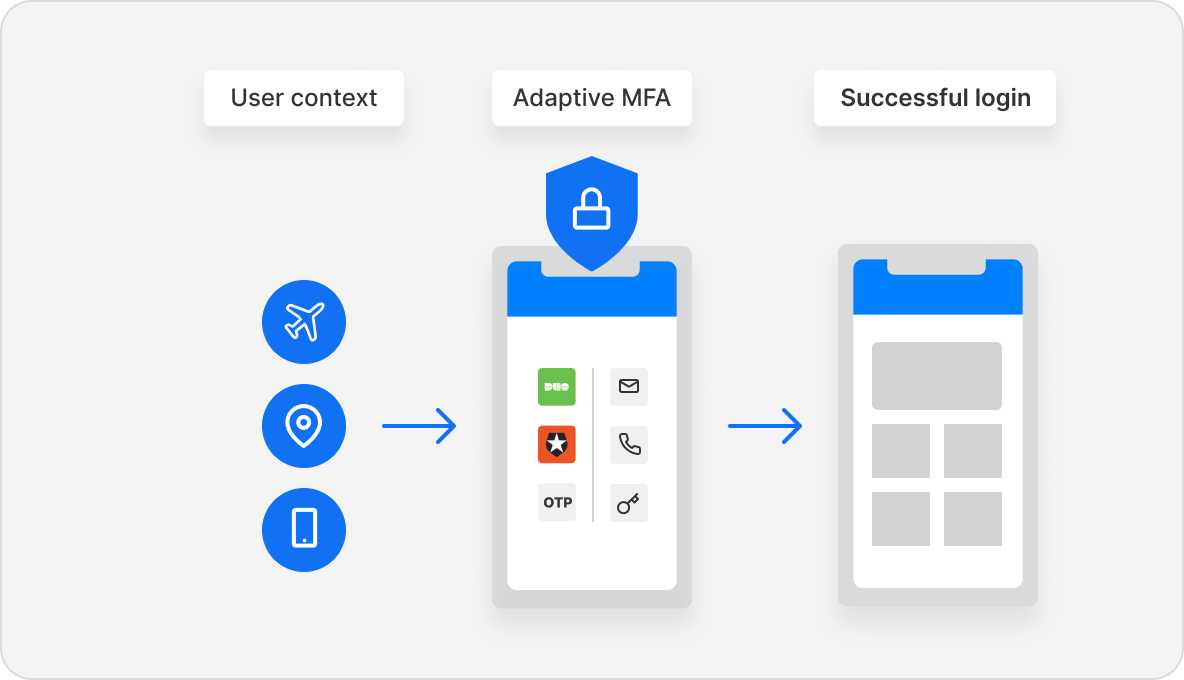
Auth0® is an identity solution that provides secure access to any application, for any user. Safeguarding, according to the vendor, billions of login transactions each month, Auth0 delivers convenience, privacy, and security so customers can focus on innovation. Auth0 lets users integrate authentication and authorization for web, mobile, and legacy applications, with new Fine Grained Authorization (FGA) that goes beyond role-based access control. It can authenticate users…
$0
per month
Google Authenticator
Score8.9 out of 10
N/A
Google Authenticator is a mobile authentication app.
From a personal standpoint, I chose Google Authenticator over Auth0; however, from a business standpoint, Auth0 has more flexibility as it is hardware/software agnostic and allows for more controls from an IT stand point. It would be nice to have an app that would allow for the …
A de minimis incentive was given to thank the reviewer for their time. The incentive was not used to bias or drive a particular response, nor was the incentive contingent on a positive endorsement. More Info
Verified User
Chose Auth0
As I already mentioned, role- and resource-based access can be easily provided via drag-and-drop options in this application. If AI is integrated into this tool, it would become even more user-friendly. Excellent tool to consume for security access.
A de minimis incentive was given to thank the reviewer for their time. The incentive was not used to bias or drive a particular response, nor was the incentive contingent on a positive endorsement. More Info
Great for user authentication and access priviledge management. We are using it for both our commercial and financial clients and Auth0 meets all the regulations and due diligence required to close deals with these enterprise customers. Given their tiered pricing structure, we don't see a scenario where Auth0 would not be appropriate for the solution it provides.
A de minimis incentive was given to thank the reviewer for their time. The incentive was not used to bias or drive a particular response, nor was the incentive contingent on a positive endorsement. More Info
Logging into my work accounts is where Google Authenticator works best. Also, I had a personal account get hacked. I had an account created to book hotels, but someone was constantly resetting my password. To prevent further hacking attempts, I set up Google Authenticator. I do not believe it would be appropriate for banking accounts.
A de minimis incentive was given to thank the reviewer for their time. The incentive was not used to bias or drive a particular response, nor was the incentive contingent on a positive endorsement. More Info
A de minimis incentive was given to thank the reviewer for their time. The incentive was not used to bias or drive a particular response, nor was the incentive contingent on a positive endorsement. More Info
A de minimis incentive was given to thank the reviewer for their time. The incentive was not used to bias or drive a particular response, nor was the incentive contingent on a positive endorsement. More Info
Price point for ALL features can get a bit pricey. But they have a startup plan which helps big time. Developer plans start at $23/mo and do not include all features.
Actions, rules, hooks, and email customization are great features, but the UI is a bit tough sometimes, not very responsive to screen size and code editors are cut off in a difficult place to maneuver.
A de minimis incentive was given to thank the reviewer for their time. The incentive was not used to bias or drive a particular response, nor was the incentive contingent on a positive endorsement. More Info
I once performed a factory reset of my smartphone which had Google Authenticator. I didn't have a backup for the device. When I restored my phone with the same google account, I was not able to restore the authenticator app settings. I had to add all the keys back into the app to use it. This is cumbersome, but I understand it is set up this way for security reasons.
I don't like the ease with which it lets you delete a key. If I accidentally delete a key, I am doomed to get my 2FA key reset, unless I still have the QR code saved somewhere.
A de minimis incentive was given to thank the reviewer for their time. The incentive was not used to bias or drive a particular response, nor was the incentive contingent on a positive endorsement. More Info
A de minimis incentive was given to thank the reviewer for their time. The incentive was not used to bias or drive a particular response, nor was the incentive contingent on a positive endorsement. More Info
A de minimis incentive was given to thank the reviewer for their time. The incentive was not used to bias or drive a particular response, nor was the incentive contingent on a positive endorsement. More Info
Like in my case, it helps me build a better business by requiring authentication and better login features, as they are needed quickly. It helps me save time by not having to create it from scratch and provides better role-based login and access. One of my most helpful features is SSO (Single Sign On). If the user wants Microsoft-able SSO, Auth0 provides an all-in-one.
A de minimis incentive was given to thank the reviewer for their time. The incentive was not used to bias or drive a particular response, nor was the incentive contingent on a positive endorsement. More Info
It's as easy as opening the app and what I need it for is there. I don't have to fumble with other accounts or getting something else to open it for me. I have all the access that I need for the use of the app within seconds and I can get access to the info that I need.
A de minimis incentive was given to thank the reviewer for their time. The incentive was not used to bias or drive a particular response, nor was the incentive contingent on a positive endorsement. More Info
A de minimis incentive was given to thank the reviewer for their time. The incentive was not used to bias or drive a particular response, nor was the incentive contingent on a positive endorsement. More Info
There isn't a clear method to get a hold of support when trouble arises if you're on their standard plan. You can file a support ticket and they generally are responsive. I've often been able to find similar questions to the questions I've had when it comes to support in their ticket history, however, some have been closed without a satisfactory conclusion for the original poster.
A de minimis incentive was given to thank the reviewer for their time. The incentive was not used to bias or drive a particular response, nor was the incentive contingent on a positive endorsement. More Info
I have found Google’s support to be hit or miss. There are times when they are very responsive, and I get my issue resolved quickly, and there are times where a response from them takes weeks. There is no in-between. But my support experience with this particular product is nonexistent because I have not had a problem with it yet. Hopefully, we do not have any problems with it either.
A de minimis incentive was given to thank the reviewer for their time. The incentive was not used to bias or drive a particular response, nor was the incentive contingent on a positive endorsement. More Info
A de minimis incentive was given to thank the reviewer for their time. The incentive was not used to bias or drive a particular response, nor was the incentive contingent on a positive endorsement. More Info
We went with Auth0 over Okta due to price concerns and the overall simplicity of Auth0. We chose Auth0 over Amazon Cognito because Cognito has very poor documentation and client library support. Auth0 offers a service that hits the sweet spot for organizations with small development teams and limited finances.
A de minimis incentive was given to thank the reviewer for their time. The incentive was not used to bias or drive a particular response, nor was the incentive contingent on a positive endorsement. More Info
First, Google Authenticator meets the security requirements which should be considered "table stakes". Second, simplicity is critical. Many users don' understand why they are setting up MFA (or they just don't care), and so adding additional complications to their day-to-day is always challenging. When it is simple, it makes life a lot easier. Finally, trust (due to the brand name recognition, primarily) removes any notion of "what is this?" that the user may have from being required to install something on their personal device for work purposes.
A de minimis incentive was given to thank the reviewer for their time. The incentive was not used to bias or drive a particular response, nor was the incentive contingent on a positive endorsement. More Info
A de minimis incentive was given to thank the reviewer for their time. The incentive was not used to bias or drive a particular response, nor was the incentive contingent on a positive endorsement. More Info
A de minimis incentive was given to thank the reviewer for their time. The incentive was not used to bias or drive a particular response, nor was the incentive contingent on a positive endorsement. More Info
More secure data = less worried about a data breach.
Takes longer to log in, and if I don't have my phone then I have to go looking for it, so it really makes it so that you can't be without your phone, which in certain instances is annoying or not possible and can hold up work time.
Everyone is willing to use the same program because everyone likes Google—makes it easier to manage.
A de minimis incentive was given to thank the reviewer for their time. The incentive was not used to bias or drive a particular response, nor was the incentive contingent on a positive endorsement. More Info