Autodesk Forma Design Collaborate (formerly BIM Collaborate Pro) is a construction software for project managers, site managers, and Building Information Modelling (BIM) managers. It is designed to connect the office and site components of construction, providing cloud-based access to plans and models.
$480
per user/per year
Autodesk Forma Build
Score9.6 out of 10
N/A
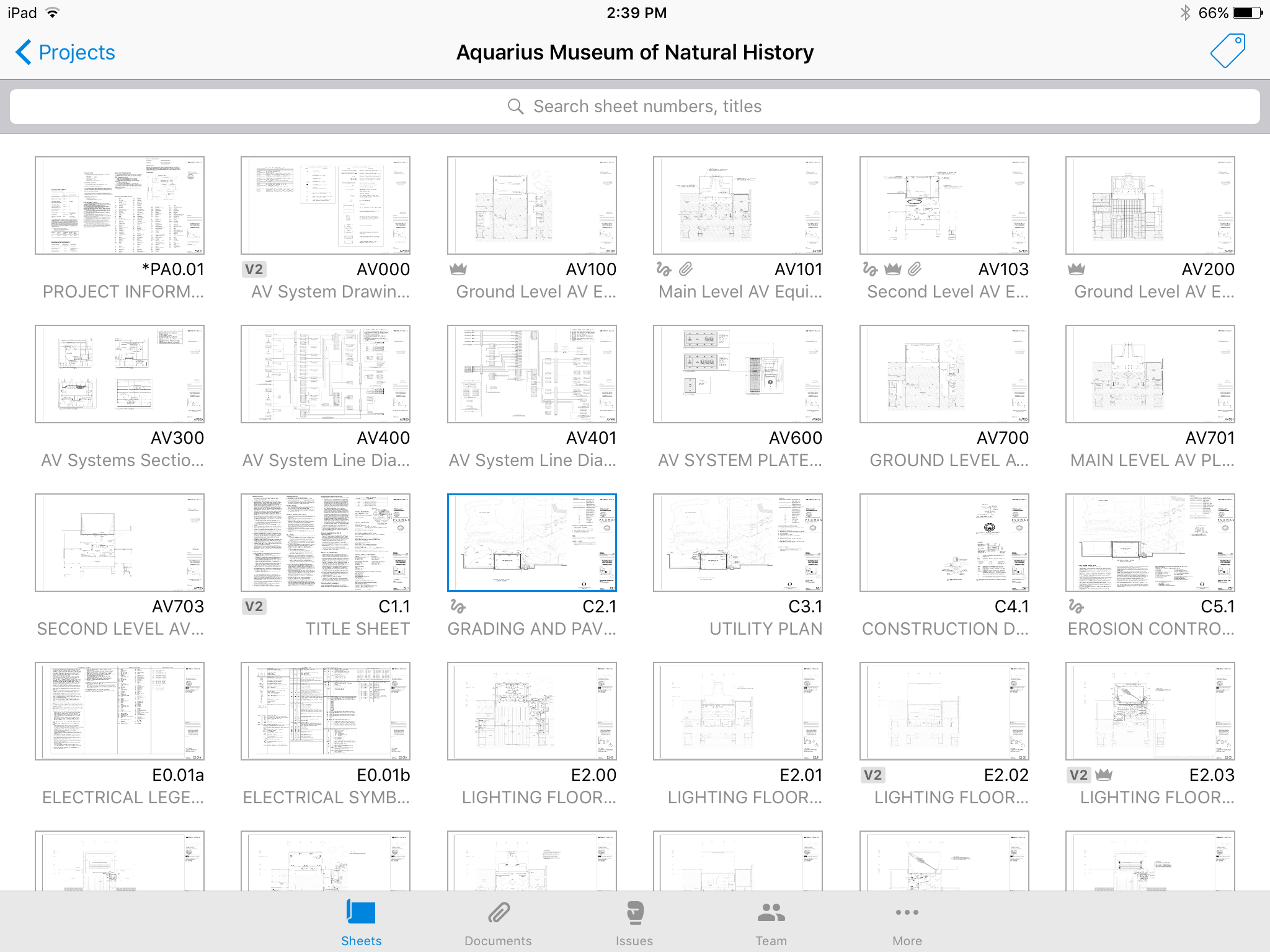
Autodesk Forma Build, previously known as Autodesk Build and originally based on PlanGrid, is a Construction Management and Job Site Management application within the Autodesk Forma suite. It provides contractors, owners, and subcontractors with a unified platform for project collaboration and information management across the construction and operations lifecycle.
$100
per month
Pricing
Autodesk Forma Design Collaborate
Autodesk Forma Build
Editions & Modules
Autodesk Bim 360
$480.00
per user/per year
Forma Build Essentials
$100
per month for a single user
Forma Build
$175
per month per user
Offerings
Pricing Offerings
Autodesk Forma Design Collaborate
Autodesk Forma Build
Free Trial
No
Yes
Free/Freemium Version
No
No
Premium Consulting/Integration Services
No
Yes
Entry-level Setup Fee
No setup fee
No setup fee
Additional Details
—
$800 / year for 1 user when billed annually.
More Pricing Information
Community Pulse
Autodesk Forma Design Collaborate
Autodesk Forma Build
Considered Both Products
Autodesk
Verified User
Chose Autodesk Forma Design Collaborate
Integration with glue and field is the primary reason why Docs is better than PlanGrid. I would like for them to remove those silos however and have it under one platform. Unfortunately, it seems like Autodesk swallows up all the small companies so you are more likely to have …
A de minimis incentive was given to thank the reviewer for their time. The incentive was not used to bias or drive a particular response, nor was the incentive contingent on a positive endorsement. More Info
Comparison of Human Resource Management features of Autodesk Forma Design Collaborate (formerly BIM Collaborate Pro) and Autodesk Forma Build
Feature
Autodesk Forma Design Collaborate (formerly BIM Collaborate Pro)
3.1
2 Ratings
76% below category average
Autodesk Forma Build
-
Ratings
Employee demographic data
1.81 Ratings
00 Ratings
Employment history
1.81 Ratings
00 Ratings
Job profiles and administration
6.62 Ratings
00 Ratings
Workflow for transfers, promotions, pay raises, etc.
1.01 Ratings
00 Ratings
Organizational charting
2.71 Ratings
00 Ratings
Organization and location management
6.41 Ratings
00 Ratings
Compliance data (COBRA, OSHA, etc.)
1.81 Ratings
00 Ratings
Payroll Management
Comparison of Payroll Management features of Autodesk Forma Design Collaborate (formerly BIM Collaborate Pro) and Autodesk Forma Build
Feature
Autodesk Forma Design Collaborate (formerly BIM Collaborate Pro)
1.0
1 Ratings
147% below category average
Autodesk Forma Build
-
Ratings
Pay calculation
1.81 Ratings
00 Ratings
Support for external payroll vendors
1.01 Ratings
00 Ratings
Off-cycle/On-Demand payment
1.01 Ratings
00 Ratings
Benefit plan administration
1.01 Ratings
00 Ratings
Direct deposit files
1.01 Ratings
00 Ratings
Salary revision and increment management
1.01 Ratings
00 Ratings
Reimbursement management
1.01 Ratings
00 Ratings
Asset Management
Comparison of Asset Management features of Autodesk Forma Design Collaborate (formerly BIM Collaborate Pro) and Autodesk Forma Build
Feature
Autodesk Forma Design Collaborate (formerly BIM Collaborate Pro)
5.3
3 Ratings
25% below category average
Autodesk Forma Build
-
Ratings
Tracking of all physical assets
5.33 Ratings
00 Ratings
Reporting & Analytics
Comparison of Reporting & Analytics features of Autodesk Forma Design Collaborate (formerly BIM Collaborate Pro) and Autodesk Forma Build
Feature
Autodesk Forma Design Collaborate (formerly BIM Collaborate Pro)
7.6
6 Ratings
2% below category average
Autodesk Forma Build
8.5
1 Ratings
9% above category average
Dashboards
7.36 Ratings
7.01 Ratings
Standard reports
7.76 Ratings
9.01 Ratings
Custom reports
7.86 Ratings
9.01 Ratings
Data exportability
7.86 Ratings
9.01 Ratings
Construction Project & Field Management
Comparison of Construction Project & Field Management features of Autodesk Forma Design Collaborate (formerly BIM Collaborate Pro) and Autodesk Forma Build
Feature
Autodesk Forma Design Collaborate (formerly BIM Collaborate Pro)
7.4
17 Ratings
3% below category average
Autodesk Forma Build
8.0
60 Ratings
4% above category average
Plan distribution & viewing
6.916 Ratings
8.059 Ratings
Plan markups & sharing
6.717 Ratings
7.059 Ratings
Issue tracking & punchlists
8.016 Ratings
9.454 Ratings
Photo documentation
6.415 Ratings
7.051 Ratings
Jobsite reports
7.313 Ratings
6.539 Ratings
Document sharing
7.816 Ratings
9.058 Ratings
RFI tools
6.214 Ratings
9.441 Ratings
Collaboration & approvals
8.815 Ratings
9.545 Ratings
As-built drawings
7.312 Ratings
5.545 Ratings
Mobile app
7.113 Ratings
7.057 Ratings
Submittal design and management
7.514 Ratings
8.52 Ratings
Checklists
8.17 Ratings
8.02 Ratings
Meeting Minutes
9.24 Ratings
10.02 Ratings
Specifications
6.87 Ratings
6.52 Ratings
Change orders
7.34 Ratings
8.52 Ratings
Estimating
Comparison of Estimating features of Autodesk Forma Design Collaborate (formerly BIM Collaborate Pro) and Autodesk Forma Build
Feature
Autodesk Forma Design Collaborate (formerly BIM Collaborate Pro)
Autodesk Bim 360 is well suited to the majority of construction projects in my opinion. On the construction side I could see how the straightforward nature of the platform would be well liked. The new update with the widgets is a great touch and allows for ease of site visits by showcasing good to know info like project location on a map and the local weather. You can also customize the "widgets" as you see fit to add more information if necessary to the home screen. From my experience as a LEED consultant, Bim 360 does not differ much from other platforms used for submittal review like Procore. It is easy enough to search for what you want but searches do take a while and you need to move the cursor over every time you search and do not find what you're looking for, which seems very unnecessary. Overall it is fine for reviewing documentation but isn't anything extraordinary.
A de minimis incentive was given to thank the reviewer for their time. The incentive was not used to bias or drive a particular response, nor was the incentive contingent on a positive endorsement. More Info
Well Suited: Autodesk Construction Cloud is cost effective, user friendly, and robust. They aren't nickel and diming you for use of each module. Once users are on-board with the system it creates an ecosystem that all users "go to first" for an answer. Less Appropriate: As a Developer, there are some hiccups as it is designed more for the GC (general contractor). A template option that is Developer forward would an improvement.
A de minimis incentive was given to thank the reviewer for their time. The incentive was not used to bias or drive a particular response, nor was the incentive contingent on a positive endorsement. More Info
A de minimis incentive was given to thank the reviewer for their time. The incentive was not used to bias or drive a particular response, nor was the incentive contingent on a positive endorsement. More Info
The user interface is extremely easy to use for both the advanced and not-so-advanced computer users. This is huge in an industry that has a high diversity of computer skills among end-users of technology.
Rendering speed of documents is extremely quick on every device/platform.
The application can be used on every platform from Windows/iOS/Andriod (mobile or desktop) as well as the web, without diluting platform features.
The ability to import 3D models and maintain accompanying metadata is extremely beneficial.
A de minimis incentive was given to thank the reviewer for their time. The incentive was not used to bias or drive a particular response, nor was the incentive contingent on a positive endorsement. More Info
The footprint large projects leave within Desktop Connector and Mitigating that data
REMOVE "add up to 80 projects" from the Desktop Connector Select Projects Screen! It is better to cycle the project data in/out for syncing latest greatest rather than have users load up their desktop connector full of projects and let data stagnate/have to be racked to update.
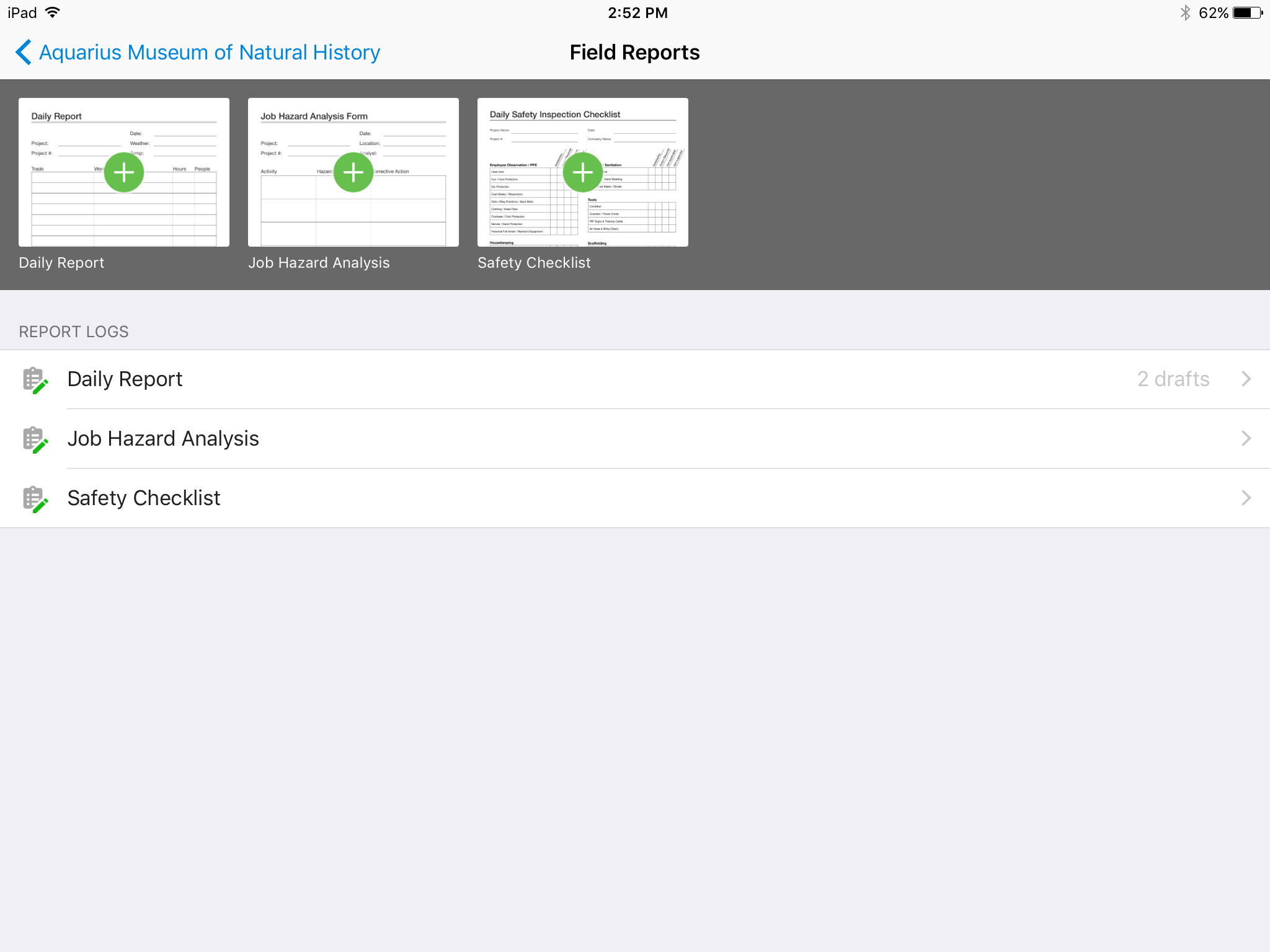
Plangrid is in the process of adding enhanced construction documentation such as better Submittal, RFI, and Field Reporting modules, but the ones in place right now will not be up to par for some people used to more full-featured applications such as Sage or Procore.
Like other SaaS Construction applications, Plangrid is very expensive. Too expensive in my opinion. They should find ways to offer more tiers of cost so smaller companies can use the application is a limited manner and not have to pay the same cost as the larger companies which may get more use out of advanced features.
On the same theme of cost, many of Plangrids collaboration features require all collaborators to have a license. Try telling all 30 subs on your project that they have to run out and pay an extra $50-$100/MO per employee to collaborate with you. Does not always go over well.
Plangrids Field Report, Submittal and RFI modules are still a bit of a work in progress.
A de minimis incentive was given to thank the reviewer for their time. The incentive was not used to bias or drive a particular response, nor was the incentive contingent on a positive endorsement. More Info
We are at the point where we have shown our teams what is possible with this software. We cannot take it away and go back to the way we used to do things. I think that they would push back on us to give them access to something electronic. It is a good program that we will continue to use
A de minimis incentive was given to thank the reviewer for their time. The incentive was not used to bias or drive a particular response, nor was the incentive contingent on a positive endorsement. More Info
It's not very difficult to use for majority of all our users. We really like storing and managing all our project data in one location so users have only one option to access the requested information. Managing our architectural engineering projects with two workflows in one system is really a good asset
A de minimis incentive was given to thank the reviewer for their time. The incentive was not used to bias or drive a particular response, nor was the incentive contingent on a positive endorsement. More Info
Because it is very user friendly and it also adapts the software to the device... For example , iPads are more Superintendent friendly and the desktop version is more useful for PM and Project Engineers. I also like that theres versions of the software that are on our desktop or ipad, so when we have a network failure we are still able to do the majority of our work
A de minimis incentive was given to thank the reviewer for their time. The incentive was not used to bias or drive a particular response, nor was the incentive contingent on a positive endorsement. More Info
The data mitigation is complete garbage. Any cloud collaborated model takes 2x to load in the Autodesk Construction Cloud environment that if it was saved locally or to on prem servers. We had our systems and bandwidth all evaluated to be applicable but the data downloads and sequencing through Desktop Connector leaves much to be desired.
AutoDesk support is slow and if you are not an enterprise customer they will likely tell you to go to forums and post for help pushing the support on the high-level end-users (some of which are AutoDesk employees). I haven't actually had issues requiring support with docs altough there are some features I wish it had
A de minimis incentive was given to thank the reviewer for their time. The incentive was not used to bias or drive a particular response, nor was the incentive contingent on a positive endorsement. More Info
I haven't used PlanGrid support much, because I'm getting used to it. But the few times I have, they seem very good. A rep has reached out to me for help, scheduling a demo, etc. Once I get my team on board to buy the software we will use the video and web demos more often and I'd imagine they could be quite useful.
A de minimis incentive was given to thank the reviewer for their time. The incentive was not used to bias or drive a particular response, nor was the incentive contingent on a positive endorsement. More Info
Bim360 is an immature, oversold, and under-delivered product that is simply the only option available for collaboration when you are locked into the Autodesk Revit ecosystem. SharePoint Online, Dropbox Business, and other cloud file management and sharing solutions show you the potential of clouds when they are implemented and deployed correctly, and directly contrasts with the present state of the BIM 360 platform.
A de minimis incentive was given to thank the reviewer for their time. The incentive was not used to bias or drive a particular response, nor was the incentive contingent on a positive endorsement. More Info
Plangrid, while not serving the external document distribution function, is unrivaled for internal document distribution and sharing in the construction industry. The speed at which documents are navigatable, the ability to download your projects for viewing without an internet connection, and the document mark-up and photo tools place it head and shoulders above the competition.
A de minimis incentive was given to thank the reviewer for their time. The incentive was not used to bias or drive a particular response, nor was the incentive contingent on a positive endorsement. More Info
The fact that your files are not on your servers. Anytime that the Autodesk servers go down you are down; it does not happen very often but when it does there is nothing you can do about it except wait.
Because of how BIM360 licensing is setup it does force you to manage the personnel on a project closer. This can at times be viewed as a negative but in the long run is positive because with better management comes better profit.
A de minimis incentive was given to thank the reviewer for their time. The incentive was not used to bias or drive a particular response, nor was the incentive contingent on a positive endorsement. More Info
It helped us "wow" a joint commission survey in 2016 and have a successful survey because he loved how we could access plans on an iPad, check suite sizes, and didn't have to carry around huge, heavy sets of life safety plans.
A de minimis incentive was given to thank the reviewer for their time. The incentive was not used to bias or drive a particular response, nor was the incentive contingent on a positive endorsement. More Info