
Florante Roa
Director, Systems Management & MIS Operations
Chose Laserfiche
Similar in features and pricing

| Product | Rating | Most Used By | Product Summary | Starting Price |
|---|---|---|---|---|
 Autodesk Docs | N/A | Autodesk Docs is a cloud-based common data environment for Autodesk's AEC Collection and the Autodesk Construction Cloud. The solution helps to reduce errors, streamline review and approval workflows, as well as align team members to ease project scheduling. | $65 per month per user | |
 Laserfiche | N/A | Laserfiche has two main editions: Rio and Avante: Laserfiche Rio is designed to meet the needs of large organizations that have more than 100 users. It combines content management functionality with business process management (BPM), security and auditing, unlimited servers and a thin-client interface. Add-ons include records management functionality, public Web portals and production-level document capture and processing. Laserfiche Avante is an ECM suite for small to medium organizations with… | $540 per year per user |
| Autodesk Docs | Laserfiche | |||||||||||||||
|---|---|---|---|---|---|---|---|---|---|---|---|---|---|---|---|---|
| Editions & Modules |
|
| ||||||||||||||
| Offerings |
| |||||||||||||||
| Entry-level Setup Fee | No setup fee | No setup fee | ||||||||||||||
| Additional Details | — | — | ||||||||||||||
| More Pricing Information | ||||||||||||||||
| Autodesk Docs | Laserfiche | |
|---|---|---|
| Considered Both Products |  Autodesk Docs No answer on this topic |  Laserfiche Florante Roa Director, Systems Management & MIS Operations Chose Laserfiche Similar in features and pricing  Rashad Guliyev Junior Specialist Chose Laserfiche Primarily, the ease of the user comes for our colleagues as not losing time is our priority. Besides, comfortable administration is also striking to benefit from using Laserfiche. The form creation of Laserfiche in contrast to DocuWare is doing great that provides amazing …  Stephen Green Accreditation Manager Chose Laserfiche Laserfiche is a much more focused product that simply and accurately fills our need for routine reporting and record keeping. By taking time to work on the design of the form you can anticipate the user's needs and possible areas where further explanation may be required. By …  Shreshthi Mehta, PMP®, PHR® HRIS Manager Chose Laserfiche The Laserfiche interface is very easy to use. It is very similar to uploading files on your Windows computer. With close to no training and less implementation time, it was a clear choice. Like other systems, Laserfiche does not have fancy designs or interface. This makes it …  Dean Vasquez Vice President Chose Laserfiche It was selected prior to my joining the company.  Heather MacLean Administrative Assistant Chose Laserfiche I would pick Laserfiche over Procore in a heart beat. Procore claims to be documents storage and user friendly but they are complete opposite software.  Alexa Siebert Records Management Technician, Public Works and Utilities Chose Laserfiche Alaris is efficient for scanning and editing, but does not provide all of the advanced capabilities that Laserfiche offers. Laserfiche also provides top-notch training to users. Alaris is a more simple software that can be easily self-taught. Laserfiche has more than just …  Glen Murie Laserfiche Application Specialist Chose Laserfiche The core infrastructure of Laserfiche, and the end user experience, is vastly superior. OnBase has a TERRIBLE UI and administration console by comparison. The core architecture of OnBase is also more scattered, while all Laserfiche processes go through a single service. …  Joy Beddingfield PMO Analyst / Resource Manager / Project Manager Chose Laserfiche I did not compare Laserfiche against other products because the City of Roanoke, Virginia had already purchased Laserfiche 6 years prior. Once I learned how to use Laserfiche and the benefits, I decided that we needed to upgrade to Laserfiche RIO to be able to use some of the …  Mark Ellickson Senior Account Manager Chose Laserfiche Laserfiche is the leader in the ECM industry, and I believe will stand toe to toe with any competitor on the market. Not only is it on of the most advanced systems for an enterprise wide solution, but the cost is also very competitive. I also do not believe there is any …  Mike McCauley, MCP, A+, CDRE System Support Chose Laserfiche N/A  Tim Nolan Sr Application Manager Chose Laserfiche Laserfiche solved our original government document retention concerns. Collin County has integrated Laserfiche retention rules with our Criminal Integrated Justice System for closed cases. We have also integrated Laserfiche with our Property Tax System. We are able to process …  Judy Nie Finance Clerk Chose Laserfiche Laserfiche is much faster and the optical character recognition is more accurate than Adobe Acrobat Capture. It took approximately 4 times as long to scan and store a document in Acrobat Capture as in Laserfiche. Reviewing every scan was essential in Adobe Acrobat Capture … |
| Autodesk Docs | Laserfiche | |||||||||||||||||||||||||||||||||||||||
|---|---|---|---|---|---|---|---|---|---|---|---|---|---|---|---|---|---|---|---|---|---|---|---|---|---|---|---|---|---|---|---|---|---|---|---|---|---|---|---|---|
| Enterprise Content Management |
|
| Autodesk Docs | Laserfiche | |
|---|---|---|
| Small Businesses |  Square 9 Softworks Score 9.3 out of 10 | Square 9 Softworks Score 9.3 out of 10 |
| Medium-sized Companies |  MSB Docs Score 9.4 out of 10 |  MediaValet Score 8.8 out of 10 |
| Enterprises |  M‑Files Score 8.9 out of 10 | MediaValet Score 8.8 out of 10 |
| All Alternatives | View all alternatives | View all alternatives |
| Autodesk Docs | Laserfiche | |
|---|---|---|
| Likelihood to Recommend | 8.0 (0 ratings) | 9.0 (0 ratings) |
| Likelihood to Renew | - (0 ratings) | 8.6 (0 ratings) |
| Usability | - (0 ratings) | 9.0 (0 ratings) |
| Availability | - (0 ratings) | 10.0 (0 ratings) |
| Performance | - (0 ratings) | 9.0 (0 ratings) |
| Support Rating | - (0 ratings) | 9.4 (0 ratings) |
| Online Training | - (0 ratings) | 10.0 (0 ratings) |
| Ease of integration | - (0 ratings) | 8.0 (0 ratings) |
| Autodesk Docs | Laserfiche | |
|---|---|---|
| Likelihood to Recommend |
 Aybuke Aynur Budget Executive |
 Angela Jordan Dept. Head Secretary for Building & Planning |
| Pros |
Aybuke Aynur Budget Executive |
Glen Murie Laserfiche Application Specialist |
| Cons |
Aybuke Aynur Budget Executive |
Mark Ellickson Senior Account Manager |
| Likelihood to Renew | No answers on this topic |
Judy Nie Finance Clerk |
| Usability | No answers on this topic |
 Ramsey Oklah Lead Solutions Architect |
| Reliability and Availability | No answers on this topic |
Tim Nolan Sr Application Manager |
| Performance | No answers on this topic |
|
| Support Rating | No answers on this topic |
Alexa Siebert Records Management Technician, Public Works and Utilities |
| Online Training | No answers on this topic |
 Sheree Montgomery Facilities Plans Coordinator/Laserfiche Administrator |
| Alternatives Considered | No answers on this topic |
Stephen Green Accreditation Manager |
| Return on Investment | No answers on this topic |
|
| ScreenShots | Laserfiche Screenshots   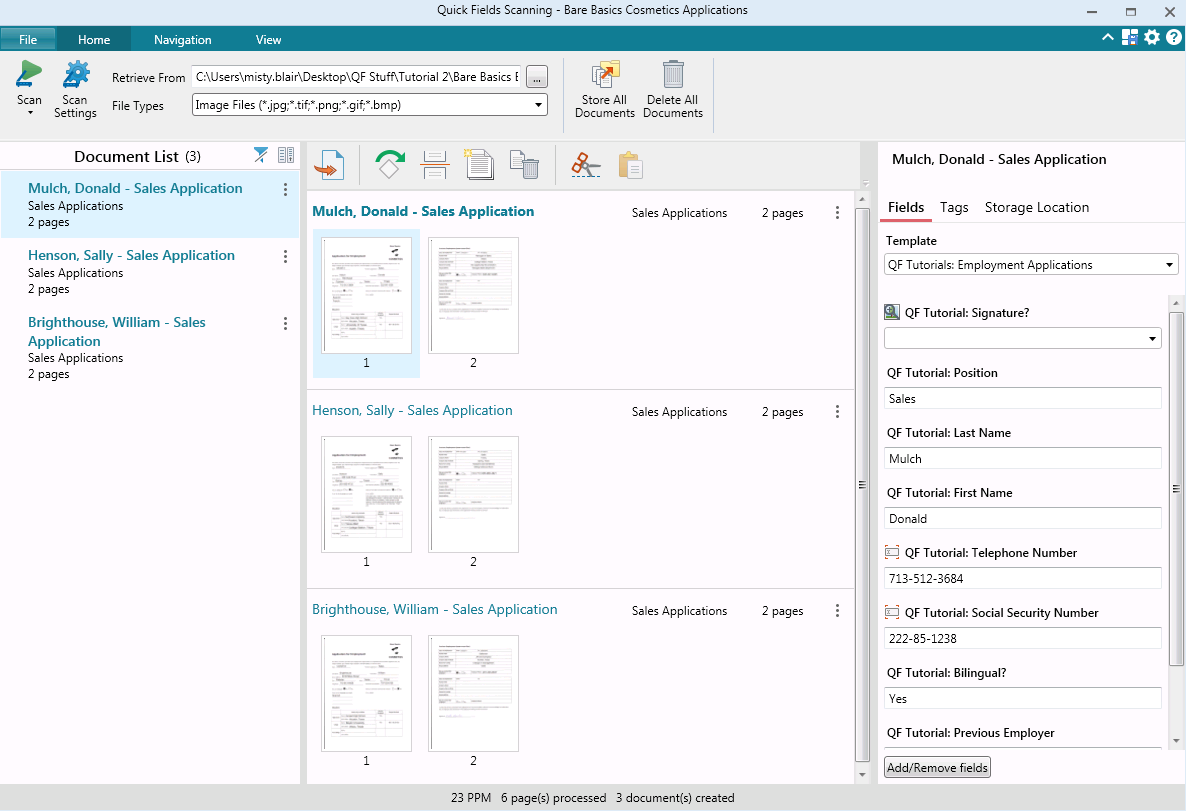  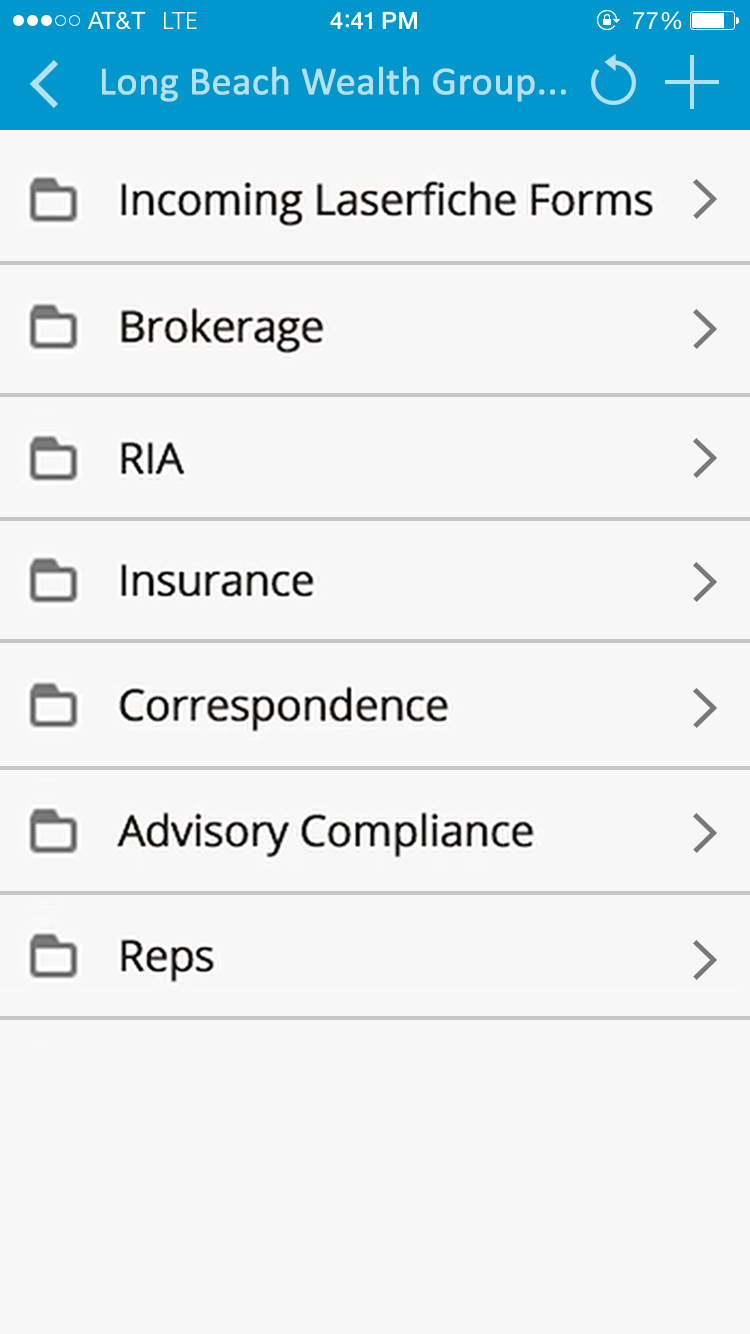 |