AWeber vs. Salesforce Starter

Overview
ProductRatingMost Used ByProduct SummaryStarting Price
AWeber
Score 8.1 out of 10
N/A
AWeber is an email marketing and automation solution. It provides support for mobile-friendly HTML email newsletters, autoresponder campaigns, subscriber segmentation and management, RSS-to-email features, signup forms for websites or blogs, and more.
$15
per month
Salesforce Starter
Score 9.0 out of 10
Small Businesses (1-50 employees)
Salesforce Starter (formerly Salesforce Essentials) is a small business CRM that replaces the former SalesforceIQ product. It is priced at $35 per user, on a monthly basis, or at $25 per month for if billed annually ($300) and can be tried free for 14 days on a trial.
$35
per month per user
Pricing
AWeberSalesforce Starter
Editions & Modules
AWeber Lite
$15
per month Starting at
AWeber Plus
$30
per month Starting at
Done For You Email
$30
per month Starting at
Unlimited
$899
per month
No answers on this topic
Offerings
Pricing Offerings
AWeberSalesforce Starter
Free Trial
YesYes
Free/Freemium Version
YesNo
Premium Consulting/Integration Services
NoYes
Entry-level Setup Fee$79 one-time feeNo setup fee
Additional DetailsAWeber offers usage-based pricing starting at $15/month. Plans scale based on the number of subscribers and features needed. Options include: Lite Plan – Core tools like email automation, landing pages, sign-up forms, and AI Writing Assistant. Plus Plan – Advanced features including split automation paths, behavioral triggers, analytics, A/B testing, ecommerce, and custom branding. Done For You – A fully built email marketing system (emails, landing pages, and automations) delivered in 7 days, with 30 days of unlimited edits. All plans include 24/7 support. 14-day free trial available.
More Pricing Information
Community Pulse
AWeberSalesforce Starter
Features
AWeberSalesforce Starter
Email & Online Marketing
Comparison of Email & Online Marketing features of Product A and Product B
AWeber
7.7
31 Ratings
4% below category average
Salesforce Starter
-
Ratings
WYSIWYG email editor8.930 Ratings00 Ratings
Dynamic content7.03 Ratings00 Ratings
Landing pages6.04 Ratings00 Ratings
A/B testing8.07 Ratings00 Ratings
Mobile optimization7.026 Ratings00 Ratings
Email deliverability reporting8.031 Ratings00 Ratings
List management8.031 Ratings00 Ratings
Triggered drip sequences8.927 Ratings00 Ratings
Reporting & Analytics
Comparison of Reporting & Analytics features of Product A and Product B
AWeber
8.6
31 Ratings
11% above category average
Salesforce Starter
-
Ratings
Dashboards8.927 Ratings00 Ratings
Standard reports8.931 Ratings00 Ratings
Custom reports7.926 Ratings00 Ratings
Pre-Send Testing
Comparison of Pre-Send Testing features of Product A and Product B
AWeber
7.6
3 Ratings
6% below category average
Salesforce Starter
-
Ratings
URL Validation7.73 Ratings00 Ratings
Link Tracking8.43 Ratings00 Ratings
Image Validation7.13 Ratings00 Ratings
Inbox Display7.13 Ratings00 Ratings
Spam Testing7.13 Ratings00 Ratings
Email Previews8.43 Ratings00 Ratings
Sales Force Automation
Comparison of Sales Force Automation features of Product A and Product B
AWeber
-
Ratings
Salesforce Starter
8.7
7 Ratings
11% above category average
Customer data management / contact management00 Ratings7.57 Ratings
Territory management00 Ratings7.67 Ratings
Opportunity management00 Ratings9.07 Ratings
Integration with email client (e.g., Outlook or Gmail)00 Ratings9.66 Ratings
Quote & order management00 Ratings9.45 Ratings
Interaction tracking00 Ratings8.46 Ratings
Channel / partner relationship management00 Ratings9.75 Ratings
Marketing Automation
Comparison of Marketing Automation features of Product A and Product B
AWeber
-
Ratings
Salesforce Starter
7.6
6 Ratings
2% below category average
Lead management00 Ratings7.66 Ratings
CRM Project Management
Comparison of CRM Project Management features of Product A and Product B
AWeber
-
Ratings
Salesforce Starter
8.3
5 Ratings
7% above category average
Task management00 Ratings9.45 Ratings
Billing and invoicing management00 Ratings6.75 Ratings
Reporting00 Ratings8.85 Ratings
CRM Reporting & Analytics
Comparison of CRM Reporting & Analytics features of Product A and Product B
AWeber
-
Ratings
Salesforce Starter
9.0
5 Ratings
16% above category average
Forecasting00 Ratings9.05 Ratings
Pipeline visualization00 Ratings8.85 Ratings
Customizable reports00 Ratings9.35 Ratings
Customization
Comparison of Customization features of Product A and Product B
AWeber
-
Ratings
Salesforce Starter
7.3
6 Ratings
5% below category average
Custom fields00 Ratings7.66 Ratings
Custom objects00 Ratings7.65 Ratings
Scripting environment00 Ratings6.35 Ratings
API for custom integration00 Ratings7.75 Ratings
Security
Comparison of Security features of Product A and Product B
AWeber
-
Ratings
Salesforce Starter
8.8
6 Ratings
4% above category average
Single sign-on capability00 Ratings8.86 Ratings
Role-based user permissions00 Ratings8.86 Ratings
Social CRM
Comparison of Social CRM features of Product A and Product B
AWeber
-
Ratings
Salesforce Starter
8.4
5 Ratings
12% above category average
Social engagement00 Ratings8.45 Ratings
Integrations with 3rd-party Software
Comparison of Integrations with 3rd-party Software features of Product A and Product B
AWeber
-
Ratings
Salesforce Starter
8.1
5 Ratings
8% above category average
Marketing automation00 Ratings8.35 Ratings
Compensation management00 Ratings8.05 Ratings
Platform
Comparison of Platform features of Product A and Product B
AWeber
-
Ratings
Salesforce Starter
8.4
6 Ratings
10% above category average
Mobile access00 Ratings8.46 Ratings
Best Alternatives
AWeberSalesforce Starter
Small Businesses
Mad Mimi
Mad Mimi
Score 10.0 out of 10
Salesmate
Salesmate
Score 10.0 out of 10
Medium-sized Companies
VerticalResponse
VerticalResponse
Score 10.0 out of 10
Creatio
Creatio
Score 9.0 out of 10
Enterprises
Emma by Marigold
Emma by Marigold
Score 8.7 out of 10
Creatio
Creatio
Score 9.0 out of 10
All AlternativesView all alternativesView all alternatives
User Ratings
AWeberSalesforce Starter
Likelihood to Recommend
8.0
(37 ratings)
9.0
(7 ratings)
Likelihood to Renew
6.8
(6 ratings)
4.0
(1 ratings)
Usability
8.0
(3 ratings)
8.6
(4 ratings)
Support Rating
10.0
(3 ratings)
-
(0 ratings)
User Testimonials
AWeberSalesforce Starter
Likelihood to Recommend
AWeber
AWeber is an excellent email marketing solution for small to mid-sized businesses, especially those that are just starting with email marketing campaigns. AWeber is also good for bloggers. But it's not perfect for an affiliate marketer who wants to make a landing page on AWeber. Businesses that require advanced segmentation options may need to consider other email marketing platforms.
Read full review
Salesforce
If you own a business that has complex selling processes or requires integrations with 3rd party tools/systems, you should look at Professional, Enterprise, or Unlimited editions. Salesforce operates very well across pretty much every industry, but not all sales, marketing, and operational processes are created equal. If your marketing process requires a long list of sendable contacts then I would recommend adding on Pardot or Hubspot. Always start small and scale up, to avoid boxing yourself in down the road.
Read full review
Pros
AWeber
  • List building: AWeber makes it easy to grow opt-in subscribers through customizable signup forms as well an integration with tools like Sumo and Hustle Pro.
  • List segmentation: with a little more information about each subscriber, it's easy to create custom segmented lists based on different criteria.
  • Deliverability: AWeber enforces opt-in rules to keep spammers out of its system and improve deliverability rates for reputable users. We rarely have issues with our messages from AWeber being routed to spam folders.
  • Double opt-in: AWeber makes it easy to set up double opt-in to make extra certain you have a high-quality mailing list.
Read full review
Salesforce
  • Tracking phone calls is extremely easy when using the app on the iphone. After a phone call is complete it prompts the user to enter in call details.
  • SalesforceIQ also automatically logs emails for us. This has saved us time from entering in information manually.
  • SalesforceIQ was easy to set up and allowed us customization for fields that were relevant to our business.
Read full review
Cons
AWeber
  • Aweber would be even better if it had the ability to host landing pages. I have to use a tool like landingpages.net to do this if I don't want to create the landing pages as part of my client's website. If I manage their site, it isn't a problem, but it keeps me from using Aweber for clients who manage their own sites or dont' have one.
  • Aweber would greatly benefit from a more robust reseller program. Firms like mine have multiple clients and, with each client needing an individual Aweber account, it would be nice to have access to margin so that we could resell the services.
  • Along the lines of a reseller program, it would be great of Aweber allowed resellers to white label the interface and administrate multiple accounts from one agency account.
Read full review
Salesforce
  • Table views can be sorted by column. Filters can be applied, but only to one column. Multi-column filtering like Excel allows would be extremely useful and a big improvement.
  • The ability to quick copy data in a table view would also be helpful, like (ctrl ') in excel.
Read full review
Likelihood to Renew
AWeber
AWeber is easy and intuitive for me use. I really like the simplicity and the structure of the work flow as it saves me time. AWeber also integrates with all the other programs, systems and gateways that I use on a daily basis (WordPress, Paypal, LeadPages, Facebook and more) and if I have any questions or have trouble the AWeber customer service technicians are very helpful.
Read full review
Salesforce
No answers on this topic
Usability
AWeber
See previous answers ... the design / customization interface could be more intuitive and elegant .. for example, for me it has been difficult to easily figure out how to place pictures / images to the right, left or center of text.
Read full review
Salesforce
The system is very user-friendly on a desktop but lacks mobile friendliness. The Customer relationship manager disappears after the deal is signed. We struggled to get the system in a usable format, which was not cost-effective. The CRM system on desktop was great but way more complicated than it should be.
Read full review
Support Rating
AWeber
I have always received prompt phone or live chat support that has resolved my issues on the first call in a competent, knowledgeable and friendly manner. By contrast MailChimp offers no live chat or phone support; they only offer email support and the response time for MailChimp is slow by comparison to AWeber.
Read full review
Salesforce
No answers on this topic
Alternatives Considered
AWeber
We often use Canva to design our content and then export it as an image to upload into Aweber, as Aweber designs and limitations are too much of a hindrance to our needs. Canva is a brilliant tool for marketing and saves you a lot of time being able to adapt or change an existing template you create.
Read full review
Salesforce
more expensive but as an industry leader and go, the learning curve pays for itself in ROI in lost time in onboarding
Read full review
Return on Investment
AWeber
  • Aweber delivers my email fast and reliably, never had a problem tech support could not handle (by the way, their support is great!)
  • Since I have been with Aweber for so many years, I have an unlimited plan for a very affordable rate
  • Aweber may not be a sexy as some of the new kids on the block, but it is a solid offering you should consider when choosing an autoresponder
Read full review
Salesforce
  • It made the job more efficient for staff so they can spend time doing other tasks rather than configuring and maintaining Salesforce Starter.
Read full review
ScreenShots

AWeber Screenshots

Screenshot of an example of email sequences triggered by actions like purchases or sign-ups to nurture leads, re-engage customers, or onboarding new subscribers. Use tags and behavior-based logic to send the right message at the right time, in the subscriber’s time zone.Screenshot of AWeber's interface for building on-brand email graphics and social content. Built-in Canva access lets users create custom visuals for headers, announcements, and promotions in just a few clicks.Screenshot of where to create and send professional emails used to promote products and drive more sales. Built-in tools like content blocks, saved templates, and branded elements make it easy to stay consistent and launch campaigns faster.Screenshot of where to launch product pages, event signups, or lead capture forms in minutes. Every landing page includes built-in forms, payment collection, and automated follow-ups.Screenshot of the editor used to sell digital products directly from an email or landing page. The checkout experience can be customized with pricing and real-time purchase tracking, while automating confirmation emails and follow-ups to boost customer satisfaction.Screenshot of the editor to write emails faster using built-in AI. This offers help brainstorming content, refining text tone, or generating subject lines to improve open rates, ideal for creators and small teams looking to save time without sacrificing quality.

Salesforce Starter Screenshots

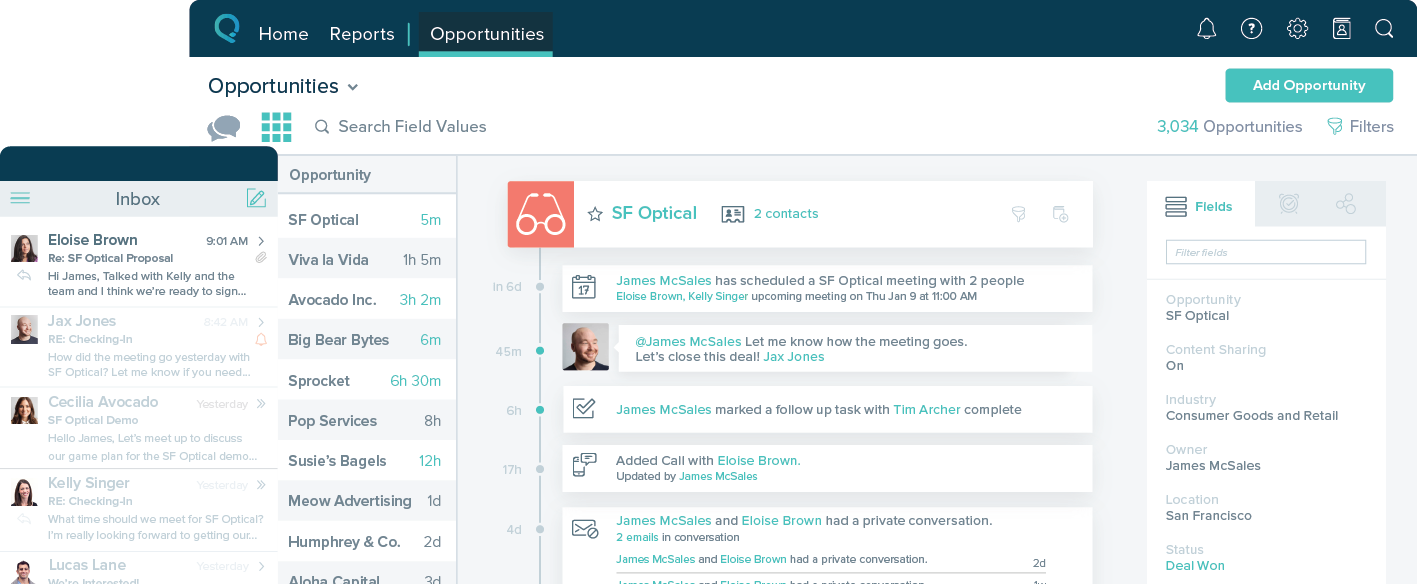
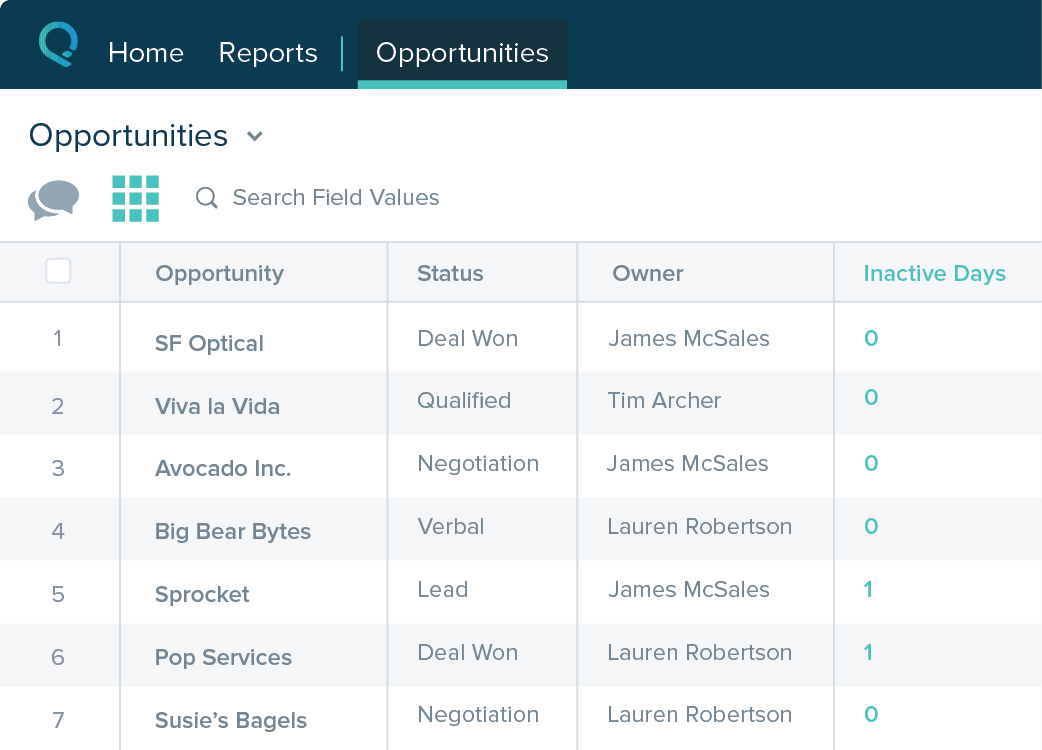
Screenshot of Screenshot of Screenshot of Screenshot of