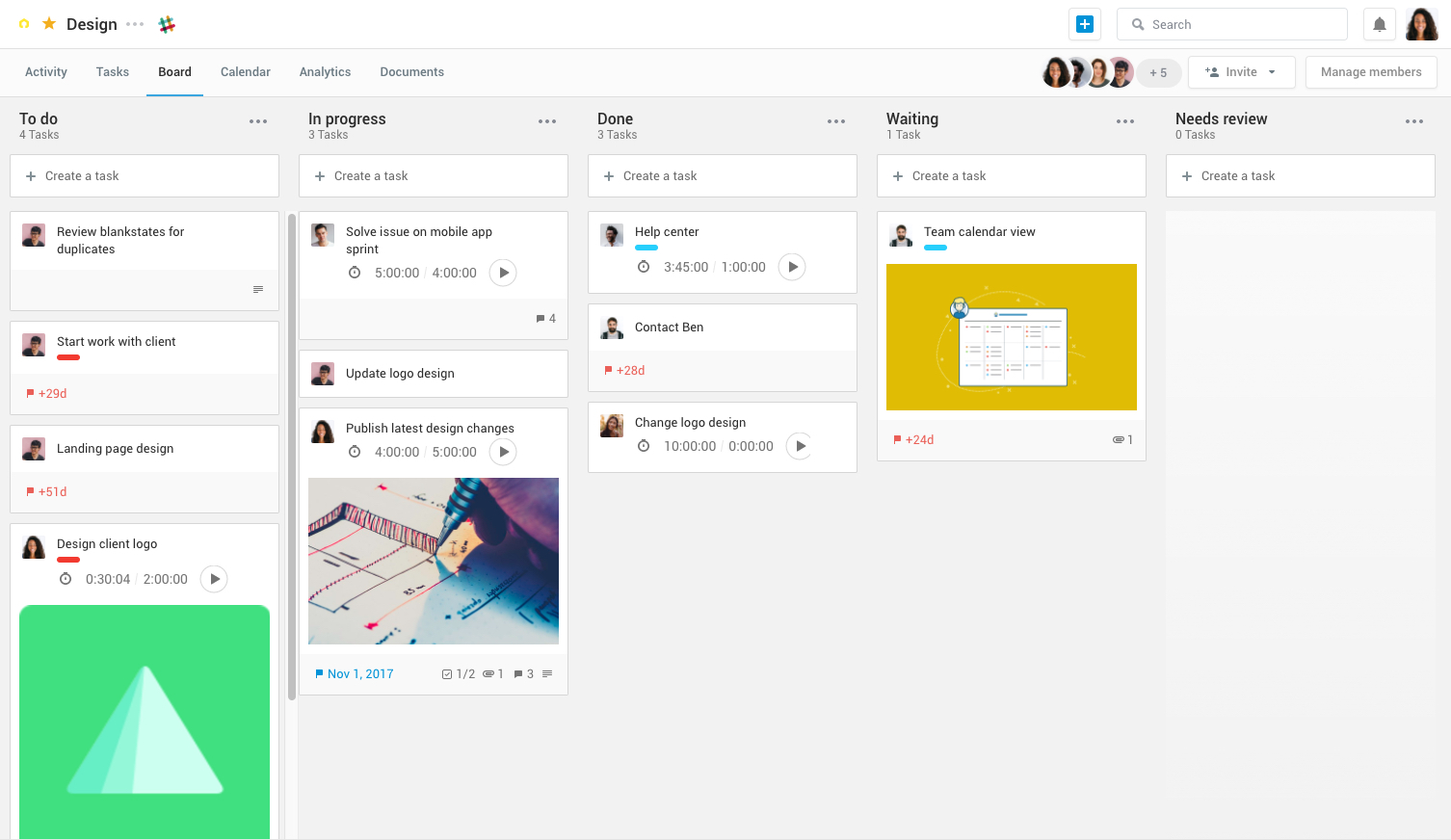
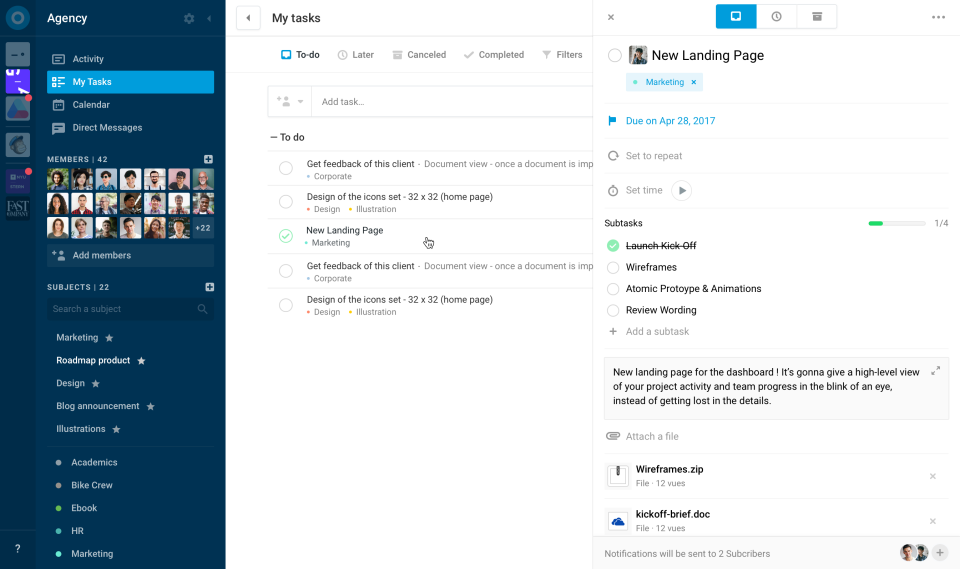
Azendoo is a work management application to help teams work more effectively by giving them the tools to communicate, plan and execute together. Azendoo is designed to make teams collaborate in a more transparent and positive way while making work more enjoyable. Conversations are held in threads shared on projects to see through every piece of information and eventually take action by creating a task based on a conversation. Tasks allow team members to see all of their work in one…
$7.50
per user
Trello
Score 8.3 out of 10
N/A
Trello from Atlassian is a project management tool based on a Kanban framework. Trello is ideal for task-management in a to-do list format. It supports sharing boards and cards across users or teams. The product offers a free version, and paid versions add greater automation, collaboration, and administrative control.
$6
per month per user
Pricing
azendoo
Trello
Editions & Modules
Team plan
$7.50
per user
Business plan
$14.00
per user
Enterprise plan
custom pricing
per user
Standard
$6
per month per user
Premium
$12.50
per month per user
Enterprise
$17.50
per month per user
Free
Forever Free
Offerings
Pricing Offerings
azendoo
Trello
Free Trial
Yes
No
Free/Freemium Version
No
Yes
Premium Consulting/Integration Services
No
No
Entry-level Setup Fee
$7.50 per user
No setup fee
Additional Details
Add some time tracking: +$5.00 user/month
Scheduled and accumulated time per task
A discount is offered for annual billing and for larger numbers of users.
Azendoo, unlike Trello, is a tool that provides a much more organized interface and features that provide more effective project management and direct communication. Trello is based on a slightly older interface and still requires different tools to be ideal for carrying out …
azendoo has a very easy-to-understand interface, allows for scaling in a way that Basecamp doesn't, and is constantly reinventing the platform (and appears to take customer feedback very seriously). Overall, while many project management platforms seem very similar, and I've …
azendoo is a different tool, meant for a different project type. While it's a good program on its own, Evernote ultimately had all I needed as a single employee/student is the only person within my workspaces. I did not need to network and as such, I did not find it applicable. …
I've tried using an agenda, making tasks in the Google Calendar, copy the Trello organization in Notion. But I can say confidently, that nothing beats how nicely and attractive Trello looks. It's not only visually appealing, but it's super easy to use and great to have a follow …
Our business ended up using Monday due to the holistic nature of the tool. It allows us to collaborate amongst teams and see the project as a whole easier. Trello is for personal usage and task management. I use Monday to organize my overarching needs, and then put specific …
I don't feel that Trello stacks up to these other tools as well. I used to use Trello much more in the past and, over the last 5 years, have consistently used it less and less because it is easier to stay within the workflow of the tools I listed above.
Okay, I have to say that at the organization where I work, we completely switched from Trello to Monday.com, and it wasn't an easy decision. As I've mentioned throughout this review, I think Trello works perfectly for small and medium-sized businesses and/or entrepreneurs …
We actually use both in our company. I personally prefer Slack just because I feel like it gives me more avenues of communication with my peers and coworkers then Trello does.
However, Slack would fail to meet our business requirements for what we need to succeed with new …
Trello is more visual than Todoist and MS To Do. For me, the major advantage of Trello is its functionality around creating Kanban Boards—there is not the same flexibility or options in either of the other two products. I was also able to seek advice from colleagues who were …
Asana is awesome but it comes with a price. For a startup pricing hurts. ClickUp is so vast and has a lot of areas to get lost in, if you don't set some standards there are many ways to do it wrong. Slack is just a communication platform, you can collaborate and stuff but not …
Trello is more simple and not as "robust" as the other tools, but it's easier to use and manage and understand and ACTUALLY get stuff done with. It's simplicity is part of the beauty of using it. You don't need a million options that nobody uses, you just need to get stuff done.
We found that those software, while they included Kanban boards, offered a lot more features. Our tickets tended to get lost and it was harder to navigate through. Our Product team didn't particularly like how they functioned as much.
Trello won becuase of the easy drag and drop feature that makes it simple for team members to jump on and use from day one. That said, Asans has way more features and for a tech-savvy person it would be the choice; it is still user-friendly. While it has a steeper learning …
Trello provides precise goal setting, targets, and activity tracking with minimal human intervention, while Trello provides tags and tasks to add users and communicate visual task organization. Trello also offers real-time updates, team collaboration, and project progress …
For our purposes and my role in the business, Trello is simpler and easier to use. I found Jira very hard to navigate to individual projects, and the process of creating a card was very time-consuming. That said, I think Jira performs a number of roles that Trello doesn't, and …
I have been able to use the free version of Trello for many years and for the free version, this platform offers incredible value. I have not yet found such value in other free versions of similar platforms. This platform is also very easy to use as a first time user.
Trello is more in-depth and task-driven, whereas 15Five is more accountable and has personal weekly goals and accomplishments. Trello can be divided up to allow others to do the listed task, and all employees work together to accomplish and complete each required ticket/card …
We are still transitioning into using Trello but used ActiveCollab in the past for our website management and projects. I do like the layout of Trello better and feel that the notifications work well.
I also use Whatsapp chat as a task management tool. Whatsapp group chat is very convenient for assigning tasks and making follow-ups. Trello currently lacks here. Whatsapp chat is also way more handy and user-friendly than Trello, because of its better interface and engagement. …
Trello is convenient for tasks management of the team, there are columns, additional tools, and integrations. Regular to-do lists are better to add routine tasks that you need to do daily. In Trello, It is convenient to add small projects or add smaller tasks for a big project …
Trello is better than Gitlab CI and other tools because it provides a very simple way of managing project with just lists and draggable components. Also, thanks to Mobile version, it is really easy for a team lead to manage his projects at anytime of a day. So I widely …
Large organizations can really benefit from azendoo due to its ability to segment into teams. The various levels of organization are helpful for organizations with many coexisting initiatives, and I find that it has been instrumental in our success building out large campaigns or product launches. In general, azendoo is just an excellent project management tool, with little-to-no learning curve.
Trello is great for cross-team communication and intra-team organization. It's simple to get setup, with flexible tools that give businesses control over how to make Trello work the best for them. It is an amazing platform for operations tracking, project management, and even organizing customer service requests for a smaller business.
Search Function - I consistently find it difficult to find old tasks where I don't immediately know the subject to which it belongs. I would appreciate more advanced search capabilities and a stronger search function in general.
Message Feature - We just don't use this feature at our organization, because it's not very robust. We'd prefer more of a "chat" like function, with a pop-up window (something similar to Slack).
I am very likely to renew Trello, because it doesn't cost anything to do so. I am also very likely to use Trello's upgraded features in the future because a lot of my team's data is stored on there and they have already gotten used to the platform. Trello is very easy for new team members to pick up, making the onboarding and usability very streamlined.
I am technology illiterate, it's my Achilles heel and this program is so easy to use. I have been utilizing it for a decade now. It makes organizing and prioritizing my life, my work, my business, my kids life, etc so much more manageable and without having to hold on to a bunch of into in my head. I can find it and locate it quickly and easily in Trello.
I haven't had much need to contact their support because the product is easy to use and pretty bug-free. I did reach out to them about swimlanes and I was able to find the information I needed very quickly and it was thorough and accurate information about current functionality. I love that they use their own product. That's always a good sign.
For our small business, getting a few of us started well on Trello was the key, I think. As long as a couple of us were really comfortable with the interface, we could lead others and help them with any questions. From now on, anyone who works with us just naturally uses Trello for information sharing - it's just part of what we do.
azendoo is a different tool, meant for a different project type. While it's a good program on its own, Evernote ultimately had all I needed as a single employee/student is the only person within my workspaces. I did not need to network and as such, I did not find it applicable. Later down the road in a shared office, I might feel differently.
Our business ended up using Monday due to the holistic nature of the tool. It allows us to collaborate amongst teams and see the project as a whole easier. Trello is for personal usage and task management. I use Monday to organize my overarching needs, and then put specific tasks into Trello to stay organized.
Azendoo has really been an advantage to our company because, thanks to its features that make communication much more feasible and direct, business productivity has increased.
The support team is really very attentive so we have not had any problems left unsolved. That has prevented us from delays in project deliveries.
It's been an essential tool for our onboarding team. We wouldn't be able to operate without it.
It's been a very affordable investment for our team as well since we still use the free version.
We have had a negative return in the fact that there aren't any reporting tools within the app. We have to spend time tracking certain elements manually.