Azure DevOps Server (formerly Team Foundation Server, or TFS) is the on-premise version of Azure DevOps. To license Azure DevOps Server an Azure DevOps license and a Windows operating system license (e.g. Windows Server) for each machine running Azure DevOps Server.
N/A
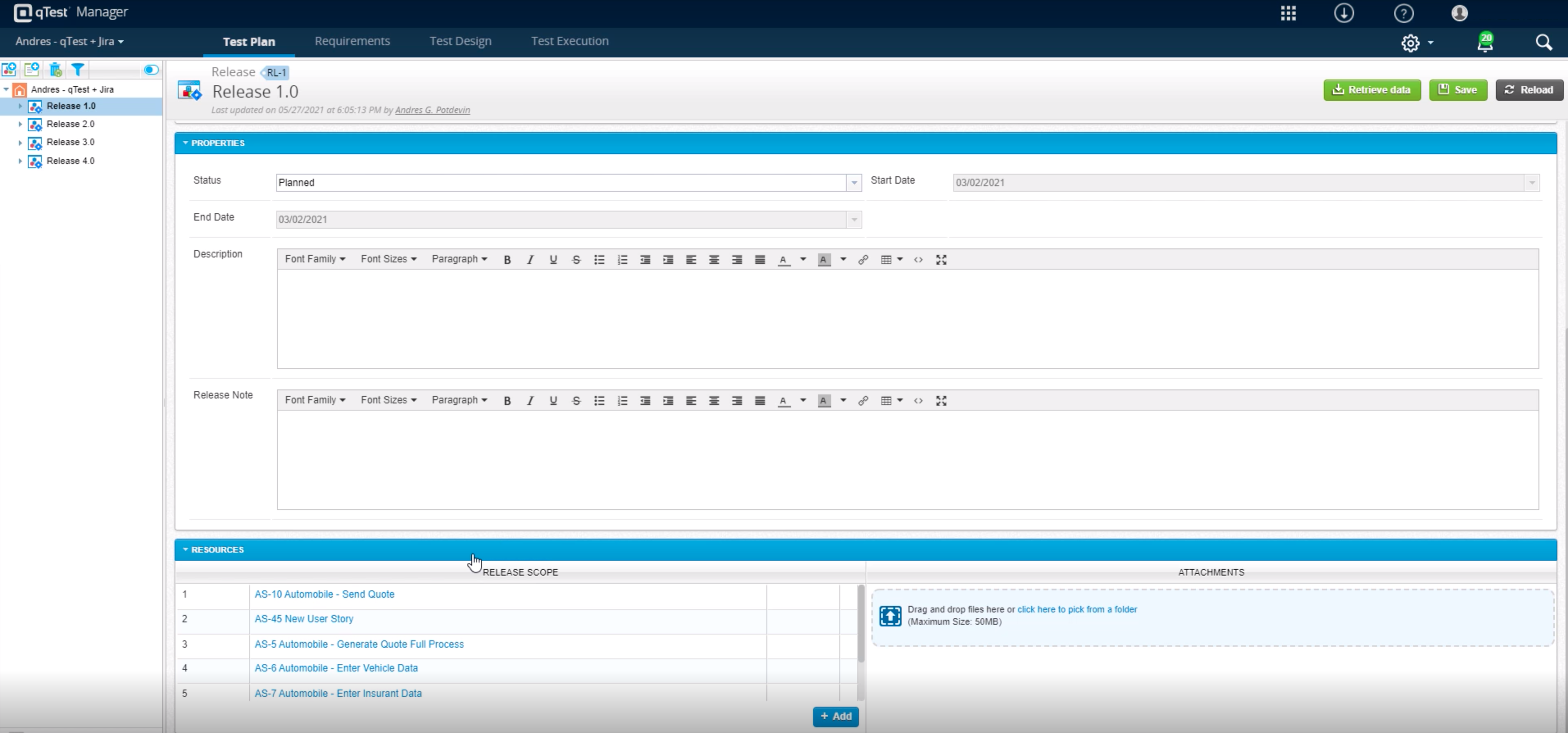
Tricentis qTest
Score 8.5 out of 10
N/A
Tricentis qTest (formerly QASymphony) provides enterprise-level agile testing tools giving businesses visibility and control needed to ensure application quality in fast-paced development environments. Tricentis and QASymphony merged in summer 2018.
$1,200
per year per user
Visual Studio Test Professional
Score 7.0 out of 10
N/A
An add-on for the Visual Studio IDE, Visual Studio Test Professional subscription helps teams drive quality and speed. It includes test case management and collaboration features that streamline quality control and support continuous delivery.
Tricentis qtest is well suited as it serves the purpose for both quality assurance and business management. It is very simple for non technical users to write test cases in free hand and they don’t have to bother about traceability as it is automatically handled by this …
The visual Studio Test tool is faster than other tools. Since the development and testing processes are in one tool, it is more profitable in terms of cost. It is more inconvenient to write a test case in DevOps.
Our dev team is used to developing with Microsoft tools and managing projects with Azure devops server and service. QA uses the same collaborative platform, so it was easier - almost natural - for all of them to use Visual Studio Test Professional, with full integration and …
Visual Studio Test Professional is head and shoulders above the other options we've tested and used in the past. Our Legacy teams were still using Quality Center as of a month ago and they just switched over to Microsoft Test Professional to join the rest of the organization …
Test Professional is a much more rounded product by nature of its integration with Team Foundation Server. Much lower administrative effort required as only one system needs to be hosted.
Azure DevOps is good to use if you are all-in on the Microsoft Azure stack. It's fully integrated across Azure so it is a point-and-click for most of what you will need to achieve. If you are new to Azure make sure you get some outside experience to help you otherwise it is very easy to overcomplicate things and go down the wrong track, or for you to manually create things that come out of the box.
Tricentis qTest integrates seamlessly with Jira, making it ideal for teams that manage user stories and defects in Jira while keeping test cases and execution in qTest. When paired with automation tools like tosca, Selenium, or WebdriverIO, qTest is excellent for aggregating both manual and automated test results in one place.
It would be well suited if we used it with Azure DevOps as we can effortlessly integrate the test cases and even stories or tasks to stay on track with our work. Those test cases can even be reused across multiple projects. Using any other third-party tools, such as Jira, can be less appropriate, as it's not a Microsoft tool, and its capabilities will be limited.
As a fresher, when I started using qTest it was very handy and easy to understand.
It helps us trace the test cases that are used to test the quality in a single location
The main thing is its integration with JIRA as soon as we create a ticket we would be getting all the requirements in the qTest so it became easy for me
In requirements , we can't add multiple test cases at once, or search multiple cases at once, need to do one by one. Here actually qtest needs to improve.
Linking cloud hosted qtest and on-premise TOSCA is very difficult especially when you are working with client system with security wall. It requires tunnelling software which is not recommended.
The user community of the Visual Studio Test product is weak. For instant problems with this product, it is necessary to quickly reach the source of the error.
Licence fees need to be more reasonable. License prices need to be reduced so that they can easily compete with free testing tools.
Because we are a Microsoft Gold Partner we utilize most of their software and we have so much invested in Team Foundation Server now it would take a catastrophic amount of time and resources to switch to a different product.
For standard users the interface is friendly. but if you are a manager some tools are a little confusing to use, like the query system that you always need to create from scratch. Templates should be more helpful for queries and for standard procedures that you need to duplicate PBIs over time. The search history of Work Items is a little painful to use.
It successfully balances deep enterprise functionality with a clean and modern interface. One of its strongest points is the intuitive, folder based navigation, which makes organizing test case and cycles feel natural. Learning curve is relatively shallow for the new team members to become productive without extensive onboarding. Also the deep integration with JIRA is a significant boost to its usability.
It is very usable if you are familiar with Visual Studio to begin with. If you are new to the interface, it can be a long ramp up period for Testers not used to the GUI. There is always the web option which seems to be more intuitive for many Testers.
I have not had to use the support for Azure DevOps Server. There have never been any issues where I was not able to figure it out or quickly resolve. Our Scrum Master has used support before though, and the service has always been prompt and clear with a customer-focus
Visual Studio Test Professional is backed up by the full support of the Microsoft Corporation. That means twenty-four/seven customer support by quality, highly-trained professionals who understand every possible issue that you have experienced before. They are nice, efficient, and highly professional. I recommend them.
In my opinion, DevOps covers the development process end to end way better than Jira or GitHub. Both competitors are nice in their specific fields but DevOps provides a more comprehensive package in my opinion. It is still crazy to see that the whole suite can be used for free. The productivity increase we realized with DevOps is worth real money!
All of them offer formidable solutions in the test management realm, but each one caters to different niche and need. qTest distinguishes itself with its deep integration capabilities, especially with Agile and DevOps tools, enabling streamlined CI/CD process. Its modern, user-centric interface contrasts with ALM's more dated appearance and complex setup. While TestRail provides a clean user experience and caters to a broad spectrum of business, qTest's scalability, from SMBs to large enterprises, stands out. PractiTest's cloud-based solution is geared towards mid-sized companies, but qTest's flexibility, advanced analytics, and robust reporting grant teams actionable insights. qTest' approach to a more holistic test management closely aligning with modern software development practices
The visual Studio Test tool is faster than other tools. Since the development and testing processes are in one tool, it is more profitable in terms of cost. It is more inconvenient to write a test case in DevOps.
It has streamlined the pipeline and project management for our agile effort.
It has helped our agile team get organized since that is a new methodology being leveraged within the Enterprise.
The calendar has improved visibility into different OOOs across the project team since we all come from different departments across the larger organization.
One of the positive ROIs of Visual Studios is the fact that it makes producing our work at a quick rate, things like Intellisense make our work get produced at a much higher rate which is good for our return of investment.
Testing by the developers has increased by 23%, we now take the time to actually test our product before we send it to our QA people.
I am not aware of any negative ROI aspects to our company that have been found.