
Backlog vs. Smartsheet
Backlog vs. Smartsheet
| Product | Rating | Most Used By | Product Summary | Starting Price |
|---|---|---|---|---|
 Backlog | N/A | Backlog is a project management and bug tracking tool for teams that want higher productivity, greater visibility, and simple project tracking. Development teams can work together with Design, Marketing, IT, and more. Backlog is designed to get everyone on track by organizing work, teammates, projects and tasks. The activity feed and watchlist are designed to help users keep an eye on relevant work and deadlines. Gantt charts and burndown charts are designed to help users visualize project… | N/A | |
 Smartsheet | N/A | Smartsheet is an online project management and collaboration tool. It includes automated alerts, instantaneous updating and sharing across team members, resource management, nested tasks organized in a hierarchy, a Gantt chart view, exportable and automated reports, and integration with email. | $12 per month per user (up to 10 users) |
| Backlog | Smartsheet | |||||||||||||||
|---|---|---|---|---|---|---|---|---|---|---|---|---|---|---|---|---|
| Editions & Modules | No answers on this topic |
| ||||||||||||||
| Offerings |
| |||||||||||||||
| Entry-level Setup Fee | No setup fee | No setup fee | ||||||||||||||
| Additional Details | — | A discount is offered for annual billing. | ||||||||||||||
| More Pricing Information | ||||||||||||||||
| Backlog | Smartsheet |
|---|
| Backlog | Smartsheet | |||||||||||||||||||||||||||||||||||||||||||||
|---|---|---|---|---|---|---|---|---|---|---|---|---|---|---|---|---|---|---|---|---|---|---|---|---|---|---|---|---|---|---|---|---|---|---|---|---|---|---|---|---|---|---|---|---|---|---|
| Project Management |
| |||||||||||||||||||||||||||||||||||||||||||||
| Professional Services Automation |
|
| Backlog | Smartsheet | |
|---|---|---|
| Small Businesses |  Kintone Score 9.7 out of 10 | Kintone Score 9.7 out of 10 |
| Medium-sized Companies | Kintone Score 9.7 out of 10 | Kintone Score 9.7 out of 10 |
| Enterprises |  Planview AgilePlace Score 7.6 out of 10 | Planview AgilePlace Score 7.6 out of 10 |
| All Alternatives | View all alternatives | View all alternatives |
| Backlog | Smartsheet | |
|---|---|---|
| Likelihood to Recommend | 9.0 (3 ratings) | 9.3 (146 ratings) |
| Likelihood to Renew | - (0 ratings) | 9.0 (24 ratings) |
| Usability | 10.0 (1 ratings) | 9.2 (17 ratings) |
| Performance | - (0 ratings) | 10.0 (1 ratings) |
| Support Rating | 8.0 (1 ratings) | 8.1 (45 ratings) |
| Online Training | - (0 ratings) | 7.0 (1 ratings) |
| Implementation Rating | - (0 ratings) | 10.0 (6 ratings) |
| Backlog | Smartsheet | |
|---|---|---|
| Likelihood to Recommend | Nulab, Inc.
 Vishal Sonawane Customer support | Smartsheet
|
| Pros | Nulab, Inc.
 Carol Aleman Software Engineering Manager | Smartsheet
 Abigail Selebe Freelance Consultant |
| Cons | Nulab, Inc.
 Sanyam Jain RPA Consultant | Smartsheet
|
| Likelihood to Renew | Nulab, Inc. No answers on this topic | Smartsheet
 Courtney Barringer Communications Specialist |
| Usability | Nulab, Inc.
Vishal Sonawane Customer support | Smartsheet
 Meghan M. Prentiss Program Assistant, Epidemiology Planning and Communications Division |
| Support Rating | Nulab, Inc.
Sanyam Jain RPA Consultant | Smartsheet
|
| Implementation Rating | Nulab, Inc. No answers on this topic | Smartsheet
 Stephanie Carpenter Project Manager |
| Alternatives Considered | Nulab, Inc.
Carol Aleman Software Engineering Manager | Smartsheet
|
| Return on Investment | Nulab, Inc.
Vishal Sonawane Customer support | Smartsheet
|
| ScreenShots | Backlog Screenshots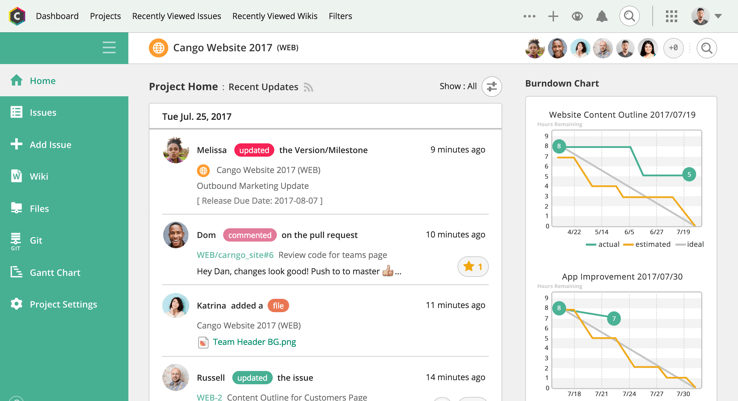 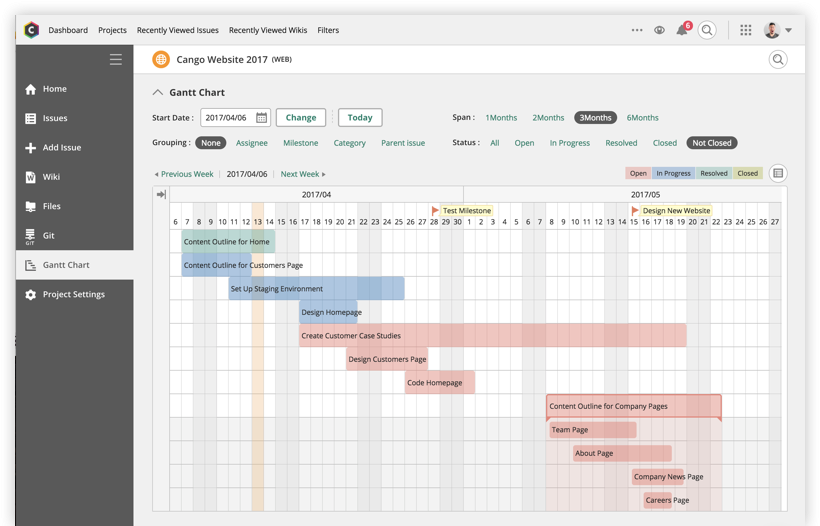   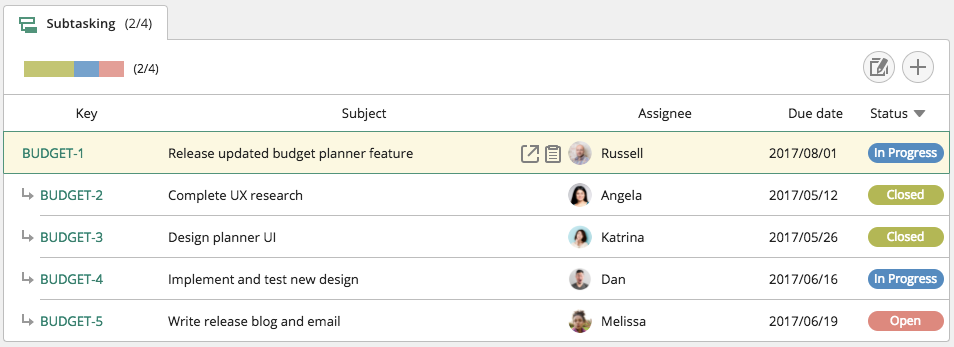 |