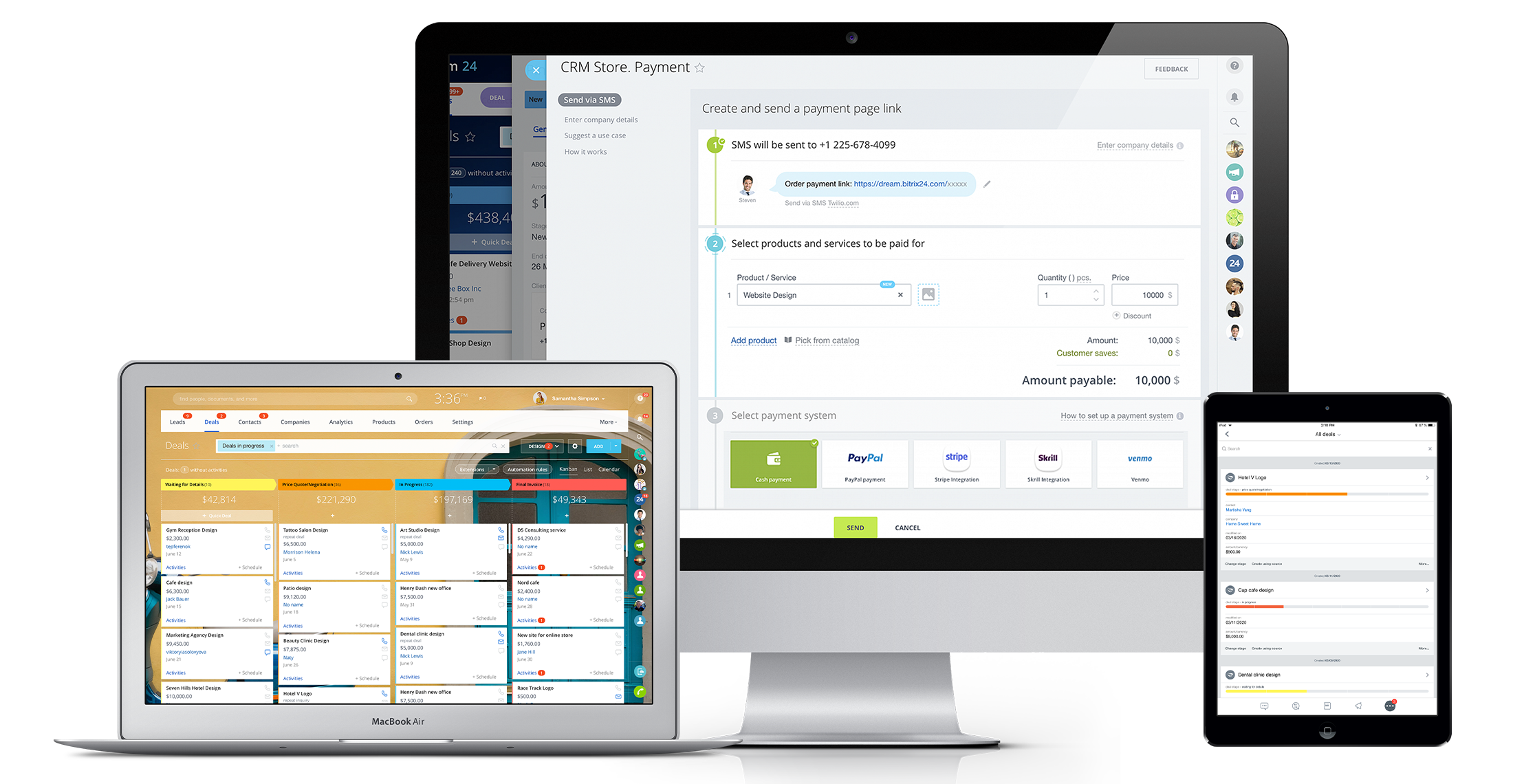
Bitrix24 is a local-hosted or cloud-based social intranet and project management platform that also contains core HR (HRMS) and CRM features. Bitrix24 also provides time management services and employee self-service.
$61
per month up to 5 users
WebWave
Score9.5 out of 10
N/A
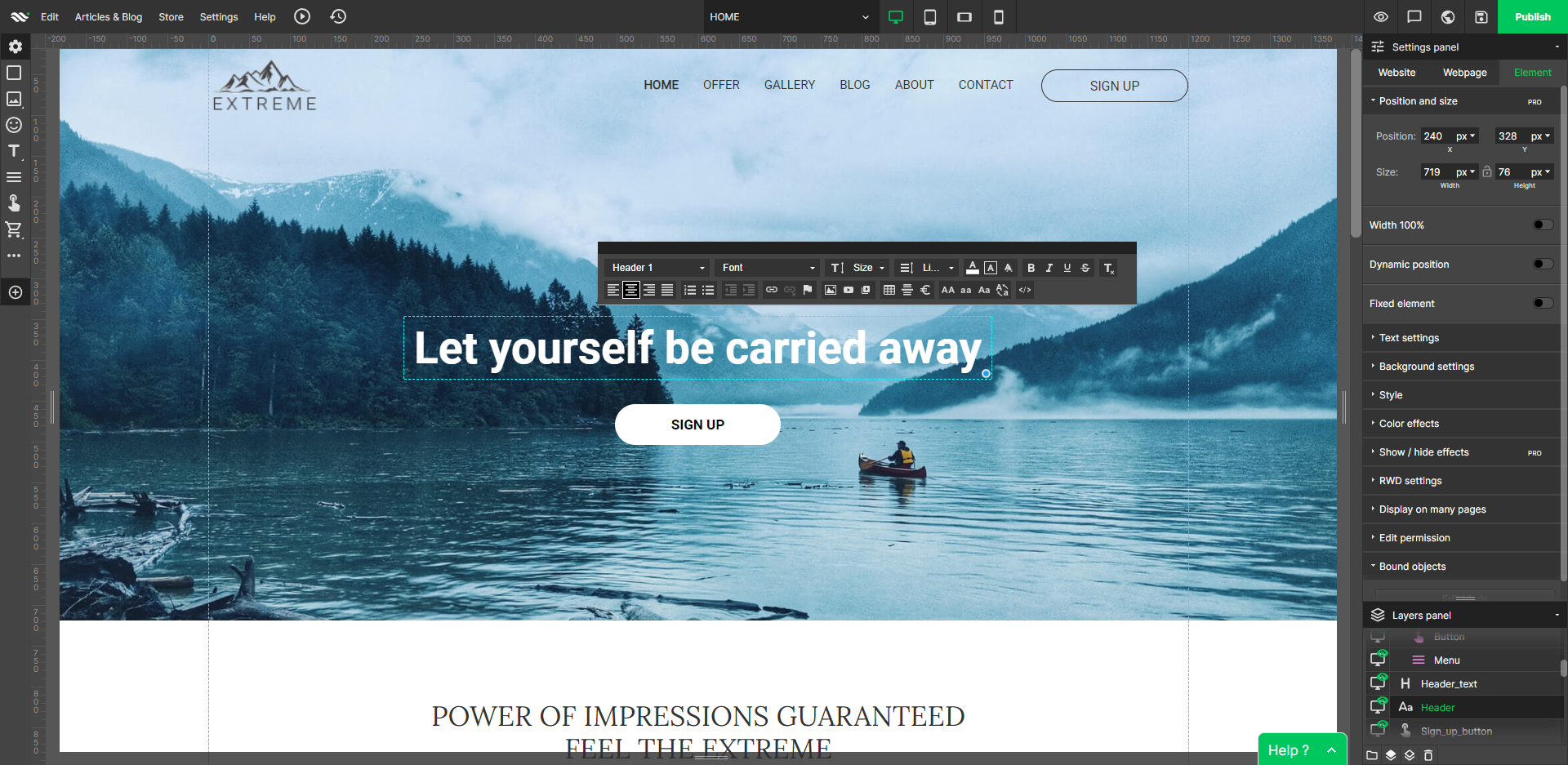
WebWave — an alternative for agencies and freelancers for creating custom websites for clients with the support of CMS. Using CMS with no sacrifices WebWave is a CMS platform that gives a designer precision up to 1 px in every single detail just like in more sophisticated graphic programs such as Photoshop while remaining a drag and drop software. This is to make creating websites much faster without loosing on details. Spend less time talking WebWave…
Bitrix24 is a unified platform with all features in one place. It has a smooth deployment and implementation process. The software boosts teams' productivity and ensures flawless collaboration. Pricing of the software is incredibly affordable. It is highly customizable and a scalable CRM solution.
Well suited: Small businesses and entrepreneurs: WebWave is an excellent option for small businesses and entrepreneurs who need a professional-looking website without spending a lot of time and money. It's easy to use, customizable, and offers fast load times and responsive design. Less appropriate: Large e-commerce websites: If you're looking to create a large e-commerce website with a vast number of products and advanced features, WebWave may not be the best option. Its e-commerce functionality is limited compared to other website builders, and it may not be able to accommodate the needs of a large-scale online store. Also, if you need much coding, you would rather have it with something that is wordpress-based.
A de minimis incentive was given to thank the reviewer for their time. The incentive was not used to bias or drive a particular response, nor was the incentive contingent on a positive endorsement. More Info
Real-Time Collaboration: Bitrix24 facilitates instant communication through features like instant messaging, group chats, and video conferencing. This enables teams to connect and share information in real time, promoting effective collaboration and timely decision-making.
Task Management: Bitrix24 offers comprehensive task management capabilities, allowing teams to assign tasks, establish deadlines, and monitor progress. This ensures that team members are aligned, promoting organization and focus on project objectives.
Social Intranet: Bitrix24 provides a social intranet platform that serves as a centralized space for employees to interact, exchange updates, and collaborate on projects. This fosters a collaborative environment, promotes knowledge sharing, and enhances teamwork across the organization.
WebWave's site builder is the platform's truly innovative feature. I've never come across another service that deploys a layer-based approach in web design, as most of them usually deploy a grid-based system. This is an incredible alteration that ensures WebWave behaves much like a traditional graphic design tool, thereby resulting in an experience that is a lot more intuitive and instinctive. I believe this has the potential to radically change the way people approach no-code web design.
WebWave provides automatic, daily backups and a free SSL certificate for every website. This results in excellent security.
WebWave's support team is first-class! I had some teething-issues in the beginning, but the support team quickly got me back on track.
WebWave's community/forum is an excellent place to vote and request new features. This proves the development team is committed to making WebWave better by listening to their users.
It's user interface can use some work. Although it doesn't take as long as some other software to learn, there is still a bit of a learning curve when it comes to day to day usage.
Bitrix offers a lot of features. It would be nice to have those features laid out in an easier-to-read layout, versus the long list at the side of the page.
It's mobile app functionality is quite limited. It can be difficult to work with other team members, solely off of their mobile app.
A de minimis incentive was given to thank the reviewer for their time. The incentive was not used to bias or drive a particular response, nor was the incentive contingent on a positive endorsement. More Info
Some scope for improvement in UX (colors are not very appealing). It is simple to use but design is a little dated. Especially in the builder section, I'd like to see modern design for buttons and maybe gradients also: as this is where visual motivation is also important
Some edits take effect only after pressing OK. That should be eliminated as it's an unnecessary addition. It's also kind of annoying to do that again and again, which can add up to a lot as we do so many small tweaks while building the website.
Few things (maybe glitches) in design. The rectangle below the footer was uneditable for me. I spent quite some time trying to figure it out so I'm convinced it's a glitch.
It has become the central nervous system of the business and has constantly proven to be of value. We are not just renewing but might even upgrade to advanced Bitrix24 plans and will be adding more user licenses in the next 3 months. Bitrix24 has a sharper learning curve initially. However once it is surpassed, it opens doors to a range of creative deployment strategies
A de minimis incentive was given to thank the reviewer for their time. The incentive was not used to bias or drive a particular response, nor was the incentive contingent on a positive endorsement. More Info
It is a time-saving CRM that will help save time by using one application for all your business needs. Our brain sees colors, images, drawings, it is very visual, and so is Bitrix24. You can plan visually and easily see how everything is progressing. It has tasks, projects management, chat and video, CRM (as you know), visual staff structure, calendar, shared drive, mobile app. You can't ask for anything better out on the market for what you get with their free version and also their step-up plan is $20/month, all the way up to $200, they have a plan for your business. Get your free account and try it out for a few weeks.
A de minimis incentive was given to thank the reviewer for their time. The incentive was not used to bias or drive a particular response, nor was the incentive contingent on a positive endorsement. More Info
I can't recall any instance of unplanned outages over the past 1 year of use. Likewise for application errors. However note that, advanced users will have a learning curve
A de minimis incentive was given to thank the reviewer for their time. The incentive was not used to bias or drive a particular response, nor was the incentive contingent on a positive endorsement. More Info
A de minimis incentive was given to thank the reviewer for their time. The incentive was not used to bias or drive a particular response, nor was the incentive contingent on a positive endorsement. More Info
The absolute worst! Your only contact method is via the paid version and via a chat window. They will take days to answer and when they finally do answer, they will provide nothing but a half baked canned help file.
1. The support person does not seem to understand the issues, and seems like they go off to talk to somebody and revert back every 5 to 10 minutes. It takes up a lot of time. 2. There is a lack of reading material to address simple issues like changing the website name in the dashboard, pasting a code, etc.
A de minimis incentive was given to thank the reviewer for their time. The incentive was not used to bias or drive a particular response, nor was the incentive contingent on a positive endorsement. More Info
Overall the training was very comprehensive. The trainer did provider necessary additional reading materials as well. However the general approach at Bitrix24 is to divert users to self-help documentation and videos. It is recommended that atleast 1-2 personnel in the organization be "Bitrix24 experts" so that lower phases of training requirements are covered internally itself. Also the best part about Bitrix24 is that not all users need to go very deep while using it. We have multiple counsellors who started using it on day 2 without any major hiccups
A de minimis incentive was given to thank the reviewer for their time. The incentive was not used to bias or drive a particular response, nor was the incentive contingent on a positive endorsement. More Info
The choice of the B24 was prompted by the fact that in 2012 the company had a box version, but without the CMR. The license was expired, the version was no longer supported by B24. In the stages, the company's directorate drove the employees into tasks for B24, but with different success. However, most of the B24 was still familiar.
A de minimis incentive was given to thank the reviewer for their time. The incentive was not used to bias or drive a particular response, nor was the incentive contingent on a positive endorsement. More Info
WordPress is a more flexible and adaptive content management system than Webwave. In addition to the functionalities that are already built-in, I am unable to add any customizable plugins or add-ons. However, in the majority of cases, the inherent features of Webwave are sufficient for developing a website that serves its intended purpose. Webwave also makes it possible for you to add animations and the appearance of each of your design elements, whereas WordPress builders require additional plugins in order for users to access most of such capabilities. Webwave has several essential design features available internally, thus saving money and time.
The scalability and reliability is almost 9.5/10 to be honest. We istarted with Bitrix24 for just 2 functions and now have expanded its usage to 2 more. In terms of users, every full-time employee (FTE) now uses Bitrix24 without fail. We are also working on giving limited/partial access to external service providers
A de minimis incentive was given to thank the reviewer for their time. The incentive was not used to bias or drive a particular response, nor was the incentive contingent on a positive endorsement. More Info