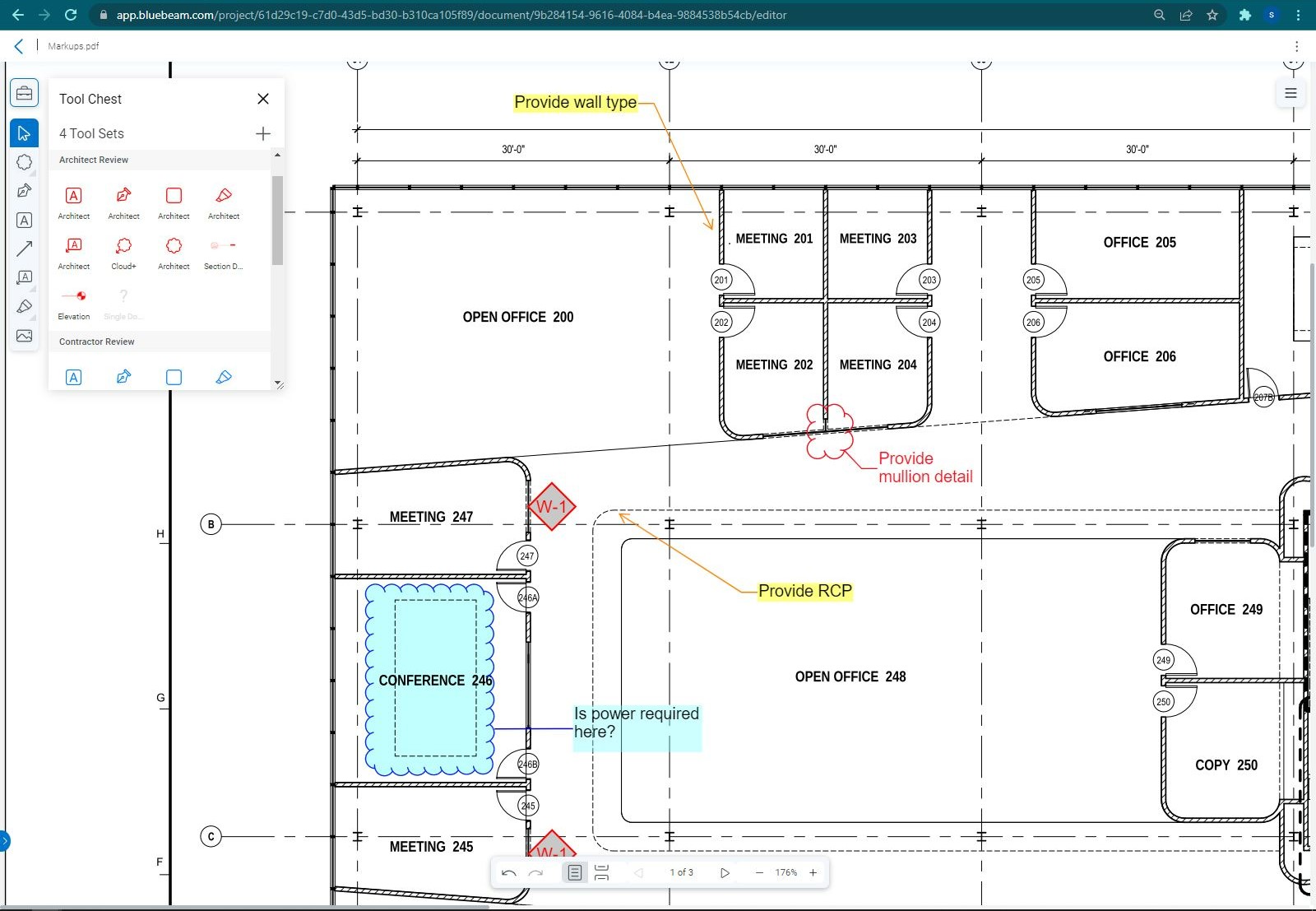
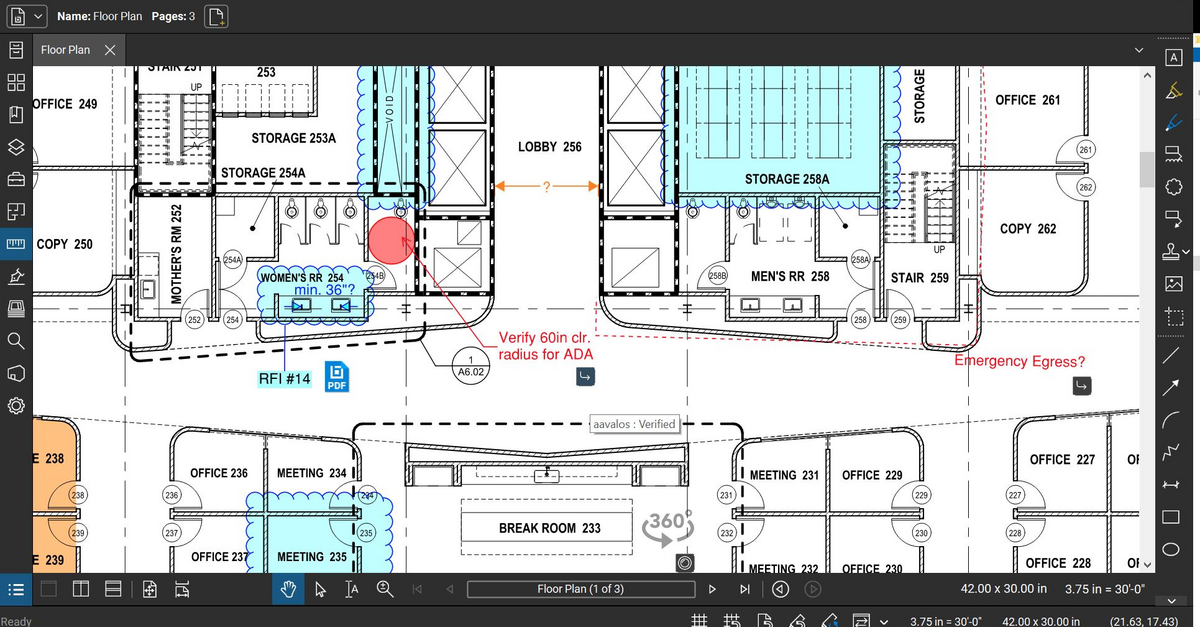
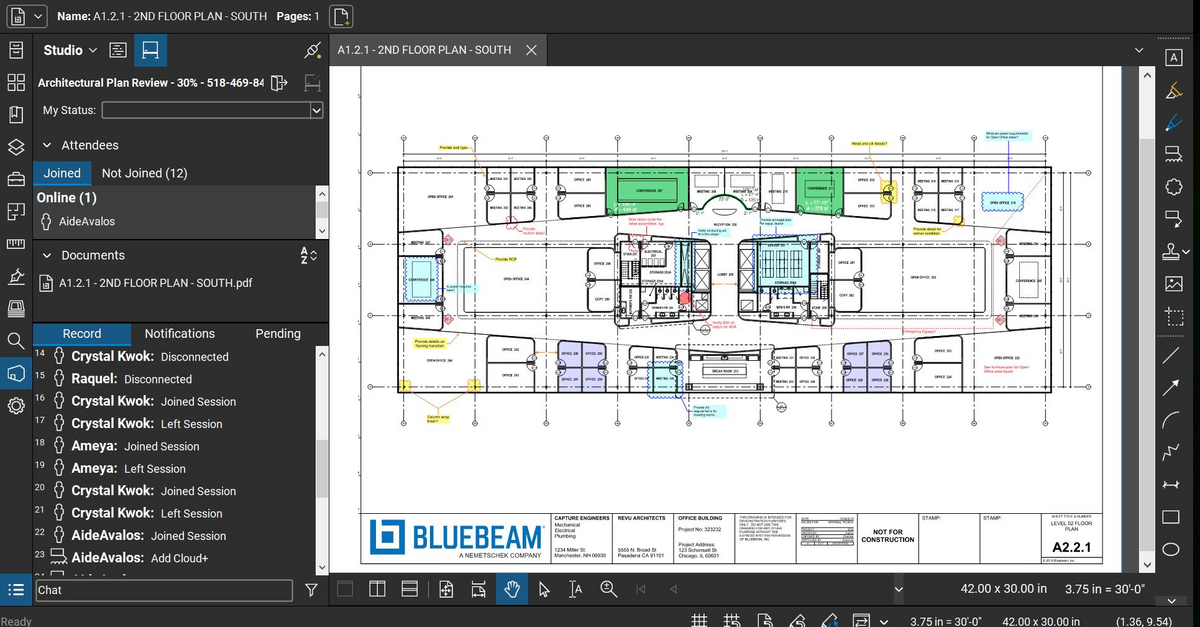
Bluebeam Revu is a PDF management, control, and editing tool. It enables collaboration and markup within shared documents across projects’ life cycles and has takeoff and bid creation capabilities.
$240
per year per user
e-Builder
Score 7.3 out of 10
N/A
e-Builder is a cloud-based construction program management solution that manages capital program cost, schedule, and documents. It allows owners to measure and manage the capital project delivery process from planning, design, procurement, construction and operations.
N/A
eSUB Construction Software
Score 7.0 out of 10
N/A
eSUB is a SaaS platform for commercial subcontractors running large, complex, long duration projects to proactively track and manage their costs, deadlines, deliverables and correspondence; the vendor says this can result in operational efficiencies and improved profits. eSUB is a cloud and mobile-based solution enabling real-time field updates from connected smartphones, tables and mobile PC users.
We've used these other products in conjunction with Bluebeam mainly because Bluebeam lacks RFI/COR/PO/Mark-up/revision tracking, and doesn't handle punch lists or tasks.
Procore has a lot of layers and bells and whistles. eSUB is your meat and potatoes. I found eSUB more suited for our company vs Procore. However, Procore would be more suited to general contractors. eSUB didn't allow as much integration with Microsoft as Procore, but it wasn't …
The program is great for editing construction drawings, stamping/approving official documents and overlaying revised documents to see design changes. You can use it as an estimating takeoff tool, estimating database, document control, cloud document storage, the list goes on! Bluebeam poses many applications for the user to utilize for the desired needs. There may be some other software that has one specific function that can perform the specific task better, but Bluebeam is a holistic program with many tools for use.
Well suited for the owner's side of managing multiple projects as it allows for all aspects of a project from development to closeout to be managed on one platform. Not as appropriate for a general contractor as there is better software out there. e-Builder's app is not as effective as others.
If you are doing any sort of new construction, eSUB is a budget friendly option for managing the process. It's helpful for keeping track of submittals, RFI's and for foreman doing Daily Work Reports. It is not suited really well for plan management and scheduling. The modules for these are not well thought through. Also if you specialize in service work or projects that have short durations (i.e. 1-2 weeks or less), eSUB isn't the best option for you. It would take too long to set up a job vs the time it takes to do the job.
Once you set Bluebeam Revu as your default PDF handler, it launches immediately when clicking a PDF to open. The speed with which it opens documents is impressive.
Creating PDF's out of other documents, such as Word, Excel, JPG's, etc. is simple.
Digitally signing documents is a simple, secure process. You can keep your signature password-protected, yet still access it quickly.
The Bluebeam Revu mobile application ( I use the iOS version on an iPad Pro), is awesome. Not only does it handle PDF's like you would expect it to, it allows for effortless digital signing of documents on the fly. Nice to be able to quickly sign a document and email right back out from the tablet no matter where I am.
Provide a document structure that is easy to navigate. All documents, even within a process, are stored in the document structure and easily accessed by those with the correct permissions.
Scheduling, especially with the new module is easy. It is helpful with a large organization where many hands touch projects to be able to forecast workloads (we have an in house engineering team who reviews all projects during their design phase)
Allows for easy interface with contractors and makes the submittal process more straightforward.
It is built with subcontractors in mind. There are many PM software available but this one aims at the commercial subcontractor.
It does a great job covering the basics of typical commercial work. There are areas that allow you to customize such as adding reservations of rights to documents.
It can integrate with Microsoft quite a bit, we use this in our work every day and being able to export or sync data/calendars has been helpful.
If you have several tabs open and you try to drag one out for a side by side view then you do not have all the modification options and you have to combine them back together.
There is a lag time when hitting the print option.
There is also a lag time when opening files, sometimes I think the window is frozen.
I wish the basic version also had basic file editing, as in editing a document as Adobe does.
The restrictions in formatting, and sorting of information rendered, in a way, affects the reporting output.
At certain times of day, e-Builder traffic causes the loading of filtered searches to take a while. This is probably common regardless of the site or software used.
More complicated reporting has some limitation, though the program is highly efficient in assisting with simple format reports.
Bluebeam is a powerful PDF viewer and mark-up tool. We are more familiar with it than Adobe Acrobat Pro or other viewers, and it has more features geared towards construction document managers than Acrobat Pro does.
I'm constantly finding that Bluebeam Revu does more than I knew it could. And when I find something that it can't do, I've found that Bluebeam truly listens to its user base and will work to incorporate any good suggestion when feasible.
Simple, because have a used it for the past two years, so i'm very familiar with the particular aspects of its program that I need to accomplish my tasks.
Its hard for me to give a rating on this one as we rarely have to use the support feature for Bluebeam. However, when we have used it, they have been ultra supportive in helping us get exactly what we needed. I know another engineer was trying to figure out a feature and the rep gave a detailed tutorial on how to complete the task
Again, because our technical support is great. He doesn't always answer the phone but he definitely responds to emails fairly quickly. In addition, I like that he actually resolves an issue and I have yet to encounter the same issue twice. Actually, I haven't encountered many issues at all in the two years I have used the software.
It has been helpful whenever I've called. They have been able to walk me through solutions and even direct me to the right answer. There was only 1hr difference between time zones so this was manageable. If we experienced bugs, their IT department was helpful at remedying and they were always rolling out updates.
1. Set up the time to get training on the sytem before you go all in.
2. Listen, ask questions and actually practice using the tools and features while in class. It helps tremendously with becoming comfortable and remembering how things work.
3. Don't be afraid to mess up. They are helpful and will help resolve your issue in a timely manner
We feel there is not another program out there that would compare to Bluebeam at this current time. Some of the other programs out there do not include studio or the overlaying process which is one of our main uses. The ease of hyperlinking makes this product stand out the most.
We have not compared other plans since the boss prefers this program from personal experience. But from using this program for 2 years I can see why we don't need to compare. Why fix something that isn't broken? It gets the job done, yes we might run into some issues but I feel like with all companies that can happen
eSUB is not even close when it comes to the offerings that the others have. eSUB is a happy medium for the functionality it provides and is at an affordable price point that it doesn't break the bank. Other solutions are a lot more integrated into the company processes and procedures, which means more upfront investment to get the platform to go live. eSUB's simplicity makes it easier to roll out because it doesn't integrate with as many aspects of the business.
A major positive aspect is being able to take your computer home without taking the entire set of paper drawings. They have made it so easy to navigate a set of drawings that I can work at home using only the digital drawings.
Collaboration with owners and architects has been a great feature. Setting up a Bluebeam studio and having everyone get in and mark things up, then having the architect be able to go in and see what markups have been added, has made the constructability review process much much better.
Even when not working on drawings, Bluebeam is a very good tool for working with standard PDF documents. The markup tools are very easy to use.
The negative aspect is the takeoff function because some people would like estimators to use the Bluebeam takeoff because it would make their job easier down the road; however, the actual act of doing a full scale takeoff in Bluebeam would require much more time.