Bluebeam Revu is a PDF management, control, and editing tool. It enables collaboration and markup within shared documents across projects’ life cycles and has takeoff and bid creation capabilities.
$260
per year per user
IT Glue
Score 9.0 out of 10
N/A
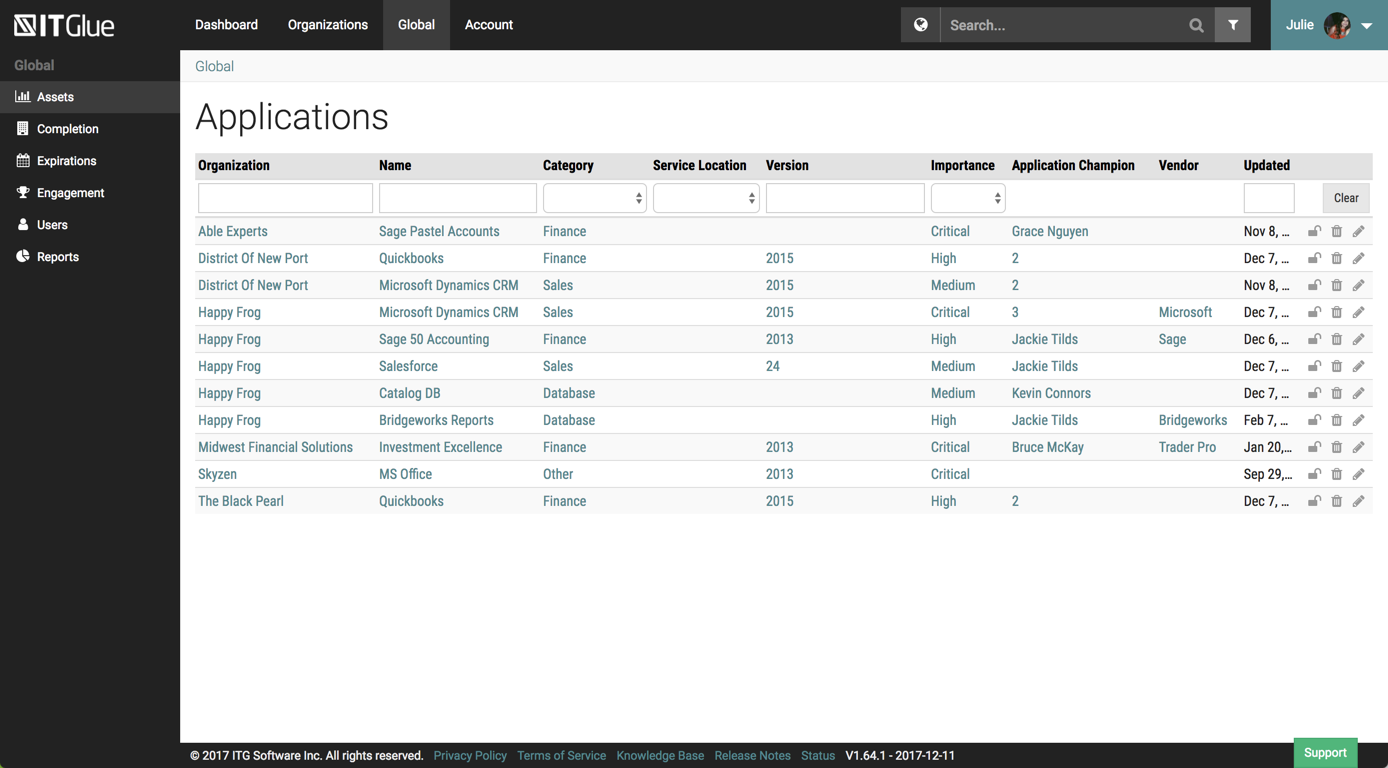
IT Glue, a Kaseya company since the December 2018 acquisition, is an information management platform that allows for efficient storage and retrieval of all the documentation an organization needs to help their MSP run better. By integrating PSA and RMM data, the vendor says they can help increase efficiency, and reduce onboarding times.
$29
per month per user (5 user minimum)
Pricing
Bluebeam
IT Glue
Editions & Modules
Basics
$260
per year per user
Core
$330
per year per user
Complete
$440
per year per user
Max
$590
per year per user
Basic
$29.00
per month per user (5 user minimum)
Select
$34.00
per month per user (5 user minimum)
Enterprise
$39.00
per month per user
Offerings
Pricing Offerings
Bluebeam
IT Glue
Free Trial
Yes
No
Free/Freemium Version
No
No
Premium Consulting/Integration Services
Yes
Yes
Entry-level Setup Fee
No setup fee
$545 one-time fee
Additional Details
—
—
More Pricing Information
Community Pulse
Bluebeam
IT Glue
Features
Bluebeam
IT Glue
Reporting & Analytics
Comparison of Reporting & Analytics features of Product A and Product B
Bluebeam
10.0
1 Ratings
26% above category average
IT Glue
-
Ratings
Dashboards
10.01 Ratings
00 Ratings
Standard reports
10.01 Ratings
00 Ratings
Custom reports
10.01 Ratings
00 Ratings
Data exportability
10.01 Ratings
00 Ratings
Construction Project & Field Management
Comparison of Construction Project & Field Management features of Product A and Product B
Bluebeam
9.8
54 Ratings
28% above category average
IT Glue
-
Ratings
Plan distribution & viewing
9.752 Ratings
00 Ratings
Plan markups & sharing
9.754 Ratings
00 Ratings
Issue tracking & punchlists
9.633 Ratings
00 Ratings
Photo documentation
9.736 Ratings
00 Ratings
Jobsite reports
9.731 Ratings
00 Ratings
Document sharing
9.847 Ratings
00 Ratings
RFI tools
9.735 Ratings
00 Ratings
Collaboration & approvals
9.742 Ratings
00 Ratings
As-built drawings
9.845 Ratings
00 Ratings
Mobile app
10.027 Ratings
00 Ratings
Submittal design and management
9.821 Ratings
00 Ratings
Checklists
9.93 Ratings
00 Ratings
Change orders
9.93 Ratings
00 Ratings
Estimating
Comparison of Estimating features of Product A and Product B
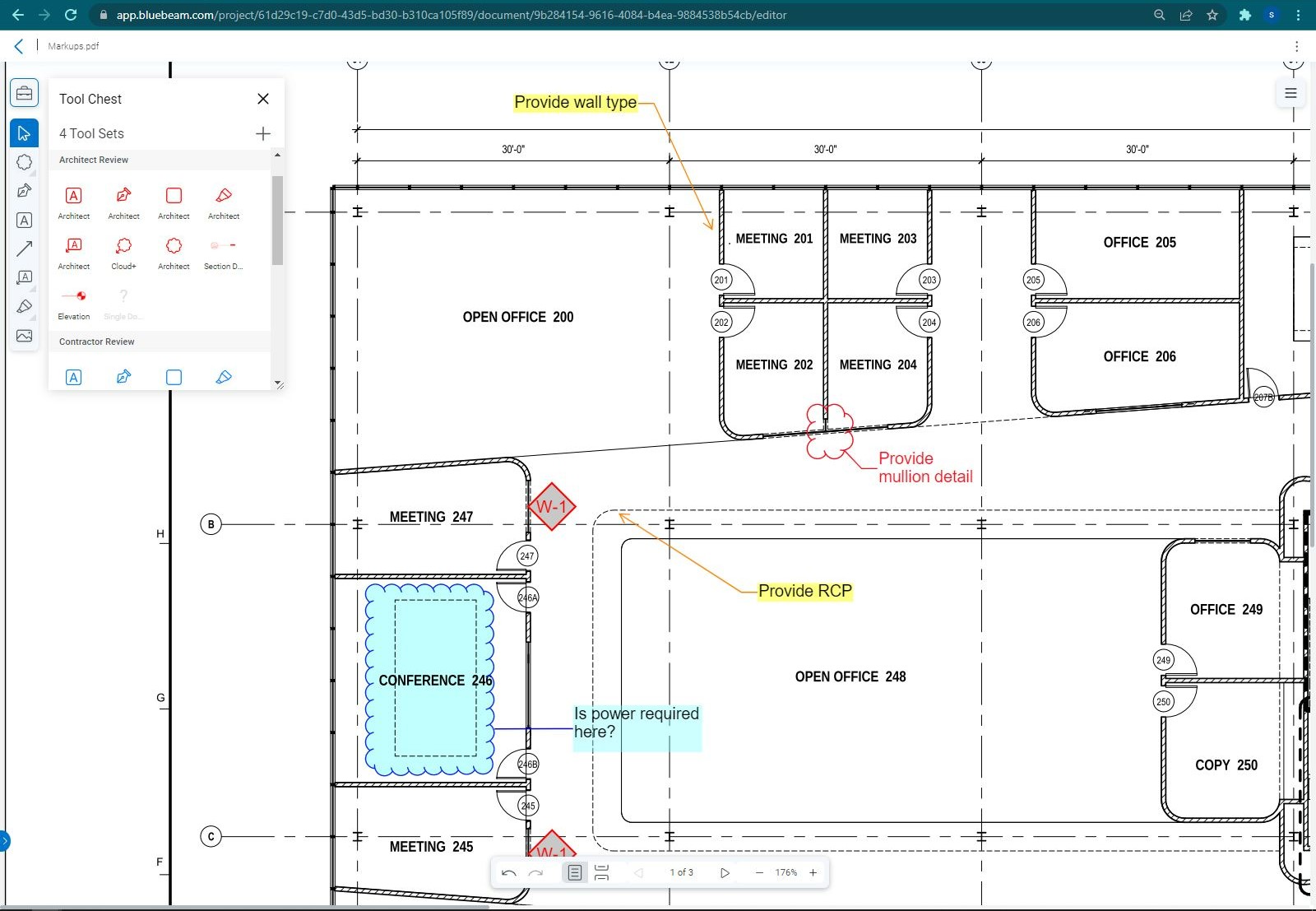
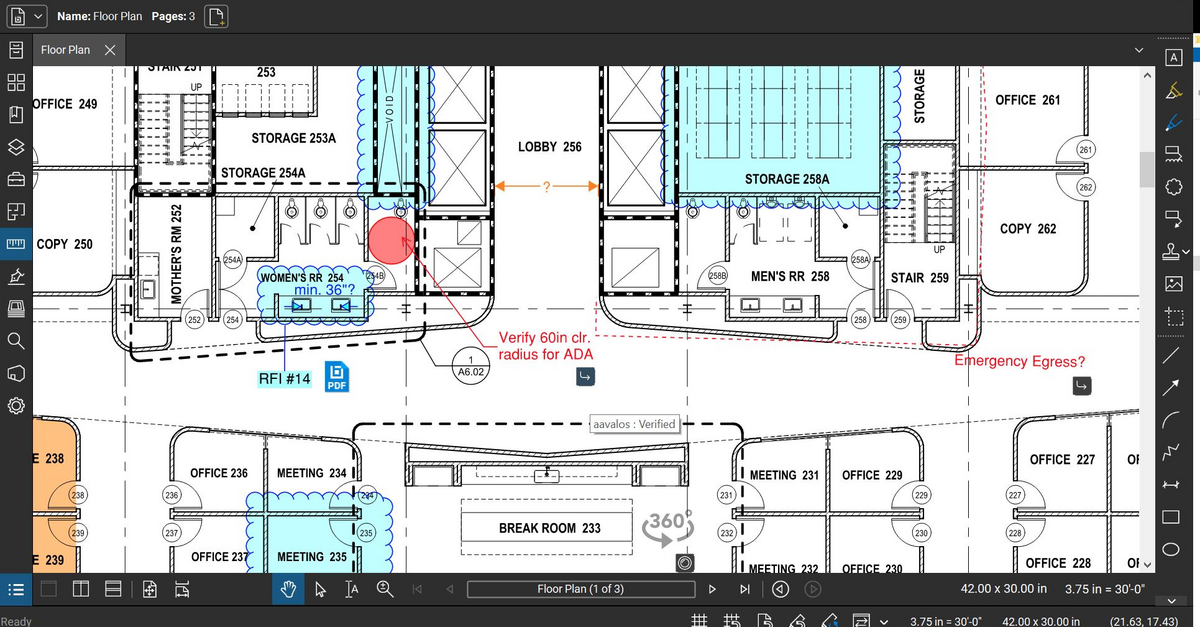
The program is great for editing construction drawings, stamping/approving official documents and overlaying revised documents to see design changes. You can use it as an estimating takeoff tool, estimating database, document control, cloud document storage, the list goes on! Bluebeam poses many applications for the user to utilize for the desired needs. There may be some other software that has one specific function that can perform the specific task better, but Bluebeam is a holistic program with many tools for use.
It is best suited for an MSP but it is also best not suited for an MSP. It is well suited for folks with a minimal knowledge of a client and are attempting to learn what they can. Perhaps just bumbling about and can find the same thing consistently. At my particular work, we pay somebody full time to manage the system. I feel this is unnecessary.
Once you set Bluebeam Revu as your default PDF handler, it launches immediately when clicking a PDF to open. The speed with which it opens documents is impressive.
Creating PDF's out of other documents, such as Word, Excel, JPG's, etc. is simple.
Digitally signing documents is a simple, secure process. You can keep your signature password-protected, yet still access it quickly.
The Bluebeam Revu mobile application ( I use the iOS version on an iPad Pro), is awesome. Not only does it handle PDF's like you would expect it to, it allows for effortless digital signing of documents on the fly. Nice to be able to quickly sign a document and email right back out from the tablet no matter where I am.
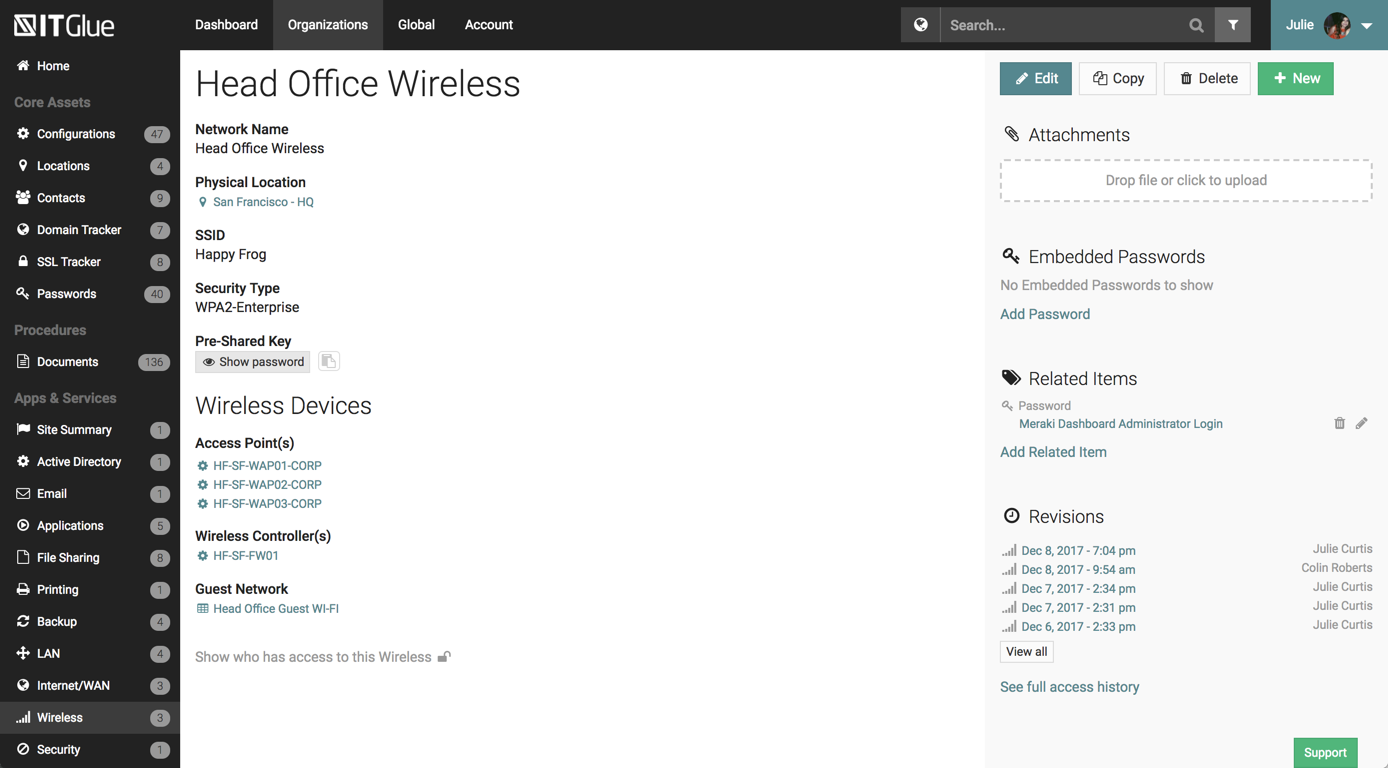
The UI has been set up perfectly, there is a sub-menu for every possible bit of information you wish to store.
There are a number of excellent features such as the autohiding passwords and quick searching from anywhere on the page.
The recent addition of the IT Glue is also an excellent feature, it features online self-guided courses to become a certified IT Glue user.
You can create and group custom documents together.
IT Glue can be integrated with a number of platforms such as Autotask.
IT Glue also integrates well with N-Central to automatically populate the configurations tab with all the relevant Workstation, Printer, and Server information making client on-boarding a breeze.
If you have several tabs open and you try to drag one out for a side by side view then you do not have all the modification options and you have to combine them back together.
There is a lag time when hitting the print option.
There is also a lag time when opening files, sometimes I think the window is frozen.
I wish the basic version also had basic file editing, as in editing a document as Adobe does.
Like many other MSPs we had the majority of our SOPs and KBs in Word docs. The best case scenario would be to simply drop those files directly into ITG without having to import them into the ITG documentation format. The import function is so broken as to not be an option because it completely ruins formatting and tends to drop images. Thus we have to manually copy/paste text and individually upload each image.
They marketed the product as having true branding but that is stretching the truth. SSL is not an option so client-facing documents will give security errors in browsers. ITG does not appear to be concerned about this even though security is a major concern for all MSPs.
Bluebeam is a powerful PDF viewer and mark-up tool. We are more familiar with it than Adobe Acrobat Pro or other viewers, and it has more features geared towards construction document managers than Acrobat Pro does.
Overall IT Glue meets every need that we need it to. IT is easy to use and convenient and we have not had very many issues with it since the inception. I would easily recommend it to anyone who needs this software.
I'm constantly finding that Bluebeam Revu does more than I knew it could. And when I find something that it can't do, I've found that Bluebeam truly listens to its user base and will work to incorporate any good suggestion when feasible.
The interface is excellent and very easy to use. As long as the text you input into the system can be easily read, you will have no problem finding it with all the different categories offered. Sometimes, the slider on the right can blend in with dark backgrounds, making it hard to see.
Other than a few access outages, ITGlue is always up and available to us. Their ability to export Playbook, that contain our customers data, and securely send those over to them is amazing and are produced pretty fast. We have IT Glue linked with several other services and software and we have not found that it slows anything down.
Its hard for me to give a rating on this one as we rarely have to use the support feature for Bluebeam. However, when we have used it, they have been ultra supportive in helping us get exactly what we needed. I know another engineer was trying to figure out a feature and the rep gave a detailed tutorial on how to complete the task
No problems with support when needed it. Their answers on how to handle DR/BC situations when ITG is down are not stellar. They don't seem to get the business risks of their suggestions to just give the xls backup to engineers (aka give all passwords of ALL clients to engineers in an unencrypted flat-file where it is easy to copy, print, etc.)
We feel there is not another program out there that would compare to Bluebeam at this current time. Some of the other programs out there do not include studio or the overlaying process which is one of our main uses. The ease of hyperlinking makes this product stand out the most.
We chose IT Glue particularly because it's tailored to IT documentation. As a managed IT service provider, it's perfectly in line with what we were looking for. The flexibility and tagging in particular were the kind of features we were looking for. Confluence is very good, and can be used for a number of things, not just IT documentation, but IT Glue shines for that.
A major positive aspect is being able to take your computer home without taking the entire set of paper drawings. They have made it so easy to navigate a set of drawings that I can work at home using only the digital drawings.
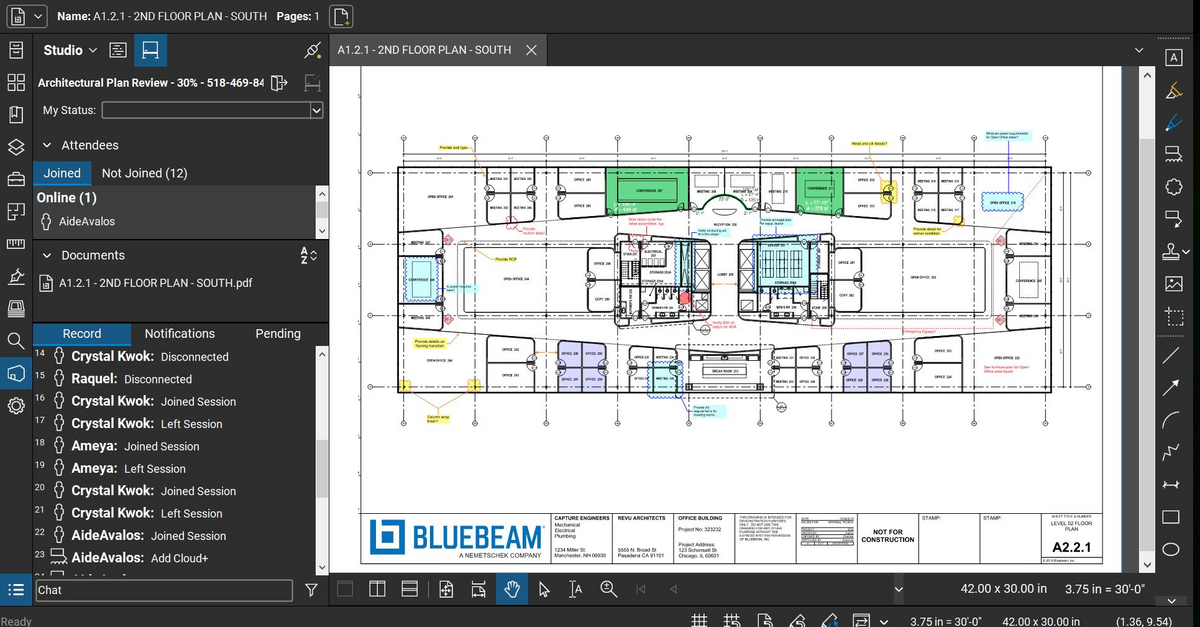
Collaboration with owners and architects has been a great feature. Setting up a Bluebeam studio and having everyone get in and mark things up, then having the architect be able to go in and see what markups have been added, has made the constructability review process much much better.
Even when not working on drawings, Bluebeam is a very good tool for working with standard PDF documents. The markup tools are very easy to use.
The negative aspect is the takeoff function because some people would like estimators to use the Bluebeam takeoff because it would make their job easier down the road; however, the actual act of doing a full scale takeoff in Bluebeam would require much more time.