Board vs. Microsoft Access

Overview
ProductRatingMost Used ByProduct SummaryStarting Price
Board
Score 9.0 out of 10
Enterprise companies (1,001+ employees)
Board is presented as an enterprise planning platform, offered as a solution to accelerate business performance and enable continuous planning with greater forecast accuracy to drive confident, aligned decisions.N/A
Microsoft Access
Score 7.5 out of 10
N/A
Microsoft Access is a database management system from Microsoft that combines the relational Microsoft Jet Database Engine with a graphical user interface and software-development tools.
$139.99
per PC
Pricing
BoardMicrosoft Access
Editions & Modules
No answers on this topic
Microsoft Access
$139.99
per PC
Offerings
Pricing Offerings
BoardMicrosoft Access
Free Trial
NoNo
Free/Freemium Version
NoNo
Premium Consulting/Integration Services
YesNo
Entry-level Setup FeeNo setup feeNo setup fee
Additional Details
More Pricing Information
Community Pulse
BoardMicrosoft Access
Considered Both Products
Board
Chose Board
Board had a very robust solution at a reasonable price when we were looking at moving away from a sunsetted version of our previous tool. It gave us the ability to quickly implement with our ledger system and the flexibility to develop additional solutions after the …
Microsoft Access

No answer on this topic

Features
BoardMicrosoft Access
BI Standard Reporting
Comparison of BI Standard Reporting features of Product A and Product B
Board
6.8
91 Ratings
11% below category average
Microsoft Access
-
Ratings
Pixel Perfect reports6.778 Ratings00 Ratings
Customizable dashboards6.991 Ratings00 Ratings
Report Formatting Templates6.984 Ratings00 Ratings
Ad-hoc Reporting
Comparison of Ad-hoc Reporting features of Product A and Product B
Board
6.9
96 Ratings
16% below category average
Microsoft Access
-
Ratings
Drill-down analysis6.994 Ratings00 Ratings
Formatting capabilities6.292 Ratings00 Ratings
Integration with R or other statistical packages6.964 Ratings00 Ratings
Report sharing and collaboration7.687 Ratings00 Ratings
Report Output and Scheduling
Comparison of Report Output and Scheduling features of Product A and Product B
Board
7.1
88 Ratings
15% below category average
Microsoft Access
-
Ratings
Publish to Web6.977 Ratings00 Ratings
Publish to PDF7.285 Ratings00 Ratings
Report Versioning6.978 Ratings00 Ratings
Report Delivery Scheduling7.676 Ratings00 Ratings
Data Discovery and Visualization
Comparison of Data Discovery and Visualization features of Product A and Product B
Board
7.3
71 Ratings
5% below category average
Microsoft Access
-
Ratings
Pre-built visualization formats (heatmaps, scatter plots etc.)6.970 Ratings00 Ratings
Location Analytics / Geographic Visualization7.664 Ratings00 Ratings
Predictive Analytics7.662 Ratings00 Ratings
Pattern Recognition and Data Mining7.31 Ratings00 Ratings
Access Control and Security
Comparison of Access Control and Security features of Product A and Product B
Board
7.5
72 Ratings
14% below category average
Microsoft Access
-
Ratings
Multi-User Support (named login)7.671 Ratings00 Ratings
Role-Based Security Model7.467 Ratings00 Ratings
Multiple Access Permission Levels (Create, Read, Delete)6.970 Ratings00 Ratings
Single Sign-On (SSO)8.367 Ratings00 Ratings
Mobile Capabilities
Comparison of Mobile Capabilities features of Product A and Product B
Board
6.9
75 Ratings
9% below category average
Microsoft Access
-
Ratings
Responsive Design for Web Access6.270 Ratings00 Ratings
Mobile Application6.156 Ratings00 Ratings
Dashboard / Report / Visualization Interactivity on Mobile6.267 Ratings00 Ratings
Budgeting, Planning, and Forecasting
Comparison of Budgeting, Planning, and Forecasting features of Product A and Product B
Board
7.5
77 Ratings
9% below category average
Microsoft Access
-
Ratings
Long-term financial planning7.572 Ratings00 Ratings
Financial budgeting7.676 Ratings00 Ratings
Forecasting6.773 Ratings00 Ratings
Scenario modeling8.369 Ratings00 Ratings
Management reporting7.675 Ratings00 Ratings
Consolidation and Close
Comparison of Consolidation and Close features of Product A and Product B
Board
7.3
72 Ratings
8% below category average
Microsoft Access
-
Ratings
Financial data consolidation8.268 Ratings00 Ratings
Journal entries and reports6.869 Ratings00 Ratings
Multi-currency management7.659 Ratings00 Ratings
Intercompany Eliminations7.660 Ratings00 Ratings
Minority Ownership7.654 Ratings00 Ratings
Local and consolidated reporting6.766 Ratings00 Ratings
Detailed Audit Trails6.863 Ratings00 Ratings
Financial Reporting and Compliance
Comparison of Financial Reporting and Compliance features of Product A and Product B
Board
7.1
75 Ratings
12% below category average
Microsoft Access
-
Ratings
Financial Statement Reporting7.670 Ratings00 Ratings
Management Reporting6.974 Ratings00 Ratings
Excel-based Reporting6.871 Ratings00 Ratings
Automated board and financial reporting7.668 Ratings00 Ratings
XBRL support for regulatory filing6.848 Ratings00 Ratings
Analytics and Reporting
Comparison of Analytics and Reporting features of Product A and Product B
Board
7.4
77 Ratings
9% below category average
Microsoft Access
-
Ratings
Personalized dashboards7.676 Ratings00 Ratings
Color-coded scorecards7.672 Ratings00 Ratings
KPIs6.974 Ratings00 Ratings
Cost and profitability analysis7.670 Ratings00 Ratings
Key Performance Indicator setting7.669 Ratings00 Ratings
Benchmarking with external data7.460 Ratings00 Ratings
Integration
Comparison of Integration features of Product A and Product B
Board
7.3
75 Ratings
13% below category average
Microsoft Access
-
Ratings
Flat file integration7.474 Ratings00 Ratings
Excel data integration7.473 Ratings00 Ratings
Direct links to 3rd-party data sources7.369 Ratings00 Ratings
Relational Databases
Comparison of Relational Databases features of Product A and Product B
Board
-
Ratings
Microsoft Access
7.7
3 Ratings
3% below category average
ACID compliance00 Ratings7.02 Ratings
Database monitoring00 Ratings8.02 Ratings
Database locking00 Ratings8.03 Ratings
Encryption00 Ratings7.02 Ratings
Disaster recovery00 Ratings7.73 Ratings
Flexible deployment00 Ratings8.02 Ratings
Multiple datatypes00 Ratings8.03 Ratings
Best Alternatives
BoardMicrosoft Access
Small Businesses

No answers on this topic

InterSystems IRIS
InterSystems IRIS
Score 8.0 out of 10
Medium-sized Companies
Centage
Centage
Score 9.4 out of 10
InterSystems IRIS
InterSystems IRIS
Score 8.0 out of 10
Enterprises
OneStream
OneStream
Score 8.8 out of 10
SAP IQ
SAP IQ
Score 10.0 out of 10
All AlternativesView all alternativesView all alternatives
User Ratings
BoardMicrosoft Access
Likelihood to Recommend
6.2
(97 ratings)
5.0
(99 ratings)
Likelihood to Renew
9.1
(7 ratings)
10.0
(15 ratings)
Usability
7.7
(5 ratings)
7.0
(5 ratings)
Availability
9.1
(1 ratings)
8.0
(1 ratings)
Performance
9.1
(1 ratings)
-
(0 ratings)
Support Rating
8.0
(3 ratings)
6.4
(5 ratings)
In-Person Training
7.3
(2 ratings)
-
(0 ratings)
Implementation Rating
7.2
(3 ratings)
10.0
(1 ratings)
Configurability
9.1
(1 ratings)
-
(0 ratings)
Ease of integration
9.1
(1 ratings)
8.0
(1 ratings)
Product Scalability
9.1
(1 ratings)
5.0
(1 ratings)
Vendor post-sale
9.1
(1 ratings)
-
(0 ratings)
Vendor pre-sale
9.1
(1 ratings)
-
(0 ratings)
User Testimonials
BoardMicrosoft Access
Likelihood to Recommend
Board International
Board is a useful tool with a great set of features. We migrated from human apps to board and we find it relatively fast in search results and better-managed threads and forums. There are some areas, such as UI and interactions which could be improved but overall a great product. The learning section is also pretty good.
Read full review
Microsoft
As a Material Purchasing/Planning/inventory tracking application, Microsoft Access serves its purpose well. It's presentation is clean, data entry is simple and the ability to customize search fields is welcome. It does, however, come with some caveats; namely, when setting search filters and the need arises to back up a step or two, with Microsoft Access you have to reset, or "clear all", adding extra steps/time to a query.
Read full review
Pros
Board International
  • The user interface is intuitive and easy to navigate
  • You don't need programming knowledge to create dashboards which is a great flex for non-technical users
  • You can seamlessly convert large, raw, and complex data to meaningful reports to visualize better and plan to act accordingly
  • The financial forecasting that Board provides post-analysis is truly reliable
Read full review
Microsoft
  • Very easy to create entity-relationship diagrams for various tables and designing mock layouts.
  • Really easy to navigate as it hold[s] the classic Microsoft UI. Another good thing is that it comes with the complete MS Office Suite.
  • It is really fast when joining multiple tables no matter what type of join.
  • Works on pretty much same SQL scripts so no need to learn a new language!
Read full review
Cons
Board International
  • Board BI tool has a steep learning curve and can be challenging for a new user to reach to board's full capacity.
  • We have to use a windows scheduler to schedule data import tasks; it would be great if Board could provide its own scheduler.
Read full review
Microsoft
  • Microsoft Access has not really changed at all for several years. It might be nice to see some upgrades and changes.
  • The help info is often not helpful. Need more tutorials for Microsoft Access to show how to do specific things.
  • Be careful naming objects such as tables, forms, etc. Names that are too long can get cut off in dialog boxes to choose a table, form, report, etc. So, I wish they would have resizable dialog boxes to allow you to see objects with long names.
  • I wish it could show me objects that are not in use in the database for current queries, tables, reports, forms, and macros. That way unused objects can be deleted without worrying about losing a report or query because you deleted the underlying object.
Read full review
Likelihood to Renew
Board International
Board is a fantastic product for swift BI solution delivery when compared with its peers. Ease of use, support and integration with Microsoft Office Addin open a wide horizon of opportunities for further enhancements to solutions. Easy bespoke app development capabilities make it a winner for us. BOARD is just like a white canvas, it lets you explore your creative side while designing and delivering a solution
Read full review
Microsoft
I and the rest of my team will renew our Microsoft Access in the future because we use and maintain many different applications and databases created using Microsoft Access so we will need to maintain them in the future. Additionally, it is a standard at our place of work so it is at $0 cost to us to use. Another reason for renewing Microsoft Access is that we just don' t have the resources needed to extend into a network of users so we need to remain a single-desktop application at this time.
Read full review
Usability
Board International
From a user perspective, Board is quite simple to use. You
can evaluate the presentation of the data, the navigation, the configuration of
the users, the selection of the data etc ... It would have a better rating if
it were even more intuitive as regards the construction of a project, starting
from the database, to the info-cubes, to entities, to data acquisition
procedures from other servers.
Read full review
Microsoft
Microsoft Access is easy to use. It is compatible with spreadsheets. It is a very good data management tool. There is scope to save a large amount of data in one place. For using this database, one does not need much training, can be shared among multiple users. This database has to sort and filtering features which seem to be very useful.
Read full review
Reliability and Availability
Board International
No answers on this topic
Microsoft
I don't think the program has ever failed me. It is one of those programs where there is always a solution if you know where to look.
Read full review
Performance
Board International
very fast and no integration problems
Read full review
Microsoft
No answers on this topic
Support Rating
Board International
The only time I needed assistance was due to a problem in
the prints: the colors of the brochures as they were on the screen were not
reproduced in the print, but a series of standard colors were reproduced. This
fact made colored numbers on a colored background illegible. From the
assistance they confirmed that it was a problem of version 10.2 that occurred
when leaving the brochures with the default colors proposed by Board. To obtain
the desired colors, they had to be personalized ... I didn't like the solution
very much and the technician who recommended it didn't like me either, but they
would have solved the problem with the following versions. In any case, the
assistance was quick and effective even if not exactly efficient.
Read full review
Microsoft
While I have never contacted Microsoft directly for product support, for some reason there's a real prejudice against MS Access among most IT support professionals. They are usually discouraging when it comes to using MS Access. Most of this is due to their lack of understanding of MS Access and how it can improve one's productivity. If Microsoft invested more resources towards enhancing and promoting the use of MS Access then maybe things would be different.
Read full review
In-Person Training
Board International
Board is fairly simple and straight forward. Advance training on workflows and procedures is a good one but the training content only touches through the interesting areas. training content needs to cover a few areas more in-depth
Read full review
Microsoft
No answers on this topic
Implementation Rating
Board International
The problem of user profiling in our context is certainly
quite complex. The complexity is given by the fact that the company is divided
territorially into logistic points of sale, but at the same time they are
virtually divided into divisions (or specific implementation areas) and points
of sale of competence. The same operator can have access to data at different
logistic sales points, sales points of competence and divisions.
Read full review
Microsoft
there is no key idea, since it is easy to implement Microsoft Access
Read full review
Alternatives Considered
Board International
Board has been more complete when compared to Anaplan. Although I didn't participate in the buying decision of any of those products I have used both and by far Board just has more features. It's more than a CPM, it's BI and CPM put together. If I had to make a choice now it would be Board.
Read full review
Microsoft
Excel is a fantastic - robust application that can do so much so easily. Its easy to train and understand. However - excel does not provide a reporting function and that is typically where we will suggest a move to [Microsoft] Access. [Microsoft] Access requires a little more knowledge of data manipulation.
Read full review
Return on Investment
Board International
  • Board facilitates proactive decision making - it gives all the insights of the company's needs, which includes predictive analytics and manipulation of data to make different types of reports.
  • Easy to use for non-programmer and integration with other software is seamless. It has [the] ability to handle large amounts of data.
  • It facilitates advanced decision-making.
Read full review
Microsoft
  • Not having to recreate queries or reports every time you want to use them.
  • Once an item is created and saved as part of the database, you save manpower by not having to recreate them.
  • ROI from a usability standpoint is great. Solid product with great functionality that requires low maintenance usually.
Read full review
ScreenShots

Board Screenshots

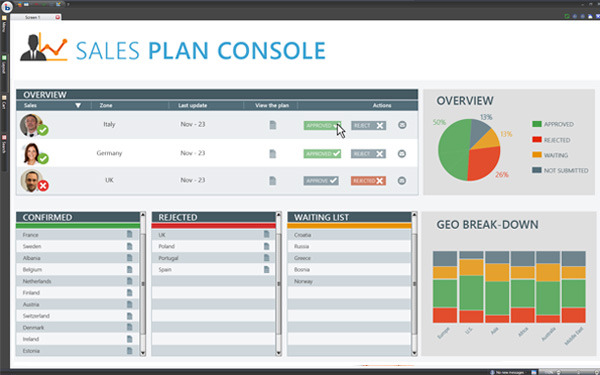
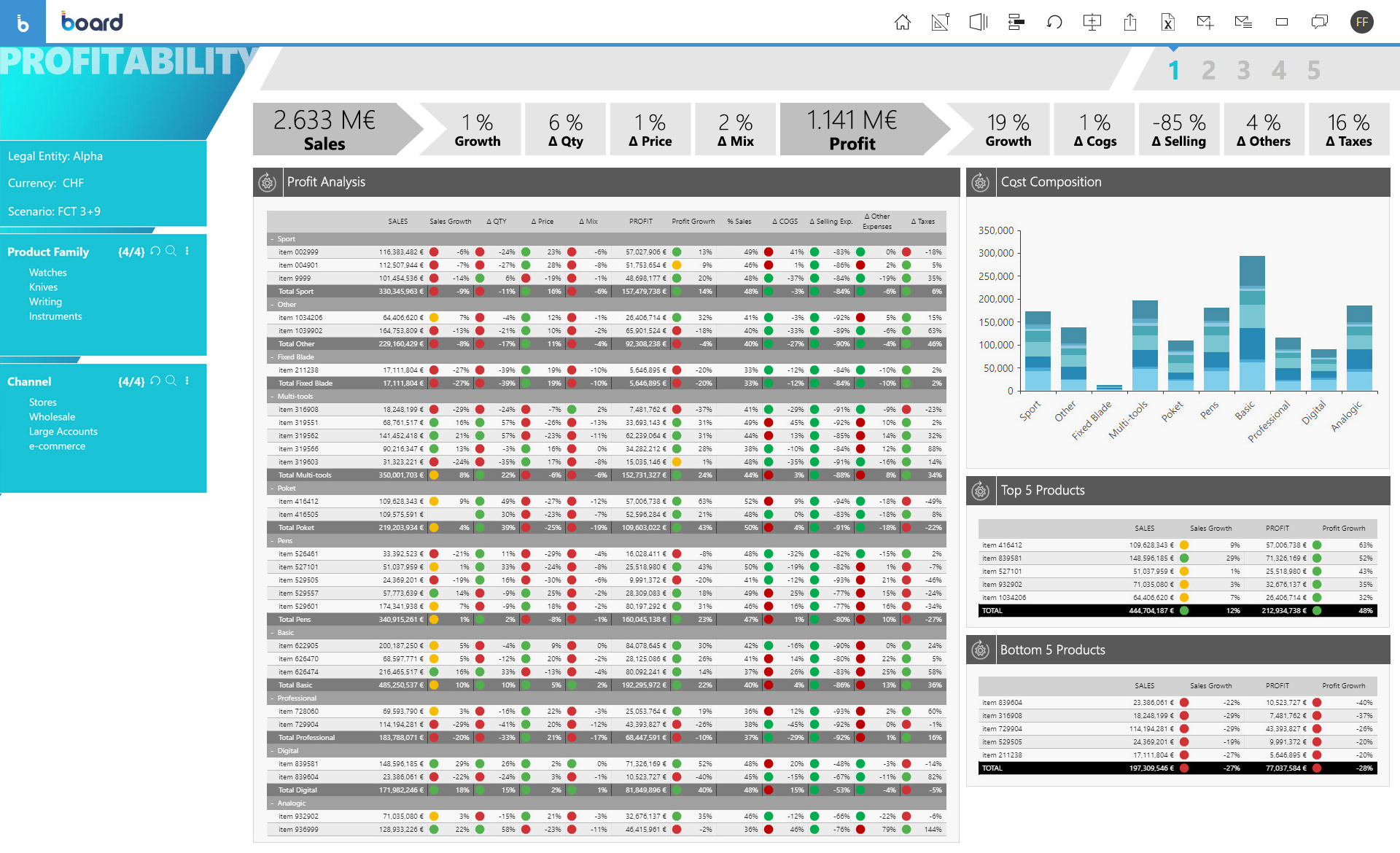
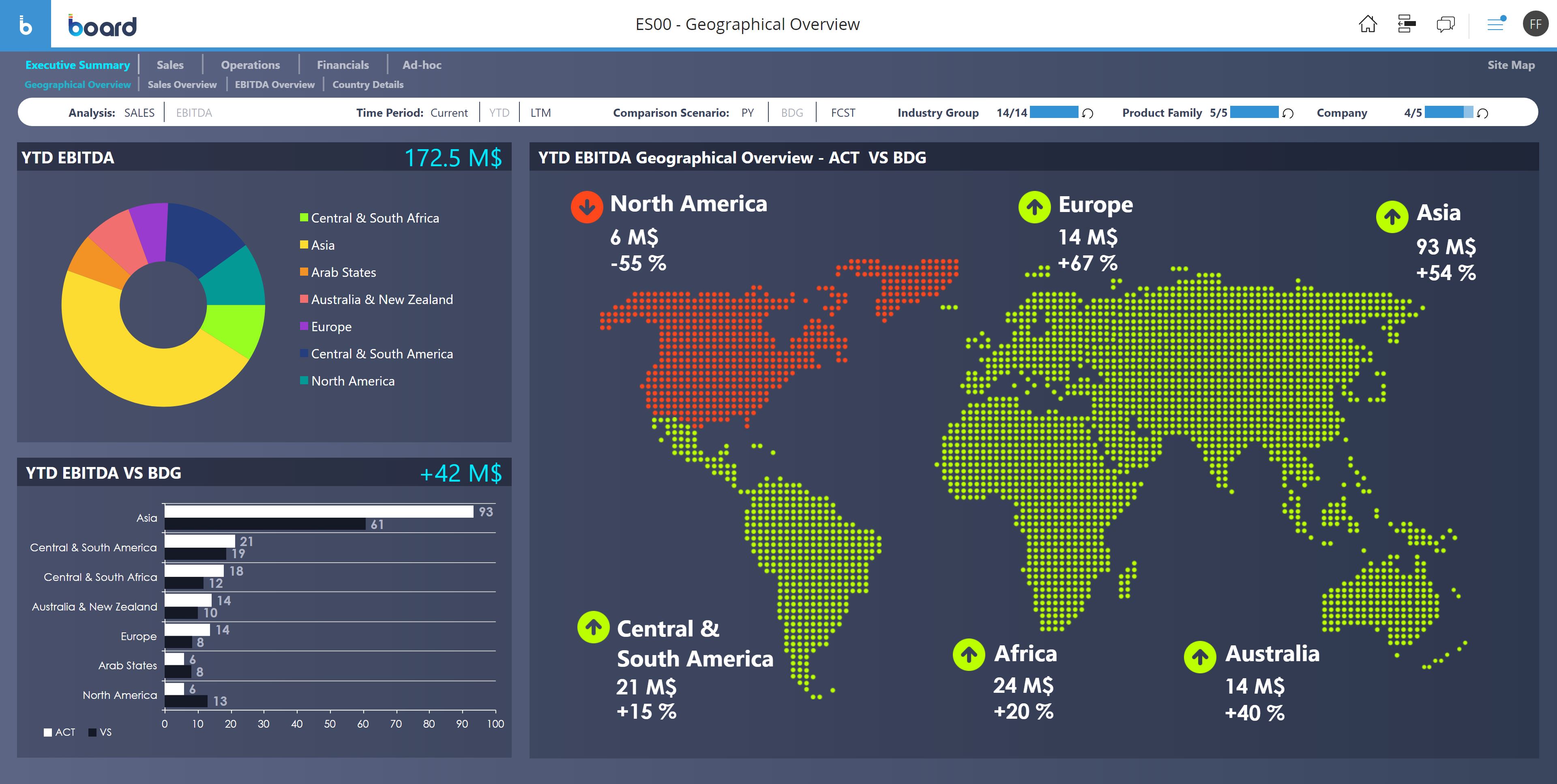
Screenshot of PlanningScreenshot of Sales PlanningScreenshot of ProfitabilityScreenshot of GeomapScreenshot of ForecastScreenshot of Financial Plan