Bookafy vs. Shared Contacts for Gmail

Overview
ProductRatingMost Used ByProduct SummaryStarting Price
Bookafy
Score 9.0 out of 10
Small Businesses (1-50 employees)
Bookafy is an online appointment scheduling solution targeted at a variety of industries. The vendor’s value proposition is that their solution is simple to use, fully customizable, has an elegant user interface and can be embedded into the business user’s website. Support is available via phone, email or chat.
$9
per month
Shared Contacts for Gmail
Score 8.0 out of 10
N/A
Shared Contacts for Gmail enables Google Workspace (G-Suite) & Gmail users to create, manage, share team address books (labels) from anywhere (Gmail, Google Contacts, Mobile phones etc.). Define access permissions exactly like you would do with a Google Doc: View Only Edit Delete permission Re-share Transfer of ownership Access contacts shared from anywhere in a workspace (Gmail, Google Contacts, Calendar, Mobile phones etc.).…
$0.99
per user per month
Pricing
BookafyShared Contacts for Gmail
Editions & Modules
Pro
$9
per month
Pro+
$13
per month
Enterprise
Contact sales team
Lite
$0.99
per user per month
Team
$1.79
per user per month
Business
$2.59
per user per month
Offerings
Pricing Offerings
BookafyShared Contacts for Gmail
Free Trial
YesYes
Free/Freemium Version
YesYes
Premium Consulting/Integration Services
YesYes
Entry-level Setup FeeNo setup fee$0.99 per user per month
Additional Details30% discount available for annual pricing.
More Pricing Information
Community Pulse
BookafyShared Contacts for Gmail
Best Alternatives
BookafyShared Contacts for Gmail
Small Businesses
vcita
vcita
Score 9.0 out of 10
Cloze
Cloze
Score 9.9 out of 10
Medium-sized Companies
LeanData
LeanData
Score 8.8 out of 10
Kintone
Kintone
Score 9.6 out of 10
Enterprises
Zoom Workplace
Zoom Workplace
Score 8.4 out of 10
Agentforce Sales
Agentforce Sales
Score 8.7 out of 10
All AlternativesView all alternativesView all alternatives
User Ratings
BookafyShared Contacts for Gmail
Likelihood to Recommend
8.7
(5 ratings)
9.0
(7 ratings)
Usability
-
(0 ratings)
9.0
(1 ratings)
User Testimonials
BookafyShared Contacts for Gmail
Likelihood to Recommend
Bookafy
In my experience, Bookafy has pretty much the same features as the other well-known scheduling apps. In terms of functionality, the two obstacles I experience were setting up a hidden (not shown on the main booking page) meeting for special bonus calls you don't want anyone to have access to. Yes, you can set up a paid meeting and give someone a coupon to access it free but that seems like an extra unnecessary step. The other limitation was how ugly it looks to embed meetings on a website. The scheduler looks fine inside Bookafy, but when embedded, it doesn't flow as well. For everything else, it works well. If you want to sync the scheduler with email marketing systems, most of the integrations work through Zapier so that can be an additional cost. Bookafy focuses on the meeting schedules.
Read full review
Shared Contacts for Gmail
Shared Contacts for Gmail is well suited for organizations that generate and coordinate long term partnerships and that have a big remote working component as a main form or working. It is less appropriate with organizations dedicated to sales and performance based ways of working. I would recommend it for medium size organizations.
Read full review
Pros
Bookafy
  • Easy to embed the appointment form to websites
  • You can show off professionalism while booking meetings
  • You can sync the appointments with Google Calendar
  • Easy to use interface, so you don't waste time trying to figure out things around.
Read full review
Shared Contacts for Gmail
  • Helps manage contact lists and distribution lists.
  • Eliminates the need for the use of an additional platform, like a CRM, to manage contacts.
  • Makes it easier to share contacts with a targeted audience with the flexibility to be selective about who the data is being shared with.
Read full review
Cons
Bookafy
  • Lack of calendar customization.
  • Tracking data.
  • Configuration is confusing.
Read full review
Shared Contacts for Gmail
  • I have been looking for a way to share our contacts within our organization for a while now. This process really improves how we were doing it within Google Sheets.
  • My only negative is that it has taken so long for it to be functional within Google.
Read full review
Usability
Bookafy
No answers on this topic
Shared Contacts for Gmail
Very easy to use. Mostly related to the design of the program, but also due to the layout. I find it easy to find what I am looking for. As noted in earlier comments, greater implementation of AI would probably make the program even easier to use, as sometimes finding certain functions is not entirely transparent.
Read full review
Alternatives Considered
Bookafy
Bookafy is more advanced and has more features that I need comparing to these other brands. Calendly is very basic while Bookfy offers more robust features.
Read full review
Shared Contacts for Gmail
My company used Zendesk Sell for a while, but the profiles weren't as manageable and easy accessed as Shared Contacts [for Gmail.] It resulted easier to update the contact information within Shared Contacts [for Gmail] and maintain the contact flow, than updating in Zendesk, and then manually go into gmail and continue the conversation. As well we don't use Shared Contacts [for Gmail] alone. We do accompany it with an internal operations system, were we manage the clients profile, but the combination between the two is perfect.
Read full review
Return on Investment
Bookafy
  • Saves a lot of time
  • Streamlines the process
  • Eliminates unnecessary back and forth calling and emailing
Read full review
Shared Contacts for Gmail
  • More contact with clients
  • Keeping track of contact information no matter the places
  • Clients like the familiarity that is created by the constant check on them
Read full review
ScreenShots

Bookafy Screenshots

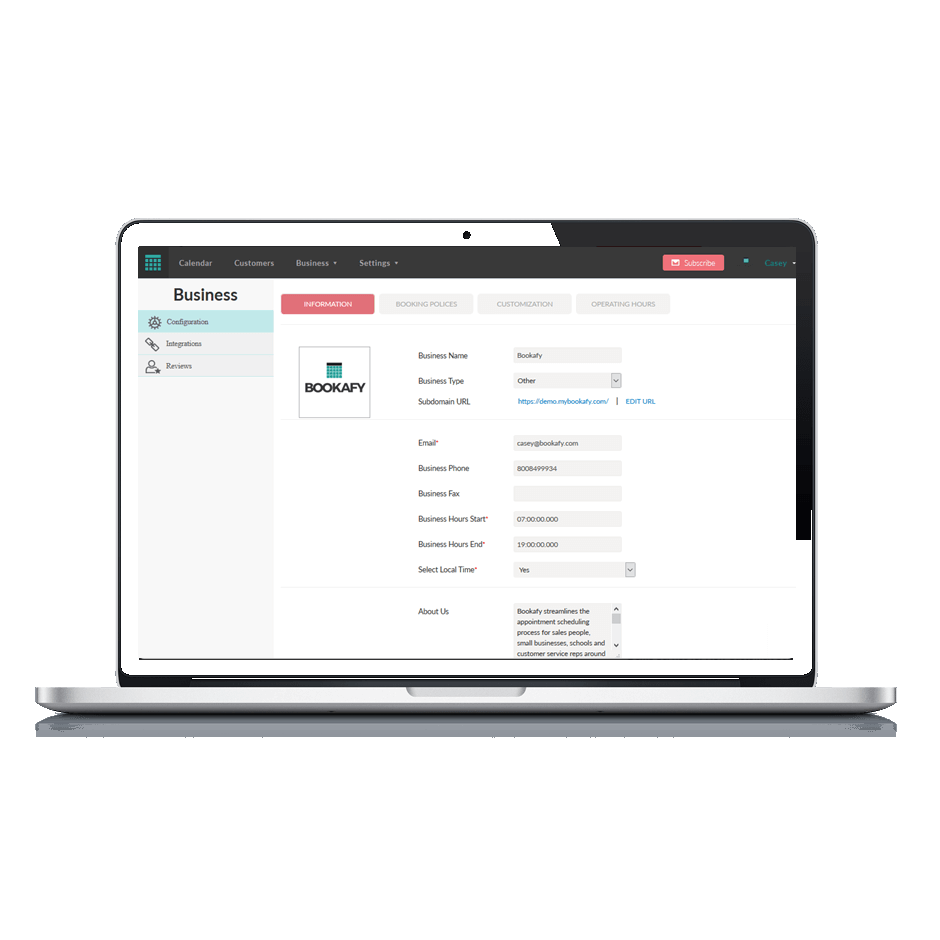
Screenshot of Online appointment scheduling made easy, with a beautiful user interface, simplicity for the customer and powerful customization and integrations.Screenshot of Business settings allow unlimited services, unlimited staff members and many other custom settings.Screenshot of Custom automation... decide when your reminders go out, if you want review requests sent, and much more.Screenshot of Customize staff schedules, availability, services and allow your staff to sync with Google or Outlook calendarsScreenshot of Match your brand design with custom colors on your own online scheduling tool.

Shared Contacts for Gmail Screenshots

Screenshot of Easily set the access permissions while sharing your Google ContactsScreenshot of Sync your shared contacts with just a clickScreenshot of Share contacts with ease