
Chose SAP Integration Suite
Boomi vs. Layer2 Cloud Connector vs. SAP Integration Suite
Boomi vs. Layer2 Cloud Connector vs. SAP Integration Suite
| Product | Rating | Most Used By | Product Summary | Starting Price |
|---|---|---|---|---|
 Boomi | N/A | Boomi is a cloud-based, on-premise, or hybrid integration platform. It offers a low-code/no-code interface with the capacity for API and EDI connections for integrating with external organizations and systems, as well as compliance with data protection regulations. | $550 per month | |
 Layer2 Cloud Connector | N/A | The Layer2 Cloud Connector can integrate data and sync documents between 100+ corporate data sources without programming. It is used to connect services and apps on-premises or cloud-based, such as Microsoft Office 365, SharePoint, Dynamics, Azure, SQL/ERP/CRM, and more for migration, backup, or permanent two-way synchronization. | $491 per installation | |
 SAP Integration Suite | N/A | SAP Integration Suite is a modern, secure integration platform as a service (iPaaS) that connects applications, data, processes, and AI agents across SAP and non‑SAP environments. | $11,199 per year |
| Boomi | Layer2 Cloud Connector | SAP Integration Suite | ||||||||||||||||||||||
|---|---|---|---|---|---|---|---|---|---|---|---|---|---|---|---|---|---|---|---|---|---|---|---|---|
| Editions & Modules |
|
| No answers on this topic | |||||||||||||||||||||
| Offerings |
| |||||||||||||||||||||||
| Entry-level Setup Fee | No setup fee | $185 Setup Support | No setup fee | |||||||||||||||||||||
| Additional Details | — | — | Access to free tier services does not expire while there is an active Pay-As-You-Go or CPEA account with SAP. Once a free tier service limit has been reached users have the option to update from a free to a paid service plan in the same account. | |||||||||||||||||||||
| More Pricing Information | ||||||||||||||||||||||||
| Boomi | Layer2 Cloud Connector | SAP Integration Suite | |
|---|---|---|---|
| Considered Multiple Products | Boomi No answer on this topic | Layer2 Cloud Connector No answer on this topic | SAP Integration Suite  Casper Badenhorst SAP Team Lead Chose SAP Integration Suite Our clients already largely use SAP products. SAP Integration Suite was the logical choice.  Brian Williams SAP Director Chose SAP Integration Suite Much better since it is already integrates w ERP and not needed to build that part  Siva Prasad Darbha Business Solution Architect Chose SAP Integration Suite S/4HANA and BTP are primary reasons and better 3pl integations |
| Boomi | Layer2 Cloud Connector | SAP Integration Suite | |||||||||||||||||||||||||||
|---|---|---|---|---|---|---|---|---|---|---|---|---|---|---|---|---|---|---|---|---|---|---|---|---|---|---|---|---|---|
| Cloud Data Integration |
| ||||||||||||||||||||||||||||
| Data Source Connection |
| ||||||||||||||||||||||||||||
| Data Transformations |
| ||||||||||||||||||||||||||||
| Data Governance |
|
| Boomi | Layer2 Cloud Connector | SAP Integration Suite | |
|---|---|---|---|
| Small Businesses |  Make Score 9.3 out of 10 |  Skyvia Score 10.0 out of 10 | Make Score 9.3 out of 10 |
| Medium-sized Companies |  IBM App Connect Score 9.2 out of 10 | IBM InfoSphere Information Server Score 8.0 out of 10 | IBM App Connect Score 9.2 out of 10 |
| Enterprises | IBM App Connect Score 9.2 out of 10 | IBM InfoSphere Information Server Score 8.0 out of 10 | IBM App Connect Score 9.2 out of 10 |
| All Alternatives | View all alternatives | View all alternatives | View all alternatives |
| Boomi | Layer2 Cloud Connector | SAP Integration Suite | |
|---|---|---|---|
| Likelihood to Recommend | 9.0 (41 ratings) | 7.0 (1 ratings) | 8.5 (303 ratings) |
| Likelihood to Renew | 10.0 (9 ratings) | - (0 ratings) | 8.8 (7 ratings) |
| Usability | 8.0 (6 ratings) | - (0 ratings) | 2.1 (3 ratings) |
| Performance | 7.9 (5 ratings) | - (0 ratings) | - (0 ratings) |
| Support Rating | 6.0 (2 ratings) | - (0 ratings) | 6.0 (4 ratings) |
| Implementation Rating | - (0 ratings) | - (0 ratings) | 7.3 (1 ratings) |
| Boomi | Layer2 Cloud Connector | SAP Integration Suite | |
|---|---|---|---|
| Likelihood to Recommend | Boomi
 Jef L Business Solution Development Officer | Layer 2 GmbH
 Umair Mehboob Senior Devops Engineer | SAP
|
| Pros | Boomi
 Cristian Bodnarasec Senior Software Development Manager | Layer 2 GmbH
Umair Mehboob Senior Devops Engineer | SAP
|
| Cons | Boomi
| Layer 2 GmbH
Umair Mehboob Senior Devops Engineer | SAP
|
| Likelihood to Renew | Boomi
| Layer 2 GmbH No answers on this topic | SAP
|
| Usability | Boomi
| Layer 2 GmbH No answers on this topic | SAP
|
| Performance | Boomi
 Phi Hoang Senior Software Engineer | Layer 2 GmbH No answers on this topic | SAP No answers on this topic |
| Support Rating | Boomi
| Layer 2 GmbH No answers on this topic | SAP
|
| Implementation Rating | Boomi No answers on this topic | Layer 2 GmbH No answers on this topic | SAP
|
| Alternatives Considered | Boomi
| Layer 2 GmbH
Umair Mehboob Senior Devops Engineer | SAP
 Zulma Quiroz Corporate Credit Risk Analyst |
| Return on Investment | Boomi
 Jake J. Darley Director of Finance, Revenue Operations | Layer 2 GmbH
Umair Mehboob Senior Devops Engineer | SAP
 Andrey Shalaurov Group Director of Software Engineering |
| ScreenShots | SAP Integration Suite Screenshots  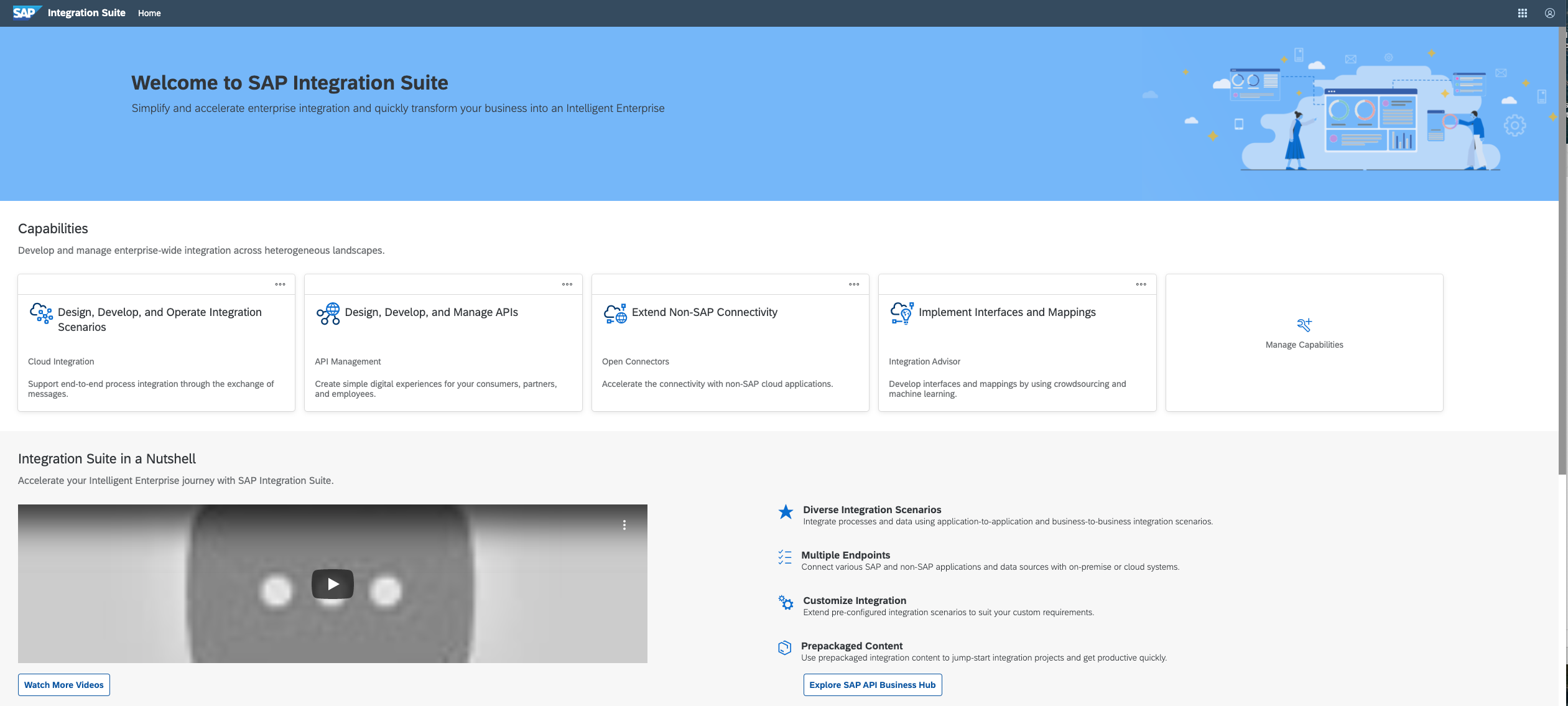   |