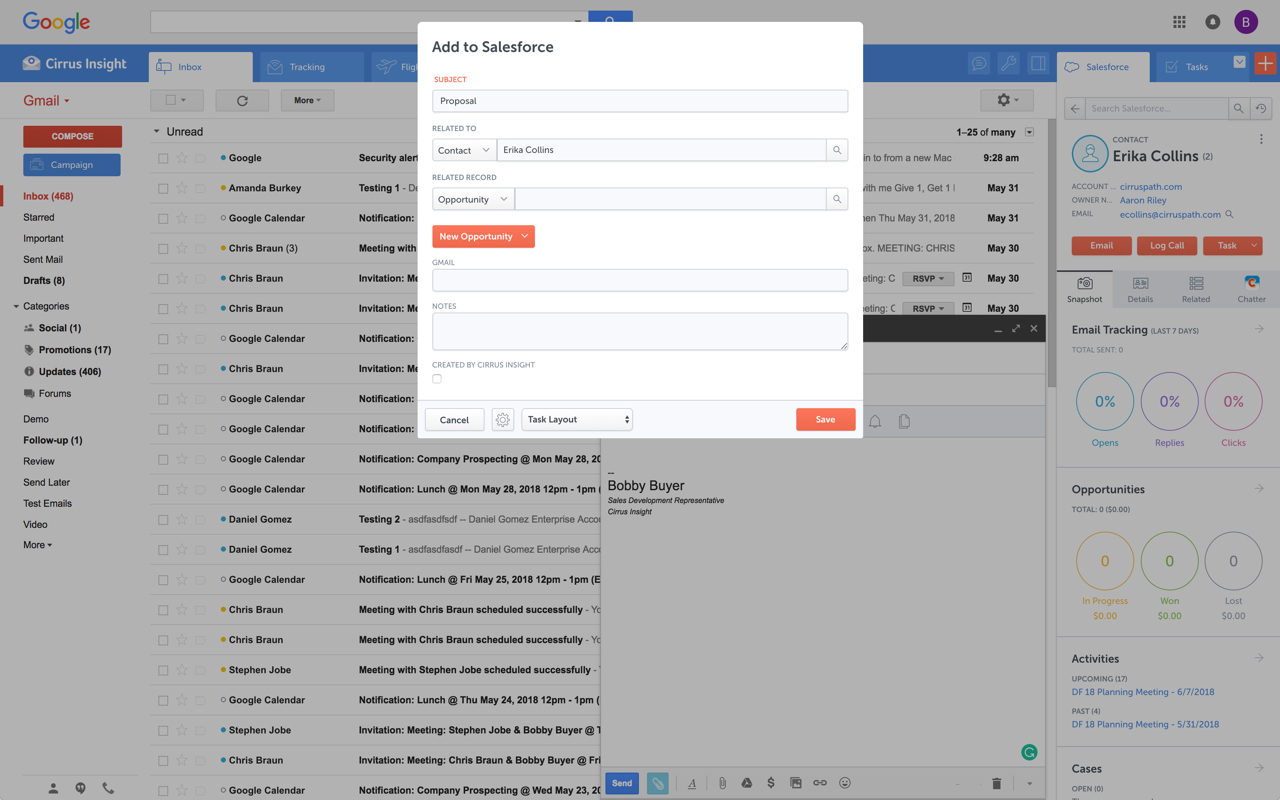
Cirrus Insight integrates Salesforce with Gmail, Google Calendar, and Google Contacts. Instantly View Contextual Salesforce Information in Your Inbox. Save Emails & Attachments to Salesforce with a Click. Sync Your Google & Salesforce Calendars. Create & Edit Salesforce Records on the Fly. Customize Your Salesforce Workflow in Gmail. Add Google Contacts to Salesforce. Salesforce Tasks Integration. Salesforce Templates Integrated with Gmail.
$15
per month
Klarity
Score6.3 out of 10
N/A
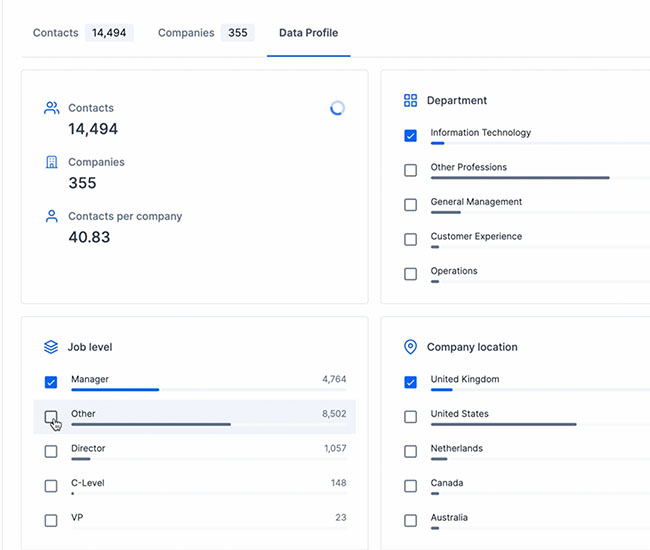
Klarity is a B2B marketing and sales prospecting tool used to build and view prospect lists with varying levels of features. It is backed by data cleaning and enrichment processes that ensure the contacts it provides are valid and reachable.
For someone who uses both Gmail and Salesforce as part of their main role, this software is an invaluable connector for them both. Some of the features are also not Salesforce specific - such as the Meeting Scheduler, which has proved invaluable to me, and I would recommend to any Gmail user who frequently set up meetings (either internally or externally).
A de minimis incentive was given to thank the reviewer for their time. The incentive was not used to bias or drive a particular response, nor was the incentive contingent on a positive endorsement. More Info
If you're using the system for lead generation and intent data, it is great. If you're able to create a CRM integration to actively pull an ABM intent data list, you'll be able to track changes in intent search to reach criteria to interact and reach out for when a buyer is ready. A lot like marketing scoring rules for interacting with your website or from a whitepaper download, intent data is great to utilize for reaching out to potential clients when the time is right. And sales is sometimes knowing when the time is right.
A de minimis incentive was given to thank the reviewer for their time. The incentive was not used to bias or drive a particular response, nor was the incentive contingent on a positive endorsement. More Info
Log email to Salesforce. You click one button and it logs for you. This is easier than adding the BCC email address that Salesforce provides as a way to log email.
Track views and engagement on these emails. It's nice to know if the email was opened and if links were clicked.
Update quick fields in Salesforce directly from their inbox using Cirrus. This prevented reps from needing to click into Salesforce, wait for it to load, then update fields like the phone number or name.
If the rep did need to open Salesforce, Cirrus provides a quick button to navigate to the Lead/Contact/Opportunity page quickly.
A de minimis incentive was given to thank the reviewer for their time. The incentive was not used to bias or drive a particular response, nor was the incentive contingent on a positive endorsement. More Info
A de minimis incentive was given to thank the reviewer for their time. The incentive was not used to bias or drive a particular response, nor was the incentive contingent on a positive endorsement. More Info
Outlook for Mac could use some work as an add-on because it's hard to read sometimes on my laptop. It's not a sidebar, like the Windows functionality, so it's harder to read.
Doesn't always find an opportunity, even though I know it's in our Salesforce system.
Randomly shuts down and doesn't log in properly at times. I've had to remove and re-download more than once.
A de minimis incentive was given to thank the reviewer for their time. The incentive was not used to bias or drive a particular response, nor was the incentive contingent on a positive endorsement. More Info
A de minimis incentive was given to thank the reviewer for their time. The incentive was not used to bias or drive a particular response, nor was the incentive contingent on a positive endorsement. More Info
It is the best google to salesforce integration on the market. support is incredibly responsive and very helpful. They are constantly adding new features, and the current feature set is well beyond anything else that is currently offered in the market
Very easy to use. Everything opens in a familiar interface right inside the google apps sidebar. It brings in salesforce records, so as long as you know google apps / gmail and salesforce you'll be all set. It's point and click.
A de minimis incentive was given to thank the reviewer for their time. The incentive was not used to bias or drive a particular response, nor was the incentive contingent on a positive endorsement. More Info
The plugin is installed inside your internet browser as an extension/add-on. It can be found in most add on stores and is easy to install. Usually just a few clicks. It handles authorization for you once you sign in, and then takes care of all the rest. It couldn't be easier to get working right out of the box. You're up in running in less than 5 minutes.
Yesware regularly sent me alerts that my emails had been opened by someone who I hadn't sent them to, from locations they couldn't possibly have been. I also don't recall its Salesforce activity logging working as smoothly, though I last used Yesware more than 12 months ago so my memory isn't as fresh as it could be
A de minimis incentive was given to thank the reviewer for their time. The incentive was not used to bias or drive a particular response, nor was the incentive contingent on a positive endorsement. More Info
Price is a big point of choosing DemandScience Intelligence to supplement ZoomInfo. I actually use both platforms. I like ZoomInfo's larger database but the best thing about DemandScience Intelligence is confirmed connect, the ability to easily apply multiple filters, and apply confirmed connect - which is one of the best features.
A de minimis incentive was given to thank the reviewer for their time. The incentive was not used to bias or drive a particular response, nor was the incentive contingent on a positive endorsement. More Info
A de minimis incentive was given to thank the reviewer for their time. The incentive was not used to bias or drive a particular response, nor was the incentive contingent on a positive endorsement. More Info
connection rate is increasing providing SDR's with more opportunities to have conversations, learn messaging quicker and navigate through the company to find the correct poc
A de minimis incentive was given to thank the reviewer for their time. The incentive was not used to bias or drive a particular response, nor was the incentive contingent on a positive endorsement. More Info