
Cirrus Insight vs. Postwire
Cirrus Insight vs. Postwire
| Product | Rating | Most Used By | Product Summary | Starting Price |
|---|---|---|---|---|
 Cirrus Insight | Mid-Size Companies (51-1,000 employees) | Cirrus Insight integrates Salesforce with Gmail, Google Calendar, and Google Contacts. Instantly View Contextual Salesforce Information in Your Inbox. Save Emails & Attachments to Salesforce with a Click. Sync Your Google & Salesforce Calendars. Create & Edit Salesforce Records on the Fly. Customize Your Salesforce Workflow in Gmail. Add Google Contacts to Salesforce. Salesforce Tasks Integration. Salesforce Templates Integrated with Gmail. | $15 per month | |
 Postwire | N/A | Postwire is a SaaS product that enables marketers to capture and organize content that salespeople and account managers can use to create a personalized resource page. Postwire merged with the Social Communications Company in 2015. | $20 per month |
| Cirrus Insight | Postwire | |||||||||||||||
|---|---|---|---|---|---|---|---|---|---|---|---|---|---|---|---|---|
| Editions & Modules |
| No answers on this topic | ||||||||||||||
| Offerings |
| |||||||||||||||
| Entry-level Setup Fee | $500 per installation | No setup fee | ||||||||||||||
| Additional Details | Pricing based on annual billing. | — | ||||||||||||||
| More Pricing Information | ||||||||||||||||
| Cirrus Insight | Postwire |
|---|
| Cirrus Insight | Postwire | |
|---|---|---|
| Small Businesses |  Salesflare Score 10.0 out of 10 |  Mediafly Score 7.7 out of 10 |
| Medium-sized Companies |  Mailtrack Score 9.7 out of 10 |  Paperflite Score 8.0 out of 10 |
| Enterprises |  Groove by Clari Score 7.6 out of 10 | Paperflite Score 8.0 out of 10 |
| All Alternatives | View all alternatives | View all alternatives |
| Cirrus Insight | Postwire | |
|---|---|---|
| Likelihood to Recommend | 9.8 (23 ratings) | 9.6 (4 ratings) |
| Likelihood to Renew | 9.1 (1 ratings) | 6.0 (1 ratings) |
| Usability | 10.0 (2 ratings) | - (0 ratings) |
| Availability | 9.1 (1 ratings) | - (0 ratings) |
| Performance | 9.1 (1 ratings) | - (0 ratings) |
| Implementation Rating | 9.1 (1 ratings) | - (0 ratings) |
| Cirrus Insight | Postwire | |
|---|---|---|
| Likelihood to Recommend | Cirrus Insight
| Social Communications Company
|
| Pros | Cirrus Insight
| Social Communications Company
 Keith Haig Sales Executive |
| Cons | Cirrus Insight
 Kelsie Hamilton Program Associate | Social Communications Company
|
| Likelihood to Renew | Cirrus Insight
 Craig Grella Co-Founder | Social Communications Company
|
| Usability | Cirrus Insight
Craig Grella Co-Founder | Social Communications Company No answers on this topic |
| Reliability and Availability | Cirrus Insight
Craig Grella Co-Founder | Social Communications Company No answers on this topic |
| Performance | Cirrus Insight
Craig Grella Co-Founder | Social Communications Company No answers on this topic |
| Implementation Rating | Cirrus Insight
Craig Grella Co-Founder | Social Communications Company No answers on this topic |
| Alternatives Considered | Cirrus Insight
 Blake Cohen Sr. Customer Success Manager | Social Communications Company
|
| Return on Investment | Cirrus Insight
 Jason Miller Director of Business Development | Social Communications Company
 Darren Jaffrey General Manager, EMEA & APAC |
| ScreenShots | Cirrus Insight Screenshots 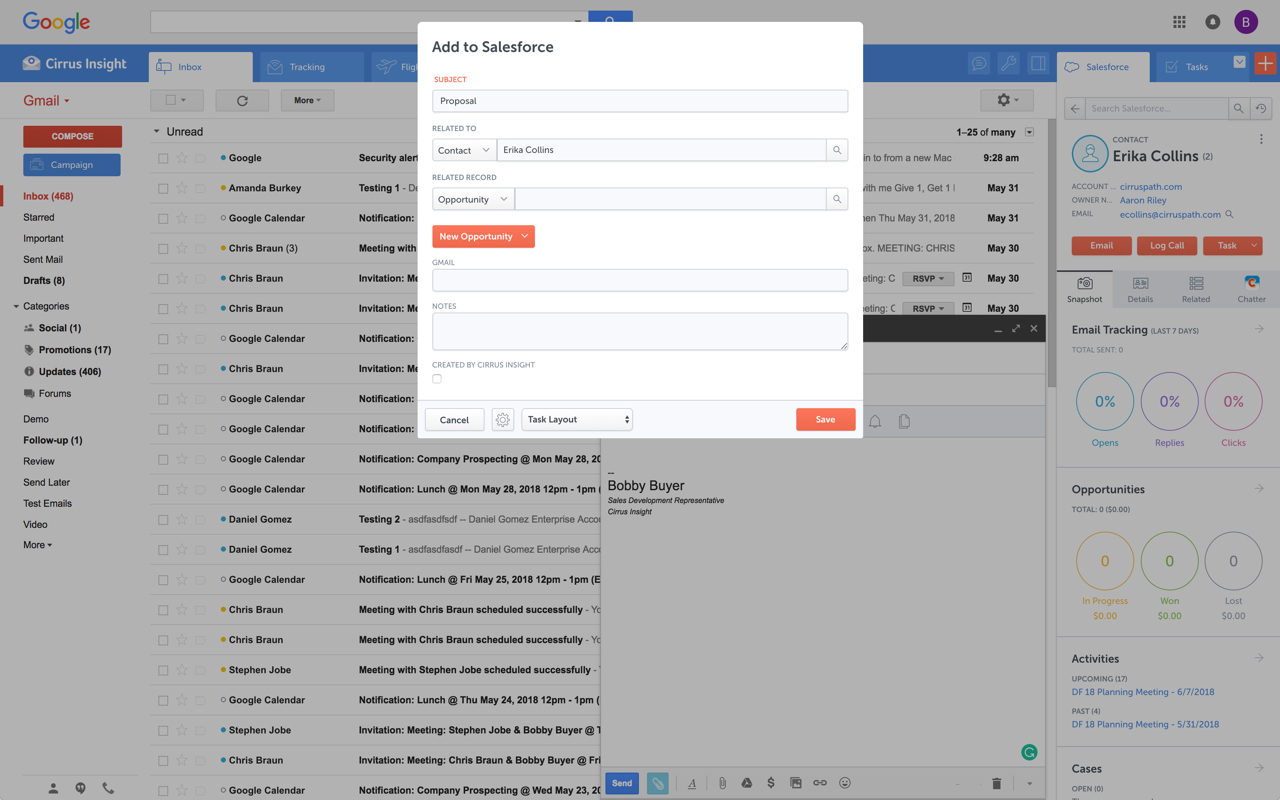   |