Cirrus Insight vs. Scratchpad

Overview
ProductRatingMost Used ByProduct SummaryStarting Price
Cirrus Insight
Score 8.5 out of 10
Mid-Size Companies (51-1,000 employees)
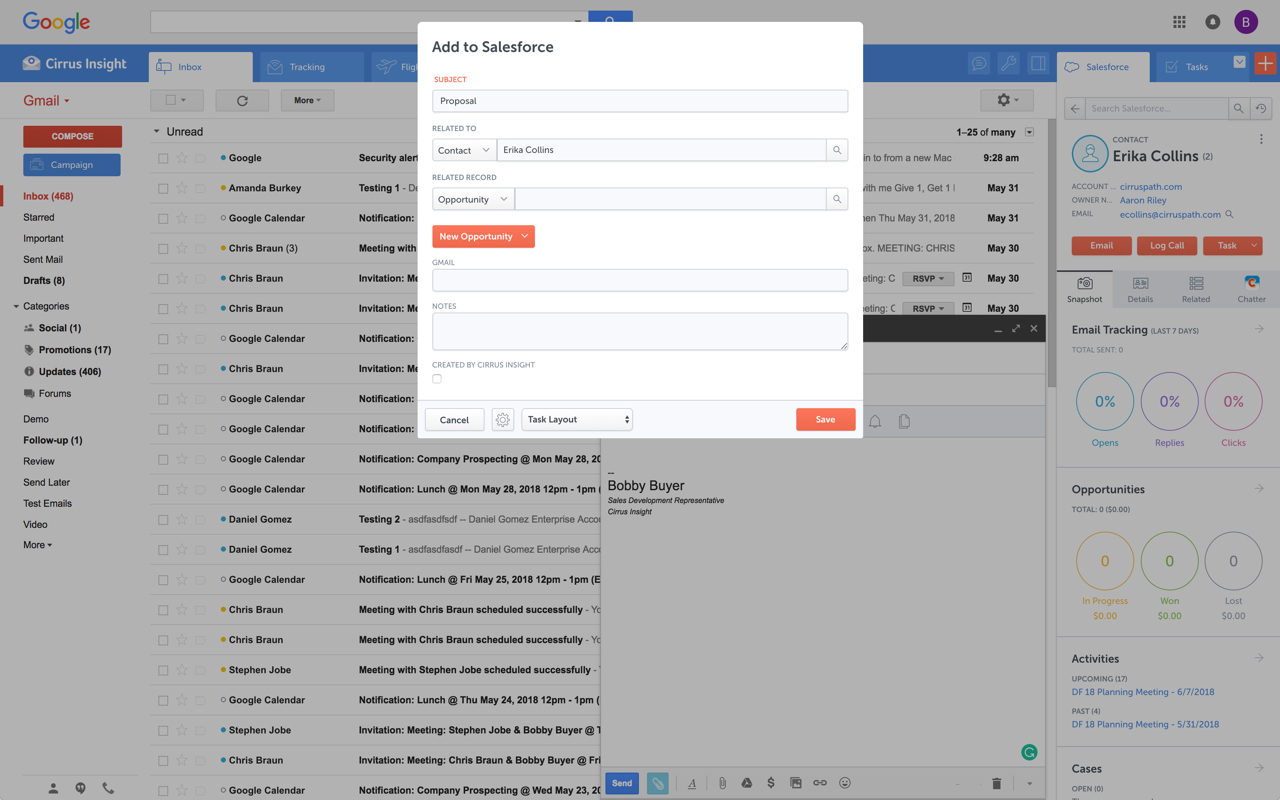
Cirrus Insight integrates Salesforce with Gmail, Google Calendar, and Google Contacts. Instantly View Contextual Salesforce Information in Your Inbox. Save Emails & Attachments to Salesforce with a Click. Sync Your Google & Salesforce Calendars. Create & Edit Salesforce Records on the Fly. Customize Your Salesforce Workflow in Gmail. Add Google Contacts to Salesforce. Salesforce Tasks Integration. Salesforce Templates Integrated with Gmail.
$27
per user/month
Scratchpad
Score 9.7 out of 10
N/A
Scratchpad is a productivity tool for account executives, built for sales to update Salesforce, take sales notes, and daily todos. The software can be installed as a Google Chrome plugin or as a web application. It connects to Salesforce and provides an interface where sales professionals can keep all their notes, process workflows, spreadsheets, and tasks. Co-founders Pouyan Salehi and Cyrus Karbassiyoon started the company in San Francisco, California in 2019.
$0
user / month *up to five users per company
Pricing
Cirrus InsightScratchpad
Editions & Modules
Starter
$27
per user/month
Closer
$45
per user/month
Rainmaker
$72
per user/month
Free
$0
user / month *up to five users per company
Premium
$19
per user / month (billed annually)
Team
$39
user / month (billed annually)
Business
Custom pricing
Offerings
Pricing Offerings
Cirrus InsightScratchpad
Free Trial
YesYes
Free/Freemium Version
NoYes
Premium Consulting/Integration Services
NoNo
Entry-level Setup Fee$500 per installationNo setup fee
Additional DetailsPricing based on annual billing.
More Pricing Information
Community Pulse
Cirrus InsightScratchpad
Considered Both Products
Cirrus Insight
Chose Cirrus Insight
Salesforce Einstein Activity Capture - See previous response regarding this native tool and why it doesn't work for us. Cirrus Insight is much better.
Chose Cirrus Insight
We used Cirrus Insights for a period of time and then switched to Salesforce Inbox because Salesforce Inbox was included in our Salesforce license which made the change easier to do since there was no financial impact of making the switch. We didn't spend very much time …
Chose Cirrus Insight
Cirrus actually works. Tout does not work, and slows down your computer.

Salesforce Inbox works for logging emails, but lacks other functionality.
Chose Cirrus Insight
We use Outreach to drive campaigns now. We've been successful with it for several reasons:
1- Our business operations team knows it and is able to coach us on how to use it
2- We use it across several departments (Marketing, SDE team, AE team, Customer Success - though we may be …
Chose Cirrus Insight
Cirrus is great with importing templates and leads from Salesforce when compared to yesware
Chose Cirrus Insight
We use gmail as our corporate email server and was by far the best option for our combined use of gmail and Salesforce.
Chose Cirrus Insight
Yesware regularly sent me alerts that my emails had been opened by someone who I hadn't sent them to, from locations they couldn't possibly have been. I also don't recall its Salesforce activity logging working as smoothly, though I last used Yesware more than 12 months ago so …
Chose Cirrus Insight
We were just using the free email to Salesforce option, which sends your email to an inbox within Salesforce. Then you are required to address it to the correct location. It's a two step process, so that was cumbersome. Or, some of my coworkers would drag the email onto their …
Chose Cirrus Insight
Cirrus Insight works for us because we use Outlook and MailTrack does not work with Outlook last time I checked.
Chose Cirrus Insight
Cirrus Insight is a light-weight affordable tool that offers reasonable bang for your buck. However it does not have the reliability of other more enterprise-like platforms nor does it have the advanced features that are becoming of an email support tool - such as more advanced …
Chose Cirrus Insight
The decision was made at my current role before I was hired, but I made the decision in a previous role to personally pay for Cirrus Insight, as I found it that valuable. This was after my entire sales team did a trial of Yesware, which I found to be a bit clunky and not as …
Chose Cirrus Insight
While I really liked Toutapp's social integration, it left a lot to be desired with the SFDC integration, which was a higher priority for me. It does what both Boomerang and Yesware do IMO for my purposes in one, easy to use app that doesn't dominate my screen.
Chose Cirrus Insight
Appirio was already being used by our organization. We'd also tried using various email connectors.
Scratchpad
Chose Scratchpad
Gong is terrible compared to Scratchpad. I wish that Gong would buy Scratchpad so that everything would be in one place, but Gong's equivalent tool is as far away from easy and intuitive as possible. It's clunky, and I hate going in there and clicking around.
Chose Scratchpad
Only compared to Salesforce functionality
Chose Scratchpad
Scratchpad's pipeline views allow for better forecasting. This saves me time using multiple tools and views to get a better pulse of where I am at and where I need to be. I selected Scratchpad as it was recommended to me by a colleague, and once he showed me how he was using …
Chose Scratchpad
It doesn't. Scratchpad is more agile and much easier to use as a seller managing a large patch with lots of opportunities. SAP is robust but is far more complicated and involves a lot more inputs to get the same outputs that you can get with Scratchpad in half the time and …
Chose Scratchpad
I can't think of another tool similar to Scratchpad. The only other sales productivity tool that I've used in the past is Mixmax which is also an excellent tool. Mixmax has more features embedded in Gmail with the ability to view and edit Salesforce fields like Scratchpad, but …
Chose Scratchpad
Scratchpad is just a much more enjoyable way of interacting with Salesforce for the features it currently supports. It's not an alternative to Salesforce, it's an alternative UX for certain daily activities in SF, and it's great at that.
Chose Scratchpad
Before finding Scratchpad, logging account movements and mapping were done over OneNote (account management), Excel (pricing), and Word (call notes). Now I can get rid of the OneNote and Word aspects as they both sit on Scratchpad that links directly back to SF. This has helped …
Chose Scratchpad
I prefer the usage and benefit of Scratchpad over Coda, and easier & faster to use than Salesforce. I feel Coda has very little benefit (basically google page), but Scratchpad helps me stay organized for opportunities & discovery notes which is crucial. I highly suggest …
Chose Scratchpad
Scratchpad is far better and has way more ability to make changes than IQ does.
Chose Scratchpad
Scratchpad has more out-of-the-box features like centralized note-taking and the ability to pull in reports.
Chose Scratchpad
Scratchpad customizations stay within the margins of rules set by our organization. We didn't do a deep dive of Dooly and can mainly speak to the quality and effectiveness within Scratchpad. Currently, my entire team of 10 reps is using it, and we all have found usefulness. …
Chose Scratchpad
Before Scratchpad, I made all updates through Salesforce. Reports don't load super quickly and can be tough to change. Scratchpad makes this much easier.
Chose Scratchpad
I haven't ever used anything else other than your typical pen and paper or notes section on my Mac. I wouldn't have any info on how they stack up compared to the competition. I would venture to say they are the only ones trying to change sales reps' lives. It's just what they …
Chose Scratchpad
I selected Scratchpad because the depth of integration within Salesforce is very useful; I don't have to use a separate application than what I'm already using, Scratchpad is imbued within my Chrome and SFDC instances. Their free capabilities don't block you from viewing notes …
Best Alternatives
Cirrus InsightScratchpad
Small Businesses
Salesflare
Salesflare
Score 10.0 out of 10
Lead411
Lead411
Score 8.3 out of 10
Medium-sized Companies
Mailtrack
Mailtrack
Score 9.7 out of 10
Paperflite
Paperflite
Score 8.0 out of 10
Enterprises
Groove by Clari
Groove by Clari
Score 7.5 out of 10
Paperflite
Paperflite
Score 8.0 out of 10
All AlternativesView all alternativesView all alternatives
User Ratings
Cirrus InsightScratchpad
Likelihood to Recommend
9.8
(0 ratings)
9.5
(0 ratings)
Likelihood to Renew
9.1
(0 ratings)
-
(0 ratings)
Usability
10.0
(0 ratings)
9.5
(0 ratings)
Availability
9.1
(0 ratings)
-
(0 ratings)
Performance
9.1
(0 ratings)
-
(0 ratings)
Implementation Rating
9.1
(0 ratings)
-
(0 ratings)
User Testimonials
Cirrus InsightScratchpad
Likelihood to Recommend
For someone who uses both Gmail and Salesforce as part of their main role, this software is an invaluable connector for them both. Some of the features are also not Salesforce specific - such as the Meeting Scheduler, which has proved invaluable to me, and I would recommend to any Gmail user who frequently set up meetings (either internally or externally).
Read full review
I have over 250 accounts in my name, and it can be difficult to prioritize and find notes on past conversations my colleagues may have had. Scratchpad makes it super easy to reference past notes and add new ones to organize my book of business and make the best use of my time.
Read full review
Pros
  • Log email to Salesforce. You click one button and it logs for you. This is easier than adding the BCC email address that Salesforce provides as a way to log email.
  • Track views and engagement on these emails. It's nice to know if the email was opened and if links were clicked.
  • Update quick fields in Salesforce directly from their inbox using Cirrus. This prevented reps from needing to click into Salesforce, wait for it to load, then update fields like the phone number or name.
  • If the rep did need to open Salesforce, Cirrus provides a quick button to navigate to the Lead/Contact/Opportunity page quickly.
Read full review
  • Scratchpad notes are super easy to use and link to Salesforce Opportunities.
  • Allows you to update all the necessary Salesforce opportunity fields without going into Salesforce.
  • Easy to use Task manager that helps you stay on track through the day.
  • Extremely easy to use and their CS team is always willing to provide training and help.
Read full review
Cons
  • Email Tracking is not always accurate - this can be due to the nature of the device and the email client used by the recipient.
  • Gmail app is subject to being glitchy and auto-log out out behavior.
  • Meeting time function is limited in its functionality and is prone to glitches as reported by clients.
  • Send later function works about 85% of the time.
  • Follow up intervals are too short and should provide more customised options.
Read full review
  • When pulling in Salesforce reports, it doesn't have full ability to do grouping/sorting.
  • When looking at pipeline view there's not an ability to expand the default view to see more than 5 people per group.
  • It'd be nice if comments would go as a task rather than a buzz.
Read full review
Likelihood to Renew
It is the best google to salesforce integration on the market. support is incredibly responsive and very helpful. They are constantly adding new features, and the current feature set is well beyond anything else that is currently offered in the market
Read full review
No answers on this topic
Usability
Very easy to use. Everything opens in a familiar interface right inside the google apps sidebar. It brings in salesforce records, so as long as you know google apps / gmail and salesforce you'll be all set. It's point and click.
Read full review
Great functionality and a great intuitive tool
Read full review
Reliability and Availability
Haven't had a down issue in the almost 2 years I've been using the product. Support is also super responsive.
Read full review
No answers on this topic
Performance
Pulls in salesforce data very quickly, and syncs very quickly.
Read full review
No answers on this topic
Implementation Rating
The plugin is installed inside your internet browser as an extension/add-on. It can be found in most add on stores and is easy to install. Usually just a few clicks. It handles authorization for you once you sign in, and then takes care of all the rest. It couldn't be easier to get working right out of the box. You're up in running in less than 5 minutes.
Read full review
No answers on this topic
Alternatives Considered
Yesware regularly sent me alerts that my emails had been opened by someone who I hadn't sent them to, from locations they couldn't possibly have been. I also don't recall its Salesforce activity logging working as smoothly, though I last used Yesware more than 12 months ago so my memory isn't as fresh as it could be
Read full review
Scratchpad is just a much more enjoyable way of interacting with Salesforce for the features it currently supports. It's not an alternative to Salesforce, it's an alternative UX for certain daily activities in SF, and it's great at that.
Read full review
Return on Investment
  • More efficient. It only takes a few seconds to upload an email to the right location.
  • More emails in Salesforce now, where as before, people didn't even try uploading it due to the difficulty.
  • Equality across the board. Everyone is on the same page in how we record things.
Read full review
  • I'm using the free version and unfortunately our organization as a whole doesn't use it because we now use Gong. My manager has complimented me many times as always having an updated pipe compared to my other team members. It helps me be on top of it.
Read full review
ScreenShots

Cirrus Insight Screenshots

Screenshot of Screenshot of Screenshot of Screenshot of