Cirrus Insight vs. Superhuman

Overview
ProductRatingMost Used ByProduct SummaryStarting Price
Cirrus Insight
Score 6.5 out of 10
Mid-Size Companies (51-1,000 employees)
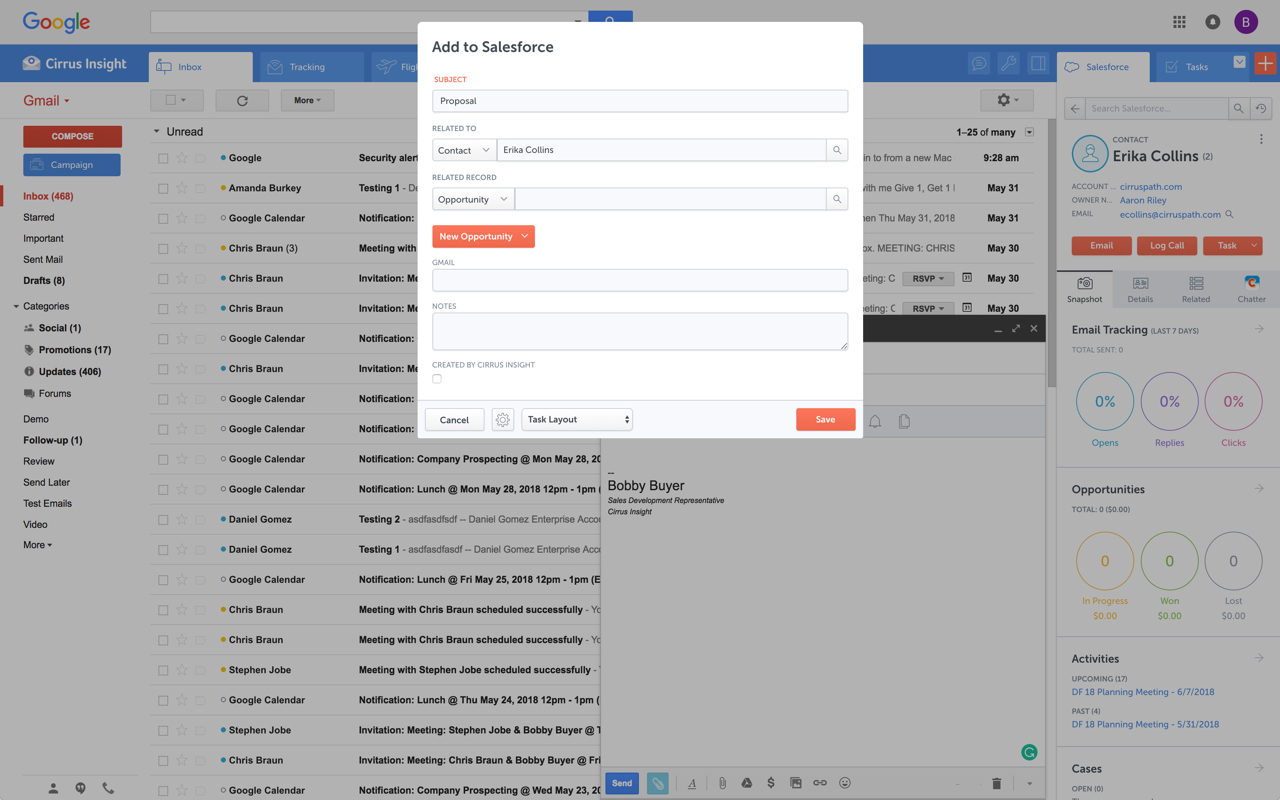
Cirrus Insight integrates Salesforce with Gmail, Google Calendar, and Google Contacts. Instantly View Contextual Salesforce Information in Your Inbox. Save Emails & Attachments to Salesforce with a Click. Sync Your Google & Salesforce Calendars. Create & Edit Salesforce Records on the Fly. Customize Your Salesforce Workflow in Gmail. Add Google Contacts to Salesforce. Salesforce Tasks Integration. Salesforce Templates Integrated with Gmail.
$15
per month
Superhuman
Score 8.9 out of 10
N/A
Superhuman for Business is an email management solution that helps to enhance team collaboration and help users maintain focus. Some features include timed sent, Unsend, conversation snooze, support for offline actions, Gmail shortcuts, etc.
$30
per month per user
Pricing
Cirrus InsightSuperhuman
Editions & Modules
Starter
$27
per user/month
Closer
$45
per user/month
Rainmaker
$72
per user/month
Starter
$30
per month per user
Business
$40
per month per user
Enterprise
Contact for pricing
Offerings
Pricing Offerings
Cirrus InsightSuperhuman
Free Trial
YesNo
Free/Freemium Version
NoNo
Premium Consulting/Integration Services
YesNo
Entry-level Setup Fee$500 per installationNo setup fee
Additional DetailsPricing based on annual billing.Up to 18% discount for annual billing on Starter and Business plans.
More Pricing Information
Community Pulse
Cirrus InsightSuperhuman
Best Alternatives
Cirrus InsightSuperhuman
Small Businesses
Mailtrack
Mailtrack
Score 9.3 out of 10
Zoho Mail
Zoho Mail
Score 9.3 out of 10
Medium-sized Companies
Mailtrack
Mailtrack
Score 9.3 out of 10
Front
Front
Score 9.0 out of 10
Enterprises
Groove, a Clari company
Score 7.1 out of 10
Front
Front
Score 9.0 out of 10
All AlternativesView all alternativesView all alternatives
User Ratings
Cirrus InsightSuperhuman
Likelihood to Recommend
5.0
(22 ratings)
10.0
(4 ratings)
Likelihood to Renew
9.1
(1 ratings)
-
(0 ratings)
Usability
9.1
(1 ratings)
10.0
(1 ratings)
Availability
9.1
(1 ratings)
-
(0 ratings)
Performance
9.1
(1 ratings)
-
(0 ratings)
Implementation Rating
9.1
(1 ratings)
-
(0 ratings)
User Testimonials
Cirrus InsightSuperhuman
Likelihood to Recommend
Cirrus Insight
For someone who uses both Gmail and Salesforce as part of their main role, this software is an invaluable connector for them both. Some of the features are also not Salesforce specific - such as the Meeting Scheduler, which has proved invaluable to me, and I would recommend to any Gmail user who frequently set up meetings (either internally or externally).
Read full review
Grammarly
1. Inbox management 2. Saving time 3. For CXOs, it can save a lot of time. 4. Superhuman AI is very good, optimized for the use case. 5. UI/UX is to notch, the team has really put in some effort here. 6. Although there's a learning curve but the onboarding makes it very simple.
Read full review
Pros
Cirrus Insight
  • Log email to Salesforce. You click one button and it logs for you. This is easier than adding the BCC email address that Salesforce provides as a way to log email.
  • Track views and engagement on these emails. It's nice to know if the email was opened and if links were clicked.
  • Update quick fields in Salesforce directly from their inbox using Cirrus. This prevented reps from needing to click into Salesforce, wait for it to load, then update fields like the phone number or name.
  • If the rep did need to open Salesforce, Cirrus provides a quick button to navigate to the Lead/Contact/Opportunity page quickly.
Read full review
Grammarly
  • Faster than Gmail - if speed is a priority Superhuman loads and processes very quickly
  • Clean interface - Superhuman is well designed, making it easy to focus on only what you're writing
  • Snippets save time - by prewriting snippets and adding them via shortcuts, writing emails is quick
Read full review
Cons
Cirrus Insight
  • Outlook for Mac could use some work as an add-on because it's hard to read sometimes on my laptop. It's not a sidebar, like the Windows functionality, so it's harder to read.
  • Doesn't always find an opportunity, even though I know it's in our Salesforce system.
  • Randomly shuts down and doesn't log in properly at times. I've had to remove and re-download more than once.
Read full review
Grammarly
  • When I started adopting it, it was VERY Apple-focused. I could not get access to Android and Windows. They are not releasing an Android version, and there is web access for Windows, which I use with an iPhone.
  • Built-in calendar, while nice, could be a little more functional.
Read full review
Likelihood to Renew
Cirrus Insight
It is the best google to salesforce integration on the market. support is incredibly responsive and very helpful. They are constantly adding new features, and the current feature set is well beyond anything else that is currently offered in the market
Read full review
Grammarly
No answers on this topic
Usability
Cirrus Insight
Very easy to use. Everything opens in a familiar interface right inside the google apps sidebar. It brings in salesforce records, so as long as you know google apps / gmail and salesforce you'll be all set. It's point and click.
Read full review
Grammarly
It's amazing, it solves the inbox management problem. Makes emails keyboard friendly and AI is self-sufficient.
Read full review
Reliability and Availability
Cirrus Insight
Haven't had a down issue in the almost 2 years I've been using the product. Support is also super responsive.
Read full review
Grammarly
No answers on this topic
Performance
Cirrus Insight
Pulls in salesforce data very quickly, and syncs very quickly.
Read full review
Grammarly
No answers on this topic
Implementation Rating
Cirrus Insight
The plugin is installed inside your internet browser as an extension/add-on. It can be found in most add on stores and is easy to install. Usually just a few clicks. It handles authorization for you once you sign in, and then takes care of all the rest. It couldn't be easier to get working right out of the box. You're up in running in less than 5 minutes.
Read full review
Grammarly
No answers on this topic
Alternatives Considered
Cirrus Insight
Yesware regularly sent me alerts that my emails had been opened by someone who I hadn't sent them to, from locations they couldn't possibly have been. I also don't recall its Salesforce activity logging working as smoothly, though I last used Yesware more than 12 months ago so my memory isn't as fresh as it could be
Read full review
Grammarly
You could have information from your contacts right on your inbox.
Read full review
Return on Investment
Cirrus Insight
  • Customer data is paramount and Cirrus Insight supports optimal data integrity.
  • Ease of capturing updated customer information and sales activity helps in forecasting, operational insight, etc.
  • Facilitates transition of sales opportunities by seeing a clear trail of correspondence and customer updates.
Read full review
Grammarly
  • Sales call intensity improving
  • Focused workflows which help avoid the scattered "ADD" style in which emails arrive
  • Efficiency
Read full review
ScreenShots

Cirrus Insight Screenshots

Screenshot of Screenshot of Screenshot of Screenshot of