Clear Analytics vs. Dataloader.io vs. IBM InfoSphere Information Server

Overview
ProductRatingMost Used ByProduct SummaryStarting Price
Clear Analytics
Score 8.8 out of 10
Enterprise companies (1,001+ employees)
Clear Analytics is a business intelligence solution that enables non technical end users to perform analytics by leveraging existing knowledge of Excel coupled with a built in query builder. Some key features include: Dynamic Data Refresh, Data Share and In-Excel Collaboration.
$29
Per Seat per Month
Dataloader.io
Score 10.0 out of 10
N/A
Dataloader.io delivers a cloud based solution to import and export information from Salesforce.
$99
per month
IBM InfoSphere Information Server
Score 8.0 out of 10
N/A
IBM InfoSphere Information Server is a data integration platform used to understand, cleanse, monitor and transform data. The offerings provide massively parallel processing (MPP) capabilities.N/A
Pricing
Clear AnalyticsDataloader.ioIBM InfoSphere Information Server
Editions & Modules
Personal
$29
Per Seat per Month
Team
$165
upto 10 Seat per Month
Department
$265
upto 25 Seat per month
Organization
$565
Upto 100 per seat per month
Professional
$99.00
per month
Enterprise
$299.00
per month
No answers on this topic
Offerings
Pricing Offerings
Clear AnalyticsDataloader.ioIBM InfoSphere Information Server
Free Trial
YesNoNo
Free/Freemium Version
NoNoNo
Premium Consulting/Integration Services
YesNoNo
Entry-level Setup Fee$800 Initial OnBoardingNo setup feeNo setup fee
Additional DetailsCertain Enterprise level features can be made available to Small Business edition at additional cost. Such services include Scheduler and OLAP connectivity. Custom adapters can also be created to connect to SaaS services.
More Pricing Information
Community Pulse
Clear AnalyticsDataloader.ioIBM InfoSphere Information Server
Features
Clear AnalyticsDataloader.ioIBM InfoSphere Information Server
BI Standard Reporting
Comparison of BI Standard Reporting features of Product A and Product B
Clear Analytics
9.0
8 Ratings
9% above category average
Dataloader.io
-
Ratings
IBM InfoSphere Information Server
-
Ratings
Pixel Perfect reports9.08 Ratings00 Ratings00 Ratings
Customizable dashboards9.18 Ratings00 Ratings00 Ratings
Report Formatting Templates8.78 Ratings00 Ratings00 Ratings
Ad-hoc Reporting
Comparison of Ad-hoc Reporting features of Product A and Product B
Clear Analytics
8.9
8 Ratings
10% above category average
Dataloader.io
-
Ratings
IBM InfoSphere Information Server
-
Ratings
Drill-down analysis9.28 Ratings00 Ratings00 Ratings
Formatting capabilities8.78 Ratings00 Ratings00 Ratings
Report sharing and collaboration8.98 Ratings00 Ratings00 Ratings
Report Output and Scheduling
Comparison of Report Output and Scheduling features of Product A and Product B
Clear Analytics
9.0
8 Ratings
9% above category average
Dataloader.io
-
Ratings
IBM InfoSphere Information Server
-
Ratings
Publish to Web9.08 Ratings00 Ratings00 Ratings
Publish to PDF9.17 Ratings00 Ratings00 Ratings
Report Versioning8.98 Ratings00 Ratings00 Ratings
Report Delivery Scheduling8.87 Ratings00 Ratings00 Ratings
Data Discovery and Visualization
Comparison of Data Discovery and Visualization features of Product A and Product B
Clear Analytics
9.0
8 Ratings
12% above category average
Dataloader.io
-
Ratings
IBM InfoSphere Information Server
-
Ratings
Pre-built visualization formats (heatmaps, scatter plots etc.)8.98 Ratings00 Ratings00 Ratings
Location Analytics / Geographic Visualization9.18 Ratings00 Ratings00 Ratings
Access Control and Security
Comparison of Access Control and Security features of Product A and Product B
Clear Analytics
9.3
8 Ratings
9% above category average
Dataloader.io
-
Ratings
IBM InfoSphere Information Server
-
Ratings
Multi-User Support (named login)9.48 Ratings00 Ratings00 Ratings
Role-Based Security Model9.08 Ratings00 Ratings00 Ratings
Multiple Access Permission Levels (Create, Read, Delete)9.48 Ratings00 Ratings00 Ratings
Mobile Capabilities
Comparison of Mobile Capabilities features of Product A and Product B
Clear Analytics
8.6
6 Ratings
11% above category average
Dataloader.io
-
Ratings
IBM InfoSphere Information Server
-
Ratings
Mobile Application8.54 Ratings00 Ratings00 Ratings
Dashboard / Report / Visualization Interactivity on Mobile8.76 Ratings00 Ratings00 Ratings
Data Source Connection
Comparison of Data Source Connection features of Product A and Product B
Clear Analytics
-
Ratings
Dataloader.io
-
Ratings
IBM InfoSphere Information Server
8.7
4 Ratings
5% above category average
Connect to traditional data sources00 Ratings00 Ratings9.94 Ratings
Connecto to Big Data and NoSQL00 Ratings00 Ratings7.54 Ratings
Data Transformations
Comparison of Data Transformations features of Product A and Product B
Clear Analytics
-
Ratings
Dataloader.io
-
Ratings
IBM InfoSphere Information Server
9.6
4 Ratings
16% above category average
Simple transformations00 Ratings00 Ratings10.04 Ratings
Complex transformations00 Ratings00 Ratings9.24 Ratings
Data Modeling
Comparison of Data Modeling features of Product A and Product B
Clear Analytics
-
Ratings
Dataloader.io
-
Ratings
IBM InfoSphere Information Server
8.0
4 Ratings
2% above category average
Data model creation00 Ratings00 Ratings8.72 Ratings
Metadata management00 Ratings00 Ratings7.74 Ratings
Business rules and workflow00 Ratings00 Ratings8.44 Ratings
Collaboration00 Ratings00 Ratings8.04 Ratings
Testing and debugging00 Ratings00 Ratings7.14 Ratings
Data Governance
Comparison of Data Governance features of Product A and Product B
Clear Analytics
-
Ratings
Dataloader.io
-
Ratings
IBM InfoSphere Information Server
9.7
4 Ratings
19% above category average
Integration with data quality tools00 Ratings00 Ratings10.04 Ratings
Integration with MDM tools00 Ratings00 Ratings9.53 Ratings
Best Alternatives
Clear AnalyticsDataloader.ioIBM InfoSphere Information Server
Small Businesses
Yellowfin
Yellowfin
Score 8.7 out of 10

No answers on this topic

Skyvia
Skyvia
Score 10.0 out of 10
Medium-sized Companies
Reveal
Reveal
Score 10.0 out of 10
IBM InfoSphere Information Server
Score 8.0 out of 10
dbt
dbt
Score 9.0 out of 10
Enterprises
Kyvos Semantic Layer
Score 9.5 out of 10
IBM InfoSphere Information Server
Score 8.0 out of 10
InterSystems IRIS
InterSystems IRIS
Score 8.0 out of 10
All AlternativesView all alternativesView all alternativesView all alternatives
User Ratings
Clear AnalyticsDataloader.ioIBM InfoSphere Information Server
Likelihood to Recommend
9.0
(8 ratings)
10.0
(26 ratings)
8.9
(5 ratings)
Likelihood to Renew
-
(0 ratings)
8.9
(5 ratings)
8.0
(1 ratings)
Usability
9.1
(8 ratings)
8.5
(10 ratings)
-
(0 ratings)
Performance
-
(0 ratings)
8.0
(1 ratings)
-
(0 ratings)
Support Rating
9.5
(8 ratings)
7.6
(8 ratings)
-
(0 ratings)
User Testimonials
Clear AnalyticsDataloader.ioIBM InfoSphere Information Server
Likelihood to Recommend
Clear Analytics
Clear Analytics has almost all the features which are mostly required by the organizations for their data analytics and transformation activities. Clear Analytics is built on the support of a parallel query engine which makes it handle large volume requests and also provides optimized results. However, every solution has some limitations, Clear Analytics lacks advanced features such as Predictive Analytics which is a very demanding feature in the market as most organizations are adopting AI/ML automation for their businesses. Also, it needs to add a lot of advanced visualizations so that the user has the choice of selection. Overall a good solution to be recommended.
Read full review
Salesforce
Replacing data. If we've put something in a category or a bucket that is no longer named that anymore because we've evolved with the times and we want to rebrand everything, it makes it way easier to do a quick import with the new terms.
Read full review
IBM
Information Server is extremely useful to replace manual developments that require a lot of coding effort. It significantly increases the productivity of the initial development and the future maintenance of the processes since it has a visual development environment with self-documentation.
Read full review
Pros
Clear Analytics
  • Quick management of the data through Excel thanks to the tools Clear Analytics provides such as filtering different information for an easier view.
  • Ability to add new KPIs to measure different areas of our business.
  • Drag and drop tool which makes an easier usage of Excel.
  • Cost-effective. I find Clear Analytics to be affordable considering the number of features added and the unlimited sharing and editing it provides.
Read full review
Salesforce
  • Extracting Salesforce attachments in original file format! I do not know of a tool that can do this better, or more efficiently! This is a huge benefit to companies that would like to extract attachments from Salesforce for tasks like data migrations.
  • Cross-object data extract within one file. You can pull data from related objects as long as there is a populated lookup from the object you are extracting, to another object (Child or Parent).
  • UI is simple and requires very little to no training. Given the acquisition of Mulesoft by Salesforce, I would not be surprised if DataLoader.IO is rolled out as the new global data loading tool for Salesforce.
Read full review
IBM
  • IIS best for ETL ,not ELT , and many and diffrent source systems.
  • It also can process big data , unstuctured data
  • It is not only DWH , you can use infosphere for analys and see the bigger architecture of your OLTP systems
Read full review
Cons
Clear Analytics
  • For Charts and Graphs , getting the Power Point Deck would be helpful. As of now we use the data from Excel Reports
Read full review
Salesforce
  • At the moment, I can't find a way to rename jobs. This would be useful to organize what was previously created hastily by techs in a rush.
  • A preview of the job, especially upserts, would take a great deal of stress away from some of us (especially those who are not so confident in their ETL practice).
  • A native vlookup equivalent may be a welcome addition.
Read full review
IBM
  • I would be nice to have a new web development environment for DataStage.
  • Connectivity Packs such as Pack for SAP Application are a little pricey.
  • It is confusing for new developers the possibility of developing jobs using different execution engines such as Parallel or Server.
Read full review
Likelihood to Renew
Clear Analytics
No answers on this topic
Salesforce
It is easy to use and doesn't require a security token, so I enjoy using it. It also doesn't require any download or installation, which is sometimes a blocker to gettingthings done if the company has limits. also, the dataloader.io is easy for other people to pick up, so others can have visibility into the data jobs that have occurred
Read full review
IBM
  • Scale of implementation
  • IBM techsupport
Read full review
Usability
Clear Analytics
I have really enjoyed working with Clear Analytics. This platform has contributed to increased production and reliable data control processes. It has flexible user interface that can be operated by any organization member. Reports are shared on simple and transparent way in the dashboard for easy access. Data analytics from all departments have created manageable working environment that have increased production.
Read full review
Salesforce
Dataloader definitely skews towards a more technical userbase. Users should be adept at manipulating data in spreadsheets and decipher JSON formatted error messaging. Additionally, there is a good amount of time need to set up the environment to map to the pertinent fields we are trying to adjust. While I would not recommend the typical account manager to use Dataloader, a typical operations manager should have no issue.
Read full review
IBM
No answers on this topic
Performance
Clear Analytics
No answers on this topic
Salesforce
Dataloader is made for updating, inserting, and deleting of contacts. For these operations this tool is excellent.
Read full review
IBM
No answers on this topic
Support Rating
Clear Analytics
I have had multiple scenarios where I had to reach out to the support team of Clear Analytics, be it access-related, general queries, during initial implementation, etc. My overall experience has always been good. I got the needed support every time without any delay. I can definitely recommend Clear Analytics simply on the basis of its excellent support team.
Read full review
Salesforce
The utility itself is very self-explanatory and has enough information to guide you through the process. It has an intuitive experience for those familiar with data loading/exporting utilities. Outside of this, they have a Zendesk help center to log support requests and provide documentation to help guide you troubleshoot any issues that may be occurring.
Read full review
IBM
No answers on this topic
Alternatives Considered
Clear Analytics
There are other great tools that are out there but Clear Analytics is reasonable for our business and provides a lot of features that we specifically needed
Read full review
Salesforce
I have used salesforce inspector also for operations like import and export of data from custom objects but it doesn't work well when you have data in huge numbers. Instead of using Salesforce Inspector, one should go for Dataloader.io if the number of records is huge to be dealt with.
Read full review
IBM
DataStage is more robust and stable than ODI The ability to perform complex transformations or implement business rules is much more developed in DS
Read full review
Return on Investment
Clear Analytics
  • Super useful to get started immediately
  • Didn't have to rely on migrating data
  • Easy to add members
  • Easy to learn and build charts
Read full review
Salesforce
  • HUGE time saving. When we need to clean or review data, we used to have to do it line by line. This can do the work within excel and make cleanup/management an afternoons work as opposed to a week.
  • Rollback what you did/change/deleted is relatively simple if you remember to back up the data you are manipulating.
Read full review
IBM
  • Productivity of the development of integration processes.
  • Better documentation and governance.
  • Reduce training costs of various technologies.
Read full review
ScreenShots

Clear Analytics Screenshots

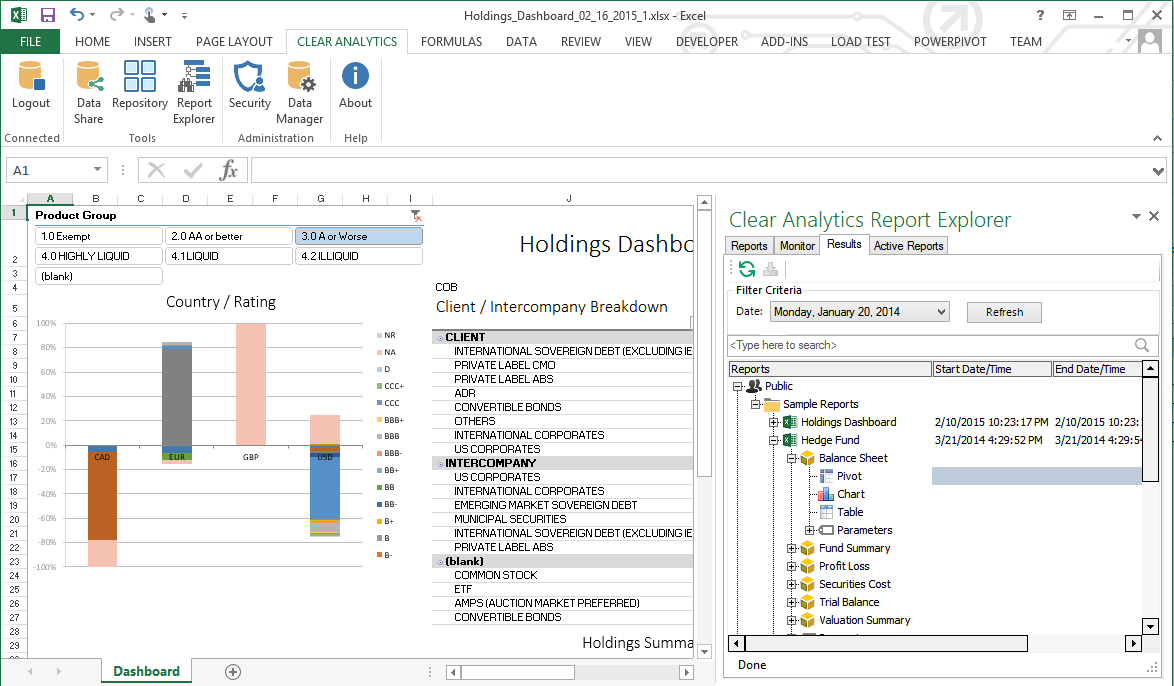
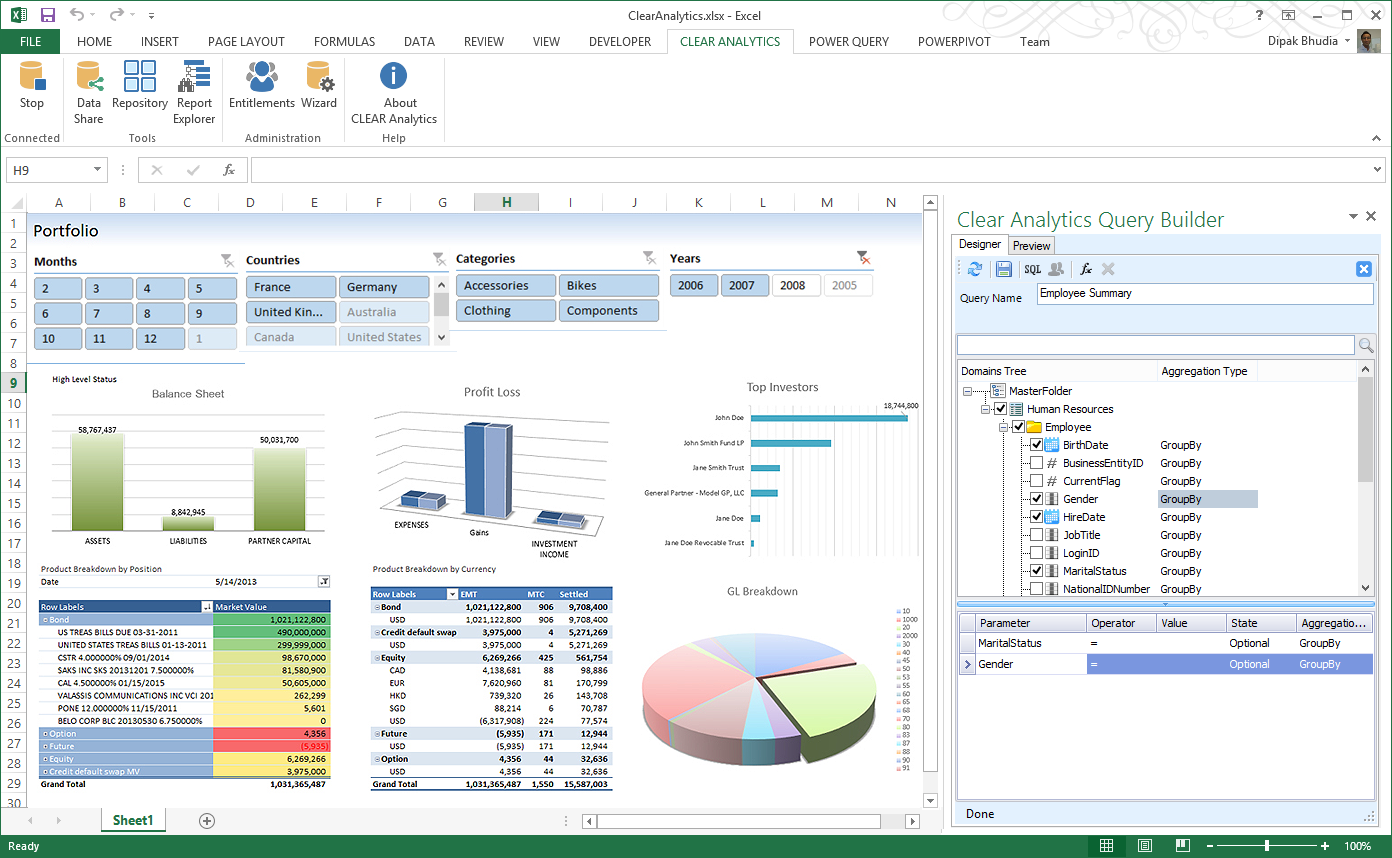
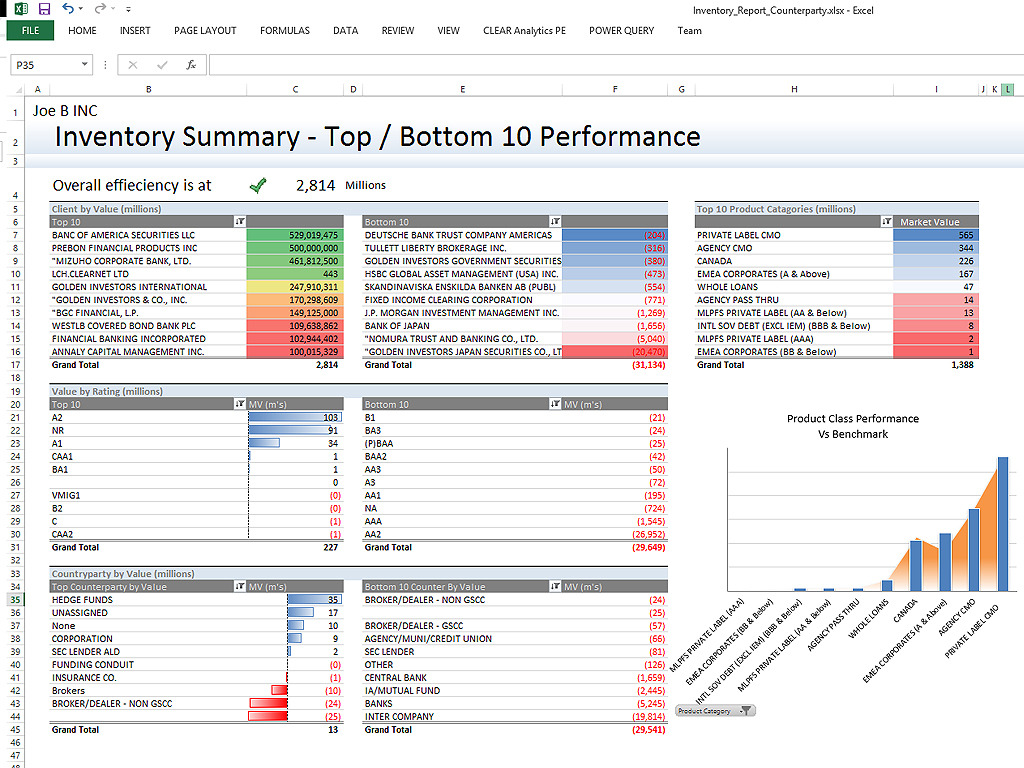
Screenshot of Clear Analytics integrated Excel panel essentially transforms standalone Excel into an enterprise strength, fully auditable, collaborative and centralized business intelligence platform.Screenshot of Users have the ability to dynamically query systems and render that data in any way they like.  No more waiting on IT to create reports.Screenshot of Your firms existing knowledge of Excel enables the firm to be product from day 1. Use the skills already present in your organization and don't pay for outside reporting consultants to create reports for you.Screenshot of Leverage the integration capability of Microsoft's Power BI to extend the reach of your data to web and mobile devices.Screenshot of Leverage all of Excels capabilities, from it's slicers to miniature spark-line charts to create incredibly informative and responsive dashboards.