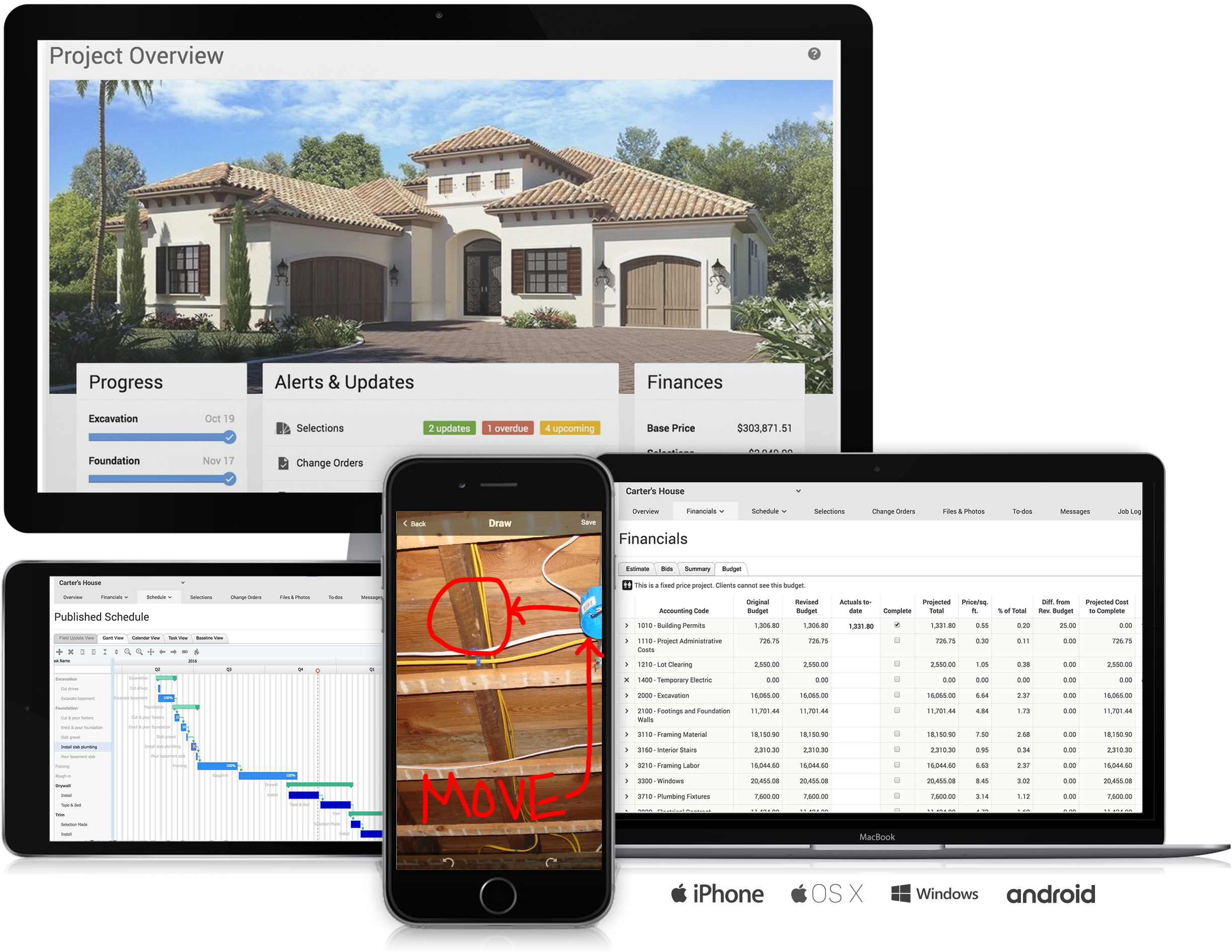
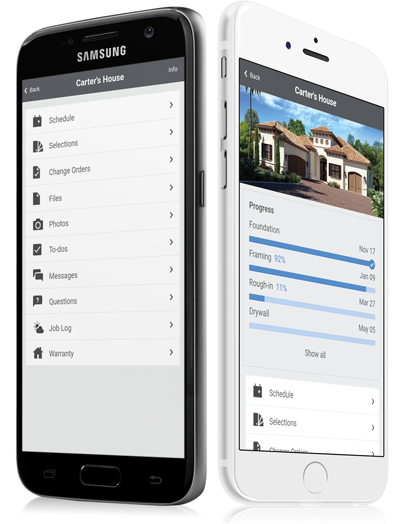
CoConstruct, from Buildertrend since the November 2021 acquisition, is a custom builder & remodeler software. It allows users to enter data once and have that information flow through the estimate, specs, selections, bids, proposals, change orders, and budgets, including to and from QuickBooks. In addition, CoConstruct includes scheduling and 3-way communication between builder, client, and trade partners. Everything is captured via email and texting. Login isn't required for…
$49
per month
DocuSign
Score8.7 out of 10
N/A
DocuSign supports transactions with document sharing and electronic signature, as well as automated and guided data collection and entry, record updating across disparate systems and payment collection upon agreement, as well as analytics and reporting.
$15
per month
Pricing
CoConstruct
DocuSign
Editions & Modules
Ramp
$49
per month
Plus 5
$299
per month
Plus 10
$399
per month
Plus 15
$499
per month
Personal
$15
per month
Real Starter
$15
per month
DocuSign for Realtors
$35
per month
Standard
$40
per month
Business Pro
$60
per month
Advanced Solutions
Custom Pricing
Offerings
Pricing Offerings
CoConstruct
DocuSign
Free Trial
No
Yes
Free/Freemium Version
No
No
Premium Consulting/Integration Services
No
No
Entry-level Setup Fee
No setup fee
No setup fee
Additional Details
CoConstruct pricing is based on active job sites that have client access online, which means it is adaptable to builders & remodelers businesses. This means that there are an unlimited amount of projects available for estimates and proposals, so that customers only pay when they win a contract. Also built into the pricing are a myriad of services: a dedicated implementation coach, free estimate & scheduling templates based on industry best practices from successful builders and the NAHB, unlimited storage and users, software branded with the customer's logo, unlimited amount of warranty projects, and unlimited phone & email support. The vendor offers a money-back guarantee that is good for the first 90 days of service.
—
More Pricing Information
Community Pulse
CoConstruct
DocuSign
Considered Both Products
Buildertrend
Verified User
Chose CoConstruct
We utilize CoConstruct because it doesn't forget the close relationship with a client. Other software performs well in project management, but so often they epitomize the adversarial relationship in construction between the contractor and the client. CoConstruct tries to put …
A de minimis incentive was given to thank the reviewer for their time. The incentive was not used to bias or drive a particular response, nor was the incentive contingent on a positive endorsement. More Info
Having the ability to completely manage a project from start to finish with one app is super helpful. The time reporting feature (when it works correctly) is a nice added bonus as it allows employees to switch from one task to another on the same project or to another project and task with ease, aiding in the accounting process of the total project. This was helpful for running analytics to see where we were spending too much time on certain tasks, thus allowing us to assess any training needs.
A de minimis incentive was given to thank the reviewer for their time. The incentive was not used to bias or drive a particular response, nor was the incentive contingent on a positive endorsement. More Info
This product is well suited in the use case that I provided before: when it comes to onboarding employees and providing a clear channel for decision making for human resources, this is an excellent tool to accomplish that. I would say the weak points is when you have back and forth communication with users that it might seem a little redundant to have that back and forth communication in that scenario.
A de minimis incentive was given to thank the reviewer for their time. The incentive was not used to bias or drive a particular response, nor was the incentive contingent on a positive endorsement. More Info
The integration of all aspects needed to run a remodeling company efficiently: project scheduling and management, financial planning and customer service. Since it’s an all-in-one suite and cloud-based, it enables our team to keep track of all our projects in real-time. Communication breakdown is the last thing we want, so being on the same page is not only desirable but makes for the best possible relationship with our clients.
Product education - We like how CoConstruct helps new users and get them to start using the tool right away. The dashboard resource materials are incredibly useful. We don’t have to spend a lot of time training new hires on the system and onboarding new clients.
A de minimis incentive was given to thank the reviewer for their time. The incentive was not used to bias or drive a particular response, nor was the incentive contingent on a positive endorsement. More Info
A de minimis incentive was given to thank the reviewer for their time. The incentive was not used to bias or drive a particular response, nor was the incentive contingent on a positive endorsement. More Info
Internal Communication - CoConstruct lacks the ability to tag-team members for internal communication using @mentions or any other means. This has been crippling for us and forced us to use alternative software for communicating among our team members.
Pipeline Management - CoConstruct's lead-tracking system feels clunky and hard to navigate and doesn't provide a pipeline view that's easy to navigate. We have moved our Pipeline Management outside of CoConstruct to make it easier for our sales team to track leads.
CRM - CoConstruct doesn't offer anything for customer follow-up after projects are completed. This, in addition to the lack of an effective pipeline system, has led to our decision to use Hubspot as our CRM. Moving projects into CoConstruct for Design and back our after Production.
A de minimis incentive was given to thank the reviewer for their time. The incentive was not used to bias or drive a particular response, nor was the incentive contingent on a positive endorsement. More Info
Tracking, particularly when collecting signatures through connected applications, such as an ATS, is not always clean or easily traceable.
Formatting documents to handle electronic signature types (signatures, initials, etc.) is not always easy, and highly dependent on the partner's technology.
It is not convenient to have to use DocuSign as a stand alone product if the signatures are required for 3rd party applications. It definitely excels on its own, but the scope of that usage, at least for us, is slim.
A de minimis incentive was given to thank the reviewer for their time. The incentive was not used to bias or drive a particular response, nor was the incentive contingent on a positive endorsement. More Info
I can't imagine doing business without DocuSign now. I would never want to go back to the way we used to do things. The "new way" is "the way" is "the right way." We can honestly be proud of a "one right way" process and not have to suffer through "5 ways for 5 days."
A de minimis incentive was given to thank the reviewer for their time. The incentive was not used to bias or drive a particular response, nor was the incentive contingent on a positive endorsement. More Info
Generally user-friendly once you have command of the basics, but also has a lot of nuances that can make it difficult to train others on. DocuSign University is a helpful tool, but understandably a lot of content to get through to become a well-versed user. A lot of different functionalities but only a few I use on a weekly basis.
A de minimis incentive was given to thank the reviewer for their time. The incentive was not used to bias or drive a particular response, nor was the incentive contingent on a positive endorsement. More Info
A de minimis incentive was given to thank the reviewer for their time. The incentive was not used to bias or drive a particular response, nor was the incentive contingent on a positive endorsement. More Info
A de minimis incentive was given to thank the reviewer for their time. The incentive was not used to bias or drive a particular response, nor was the incentive contingent on a positive endorsement. More Info
The support staff is brilliant; they don't operate on Australian time, so you can't just dial up support when you need it. The response times are quick, and the staff is knowledgeable. They are also well versed in most of the differences between buildings in the US and the building in Australasia. Despite their funny accents and strange use of the English language, we get by just fine!
A de minimis incentive was given to thank the reviewer for their time. The incentive was not used to bias or drive a particular response, nor was the incentive contingent on a positive endorsement. More Info
I'd give them a 10, but there has been 1 or 2 small cases that seemed to fall to the wayside, but I was able to call them up and get them resolved. We were having a bad implementation night (after midnight) and we needed assistance from Docusign. They were able to get an engineer to help us in the early morning hours
A de minimis incentive was given to thank the reviewer for their time. The incentive was not used to bias or drive a particular response, nor was the incentive contingent on a positive endorsement. More Info
Docusign is super easy to use, and apart from a few administration details, there was really nothing to train on. Post implementation, there were issues with configuration of auto-filled documents with the integrating 3rd party. That training required some time, because the DocuSign expert took the time to walk me through the 3rd party's configuration (how often does that happen?) so I could see how DocuSign should be best used to overcome weaknesses in the 3rd party platform. 10/10 expert care.
A de minimis incentive was given to thank the reviewer for their time. The incentive was not used to bias or drive a particular response, nor was the incentive contingent on a positive endorsement. More Info
Until you get the hang of it, I recommend doing several internal tests before sending a document to a client. As I mentioned earlier, you have to go through a bit of trial and error at first to verify that the workflow works as expected.
Products like Procore and PlanGrid are geared towards projects with huge projects teams, multiple stakeholders and dozens of subcontractors. CoConstruct can be used for projects big and small (value) and also with small project teams or large projects teams. For small partial renovation or addition projects CoConstruct is a good more cost effective option.
A de minimis incentive was given to thank the reviewer for their time. The incentive was not used to bias or drive a particular response, nor was the incentive contingent on a positive endorsement. More Info
There has never been anything that we could really compare to Docusign. We have tried sending documents in a PDF version, but that was not nearly as efficient. DocuSign saves your signature in the system and uses that as it goes through your documents.
A de minimis incentive was given to thank the reviewer for their time. The incentive was not used to bias or drive a particular response, nor was the incentive contingent on a positive endorsement. More Info
A de minimis incentive was given to thank the reviewer for their time. The incentive was not used to bias or drive a particular response, nor was the incentive contingent on a positive endorsement. More Info
A de minimis incentive was given to thank the reviewer for their time. The incentive was not used to bias or drive a particular response, nor was the incentive contingent on a positive endorsement. More Info
A de minimis incentive was given to thank the reviewer for their time. The incentive was not used to bias or drive a particular response, nor was the incentive contingent on a positive endorsement. More Info