Overview
ProductRatingMost Used ByProduct SummaryStarting Price
Conga Grid
Score 9.2 out of 10
N/A
Conga Grid is a productivity tool within Salesforce that allows users to view, sort, and manage data batches from a single screen. It helps users to find and manage the information and insights needed with fewer clicks and less screen switching. Conga Grid helps its users to save time, improve data quality, get a clear view into needed data, and create a more productive workplace in Salesforce to drive growth across the organization. Using…N/A
Sciforma
Score 8.9 out of 10
N/A
Sciforma is an Enterprise Project and Portfolio Management software solution for industries and companies of all sizes. Sciforma was designed to support multiple approaches to reinforce consistency at every level of the organization hierarchy to promote efficiency for everyone. Sciforma supports multiple methodologies such as Waterfall, Agile, Critical Chain, Phase Gate and Prince 2.N/A
Tableau Public
Score 9.8 out of 10
N/A
Tableau Public is a free edition of the Desktop product. With this edition, data can only be published to the Tableau public website and does not allow work to be saved or exported locally.
$0
per month
Pricing
Conga GridSciformaTableau Public
Editions & Modules
No answers on this topic
Offerings
Pricing Offerings
Conga GridSciformaTableau Public
Free Trial
YesYesNo
Free/Freemium Version
NoNoYes
Premium Consulting/Integration Services
YesYesNo
Entry-level Setup FeeOptionalRequiredNo setup fee
Additional DetailsSciforma licensing is based on the number of users and the features they need.
More Pricing Information
Community Pulse
Conga GridSciformaTableau Public
Features
Conga GridSciformaTableau Public
Ad-hoc Reporting
Comparison of Ad-hoc Reporting features of Product A and Product B
Conga Grid
7.0
3 Ratings
11% below category average
Sciforma
-
Ratings
Tableau Public
9.7
12 Ratings
22% above category average
Report sharing and collaboration7.03 Ratings00 Ratings9.811 Ratings
Drill-down analysis00 Ratings00 Ratings9.812 Ratings
Formatting capabilities00 Ratings00 Ratings9.712 Ratings
Integration with R or other statistical packages00 Ratings00 Ratings9.59 Ratings
Data Discovery and Visualization
Comparison of Data Discovery and Visualization features of Product A and Product B
Conga Grid
8.5
2 Ratings
9% above category average
Sciforma
-
Ratings
Tableau Public
9.8
11 Ratings
23% above category average
Predictive Analytics8.52 Ratings00 Ratings9.79 Ratings
Pre-built visualization formats (heatmaps, scatter plots etc.)00 Ratings00 Ratings9.811 Ratings
Location Analytics / Geographic Visualization00 Ratings00 Ratings9.811 Ratings
BI Standard Reporting
Comparison of BI Standard Reporting features of Product A and Product B
Conga Grid
-
Ratings
Sciforma
-
Ratings
Tableau Public
9.8
12 Ratings
19% above category average
Pixel Perfect reports00 Ratings00 Ratings9.710 Ratings
Customizable dashboards00 Ratings00 Ratings10.012 Ratings
Report Formatting Templates00 Ratings00 Ratings9.712 Ratings
Report Output and Scheduling
Comparison of Report Output and Scheduling features of Product A and Product B
Conga Grid
-
Ratings
Sciforma
-
Ratings
Tableau Public
9.5
11 Ratings
15% above category average
Publish to Web00 Ratings00 Ratings10.011 Ratings
Publish to PDF00 Ratings00 Ratings10.09 Ratings
Report Versioning00 Ratings00 Ratings9.89 Ratings
Report Delivery Scheduling00 Ratings00 Ratings9.69 Ratings
Delivery to Remote Servers00 Ratings00 Ratings8.17 Ratings
Best Alternatives
Conga GridSciformaTableau Public
Small Businesses
Supermetrics
Supermetrics
Score 9.7 out of 10
monday.com
monday.com
Score 8.3 out of 10
Supermetrics
Supermetrics
Score 9.7 out of 10
Medium-sized Companies
Supermetrics
Supermetrics
Score 9.7 out of 10
Planview PPM Pro
Planview PPM Pro
Score 9.0 out of 10
Supermetrics
Supermetrics
Score 9.7 out of 10
Enterprises
IBM Analytics Engine
Score 7.2 out of 10
Planview PPM Pro
Planview PPM Pro
Score 9.0 out of 10
IBM Analytics Engine
Score 7.2 out of 10
All AlternativesView all alternativesView all alternativesView all alternatives
User Ratings
Conga GridSciformaTableau Public
Likelihood to Recommend
9.7
(10 ratings)
10.0
(3 ratings)
8.5
(14 ratings)
Likelihood to Renew
-
(0 ratings)
-
(0 ratings)
9.1
(2 ratings)
Usability
7.7
(4 ratings)
-
(0 ratings)
10.0
(5 ratings)
Support Rating
9.0
(1 ratings)
10.0
(1 ratings)
9.6
(6 ratings)
Online Training
-
(0 ratings)
-
(0 ratings)
9.0
(1 ratings)
Implementation Rating
-
(0 ratings)
-
(0 ratings)
9.1
(2 ratings)
User Testimonials
Conga GridSciformaTableau Public
Likelihood to Recommend
Conga
If a user has to perform a specific update over many records, don't use a List view... use Grid. It allows users to quickly track their work, set additional formatting preferences and avoid constantly tracking work outside of Salesforce which leads data discrepencies and errors.
Read full review
Sciforma
Yes, definitely. We wanted a flexible but robust software and Sciforma seemed to be the best fit
Read full review
Tableau
Tableau public is the best platform to build dashboards for your personal profile and share with recruiters. It's always good to keep ourselves updated on the latest features, create sample dashboards and save them to a personal profile. Tableau public is free and doesn't need any subscription. anyone can create an account and start building reports.
Read full review
Pros
Conga
  • A specific strength of Conga is the ability to easily produce cross-object displays where you can take information like open Opportunities and layer on information such as Activities, Orders, Opportunity Products with all related information being accessible when individual lines are selected. The reading pane functionality is a huge timesaver for reps working lists of records.
  • Another strength is Conga's ability to allow mass edit/update - for example, you can have a list of leads assigned to you, check the ones you met at a conference, and update a field on their record or assign a task or do an email send right from the list. At the same time, you can select other records, and do the mass update or mass create of tasks that are relevant for them.
Read full review
Sciforma
  • Scheduling tasks.
  • Assigning resources and cost items.
  • Managing a team.
Read full review
Tableau
  • Data visualization: lots of different options, including bar, scatter, pie, waterfall charts to explore relationships between variables, and to present findings/trends to different teams
  • Integrates readily with limited, though different data sources: TXT, CSV, TDE, Access
  • Exports reports for review of different dashboards: client-ready/team-ready, with a clean and tidy presentation in PDF format (or hardcopy)
Read full review
Cons
Conga
  • Sometimes Conga goes slower when using it at a high volume
  • Being able to pull more data through LinkedIn and Indeed
  • Job match function
Read full review
Sciforma
  • The largest con for me is the clunky UI. It's not very intuitive, and has a larger learning curve to become a proficient user.
  • Reports are functional, but could use some improvements.
  • It can be slow at times, and you have to wait to make sure your changes are saved before moving on.
Read full review
Tableau
  • Tableau Public (both Desktop and Server) like their "for a fee" counterparts offer very easy to learn and use tools to transform data into pictures and gain insights into your data. Most organizations report a reduction in development time of 10x vs. other similar tools, due to the intuitive user interface. That said, with Tableau Public, published workbooks are "disconnected" from the underlying data sources and require periodic updates when the data changes. Users are limited to 1 Gb of storage space per user ID and password as well.
  • I would like to see better options for public sharing of visualizations and data from within the "for a fee" products as more and more organizations are moving in the direction of data sharing with partners and their communities.
Read full review
Likelihood to Renew
Conga
No answers on this topic
Sciforma
No answers on this topic
Tableau
It's free, right? I'll keep using the free version. So the real question to ask is this? Will I pay $999 for the Personal version or $1,999 for the Professional? Yikes! That is a big stretch. I'm not sure about that. The product comparison chart is at: http://www.tableausoftware.com/public/comparison
Read full review
Usability
Conga
It could be easier to create views or there could be additional training with step by step examples in conga community
Read full review
Sciforma
No answers on this topic
Tableau
Tableau public is a great training tool to understand the basics of Tableau before buying it. A great tool to extend Excel's visualization and to publish data for others. Not useful for anything you need secure. No ability to access databases. Static information only.
Read full review
Support Rating
Conga
In general, Conga is a strong company with a depth of talent in its support team. However, when new releases occur, the changes can be somewhat jarring to users as the interface does not offer the ability to hide or show messages related to the changes - all users get the same messaging from Conga around changes to their tool.
Read full review
Sciforma
This software allows project and portfolio managers to analyze and prioritize projects based on resource allocation and available effort. It helps you compare the sorecast effort with resource availability. You can email, call or tweet them if you have concerns.
Read full review
Tableau
I have not yet required to contact support as the documentation and help i found online has always worked so far
Read full review
Online Training
Conga
No answers on this topic
Sciforma
No answers on this topic
Tableau
I found it sufficient, and fast. I could easily "kick the tires" with Tableau on my data so I got up and running fast.
Read full review
Implementation Rating
Conga
No answers on this topic
Sciforma
No answers on this topic
Tableau
Start at the end and work backward. Identify the business case / issue and questions the end users have, then identify the data needed, and where to get it.
Read full review
Alternatives Considered
Conga
I've only used Salesforce before and am now using Conga ActionGrid. Although Salesforce is great, it is only used to log candidate information and then log actions that have been performed. With Conga ActionGrid, we are able to log more specific details about candidates, activities and follow up items. Conga ActionGrid provides more tools that would benefit many departments
Read full review
Sciforma
We were looking at vendors but they didn't meet our expectations and weren't flexible enough.
Read full review
Tableau
Google Charts/Drive is sufficient for simpler data sets, but it does not integrate with other web platforms and the visualization does not look as professional. I'm not aware of any other competitors that offer the same package as Microsoft.
Read full review
Return on Investment
Conga
  • It has benefited us positively, as I stated earlier- it allows us to filter down results of 65,000+ candidates to a search of 1-100 candidates.
Read full review
Sciforma
  • Before Sciforma we were running projects out of Excel and emails. Using a cloud based application means that everyone is viewing information in real time.
  • Our executive leadership knows that they have one place to go for a real time status on all of our strategic projects.
Read full review
Tableau
  • Tableau Public visualizations have helped drive traffic to our content and sites
  • The lack of cost means it's easy to demonstrate our experience to attract paying clients
Read full review
ScreenShots

Conga Grid Screenshots

Screenshot of a simple grid view. This makes Salesforce data easier to see & fast to update.Screenshot of Excel-Like Functionality, where data can be edited inline, just like in a spreadsheet.Screenshot of a single view for all data. This displays data across objects on a single screen.Screenshot of conditional formatting, which drives attention to key data.Screenshot of the interface to mass edit and view related records. Related records can be displayed and edited from the same screen.Screenshot of reporting, which groups and subtotals data.

Sciforma Screenshots

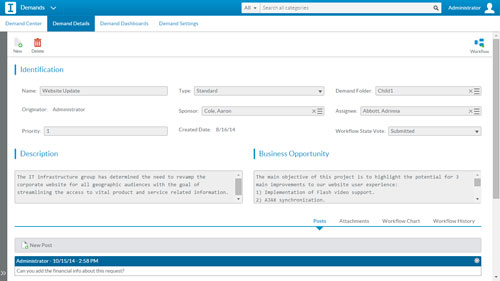
Screenshot of Portfolio SimulationScreenshot of Capacity PlanningScreenshot of Gantt ChartScreenshot of Risk ManagementScreenshot of Time-trackingScreenshot of Demand Management