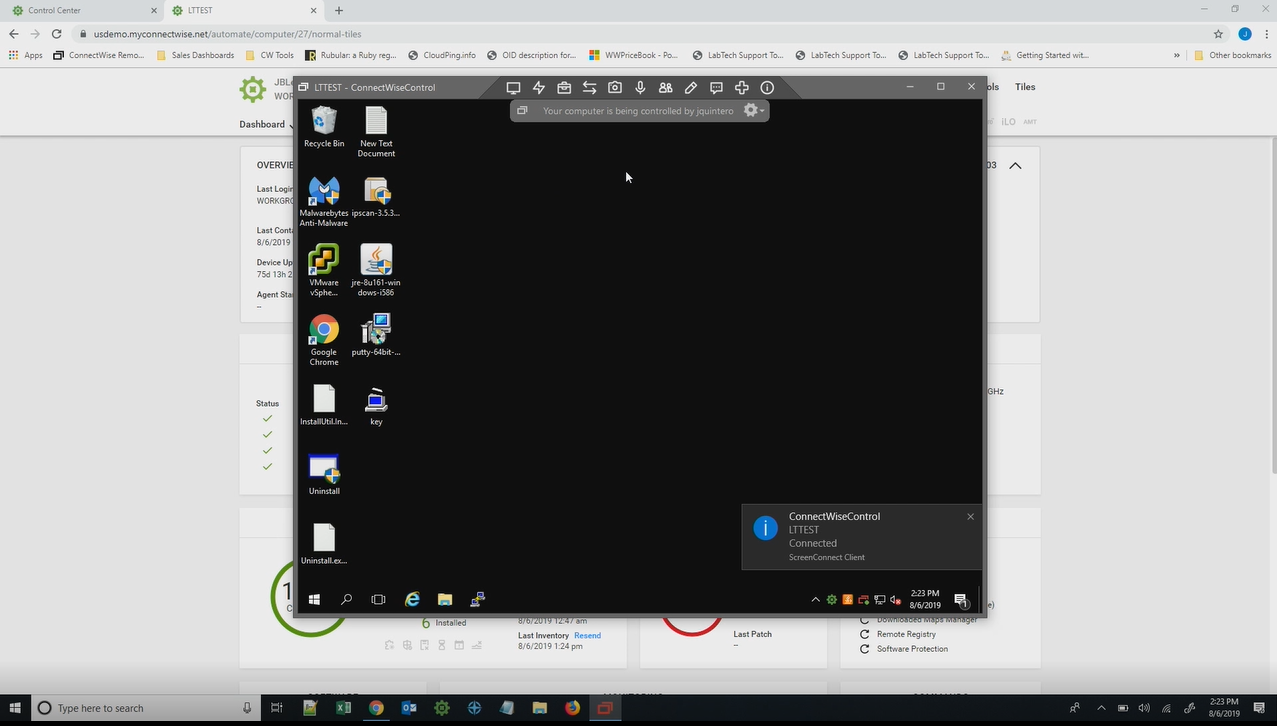
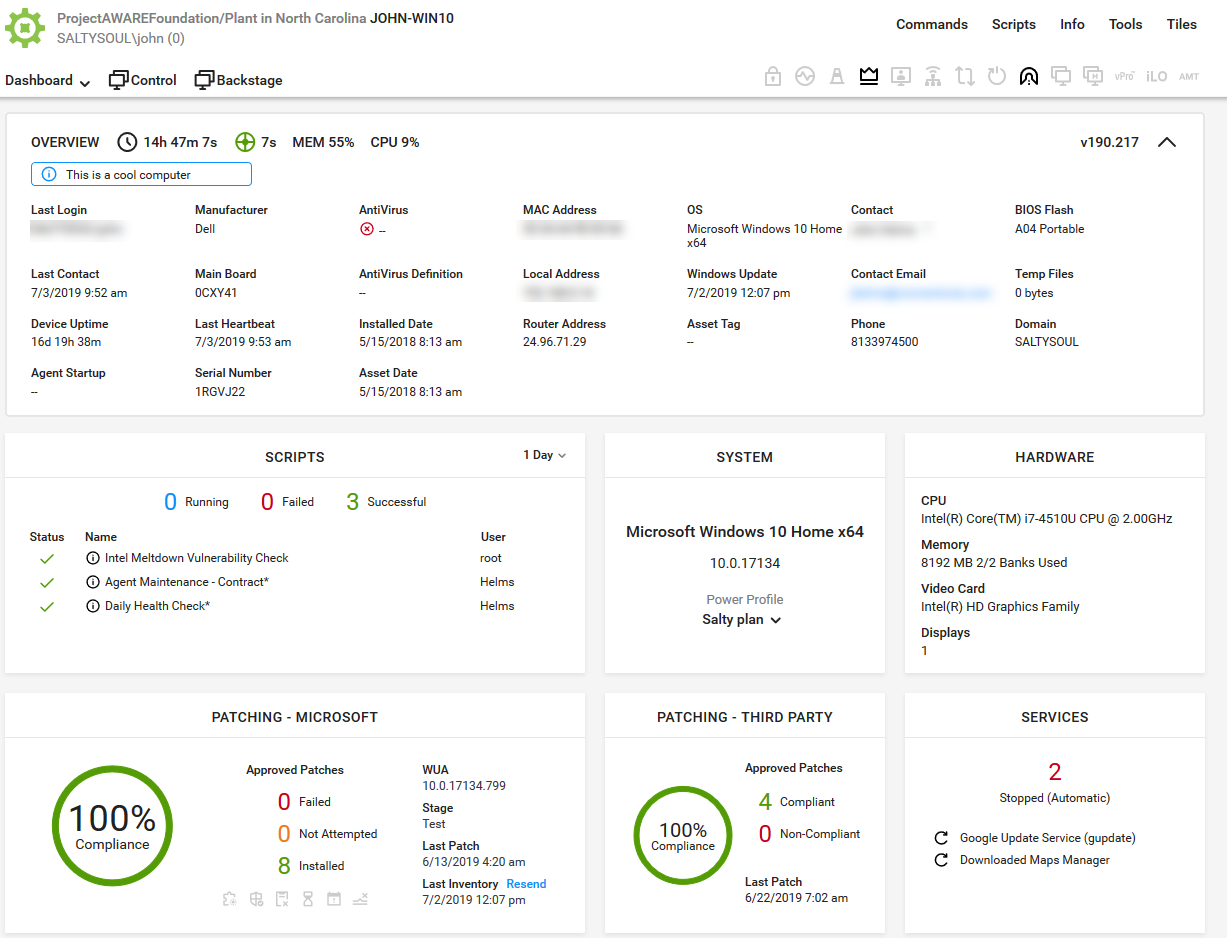
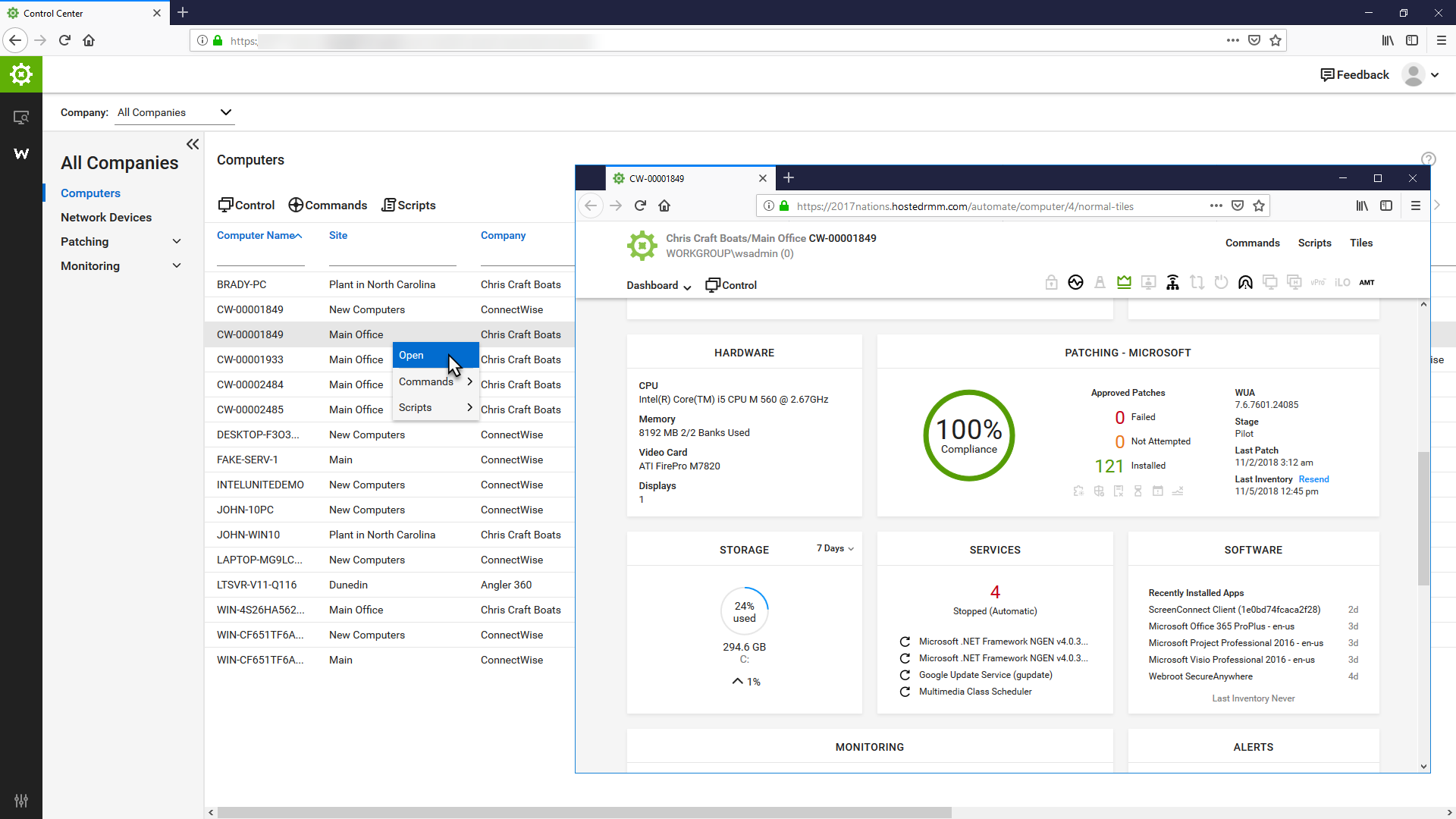
ConnectWise Automate, formerly LabTech, is a remote monitoring and management (RMM) platform. It provides powerful automation to discover and manage devices, monitor for problems, and scripts repetitive action.
$700
LogMeIn Rescue
Score8.5 out of 10
N/A
LogMeIn Rescue is an enterprise remote support solution that provides IT helpdesks and customer support organizations with the ability to remotely access, diagnose, and resolve issues across endpoint devices. The platform includes in-session diagnostic tools, security controls, and workflow configuration features. The solution is utilized by IT help desks, global enterprises, Business Process Outsourcers (BPOs), and Managed Service Providers (MSPs). It is designed to support…
A de minimis incentive was given to thank the reviewer for their time. The incentive was not used to bias or drive a particular response, nor was the incentive contingent on a positive endorsement. TR verified that a representative sample of customers was invited. More Info
CEO and Chief Cultural Officer in Corporate at Imagine IT, Inc. (Information Technology and Services, 11-50 employees)
Chose ConnectWise Automate
The larger RMMs compare side by side fairly well -- a more compelling argument for deciding on an RMM has to do with your PSA (and integrating with it) and other tools (AV, backups, etc.) -- and integrating with those. CWA integrates well with the tools we use - so it's an …
A de minimis incentive was given to thank the reviewer for their time. The incentive was not used to bias or drive a particular response, nor was the incentive contingent on a positive endorsement. More Info
Verified User
Chose ConnectWise Automate
Before LabTech, we used Kaseya 6, which was terrible. Currently with LabTech, we use ConnectWise for our ticketing, PRTG and Auvik for network monitoring. We selected LabTech, because it met our price point and they are a local company, that we can easily work with to meet our …
A de minimis incentive was given to thank the reviewer for their time. The incentive was not used to bias or drive a particular response, nor was the incentive contingent on a positive endorsement. More Info
Verified User
Chose ConnectWise Automate
LabTech is a more flexible platform if you are wanting to do scripting etc., but Kaseya is much more intuitive and reliable.
A de minimis incentive was given to thank the reviewer for their time. The incentive was not used to bias or drive a particular response, nor was the incentive contingent on a positive endorsement. More Info
A de minimis incentive was given to thank the reviewer for their time. The incentive was not used to bias or drive a particular response, nor was the incentive contingent on a positive endorsement. More Info
I recommend it to all IT colleagues; regardless of the size of the PCs with which you work most of the time, the application allows connection stability between computers that make it possible to continue working or taking care of the infrastructure from afar.
A de minimis incentive was given to thank the reviewer for their time. The incentive was not used to bias or drive a particular response, nor was the incentive contingent on a positive endorsement. More Info
It is well suited when dealing with technical related issues. It really helps when assisting cutomers and people who are not tech savvy. It is less appropriate when customers have strict firewalls and restrictions which blocks you from logging into their system. The restrictions makes it really difficult to assist and navigate.
A de minimis incentive was given to thank the reviewer for their time. The incentive was not used to bias or drive a particular response, nor was the incentive contingent on a positive endorsement. More Info
A de minimis incentive was given to thank the reviewer for their time. The incentive was not used to bias or drive a particular response, nor was the incentive contingent on a positive endorsement. More Info
A de minimis incentive was given to thank the reviewer for their time. The incentive was not used to bias or drive a particular response, nor was the incentive contingent on a positive endorsement. More Info
They have conflicting scheduling paradigms. When scheduling patching for clients, the 1st Friday is interpreted as the very first Friday of the month, even if this is the 1st of the month. For scripting, the 1st Friday of the month is interpreted as the 1st Friday of the 1st FULL WEEK of the month. This makes no sense to have two different interpretations, and makes it unreliable to schedule recurring scripts to fall when recurring maintenance does. The scripts need to be done manually because of this.
There is no way to dictate reboot orders for patch policies. This tied directly in with my first point. We have some clients that require reboot orders. This is not possible without having different patch policies for each server and specifying a time this way. But, there aren't small enough increments of time to make this reliable, plus patching duration might vary. Excluding reboots with patching and scheduling reboot scripts fixes this. However, this can't be done once on a recurring schedule due to the different scheduling paradigms already discussed. We have to schedule these manually each month.
A de minimis incentive was given to thank the reviewer for their time. The incentive was not used to bias or drive a particular response, nor was the incentive contingent on a positive endorsement. More Info
We are experiencing frequent disconnections with the client; a stable connection would help a lot.
The moment the client closes the window, the session disconnects right away. It would be great if accidentally closing didn't disconnect us.
Some of our clients require an admin username and password to download the app, and the no-download version does not allow us to use the pointer. It would help if the no-download version could use the pointer, since we provide instructions to clients.
A de minimis incentive was given to thank the reviewer for their time. The incentive was not used to bias or drive a particular response, nor was the incentive contingent on a positive endorsement. More Info
The primary reason for this rating is that ConnectWise Automate is currently so integral to our operations that moving away would involve more man hours than we would realistically have to invest. However, ConnectWise Automate is also completely capable of meeting all of our business needs and customizable to the point where if something is not meeting those needs out of the box, it can be modified to do what we want. From only installing software on machines if a different software package exists, to push a new version of that software is available, to check if credentials for user/machine have been updated to our new standards and then updating them if they have not, ConnectWise Automate is capable of doing everything we ask of it.
A de minimis incentive was given to thank the reviewer for their time. The incentive was not used to bias or drive a particular response, nor was the incentive contingent on a positive endorsement. More Info
Since we have not had anything other than a couple minor hiccups with LogMeIn Rescue and due to the overwhelming success we have had in implementing as well as utilizing LogMeIn Rescue, I cannot see any reason why would consider looking elsewhere. Overall, we have been highly satisfied with LogMeIn Rescue and have no intentions of making a switch.
A de minimis incentive was given to thank the reviewer for their time. The incentive was not used to bias or drive a particular response, nor was the incentive contingent on a positive endorsement. More Info
Basic use of the product is fairly easy. Information about the machines you manage can be found in customizable dashboards, which can be unique for each user, and, therefore, properly suited to the users' needs/job function. This is not a 10 because some of the interfaces are very clunky (Patch Management), and some features are not intuitive and not well documented (reporting). Scripting and Patch Management have a fairly steep learning curve (For structure in patch management and syntax in scripting), but once learned, they work well.
A de minimis incentive was given to thank the reviewer for their time. The incentive was not used to bias or drive a particular response, nor was the incentive contingent on a positive endorsement. More Info
Yes, overall, Rescue suits users with varying levels of technical knowledge. It is a tool many people can figure out and use. It is user-friendly and offers a strong chat/support system to help users who are struggling. Overall, I would recommend this tool to many.
A de minimis incentive was given to thank the reviewer for their time. The incentive was not used to bias or drive a particular response, nor was the incentive contingent on a positive endorsement. More Info
A de minimis incentive was given to thank the reviewer for their time. The incentive was not used to bias or drive a particular response, nor was the incentive contingent on a positive endorsement. More Info
It used to be great, but then they broke reporting, speed and responsiveness with version 11 and the new Patch Manager. It's really bad and their support people are way behind on fixing so many bugs. They have really gone downhill. If they don't get it together soon, we'll start looking around.
A de minimis incentive was given to thank the reviewer for their time. The incentive was not used to bias or drive a particular response, nor was the incentive contingent on a positive endorsement. More Info
A de minimis incentive was given to thank the reviewer for their time. The incentive was not used to bias or drive a particular response, nor was the incentive contingent on a positive endorsement. More Info
ConnectWise Automate lets you manage more endpoints, with enhanced productivity and improved service, all without increasing expenses. It can manage patches and updates across thousands of computers. We also use it for customized monitoring and alerting on workstations and servers. Monitoring is really robust and granular. It does a great job of gathering a TON of data about the network, and that data is searchable. There are a bunch of different reports built in. Integrates with Manage, Control, and other applications. It does a ton of stuff out of the box, and has endless customization options.
A de minimis incentive was given to thank the reviewer for their time. The incentive was not used to bias or drive a particular response, nor was the incentive contingent on a positive endorsement. More Info
We have never had to access support because the software has always worked as expected. It is great to have a software vendor from whom we know we will have no issue with glitches or incompatibility. We do know, however, that if we did have an issue, we would have our issue resolved quickly.
A de minimis incentive was given to thank the reviewer for their time. The incentive was not used to bias or drive a particular response, nor was the incentive contingent on a positive endorsement. More Info
The Online training has been re-done and needs a lot more work. When you look at training in different roles, it shows a lot of the same topics but no explanation to what is different about them. Several times that topics are the exact same, but they make you re-take the same information for a different topic, instead of marking that you have already completed that portion of training.
A de minimis incentive was given to thank the reviewer for their time. The incentive was not used to bias or drive a particular response, nor was the incentive contingent on a positive endorsement. More Info
Start small and learn the in's and out's before making policies and rolling things out company wide. Ask the questions of why if you don't agree with something or your company does things a different way. Usually they are done a certain way for a reason. Start simple with roll out and slowly enable or add on the functionality that is needed.
A de minimis incentive was given to thank the reviewer for their time. The incentive was not used to bias or drive a particular response, nor was the incentive contingent on a positive endorsement. More Info
A de minimis incentive was given to thank the reviewer for their time. The incentive was not used to bias or drive a particular response, nor was the incentive contingent on a positive endorsement. More Info
I believe the monitoring and alerts in Continuum command is better, but [ConnectWise Automate (formerly LabTech)] does have stronger scripting, and perhaps a better interface. N-Central is inferior on all fronts to both. I did not make the purchasing decision. I would myself likely pick Continuum if I had to make a on the spot choice.
A de minimis incentive was given to thank the reviewer for their time. The incentive was not used to bias or drive a particular response, nor was the incentive contingent on a positive endorsement. More Info
Teams is less secure and poses a higher risk of exposing tech Support and clients to additional sharing of info, i.e., face and personal email addresses; however, Teams is used when the client has a firewall that prevents rescue and no IT support nearby to bypass or enter the firewall password.
A de minimis incentive was given to thank the reviewer for their time. The incentive was not used to bias or drive a particular response, nor was the incentive contingent on a positive endorsement. TR verified that a representative sample of customers was invited. More Info
A de minimis incentive was given to thank the reviewer for their time. The incentive was not used to bias or drive a particular response, nor was the incentive contingent on a positive endorsement. More Info
We found we were able to provide good monitoring of our customers sites which was an objective. However, that came at a significant time investment that never seemed to be finished.
We were able to negotiate a price that worked for us for an up-front purchase which was nice.
We found the pricing to be very competitive.
Bottom line for us was despite the pros of the product, we found other RMM solutions to be a better overall "value" due to not having to dedicate technicians to maintaining the product.
A de minimis incentive was given to thank the reviewer for their time. The incentive was not used to bias or drive a particular response, nor was the incentive contingent on a positive endorsement. TR verified that a representative sample of customers was invited. More Info
LogMeIn is very cost effective as it allows you to keep functioning without having to travel onsite for every little need. I have personally used it internationally and precluded having to had clients ship in their devices for service saving postage, and downtime of their devices.
We have used this tool to clean infected pc's which got hit by malware both onsite and remotely saving time, travel expenses and or shipping by just logging into their pc's and performing tasks and routines to disinfect and remove viruses and malware.
Installing, managing and maintaing server upgrades and patches to software as well as preventive maintenace is easy with this tool keeping remote servers and even local servers optimized.
A de minimis incentive was given to thank the reviewer for their time. The incentive was not used to bias or drive a particular response, nor was the incentive contingent on a positive endorsement. More Info