Copper is a customer relationship management (CRM) built as an integration into Google Apps.
$12
per month per user
GridBuddy Connect (legacy)
Score10 out of 10
N/A
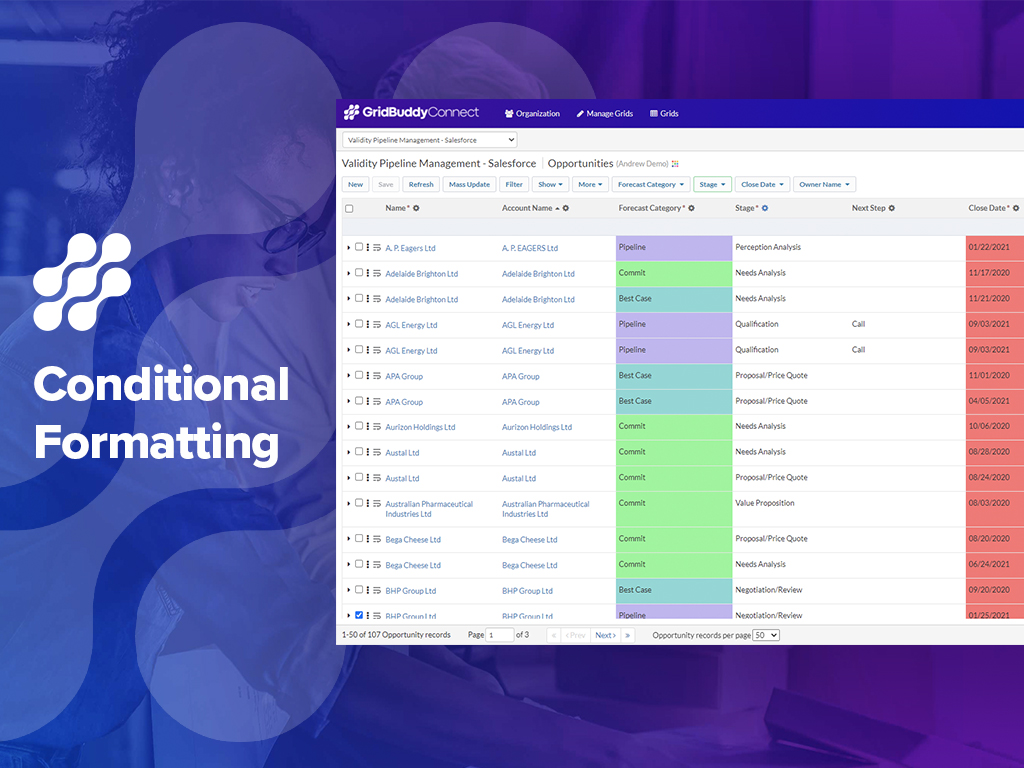
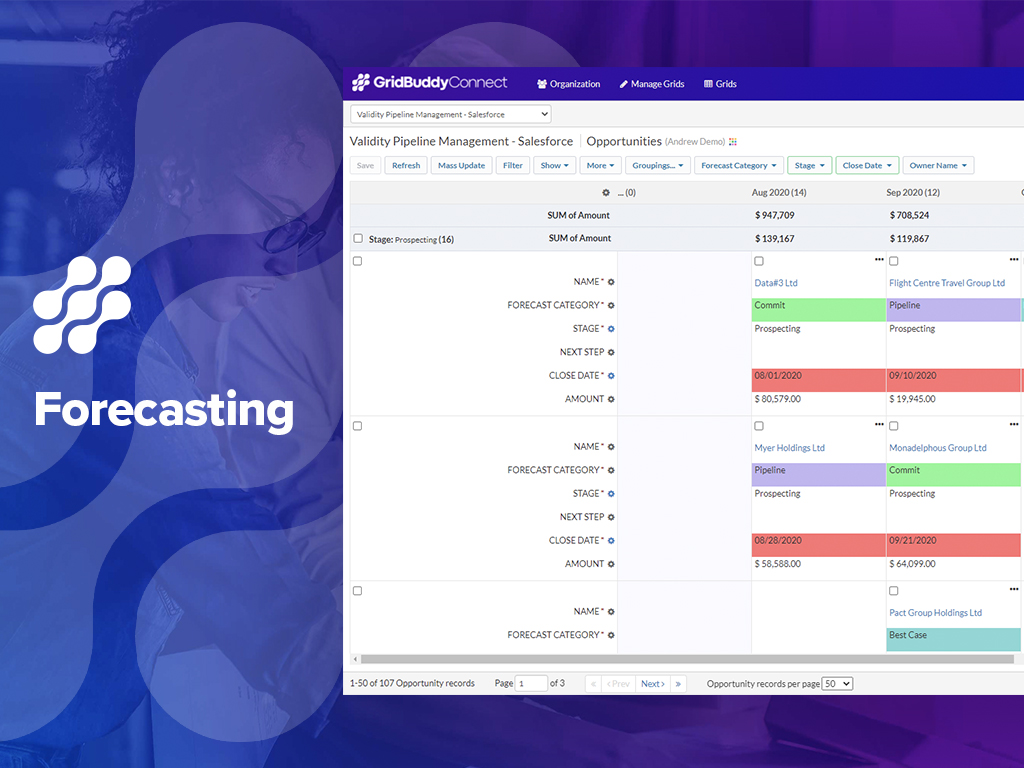
GridBuddy Connect was a contact data tool that combined data from separate systems into an editable, spreadsheet-simple view. Acquired by Validity in 2019, it is now a legacy tool.
If you need to track contract expiration dates of your clients or your prospects that you're trying to sell - Copper is your tool. If you want to track specific products, solutions, vendors, etc. Copper can do it. I use it to track many brands of IT products and services with the use of custom fields to track which prospects/clients have any number of these items. Rather than taking notes, I can select the product from a drop down list that I created VERY EASILY within Copper.
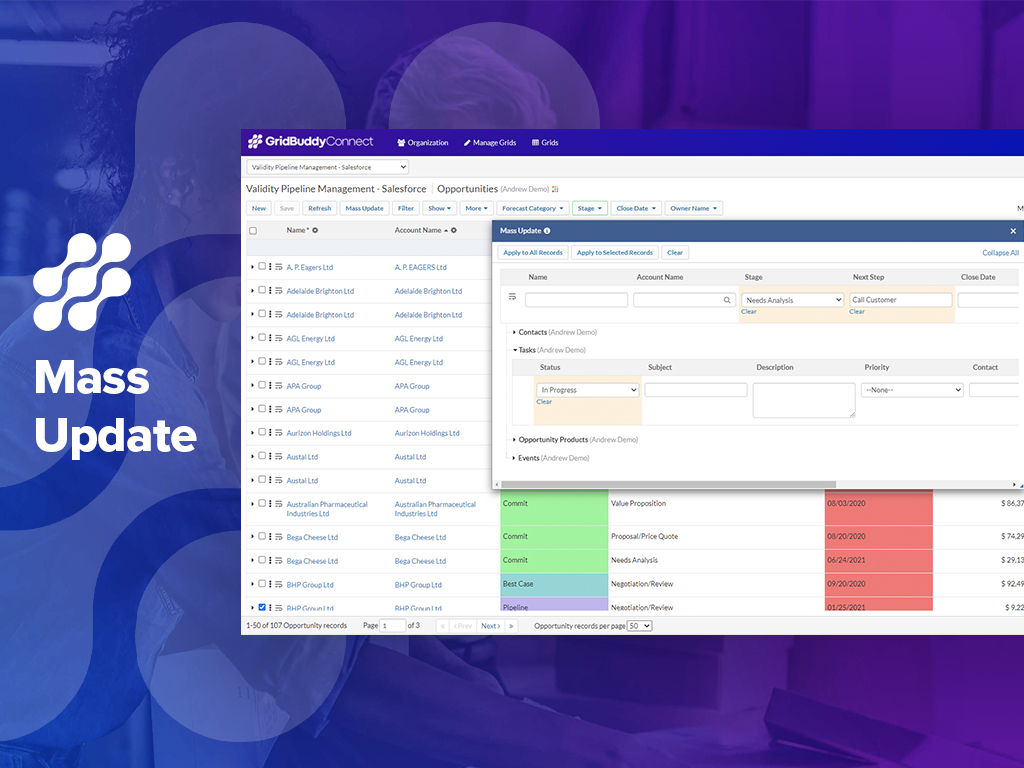
1. Making broad changes to data, like moving ownership of records from one user to another for a new Sales Rep or a moved Sales Rep. 2. Making broad changes to data for product changes, product introductions and such (product naming changes, product description changes, etc.). I recently had to make a change to the name of a Product Option. Product Options are a sub-object related to Product. This name change was in 22 places. Okay, 18 [is] not a lot, but to make this change individually 22 times is still very tedious and takes too much of my time. Instead, I set up my Grid with the Object and sub-Object and made all 22 changes at once with a mass change. Piece of cake. And I don't have to go back to several of the records to see if the change was made successfully (something you have to do with Dataloader). I could see the effective change all at once on my Grid screen.
A de minimis incentive was given to thank the reviewer for their time. The incentive was not used to bias or drive a particular response, nor was the incentive contingent on a positive endorsement. More Info
Allows for contacts to be synced and organized directly from Gmail.
Gives a flexible style and customizable settings to match our company's specific needs.
Does a great job of helping us keep track of projects. We easily created a customized "Status" field with several status options that help us update the many phases of our project.
A de minimis incentive was given to thank the reviewer for their time. The incentive was not used to bias or drive a particular response, nor was the incentive contingent on a positive endorsement. More Info
Reshapes the user Interface into an intuitive, clean, easy and thoughtful way, meaning Salesforce can be practically used for applications that (in my Opinion) salesforce was never designed for.
Mass updates are a God send, Leaving quick and meaningful notes, setting up meetings with clients or upcoming calls to maintain contact, all from the same screen without information overload... a real achievement.
Window change: for mobile - when you tap on a card from a pipeline it takes you to the lead’s basic info. I wish it would immediately just open all activities so I can quick see notes
I usually use Copper on the go. When you open the Copper app, it immediately opens a collab window. I wish it had some sort of easy dashboard….plus a notes area. I open Copper on mobile to quickly search for someone’s name or to take quick notes from a sales meeting
Does not allow users to create new Campaign Member records; we would like to be able to add multiple Campaign Member records to a Campaign in a Grid.
Does not allow users to create new Task records; we would like to be able to add multiple Tasks records related to the same user but multiple Opportunities and Contacts.
A de minimis incentive was given to thank the reviewer for their time. The incentive was not used to bias or drive a particular response, nor was the incentive contingent on a positive endorsement. More Info
A de minimis incentive was given to thank the reviewer for their time. The incentive was not used to bias or drive a particular response, nor was the incentive contingent on a positive endorsement. More Info
- Easy of use - Visual nature of using the product (as compared to Dataloader) - Quickness of making changes/updates/edits to long lists of records, live and real-time
A de minimis incentive was given to thank the reviewer for their time. The incentive was not used to bias or drive a particular response, nor was the incentive contingent on a positive endorsement. More Info
Copper is simple to use and it's simple to figure out the additional functionality you may need or want to use. There are a lot of support articles and the support itself is great. But it's also fairly simple to figure out on your own. It integrates easily with Google Workspace as well.
A de minimis incentive was given to thank the reviewer for their time. The incentive was not used to bias or drive a particular response, nor was the incentive contingent on a positive endorsement. More Info
- Ease of use - Real-time and visible nature of making mass changes - Ease of setting up a Grid - Ease of filtering the Grid to see the records that I need to change
A de minimis incentive was given to thank the reviewer for their time. The incentive was not used to bias or drive a particular response, nor was the incentive contingent on a positive endorsement. More Info
There have been a few times when I contacted the "help desk" or "support team" and they just told me to watch a video or join a seminar to learn what I am looking to do. I would have expected someone to take a few minutes and literally walk me through the steps one by one until either I figured it out or accomplished the goal of my request.
A de minimis incentive was given to thank the reviewer for their time. The incentive was not used to bias or drive a particular response, nor was the incentive contingent on a positive endorsement. More Info
We selected Copper over these other CRMs mainly because of its ability to integrate with Google Workspace. Members of our team have used Salesforce in the past and found it to be a nightmare to work with/on. Candidly, Copper doesn't fill all of our needs so we supplement that with the use of Asana.
A de minimis incentive was given to thank the reviewer for their time. The incentive was not used to bias or drive a particular response, nor was the incentive contingent on a positive endorsement. More Info
A de minimis incentive was given to thank the reviewer for their time. The incentive was not used to bias or drive a particular response, nor was the incentive contingent on a positive endorsement. More Info
A de minimis incentive was given to thank the reviewer for their time. The incentive was not used to bias or drive a particular response, nor was the incentive contingent on a positive endorsement. More Info
A de minimis incentive was given to thank the reviewer for their time. The incentive was not used to bias or drive a particular response, nor was the incentive contingent on a positive endorsement. More Info