CrowdStrike offers the Falcon Endpoint Protection suite, an antivirus and endpoint protection system emphasizing threat detection, machine learning malware detection, and signature free updating. Additionally the available Falcon Spotlight module delivers vulnerability assessment with no performance impact, no additional agents, hardware, scheduled scans, firewall exceptions or admin credentials.
$59.99
per endpoint/month (minimum number of endpoints applies)
ManageEngine Endpoint Central
Score9 out of 10
N/A
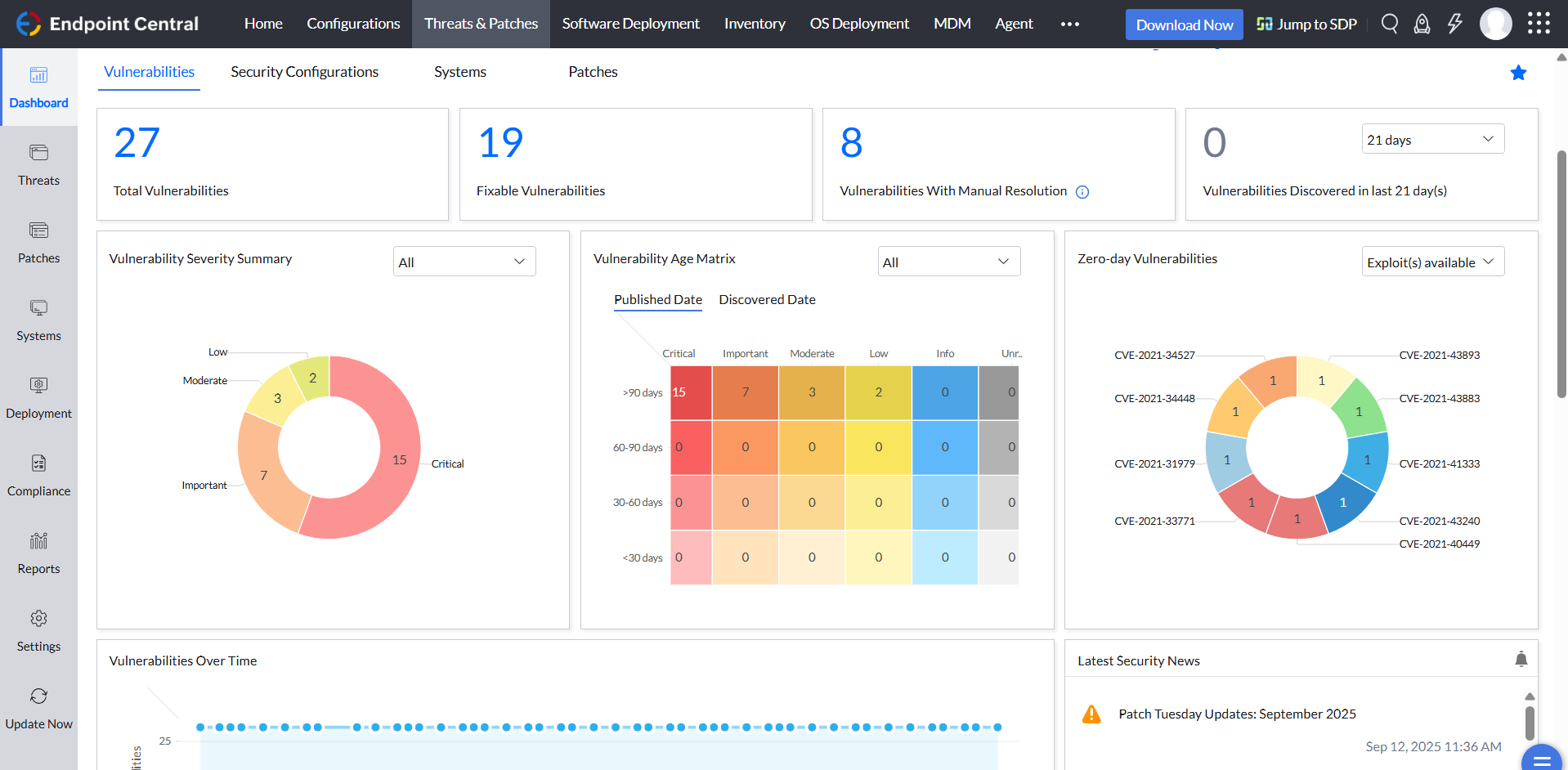
Desktop Central from ManageEngine is a client desktop management with patching, remote control, and configuration.
$795
per year per user
Pricing
CrowdStrike Falcon
ManageEngine Endpoint Central
Editions & Modules
Falcon Go (Small Business)
$59.99
per endpoint/month (minimum number of endpoints applies)
Falcon Go (Small Business)
$59.99
Falcon Pro
$99.99
per endpoint/month (for 5-250 endpoints, billed annually)
Falcon Enterprise
$184.99
per endpoint/month (minimum number of endpoints applies)
No answers on this topic
Offerings
Pricing Offerings
CrowdStrike Falcon
ManageEngine Endpoint Central
Free Trial
Yes
Yes
Free/Freemium Version
No
No
Premium Consulting/Integration Services
Yes
No
Entry-level Setup Fee
No setup fee
No setup fee
Additional Details
—
—
More Pricing Information
Community Pulse
CrowdStrike Falcon
ManageEngine Endpoint Central
Considered Both Products
CrowdStrike
Verified User
Chose CrowdStrike Falcon
CrowdStrike Falcon is a far superior endpoint protection product that requires much less upkeep for similar pricing. There was a lot of extra administrative overhead to write detections and keep endpoints updated compared to CrowdStrike Falcon. I was very surprised to learn …
A de minimis incentive was given to thank the reviewer for their time. The incentive was not used to bias or drive a particular response, nor was the incentive contingent on a positive endorsement. TR verified that a representative sample of customers was invited. More Info
ManageEngine A Div of Zoho Corporation Pvt Ltd
Verified User
Chose ManageEngine Endpoint Central
In my opinion, ManageEngine Endpoint Central is cost efficient and easy to use compared to Symantec Endpoint Security and CrowdStrike Falcon. ManageEngine Endpoint Central comes with lot of required features in single feature needed for IT infrastructure where I got Inventory …
A de minimis incentive was given to thank the reviewer for their time. The incentive was not used to bias or drive a particular response, nor was the incentive contingent on a positive endorsement. More Info
Senior System Administrator in Information Technology at Indegene (Health, Wellness and Fitness, 1001-5000 employees)
Chose ManageEngine Endpoint Central
One word is all I would like to say ..it's a one stop solution for all your IT needs so just go for it and make your work life easier and establish the security posture of your organization which is at most important aspect in today world.A happy administration will make all …
A de minimis incentive was given to thank the reviewer for their time. The incentive was not used to bias or drive a particular response, nor was the incentive contingent on a positive endorsement. More Info
Crowdstrike is a unified platform for monitoring endpoint devices, whether they're workstations, servers, cloud-native machines, or even mobile devices. It uses AI/ML to monitor anomalies and suspicious behavior, including zero-day attacks. It is suitable for large organizations but may be costlier or less appropriate for smaller organizations, those who want an on-prem EDR setup, and those who need custom scanning based on compliance requirements.
A de minimis incentive was given to thank the reviewer for their time. The incentive was not used to bias or drive a particular response, nor was the incentive contingent on a positive endorsement. More Info
For small businesses, it is also free, which, for what it offers, is really helpful. It works better than similar products, such as SCCM, both within and outside the internal network. I do not see scenarios in which it could be less appropriate.
A de minimis incentive was given to thank the reviewer for their time. The incentive was not used to bias or drive a particular response, nor was the incentive contingent on a positive endorsement. TR verified that a representative sample of customers was invited. More Info
We set alerts when a devices gets low on disk space. That is automatic and creates a ticket in ME SDP. We are then able to Add space to a VM Desktop, and then go thru ManageEngine Endpoint Central to extend the drives so the entire process can be done without interruption to the end user.
Using the patch scans we can easily see what patches have been installed for all manufacturers not just Microsoft, without having to physically go to the device. It also allows us to choose which patches we want to push out and automate the process so we can be hands off, freeing up out time for other things.
Remote access to devices. This allows us to remotely make changes, not just via remote control but also make registry changes and clean up space without going to the device and without interruption to the end user.
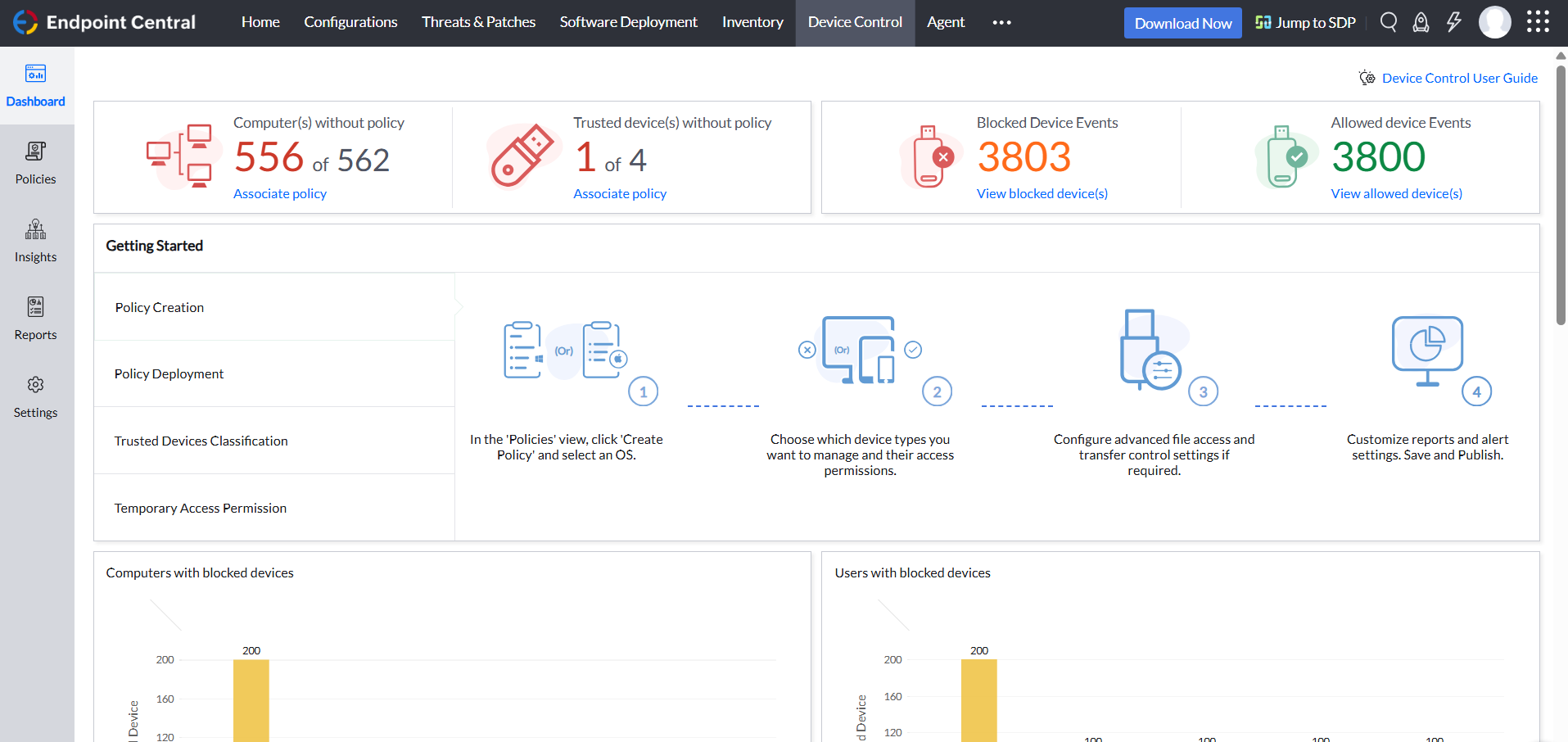
Alerts. We have set up to get email alerts when new hardware is plugged into any computers. This lets us know if someone is bringing in un-authorized equipment (thumb drives, hubs, etc) to better manage what is/is not on our network.
A de minimis incentive was given to thank the reviewer for their time. The incentive was not used to bias or drive a particular response, nor was the incentive contingent on a positive endorsement. TR verified that a representative sample of customers was invited. More Info
A de minimis incentive was given to thank the reviewer for their time. The incentive was not used to bias or drive a particular response, nor was the incentive contingent on a positive endorsement. TR verified that a representative sample of customers was invited. More Info
A de minimis incentive was given to thank the reviewer for their time. The incentive was not used to bias or drive a particular response, nor was the incentive contingent on a positive endorsement. More Info
Crowdstrike has a large suite of tools built for helping the engineers triage and respond to security event whenever identified. The ability to customize the security policies and implement more granular policies to different devices based on the functionality is unmatched. Crowdstrike provides so much of ability in a decent budget which ascertains the value for money or ROI.
A de minimis incentive was given to thank the reviewer for their time. The incentive was not used to bias or drive a particular response, nor was the incentive contingent on a positive endorsement. More Info
ManageEngine is considered an excellent product due to its comprehensive suite of solutions for IT management, with ManageEngine Endpoint Central specifically excelling in endpoint management. The platform stands out for its user-friendly interface, robust features, and versatility in addressing diverse IT needs. It offers organizations a centralized solution for endpoint security, patch management, software deployment, and asset management
I think it is a complete and very trustful XDR platform, with very few False Positives. It is very well supported by highly skilled professionals on all levels: from pre-sales engineers, Customer Account Managers and support engineers.
A de minimis incentive was given to thank the reviewer for their time. The incentive was not used to bias or drive a particular response, nor was the incentive contingent on a positive endorsement. More Info
Not using WNS to communicate with the endpoint console is a big plus. We now use Workspace One, and WNS can be really annoying at times. After deployment, it cleans itself, which is important for us because our current solution leaves the package on the computer and requires maintenance. The remotely script command is a lifesaver.
A de minimis incentive was given to thank the reviewer for their time. The incentive was not used to bias or drive a particular response, nor was the incentive contingent on a positive endorsement. More Info
Any time we need to engage the Crowdstrike Falcon Complete Team, their response is switch, thorough, and they are sure to not close out any request until the customer confirms that they have provided an acceptable resolution. If I ever need anything from the account team related to the product, I also get a response from them within minutes typically to address my question. Top notch customer service!
A de minimis incentive was given to thank the reviewer for their time. The incentive was not used to bias or drive a particular response, nor was the incentive contingent on a positive endorsement. TR verified that a representative sample of customers was invited. More Info
The immediate chat support is great and very helpful. However, if you need escalated support or have a deeper need that the chat tool can't help with, you will experience significant wait times and slow responses. The time zone difference becomes painful to the point of often just giving up.
There is limited amount of learning that can be completed in an in-person training available. In my opinion, the self-paced learning provided by Falcon portal is more useful over in-person training. The support from Falcon is great and useful to overcome difficulties, if any.
A de minimis incentive was given to thank the reviewer for their time. The incentive was not used to bias or drive a particular response, nor was the incentive contingent on a positive endorsement. More Info
The training provided by Crowdstrike Falcon is complete in terms of the depth of technical knowledge and teaches the users about going through with the platform. There are lots of jargons for different tools that Crowdstrike Falcon has and this training teaches them all which helps in managing the platform better. Plus, the regular knowledge checks are also very helpful for the end user.
A de minimis incentive was given to thank the reviewer for their time. The incentive was not used to bias or drive a particular response, nor was the incentive contingent on a positive endorsement. More Info
A de minimis incentive was given to thank the reviewer for their time. The incentive was not used to bias or drive a particular response, nor was the incentive contingent on a positive endorsement. TR verified that a representative sample of customers was invited. More Info
It seems that the services offered with the purchase change from what is covered to what is an additional cost. Somethings I thought we had ended up requiring an additional purchase if we wanted to continue using the feature.
A de minimis incentive was given to thank the reviewer for their time. The incentive was not used to bias or drive a particular response, nor was the incentive contingent on a positive endorsement. More Info
It was just a legacy AV program onboarded during initial setup days. As the org. As it expanded, its threat landscape also grew, and we needed a next-gen solution to protect against evolving threat vectors. Falcon EDR was the one that solved all these in a single place.
A de minimis incentive was given to thank the reviewer for their time. The incentive was not used to bias or drive a particular response, nor was the incentive contingent on a positive endorsement. More Info
I was not a part of the initial selection process, but I understand the issue was related to cost per endpoint. As a user of the other solutions I would say that the other solutions do have other strengths that ManageEngine is missing. The remote access tools are superior but at the end of the day you get what you pay for.
A de minimis incentive was given to thank the reviewer for their time. The incentive was not used to bias or drive a particular response, nor was the incentive contingent on a positive endorsement. More Info
CrowdStrike Falcon's proactive threat mitigation has significantly reduced the risk of successful cyber attacks, resulting in tangible savings related to potential data breaches or system compromises.
The cloud-native architecture and automated features have improved operational efficiency.
The platform's real-time visibility and threat hunting capabilities have drastically improved incident response times.
A de minimis incentive was given to thank the reviewer for their time. The incentive was not used to bias or drive a particular response, nor was the incentive contingent on a positive endorsement. TR verified that a representative sample of customers was invited. More Info
A de minimis incentive was given to thank the reviewer for their time. The incentive was not used to bias or drive a particular response, nor was the incentive contingent on a positive endorsement. TR verified that a representative sample of customers was invited. More Info