TrustRadius: an HG Insights company

Save this comparison

Save this comparison

Add Product

Recommended Comparisons

    Overview
    ProductRatingMost Used ByProduct SummaryStarting Price

    Dashlane Password Manager

    Score9.1 out of 10
    N/ADashlane is a credential manager that secures every credential, every user, and every employee device to proactively protect against breaches. Brands worldwide can use Dashlane to stay ahead of evolving threats.

    $240

    per year 10 employees

    Skyvia Backup

    Score10 out of 10
    N/ASkyvia Backup provides secure automatic daily and anytime manual cloud data backup with search, view, export of backed up data and restore it in a few clicks, including data relations. Pay only for the amount of storage needed, and a free plan with 1 GB of space is available. Skyvia Backup is presented as a solution for protecting cloud data. Backup and restore operations take a few clicks to execute, and Skyvia allows restoring whole objects, separate records, and even separate fields.…N/A
    Pricing
    Dashlane Password ManagerSkyvia Backup
    Editions & Modules
    Business
    $8
    per month (billed annually) per seat
    Omnix™
    Contact Sales
    per year for organizations of 100+
    No answers on this topic
    Offerings
    Pricing Offerings
    Dashlane Password ManagerSkyvia Backup
    Free Trial
    YesNo
    Free/Freemium Version
    YesYes
    Premium Consulting/Integration Services
    NoNo
    Entry-level Setup FeeNo setup feeNo setup fee
    Additional Details——
    More Pricing Information
    Community Pulse
    Dashlane Password ManagerSkyvia Backup
    Considered Both Products
    Dashlane
    No answer on this topic
    Devart
    No answer on this topic
    Key User Insights
    Would buy again
    95%
    Would buy again
    161 Answers
    100%
    Would buy again
    5 Answers
    Delivers good value for the price
    96%
    Delivers good value for the price
    150 Answers
    100%
    Delivers good value for the price
    5 Answers
    Happy with the feature set
    94%
    Happy with the feature set
    160 Answers
    100%
    Happy with the feature set
    5 Answers
    Lived up to sales and marketing promises
    94%
    Lived up to sales and marketing promises
    116 Answers
    100%
    Lived up to sales and marketing promises
    5 Answers
    Implementation went as expected
    96%
    Implementation went as expected
    139 Answers
    100%
    Implementation went as expected
    5 Answers
    Features
    Dashlane Password ManagerSkyvia Backup
    Data Center Backup
    Comparison of Data Center Backup features of Dashlane Password Manager and Skyvia Backup
    Feature
    Dashlane Password Manager
    -
    Ratings
    Skyvia Backup
    9.8
    1 Ratings
    13% above category average
    Universal recovery00 Ratings10.01 Ratings
    Instant recovery00 Ratings10.01 Ratings
    Recovery verification00 Ratings9.01 Ratings
    Business application protection00 Ratings10.01 Ratings
    Multiple backup destinations00 Ratings10.01 Ratings
    Incremental backup identification00 Ratings10.01 Ratings
    Backup to the cloud00 Ratings10.01 Ratings
    Deduplication and file compression00 Ratings10.01 Ratings
    Snapshots00 Ratings10.01 Ratings
    Flexible deployment00 Ratings10.01 Ratings
    Management dashboard00 Ratings10.01 Ratings
    Platform support00 Ratings9.01 Ratings
    Retention options00 Ratings9.01 Ratings
    Encryption00 Ratings10.01 Ratings
    Enterprise Backup
    Comparison of Enterprise Backup features of Dashlane Password Manager and Skyvia Backup
    Feature
    Dashlane Password Manager
    -
    Ratings
    Skyvia Backup
    10.0
    1 Ratings
    16% above category average
    Continuous data protection00 Ratings10.01 Ratings
    Replication00 Ratings10.01 Ratings
    Operational reporting and analytics00 Ratings10.01 Ratings
    Malware protection00 Ratings10.01 Ratings
    Multi-location capabilities00 Ratings10.01 Ratings
    Ransomware Recovery00 Ratings10.01 Ratings
    Best Alternatives
    Dashlane Password ManagerSkyvia Backup
    Small Businesses
    RoboForm
    Score8.2 out of 10
    Acronis Cyber Protect
    Score8.7 out of 10
    Medium-sized Companies
    1Password
    Score9.1 out of 10
    Carbonite by OpenText
    Score7.1 out of 10
    Enterprises
    KeePass
    Score8.9 out of 10
    Druva Security Cloud
    Score9.4 out of 10
    All AlternativesView all alternativesView all alternatives
    User Ratings
    Dashlane Password ManagerSkyvia Backup
    Likelihood to Recommend
    9.0
    (172 ratings)
    10.0
    (5 ratings)
    Likelihood to Renew
    9.2
    (4 ratings)
    -
    (0 ratings)
    Usability
    8.8
    (158 ratings)
    9.0
    (1 ratings)
    Support Rating
    5.9
    (6 ratings)
    8.9
    (4 ratings)
    User Testimonials
    Dashlane Password ManagerSkyvia Backup
    Likelihood to Recommend
    Dashlane
    I think Dashlane is a great service for anyone who uses the internet. We need to create accounts on almost every website, and Dashlane helps generate secure passwords and store them safely, but easily accessible through its seamless browser extension. Any business or personal lifestyle can benefit from Dashlane when you go online
    Incentivized
    Read full review
    Devart
    Skyvia Backup is well suited for Salesforce backup creation, retention, and partial restoration.
    Read full review
    Pros
    Dashlane
    • Reliable autofill on most websites
    • Robust features in both the Admin and personal user sense
    • Multiple convenient options for unlocking that don't require retyping the master pass on a regularly used and trusted device
    • Extensive customization options in both the Admin panel and user settings
    Incentivized
    Read full review
    Devart
    • Skyvia Backup is a web tool, that's why we don't need to install and maintain it. The interface is pretty intuitive and you can clearly see what's going on with your backups, compare backup versions, and restore specific records per request.
    Read full review
    Cons
    Dashlane
    • The mobile app works fine for quick access, but autofill across different apps can be inconsistent. Sometimes it doesn’t recognize the login field, which slows people down when they’re on the go.
    • Occasionally the browser extension logs users out or doesn’t sync immediately with the desktop app, which causes frustration if someone just updated a password.
    Incentivized
    Read full review
    Devart
    • We'd like some improvement on backup email notification - we receive emails if the backup creation has failed for some reason, but we don't receive them when it has been completed, or when we run out of disk space. It requires spending some additional time to log in and check whether the disk space is still enough. Would be great to save this time for other tasks.
    Read full review
    Likelihood to Renew
    Dashlane
    It has served us very well until now and at the pricepoint it doesn't make us second guess our current relationship.
    Incentivized
    Read full review
    Devart
    No answers on this topic
    Usability
    Dashlane
    Dashlane is usable, but there are 2 key issues that annoy me. 1. The mobile app and the browser extension are not synced and i cannot find passwords in the app that are clearly in the extension. 2. The system doe snot make it easy to assign a password to a specific subdomain. I get hundreds of passwords that i have to go through any time i go to any subdomain on my main site because of the nature of my business. I need the option back to assign a password to only work with a specific subdomain (and all related paged on that subdomain) note: The search features have been annoying in the past. I just went to test them to verify my issues and found that notes inside of a password are finally searchable. This helps
    Incentivized
    Read full review
    Devart
    Easy to configure, not much technical knowledge required
    Read full review
    Support Rating
    Dashlane
    We've had no issues with Dashlane. I can't speak to their customer service because I have not personally needed to contact them. I guess that speaks about their product if we've not had any issues to reach out about. Great for supporting data/information on multiple platforms that are shared among team members.
    Incentivized
    Read full review
    Devart
    I love their Customer Care Team.
    Read full review
    Alternatives Considered
    Dashlane
    Dashlane’s customer support is often rated higher, providing more responsive and helpful assistance. LastPass has a slightly steeper learning curve than Dashlane, but it offers more flexibility with user permissions, which can benefit teams. Dashlane includes unlimited passkey support and a clean breach history, while LastPass is more accommodating for smaller teams.
    Incentivized
    Read full review
    Devart
    We evaluated Spanning Backup for Salesforce, but it didn't match our business scenario, as they create daily incremental backups without a possibility for retention.
    Read full review
    Return on Investment
    Dashlane
    • We constantly preach security, Dashlane Password Manager has provided us a means to improve our security posture
    • Employees love the ease of use and the ability to keep all password in one place
    • Employees feel more secure as they are able to use Dashlane Password Manager for personal protection as well
    Incentivized
    Read full review
    Devart
    • We haven't measured the ROI yet, but the fact that we don't have to pay per each user that accesses our backup account is very beneficial to us, as we are a small organization.
    Read full review
    ScreenShots

    Dashlane Password Manager Screenshots
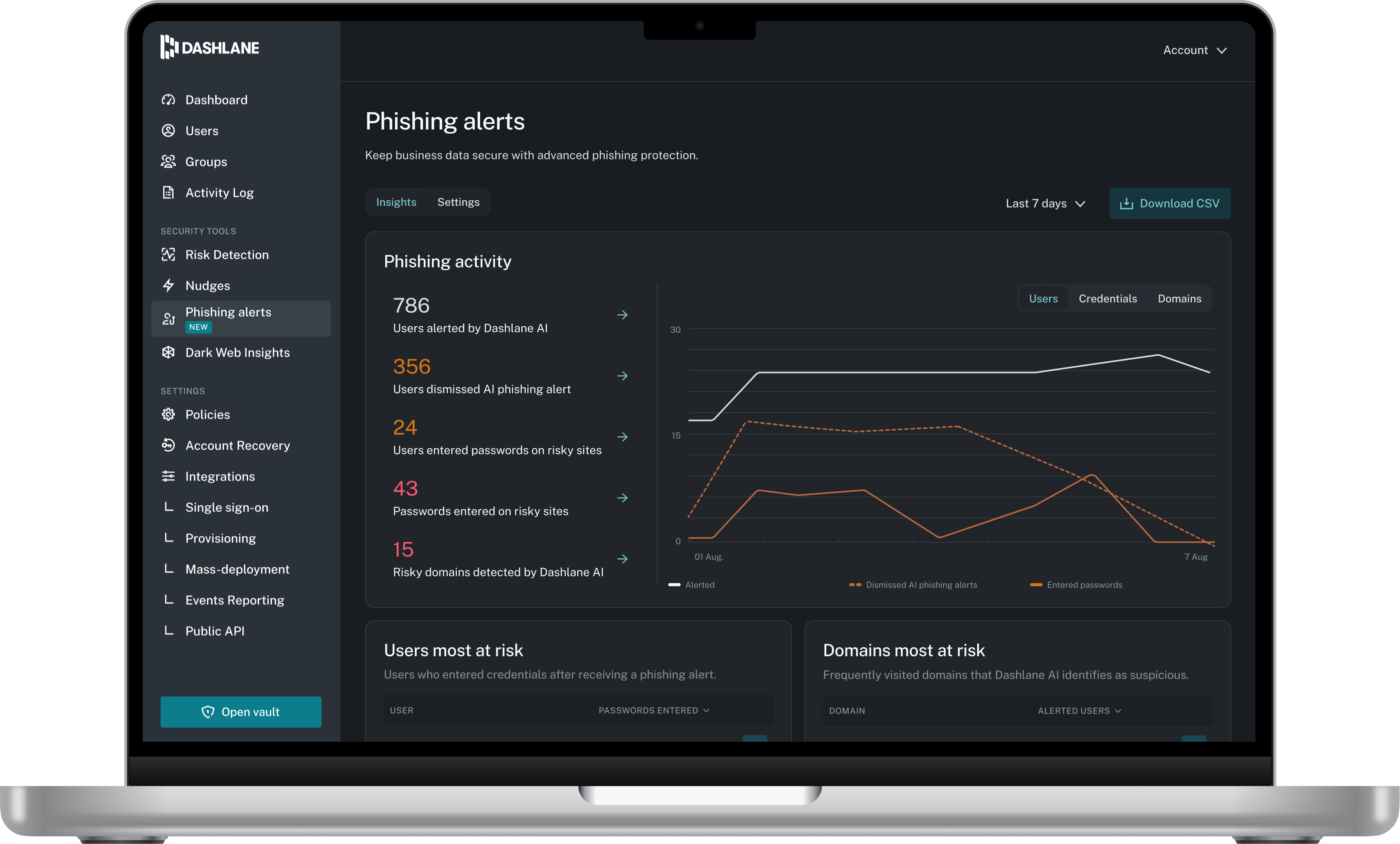
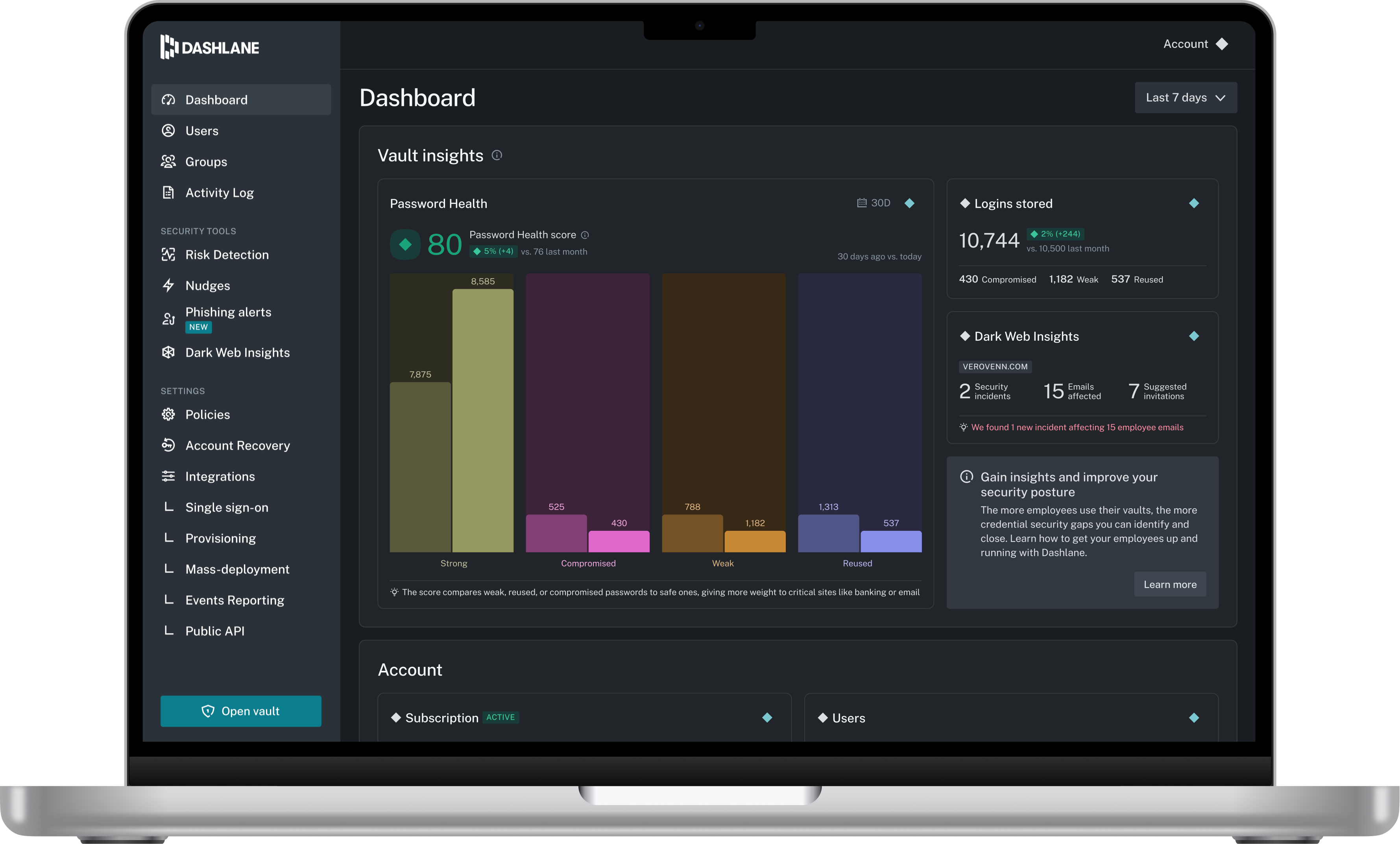
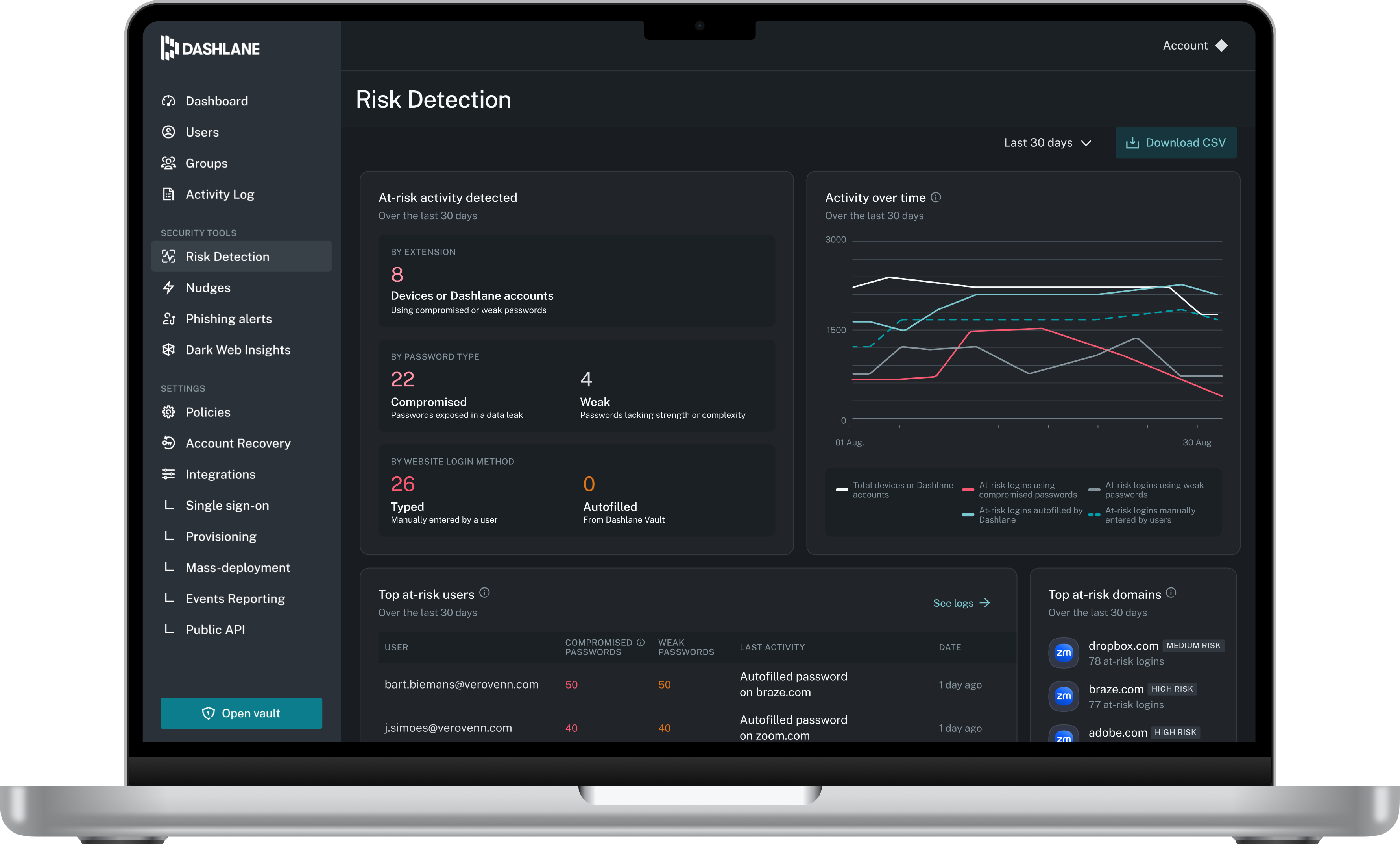
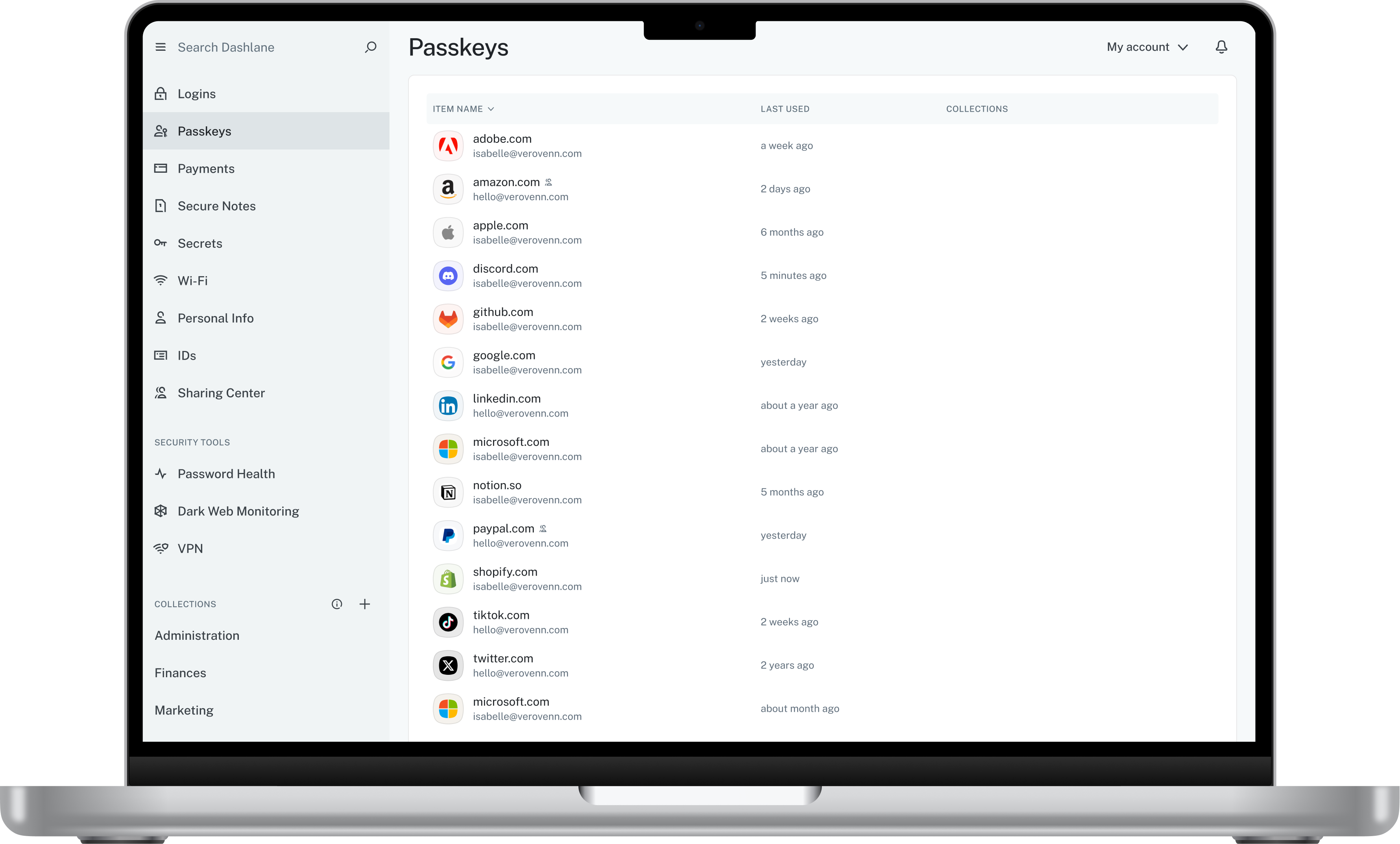
    Screenshot of Admin DashboardScreenshot of Credential Risk DetectionScreenshot of AI Phishing AlertScreenshot of Vault

    Skyvia Backup Screenshots

    Screenshot of Skyvia Salesforce BackupScreenshot of Skyvia Salesforce Backup logScreenshot of Skyvia Backup WizardScreenshot of Skyvia Salesforce Backup settingsScreenshot of Skyvia Backup creationProduct screenshot