Databox is business intelligence software built for teams that need fast, actionable insights.
$199
per month
Geckoboard
Score 9.0 out of 10
Mid-Size Companies (51-1,000 employees)
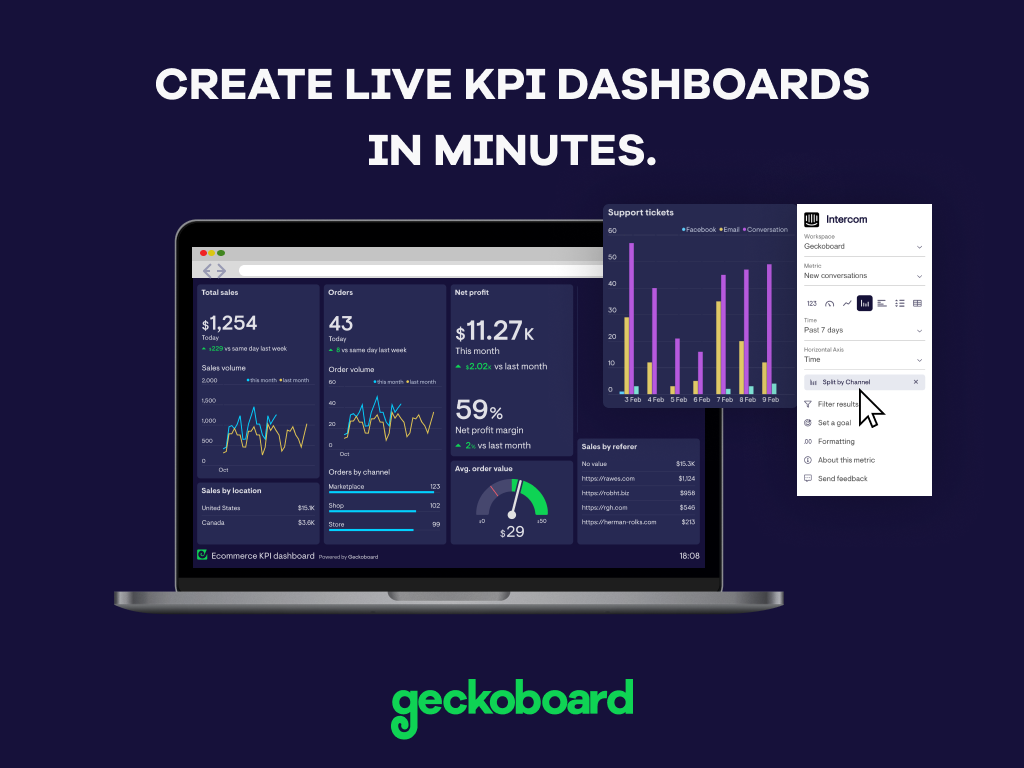
Geckoboard enables users to create real time dashboards using data from over 80 cloud services. It integrates with other products such as: AWeber, Basecamp, Campaign Monitor and HubSpot.
$35
per month
Google BigQuery
Score 8.8 out of 10
N/A
Google's BigQuery is part of the Google Cloud Platform, a database-as-a-service (DBaaS) supporting the querying and rapid analysis of enterprise data.
$6.25
per TiB (after the 1st 1 TiB per month, which is free)
Much cheaper and seems to do at least as good of a job while having a similar integration stack. I also appreciate the efforts Databox go to on their blog and podcast to help educate people on all things data and metrics.
I believe Databox can be an asset for any company. We are a small company, but I can see the value for large companies too. Databox is a great fit for departments or organizations that need to put their data into a readable form without needing a ton of reports. Databox allows you to save time and put together a nice report without having to do too much extra work. Once it is set up, it basically runs on its own at the frequency you set. I personally receive a daily report and have it sent to the respective people on the day of our meeting so we can quickly review it.
Great value for the money. Excellent for smaller agencies with multiple projects and teams in a smaller space. We can quickly roll out mobile displays to help with a particular deployment push or monitoring a clients website engagement. It's also useful for showing live data without requiring analytics to run reports from a CRM, etc.
Event-based data can be captured seamlessly from our data layers (and exported to Google BigQuery). When events like page-views, clicks, add-to-cart are tracked, Google BigQuery can help efficiently with running queries to observe patterns in user behaviour. That intermediate step of trying to "untangle" event data is resolved by Google BigQuery. A scenario where it could possibly be less appropriate is when analysing "granular" details (like small changes to a database happening very frequently).
GSheet data can be linked to a BigQuery table and the data in that sheet is ingested in realtime into BigQuery. It's a live 'sync' which means it supports insertions, deletions, and alterations. The only limitation here is the schema'; this remains static once the table is created.
Seamless integration with other GCP products.
A simple pipeline might look like this:-
GForms -> GSheets -> BigQuery -> Looker
It all links up really well and with ease.
One instance holds many projects.
Separating data into datamarts or datameshes is really easy in BigQuery, since one BigQuery instance can hold multiple projects; which are isolated collections of datasets.
Some types of data can only be reported on for 1-2 months back. Unless I'm misunderstanding the function of the software this seems really weird. I can't figure out how to report on Activities more than 2 months ago
Please expand the availability of documentation, tutorials, and community forums to provide developers with comprehensive support and guidance on using Google BigQuery effectively for their projects.
If possible, simplify the pricing model and provide clearer cost breakdowns to help users understand and plan for expenses when using Google BigQuery. Also, some cost reduction is welcome.
It still misses the process of importing data into Google BigQuery. Probably, by improving compatibility with different data formats and sources and reducing the complexity of data ingestion workflows, it can be made to work.
We have to use this product as its a 3rd party supplier choice to utilise this product for their data side backend so will not be likely we will move away from this product in the future unless the 3rd party supplier decides to change data vendors.
Databox is an intuitive, well-designed platform that can be used by non-technical marketers. It is easy to learn, and while set up takes time, usability is high and the team has enjoyed creating custom dashboards and clients have also given us great feedback regarding its usability and value. While other BI tools are much more complex to navigate, Databox is a breeze.
With a simple interface and available templates, creating basic dashboards is easy. Obviously depending on the data you want to visualize, there may be higher learning curves. That being said, they have a huge amount of integrations and extensible frameworks. If you are using anything made in the past ten years there is an API function or integration that can get it talking to the platform. As such, it's pretty easy to hit the main data points you want and get it on a cheap display in front of your team.
I think overall it is easy to use. I haven't done anything from the development side but an more of an end user of reporting tables built in Google BigQuery. I connect data visualization tools like Tableau or Power BI to the BigQuery reporting tables to analyze trends and create complex dashboards.
I have never had any significant issues with Google Big Query. It always seems to be up and running properly when I need it. I cannot recall any times where I received any kind of application errors or unplanned outages. If there were any they were resolved quickly by my IT team so I didn't notice them.
I think Google Big Query's performance is in the acceptable range. Sometimes larger datasets are somewhat sluggish to load but for most of our applications it performs at a reasonable speed. We do have some reports that include a lot of complex calculations and others that run on granular store level data that so sometimes take a bit longer to load which can be frustrating.
I have really enjoyed using Databox and have seen the value of it in many ways. They also continue to improve the functions of it and grow their integrations and templates. I look forward to continuing to use Databox in the future, potentially even finding ways to incorporate it into other departments to help them with reporting as well.
The support levels vary based on the level of plan that you have but that's to be expected. Virtually everything except the Enterprise plan has basic chat/email support. While they are responsive they are not going to be much assistance in helping you figure out API calls or implementing 3rd party integrations. That is to be expected and the support community can pretty much get you in the right direction if you look.
BigQuery can be difficult to support because it is so solid as a product. Many of the issues you will see are related to your own data sets, however you may see issues importing data and managing jobs. If this occurs, it can be a challenge to get to speak to the correct person who can help you.
Databox is unique in its ability to report from multiple data sources. Google Analytics is the standard when it comes to web metrics, but it's just one of the tools that integrates with Databox. Tableau is fantastic for data visualizations and reporting, but it's much more expensive than Databox, so it's not ideal for everyone. Tableau is also superior with customization
PowerBI can connect to GA4 for example but the data processing is more complicated and it takes longer to create dashboards. Azure is great once the data import has been configured but it's not an easy task for small businesses as it is with BigQuery.
We have continued to expand out use of Google Big Query over the years. I'd say its flexibility and scalability is actually quite good. It also integrates well with other tools like Tableau and Power BI. It has served the needs of multiple data sources across multiple departments within my company.
Google Support has kindly provide individual support and consultants to assist with the integration work. In the circumstance where the consultants are not present to support with the work, Google Support Helpline will always be available to answer to the queries without having to wait for more than 3 days.
While we originally used this as an internal IS tool, we eventually have expanded it to be used by nearly every department.
Because pricing is monthly, we can grow or decrease our usage based on our current client needs.
Because it is low cost and easy to deploy, we can utilize it in place of considerable resources in analytics and reporting by delivering snapshots of data without pulling reports.
Previously, running complex queries on our on-premise data warehouse could take hours. Google BigQuery processes the same queries in minutes. We estimate it saves our team at least 25% of their time.
We can target our marketing campaigns very easily and understand our customer behaviour. It lets us personalize marketing campaigns and product recommendations and experience at least a 20% improvement in overall campaign performance.
Now, we only pay for the resources we use. Saved $1 million annually on data infrastructure and data storage costs compared to our previous solution.