Chose IDERA SQL Diagnostic Manager
IDERA SQL Diagnostic Manager for SQL Server is an excellent tool, however I think Solarwinds Database Perfromance Analyzer is a slightly stronger more well rounded product

| Product | Rating | Most Used By | Product Summary | Starting Price |
|---|---|---|---|---|
 Datadog | N/A | Datadog is a monitoring service for IT, Dev and Ops teams who write and run applications at scale, and want to turn the massive amounts of data produced by their apps, tools and services into actionable insight. | $18 per month per host | |
 IDERA SQL Diagnostic Manager | N/A | SQL Diagnostic Manager for Microsoft SQL Server helps database administrators to find and fix Microsoft SQL Server performance problems in physical, virtual, and cloud environments. Unlike its competition, it provides effective scalability, advanced SQL query analysis and optimization, prescriptive analysis with corrective SQL scripts, powerful automated alert responses, broad PowerShell integration, complete customization, and extensive support for current and legacy Microsoft SQL Server and… | $1,996 per instance with first year maintenance included | |
 SolarWinds Database Performance Analyzer | N/A | SolarWinds Database Performance Analyzer (DPA) enables deep visibility into database performance and expert advice for performance optimization and tuning. What can you monitor with DPA? Oracle Oracle Exadata Oracle EBS Microsoft SQL Server Azure SQL Database Azure SQL Database Managed Instance MySQL DB2 SAP ASE Aurora MariaDB DPA monitors physical, virtual,… | N/A |
| Datadog | IDERA SQL Diagnostic Manager | SolarWinds Database Performance Analyzer | ||||||||||||||||||||||
|---|---|---|---|---|---|---|---|---|---|---|---|---|---|---|---|---|---|---|---|---|---|---|---|---|
| Editions & Modules |
|
| No answers on this topic | |||||||||||||||||||||
| Offerings |
| |||||||||||||||||||||||
| Entry-level Setup Fee | Optional | No setup fee | Optional | |||||||||||||||||||||
| Additional Details | Discount available for annual pricing. Multi-Year/Volume discounts available (500+ hosts/mo). | — | — | |||||||||||||||||||||
| More Pricing Information | ||||||||||||||||||||||||
| Datadog | IDERA SQL Diagnostic Manager | SolarWinds Database Performance Analyzer | |
|---|---|---|---|
| Considered Multiple Products |  Datadog No answer on this topic | IDERA SQL Diagnostic Manager  Steven Gockley, MBA, MCSA DBA / Sr. Data Analyst Chose IDERA SQL Diagnostic Manager All the toolsets we looked at have the same basic feature sets. We felt like IDERA SQL Diagnostic Manager for SQL Server had more features (SQL Doctor features) and better historical features. More toolsets now have a lot of these features, but for eight years, IDERA SQL … |  SolarWinds Database Performance Analyzer  Craig Solinski Systems Administrator/Programmer Chose SolarWinds Database Performance Analyzer  Darryl Hawes Database Administrator Chose SolarWinds Database Performance Analyzer There are some overlaps, but DPA has a lot more historical information that allows us to analyze statements over time rather than just see what is going on at that moment.  Mike Saedi SENIOR SQL SERVER DBA / DATAWAREHOUSE DEVELOPER Chose SolarWinds Database Performance Analyzer Overall DPA is the best tool that I have used because of its simple interface and ability to dig in within a few clicks to see the root of a performance issue, but Idera and SQL Sentry have some areas where they are better than DPA, such as blocking and deadlocks. I also feel …  Stephen Swan DBA Chose SolarWinds Database Performance Analyzer Idera looks like they are headed to a similar end product. However, their product is not as mature. Solarwinds Database Performance Monitor is an acquisition of an already mature product upon which they added value by integrating it with their extensive software base and … |
| Datadog | IDERA SQL Diagnostic Manager | SolarWinds Database Performance Analyzer | |||||||||||||||||||||||
|---|---|---|---|---|---|---|---|---|---|---|---|---|---|---|---|---|---|---|---|---|---|---|---|---|---|
| SQL Performance Monitoring |
|
| Datadog | IDERA SQL Diagnostic Manager | SolarWinds Database Performance Analyzer | |
|---|---|---|---|
| Small Businesses |  InfluxDB Score 8.8 out of 10 | No answers on this topic | No answers on this topic |
| Medium-sized Companies |  Sumo Logic Score 8.8 out of 10 |  Redgate Monitor Score 8.0 out of 10 | Redgate Monitor Score 8.0 out of 10 |
| Enterprises |  NetBrain Technologies Score 9.2 out of 10 | Redgate Monitor Score 8.0 out of 10 | Redgate Monitor Score 8.0 out of 10 |
| All Alternatives | View all alternatives | View all alternatives | View all alternatives |
| Datadog | IDERA SQL Diagnostic Manager | SolarWinds Database Performance Analyzer | |
|---|---|---|---|
| Likelihood to Recommend | 9.4 (55 ratings) | 9.0 (8 ratings) | 8.9 (113 ratings) |
| Likelihood to Renew | - (0 ratings) | - (0 ratings) | 8.6 (4 ratings) |
| Usability | 9.2 (34 ratings) | - (0 ratings) | 9.0 (6 ratings) |
| Availability | - (0 ratings) | - (0 ratings) | 9.1 (1 ratings) |
| Performance | - (0 ratings) | - (0 ratings) | 9.1 (1 ratings) |
| Support Rating | 8.9 (6 ratings) | - (0 ratings) | 9.3 (6 ratings) |
| Implementation Rating | - (0 ratings) | - (0 ratings) | 7.3 (2 ratings) |
| Configurability | - (0 ratings) | - (0 ratings) | 7.3 (1 ratings) |
| Ease of integration | - (0 ratings) | - (0 ratings) | 8.2 (1 ratings) |
| Product Scalability | - (0 ratings) | - (0 ratings) | 8.2 (1 ratings) |
| Vendor post-sale | - (0 ratings) | - (0 ratings) | 9.1 (1 ratings) |
| Vendor pre-sale | - (0 ratings) | - (0 ratings) | 9.1 (1 ratings) |
| Datadog | IDERA SQL Diagnostic Manager | SolarWinds Database Performance Analyzer | |
|---|---|---|---|
| Likelihood to Recommend | Datadog
| Idera, Inc.
| SolarWinds
 Stan York VP of Development |
| Pros | Datadog
| Idera, Inc.
 Greg Goss SQL Database and Business Intelligence Manager | SolarWinds
|
| Cons | Datadog
| Idera, Inc.
Steven Gockley, MBA, MCSA DBA / Sr. Data Analyst | SolarWinds
|
| Likelihood to Renew | Datadog
| Idera, Inc. No answers on this topic | SolarWinds
|
| Usability | Datadog
 Jeffrey van Santen Sr SWE | Idera, Inc. No answers on this topic | SolarWinds
 Joseph Dixon Database Engineer |
| Support Rating | Datadog
| Idera, Inc. No answers on this topic | SolarWinds
|
| Implementation Rating | Datadog
| Idera, Inc. No answers on this topic | SolarWinds
|
| Alternatives Considered | Datadog
| Idera, Inc.
 José Javier Dominguez Reina Jefe de Proyecto | SolarWinds
|
| Return on Investment | Datadog
| Idera, Inc.
| SolarWinds
|
| ScreenShots | Datadog Screenshots      | IDERA SQL Diagnostic Manager Screenshots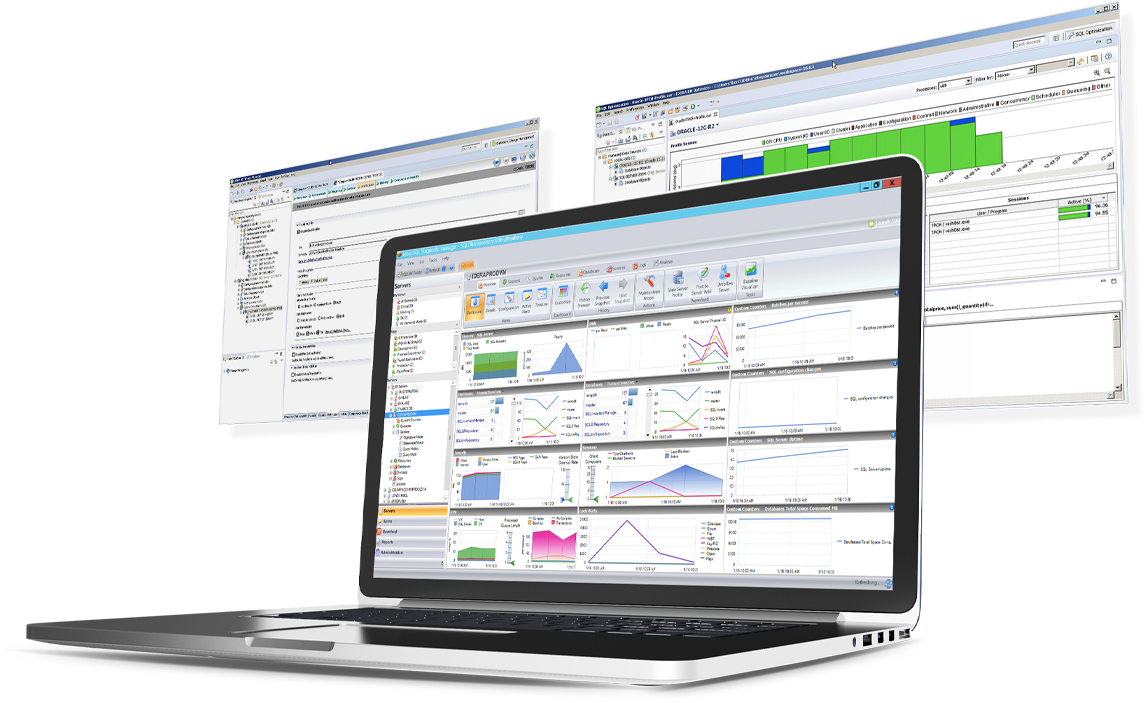 | SolarWinds Database Performance Analyzer Screenshots      |