Chose Dropbox
Dropbox offers a simpler, fast and reliable file synchronization.

| Product | Rating | Most Used By | Product Summary | Starting Price |
|---|---|---|---|---|
 Dropbox | N/A | Dropbox is a cloud storage solution, equipped with features that help users to save time, improve productivity, and collaborate with others. Users can edit PDFs, share videos, sign documents, and collaborate with stakeholders without leaving Dropbox. | $9.99 per month | |
 Tresorit | N/A | Tresorit offers end-to-end encrypted file sync & sharing. The vendor promises an ultra-secure place in the cloud to store, sync and share files easily from anywhere, anytime. The vendor says Tresorit is powered by end-to-end encryption and enhanced with a flexible permission system, therefore it seals your files away from internal data breaches and hackers. All the data is securely stored according to the GDPR in Europe in Microsoft Azure datacenters. Tresorit promises to help secure… | $13.99 per month 1TB of encrypted storage | |
 WatchGuard XCS (Discontinued) | N/A | WatchGuard XCS reached End of Life (EOL) reached end of life December 2018. WatchGuard proffers they offer multiple solutions, including migration to a WatchGuard Firebox UTM. | N/A |
| Dropbox | Tresorit | WatchGuard XCS (Discontinued) | ||||||||||||||||||||||
|---|---|---|---|---|---|---|---|---|---|---|---|---|---|---|---|---|---|---|---|---|---|---|---|---|
| Editions & Modules |
|
| No answers on this topic | |||||||||||||||||||||
| Offerings |
| |||||||||||||||||||||||
| Entry-level Setup Fee | No setup fee | No setup fee | No setup fee | |||||||||||||||||||||
| Additional Details | — | Discount for annual pricing. | — | |||||||||||||||||||||
| More Pricing Information | ||||||||||||||||||||||||
| Dropbox | Tresorit | WatchGuard XCS (Discontinued) | |
|---|---|---|---|
| Considered Multiple Products |  Dropbox  Aman Rehman Software Developer Chose Dropbox All of these product offer reliable cloud storage and file sharing capabilities but Dropbox is easy to use,fast file synchronization and smooth user experience.Team members were able to adopt it quickly with minimal training. Compared to other products it provide more …  TONY MARCHEI ACCOUNTANT Chose Dropbox Dropbox does everything the others do that we need, and is fast, trouble-free, and offers document signing.  Liz Brandon Sr Manager Performance Analytics Chose Dropbox Dropbox has similar characteristics as Microsoft SharePoint. Both have the ability to share files and access them from multiple devices. Both offer upgrades to higher levels of storage capacity. I tend to use Dropbox more for personal files or ones that I want to share outside …  Melanie VanLue Controller Chose Dropbox We looked at several solutions for file sharing and found Dropbox to have the most options and functions that we require.  Charles Peck Audio Engineer Chose Dropbox The other platform has too many limitations on the storage end, and since I was already a client of Dropbox, it was easier to stay with the same platform.  Kate Wilcox Volunteer Event Photographer Chose Dropbox Years ago I used Flickrr to share my photos. Dropbox was easier to use 13 years ago and I've been very satisfied ever since.  Caleb Cameron Owner and Film Composer Chose Dropbox Dropbox has the best value to feature ratio- and is so much more responsive and reliable than Google Drive- it is almost unusable for storing large media files especially folders of files!  Joshua Hallaran Game Developer Chose Dropbox I find that Dropbox works best for me, because I'm able to simply visit a website, drop off my files, and create a shareable link. Everything in Dropbox is more organised and quicker than the other products I've used - at least, in my experience. |  Tresorit | WatchGuard XCS (Discontinued)  Leticia Waller Quality Manager Chose WatchGuard XCS (Discontinued) I suggest WatchGuard because they offer so much. They offer the way to keep email and websites blocked that don't belong and they also help us connect to the server whenever we remote in from work. Everything is done with so much ease and there is not any hassle. |
| Dropbox | Tresorit | WatchGuard XCS (Discontinued) | |||||||||||||||||||||||||||||||
|---|---|---|---|---|---|---|---|---|---|---|---|---|---|---|---|---|---|---|---|---|---|---|---|---|---|---|---|---|---|---|---|---|---|
| File Sharing & Management |
| ||||||||||||||||||||||||||||||||
| Cloud Storage Security & Administration |
| ||||||||||||||||||||||||||||||||
| Cloud Storage Platform |
|
| Dropbox | Tresorit | WatchGuard XCS (Discontinued) | |
|---|---|---|---|
| Small Businesses |  SugarSync Score 3.8 out of 10 | SugarSync Score 3.8 out of 10 |  Paubox Email Suite Score 9.0 out of 10 |
| Medium-sized Companies |  Druva Security Cloud Score 9.4 out of 10 | Druva Security Cloud Score 9.4 out of 10 |  OpenText Core Email Encryption Score 9.6 out of 10 |
| Enterprises | Druva Security Cloud Score 9.4 out of 10 | Druva Security Cloud Score 9.4 out of 10 |  DataMotion Score 9.4 out of 10 |
| All Alternatives | View all alternatives | View all alternatives | View all alternatives |
| Dropbox | Tresorit | WatchGuard XCS (Discontinued) | |
|---|---|---|---|
| Likelihood to Recommend | 8.8 (0 ratings) | 9.0 (0 ratings) | 10.0 (0 ratings) |
| Likelihood to Renew | 8.2 (0 ratings) | - (0 ratings) | - (0 ratings) |
| Usability | 8.8 (0 ratings) | - (0 ratings) | - (0 ratings) |
| Availability | 8.9 (0 ratings) | - (0 ratings) | - (0 ratings) |
| Performance | 8.6 (0 ratings) | - (0 ratings) | - (0 ratings) |
| Support Rating | 7.1 (0 ratings) | 9.0 (0 ratings) | - (0 ratings) |
| In-Person Training | 9.1 (0 ratings) | - (0 ratings) | - (0 ratings) |
| Online Training | 9.0 (0 ratings) | - (0 ratings) | - (0 ratings) |
| Implementation Rating | 8.0 (0 ratings) | - (0 ratings) | - (0 ratings) |
| Configurability | 8.0 (0 ratings) | - (0 ratings) | - (0 ratings) |
| Ease of integration | 9.1 (0 ratings) | - (0 ratings) | - (0 ratings) |
| Product Scalability | 7.9 (0 ratings) | - (0 ratings) | - (0 ratings) |
| Vendor post-sale | 8.2 (0 ratings) | - (0 ratings) | - (0 ratings) |
| Vendor pre-sale | 8.2 (0 ratings) | - (0 ratings) | - (0 ratings) |
| Dropbox | Tresorit | WatchGuard XCS (Discontinued) | |
|---|---|---|---|
| Likelihood to Recommend |
|
|
Leticia Waller Quality Manager |
| Pros |
 Kara Beech, SHRM-CP Owner |
|
Leticia Waller Quality Manager |
| Cons |
 Stephanie Crawford Realtor |
|
Leticia Waller Quality Manager |
| Likelihood to Renew |
 Michelle Hidalgo Development and Marketing Manager | No answers on this topic | No answers on this topic |
| Usability |
| No answers on this topic | No answers on this topic |
| Reliability and Availability |
 Deependra Gahane Customer Support Engineer L2 | No answers on this topic | No answers on this topic |
| Performance |
| No answers on this topic | No answers on this topic |
| Support Rating |
|
| No answers on this topic |
| In-Person Training |
Deependra Gahane Customer Support Engineer L2 | No answers on this topic | No answers on this topic |
| Online Training |
| No answers on this topic | No answers on this topic |
| Implementation Rating |
 Annesa L Lacey Founder & CEO | No answers on this topic | No answers on this topic |
| Alternatives Considered |
 Joy Cobert REALTOR |
|
Leticia Waller Quality Manager |
| Scalability |
Deependra Gahane Customer Support Engineer L2 | No answers on this topic | No answers on this topic |
| Return on Investment |
 Howard R. Berger Financial Advisor |
|
Leticia Waller Quality Manager |
| ScreenShots | Dropbox Screenshots    | Tresorit Screenshots   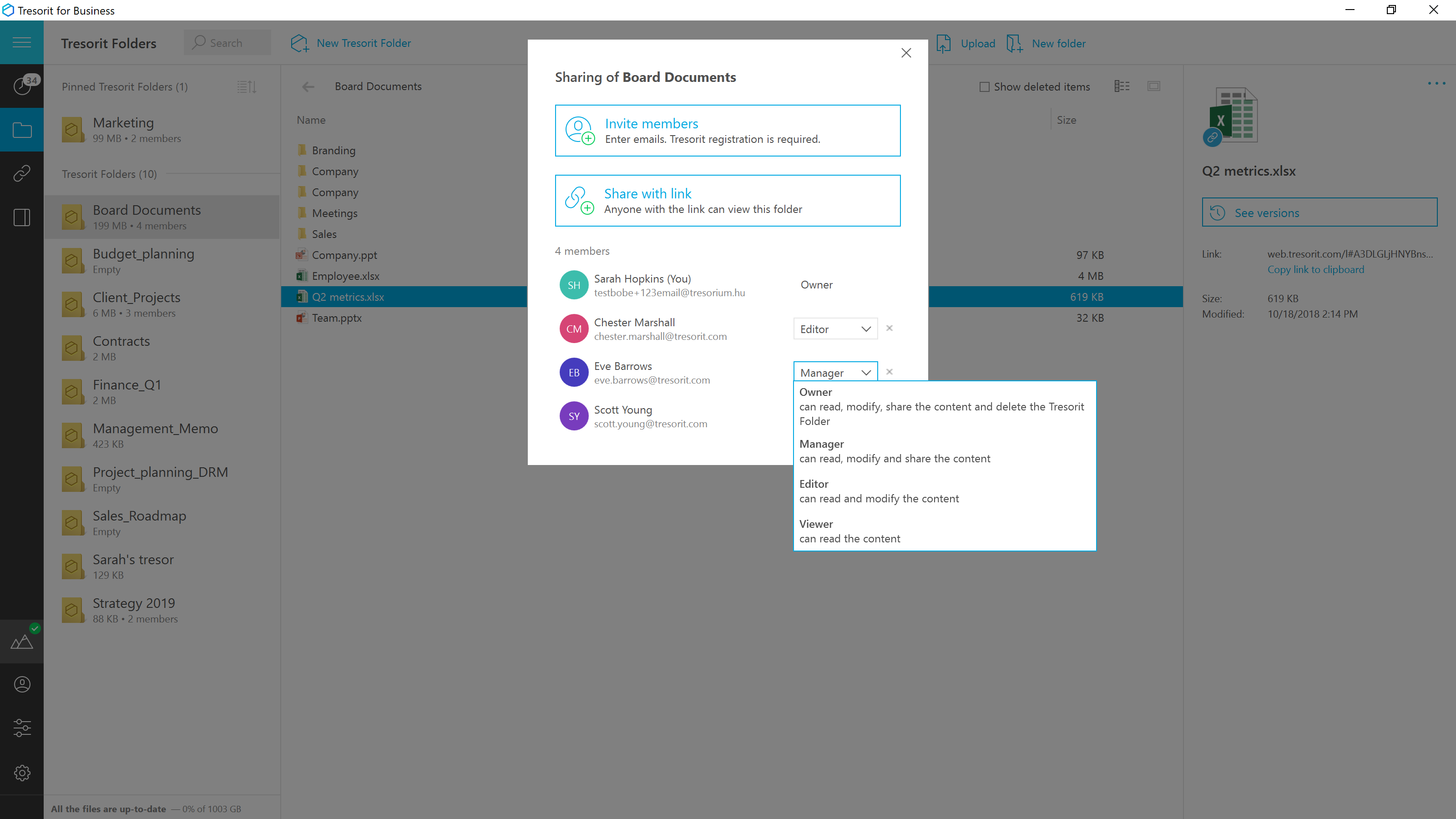  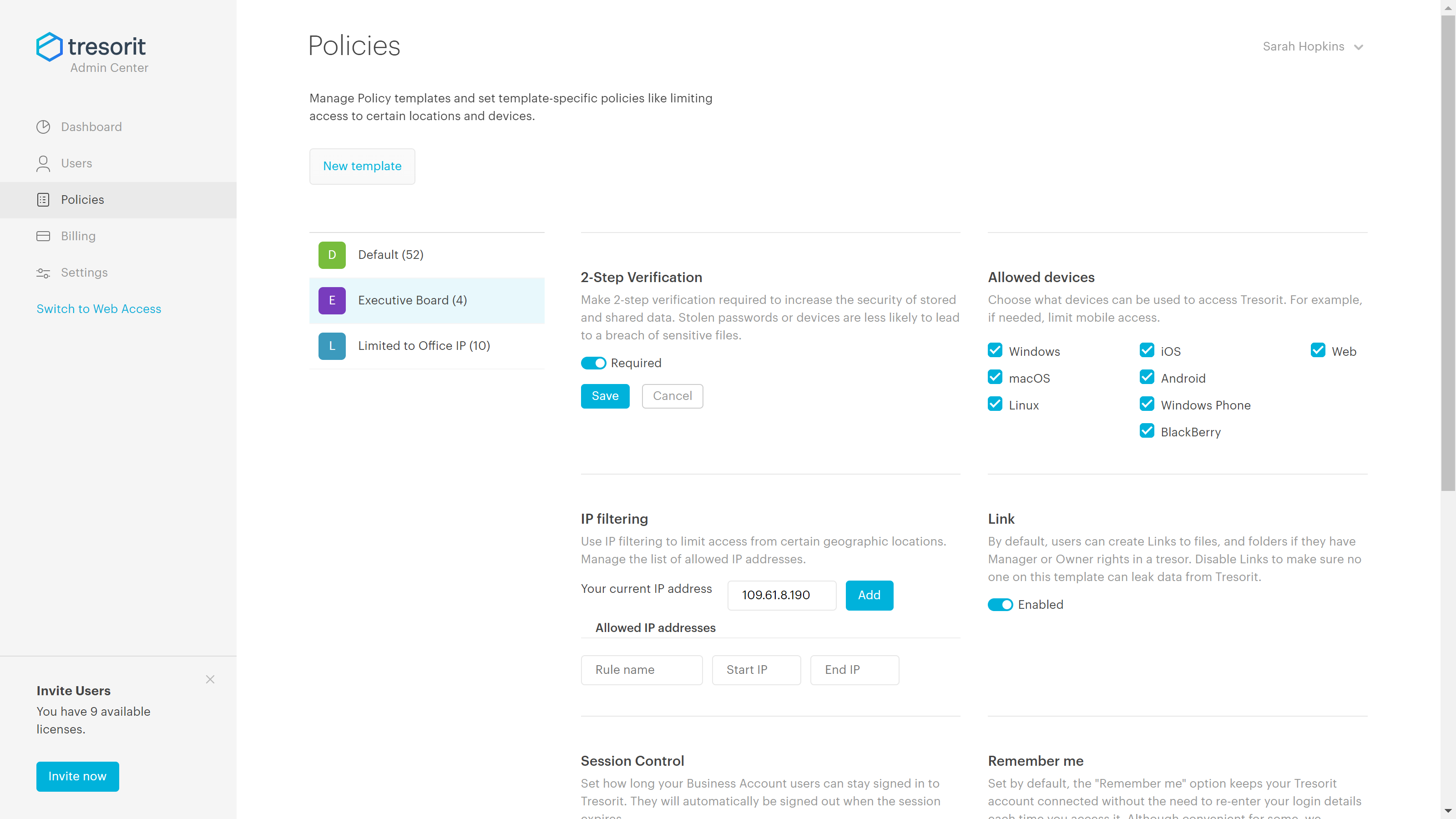 |