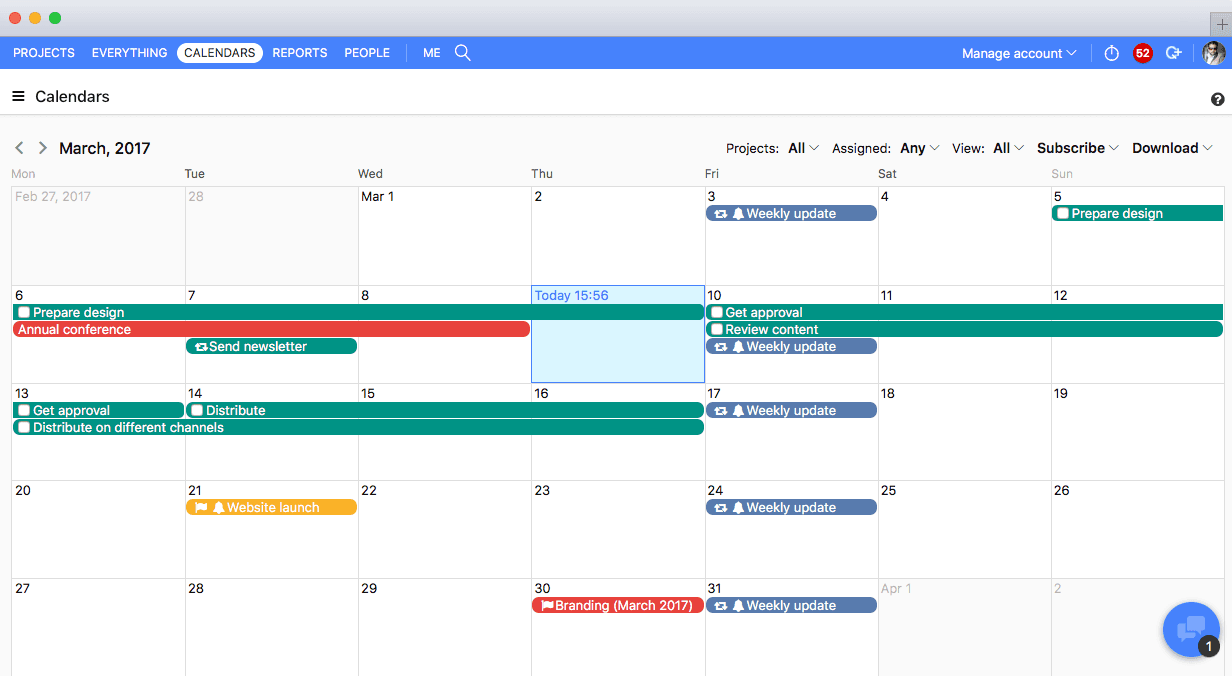
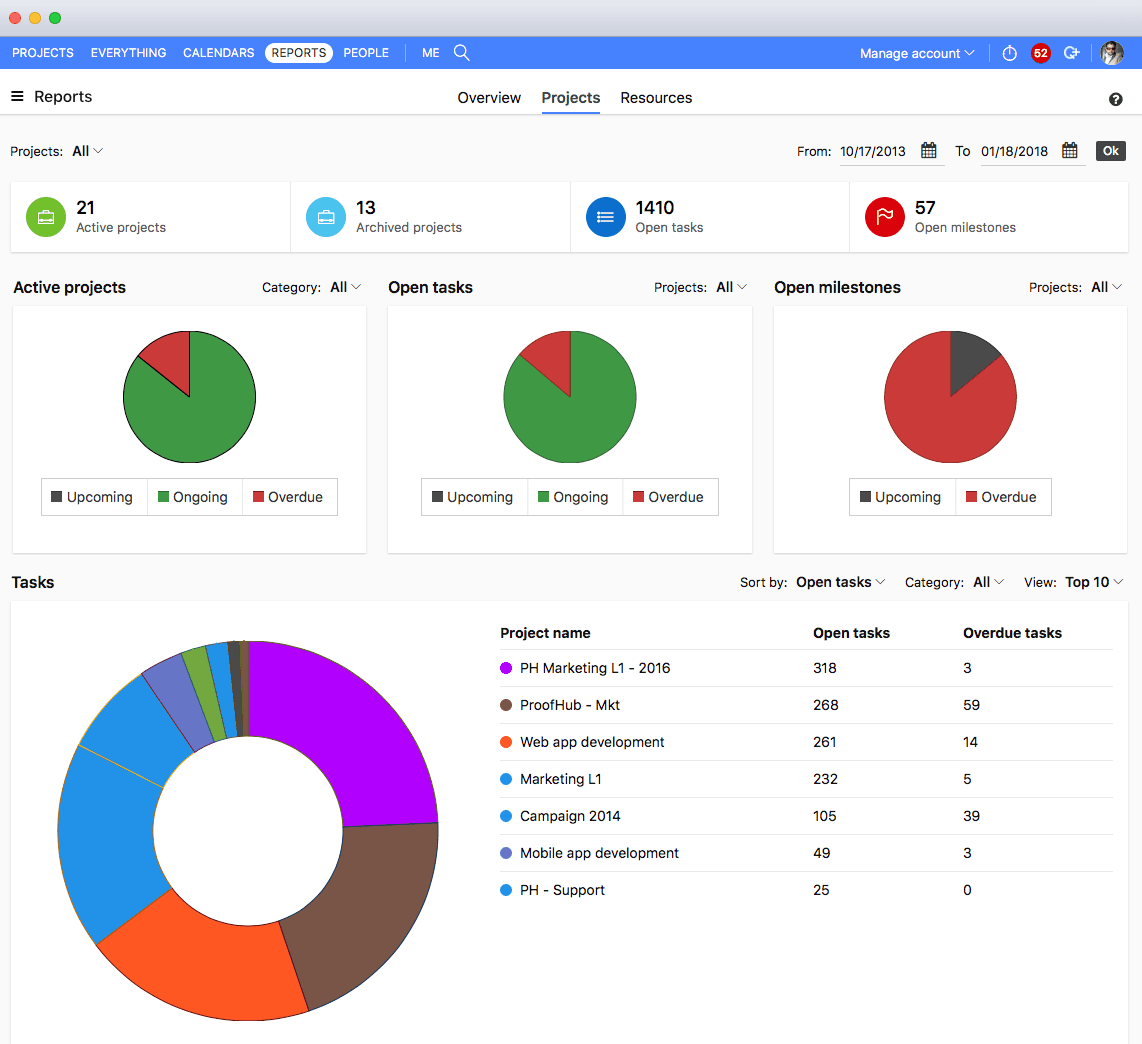
ProofHub is a SaaS based project management software from ProofHub LLC in Walnut, CA. It is an online project management and collaboration tool that comes with integrated Group chat, quick Discussions on projects, Workflows and boards, Project reports, among other features. Document (e.g. Excel, Powerpoint) uploading and sharing is supported, along with an integrated an Online proofing tool to aid in image and document review. ProofHub aims to enable teams to…
$45
per month (billed annually) unlimited users
Wrike
Score 8.6 out of 10
Mid-Size Companies (51-1,000 employees)
Wrike is a project management and collaboration software. This solution connects tasks, discussions, and emails to the user’s project plan. Wrike is optimized for agile workflows and aims to help resolve data silos, poor visibility into work status, and missed deadlines and project failures.
$0
per month per user
Pricing
Elofy
ProofHub
Wrike
Editions & Modules
No answers on this topic
Essential
$45
per month (billed annually) unlimited users
Ultimate Control
$89
per month (billed annually) unlimited users
Large Team
$279
per month (billed annually) unlimited users
Wrike Free
$0
per month per user
Wrike Team
$10
per month (billed annually) per user (2-15 users)
Wrike Business
$25
per month (billed annually) per user (5-200 users)
Apex
Request a quote
per month per user
Pinnacle
Request a quote
per month per user
Offerings
Pricing Offerings
Elofy
ProofHub
Wrike
Free Trial
No
Yes
Yes
Free/Freemium Version
No
No
Yes
Premium Consulting/Integration Services
No
No
No
Entry-level Setup Fee
No setup fee
No setup fee
No setup fee
Additional Details
—
—
Every premium plan begins with a 14-day trial period.
Unfortunately ProofHub did not compare very well. The pricing model is fantastic and I think the approach the software takes to creative project management isn't necessarily bad, it's just others do it better. For example, Wrike has very powerful and easy-to-manage form …
ProofHub helps me in collaborating easily with my clients. Everybody is so well connected to each other, that you just don’t have to spend extra bucks on one more tool or application to make things happen.
We used Basecamp in the past, but we did encounter some problems while working with it. But these concerns have been better addressed in ProofHub. It has a simple interface which is so easy to operate and this was not the case in Basecamp. ProofHub lets us quickly chat with our …
Wrike
Verified User
Anonymous
Chose Wrike
Wrike was better in terms of task layout and project setup/organization.
Wrike has a broader application than task management apps like Toggl or Todoist. I do use Toggl as a basic time tracking software, however Wrike covers more ground. It is robust and user-friendly, and much less expensive than MS Project.
We used RoboHead prior to Wrike for document control and project management. Wrike is by far more advanced and interactive. It gives us so many more opportunities for communication.
Wrike's UI, combined with its low-cost solutions, has been the standout factor compared to the other options sought. They have multiple license types suited to different usage, a standout compared to others that don't leave you stuck paying high license fees for licenses you …
I utilized basecamp at my last position and I just remember it was extremely limited in what you could do. If I remember correctly there was no workflow integration of the platform, it was essentially just an app that you could create folders in that housed all of the files. No …
Cost and functionality. We were able to gain consensus on Wrike across numerous stakeholders. It may not be the best at everything but it's capable at a wide range of things.
Wrike was more capable that ProWorkflow (at least when we compared them several years ago) and more team/smaller workflow real time oriented than MS Project - where Project is better for detailed PM work. ClickUp is far more flexible and better value for a similar price at the …
our past products have been so hard to customize, streamline, and make work for all types of roles in the company. i feel like wrike is a great fit for everyone to work together well.
Honestly for me, it depends what you’re utilizing these tools for. In my experience, some of the other project management tools I’ve used the past such as Jira are way too complex for the use case we run into with our business. I feel like the overall goal of Wrike is to …
I think Wrike is very similar to other project management platforms such as Monday, Asana and Teamwork that I have used before. As they all provide strong tools for task and project organization, one feature particularly liked by me in TW was its time-tracking functionality, …
Monday wasn't as customizable as Wrike. Basecamp is great for tracking simple tasks and communicating with outside agencies, but isn't complex enough to track projects. Smartsheet is basically a fancy spreadsheet.
We have been using Wrike for over seven years, so I don't recall the specific reason why we chose it over Asana. I recall that the functions were similar, but I think we found that Wrike offered flexibility and structure that we felt would function the best for our department.
Wrike is more robust and suited for enterprise teams. Learning curve is more difficult and involved. Other platforms you can learn in a day or two. Wrike takes a month or two to get the hang of
Monday is a easier for project management and task tracking. Where Wrike excels is with the ticketing system for our IT, legal, or other specific teams.
For small teams or a freelancer needing to receive work via forms and submit assets for simple yes/no approvals, it may be a great fit. It was just too lacking in the forms and proofing department for what we needed. There was also a lot of workarounds we were going to have to implement to try and achieve our desired workflow.
I believe it's well suited if you have multiple jobs/projects that you need to keep organized. We work with multiple job types from print/creative to web, copy and digital ads so it helps us stay organized. I don't think it would be suitable for a company that doesn't have a lot of jobs to manage. We average over 1,200 requests a year.
There are times when we have to make a website for a particular client. And this would involve not only the design, but also the content that would be reflected on the website. For this there has to be complete sync between the design and copywriting department. Earlier, this lead to a lot of goofups due to non-availability of one central medium for collaboration. But now with Proofhub, there’s one place for all people, files, docs and designs related to any active project.
Well, we are insatiable users, and keep wanting more and more. However, the team at Proofhub itself is always up on breaking the norms and bringing something new every now and then. So, that goes without saying that they would keep re-inventing and improving things with time.
I would surely renew it, as with Proofhub work has become much simpler and easier. Tasks are done faster, files, docs and designs are shared easily and feedback is received as and when required, directly on the file itself
I wish that Wrike had more drag and drop functionality that would be connected to assignee and also I wish that the finish date of a task would update to the date where you checked completed. It does not do that. Also finishing a task doesn't move the start date of the next task it "protects your time in that way", but our management team wants us to quickly see what we have down the pipeline rather than having to scroll down the list of upcoming tasks.
It does take some time and work to really understand and use it properly, but I think the accessibility to help and documentation make that completely feasible. Once you know how to use it, I find it to be very user-friendly, and have very few complaints.
Over two years of (almost) daily usage without outages. Don't remember any errors. I give it 9 only because some Wrike plugins (for online document edit) are based on NPAPI architecture. These types of plugins are being phased out in new browsers, and NPAPI plugins are disabled by default in recent versions of Chrome so you have to do some browser adjustments when you switch browsers or move to another computer.
Wrike tasks loads fine, but I hate clicking files and wait for a bit of time since it is powerpoint or word, Wrike assumes I want to open those on Wrike. My suggestion is to link it to office 365 so we do not need Wrike based decoder for PPTX and DOCX
Great support website and had reps follow up multiple times in our trial process. Getting started was very straightforward and adding people is easy too.
Time and time again, Wrike has proved that they listen to their customers and put us first. From sales to support - they are quick to respond, encourcage community engagement and I never feel like i am callling a help center
I love the Wrike training options. Wrike Discover has tons of courses, learning plans, certifications, etc. This is an area where Wrike definitely shines! I wish these resources were more in your face for new people, because it seems like a lot of coworkers didn't know all of this training was available to them.
There are a lot of bells and whistles in Wrike, and not all of it is easy or intuitive to understand once it's plopped in your lap. It's easier when there are a few choice people who understand Wrike as a platform and articulate it in such a way where it makes it easy to pass it along to others in the group
We used Basecamp in the past, but we did encounter some problems while working with it. But these concerns have been better addressed in ProofHub. It has a simple interface which is so easy to operate and this was not the case in Basecamp. ProofHub lets us quickly chat with our team members over various work matters through its inbuilt chat feature and resolve them fast while Basecamp provides this feature through a third-party tool which added to our expenses and it was not a very convenient affair. ProofHub has got an inbuilt proofing tool which allows us to get quality feedback over designs instantly saving our time and costs, whereas Basecamp enables proofing through a third party tool which again was not convenient for us. ProofHub’s casper mode feature helps us to protect privacy and secrecy over confidential issues but Basecamp lacks such an important feature. So ProofHub has more to offer and better too in comparison to Basecamp. (answer to Describe how ProofHub stacks up against them and why you selected ProofHub.
Wrike's UI, combined with its low-cost solutions, has been the standout factor compared to the other options sought. They have multiple license types suited to different usage, a standout compared to others that don't leave you stuck paying high license fees for licenses you won't use to that extent.
I’d go with a 9/10. It scales really well across teams and use cases, especially once you set things up properly. The only reason it’s not a full 10 is that it can take some effort to structure everything cleanly at the start.
Proofing: We have everything from press releases, social media posts, brochures, ads, etc. that have to be proofed. It has saved us tons of time!
Project Management: Our team has to schedule fewer meetings about project progress and "where are we at" discussions. Everyone can see it and everyone is accountable. It makes the days more productive by not getting trapped in those meetings.