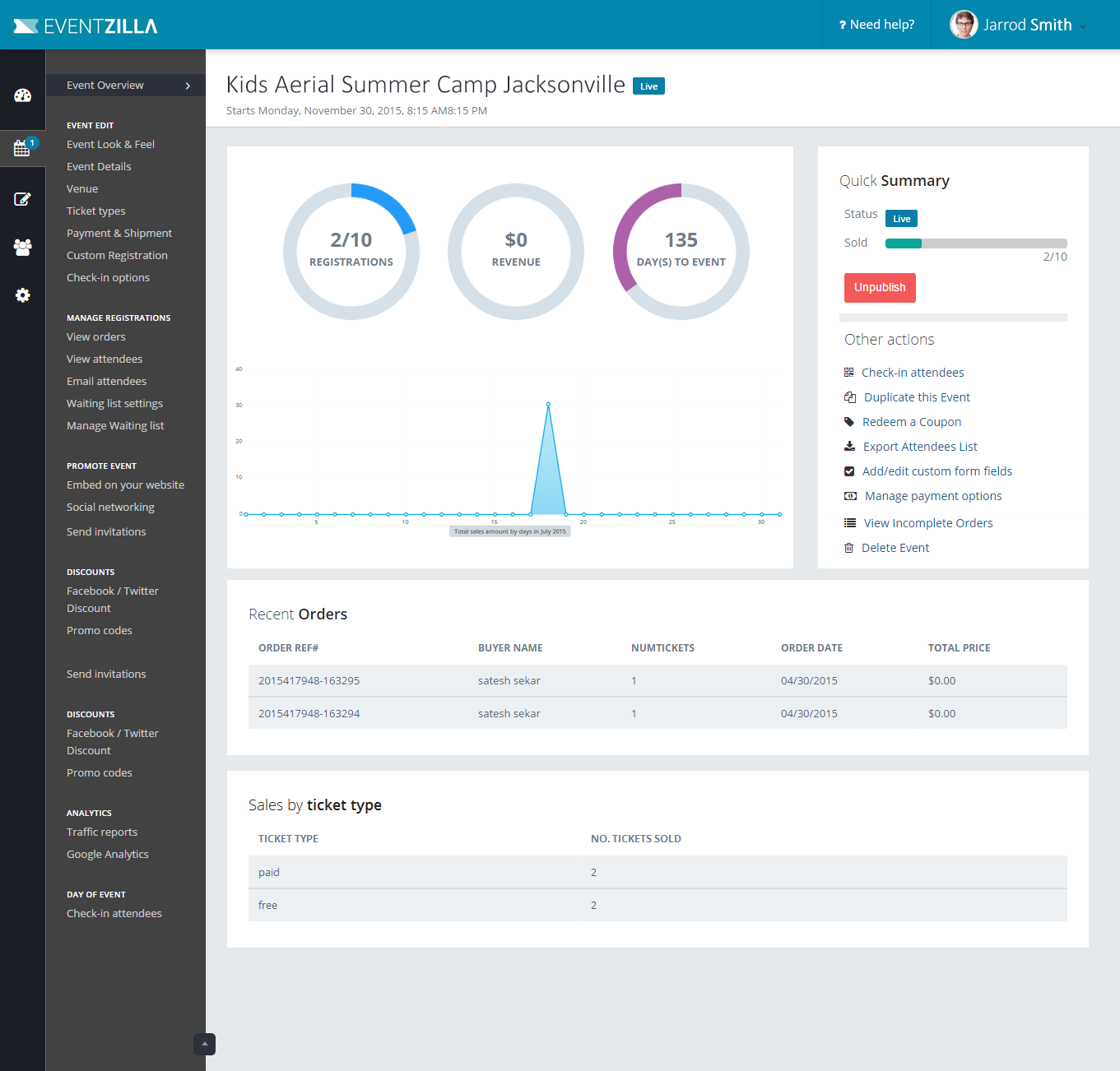
Eventzilla provides a free management and registration solution targeted for organizers of any size. This solution allows users to host free events at no charge. However, for paid events, there is a $1 flat fee per attendee.
The solution can be used for conferences, fundraisers, classes, festivals, parties, concerts sporting events, networking events and more.
N/A
Webex Events (formerly Socio)
Score8.9 out of 10
N/A
Webex Events (formerly Socio) gives event professionals event tech to power every stage of the event planning & execution process.
N/A
Pricing
Eventzilla
Webex Events (formerly Socio)
Editions & Modules
No answers on this topic
No answers on this topic
Offerings
Pricing Offerings
Eventzilla
Webex Events (formerly Socio)
Free Trial
Yes
No
Free/Freemium Version
Yes
No
Premium Consulting/Integration Services
Yes
Yes
Entry-level Setup Fee
No setup fee
No setup fee
Additional Details
Free forever to register and set up events
Free forever for free events
$1 flat fee per attendee for paid events
No margin on credit card processing fees which are payable directly to the payment gateway.
If you are an organization who is hosting a ticketed event such as a concert, a block party, a 5k fun run, or anything that may require a pre event registration / ticket purchase, this product could potentially be very useful for you! My Fraternity used Eventzilla's product for our last four events including a concert, a 5k run, and 2 golfing tournaments! Using this tool, we were able to raise significantly more money than we had from previous events. Additionally, this product was exceptionally useful for the 5k because of the amount of information we needed to collect through the registration form prior to the event. Using the Eventzilla forms, we were able to discover participants' age, gender, t -shirt size, # of registrations, phone #, email, name, etc. and provide them each with an excellent, personalized experience.
A de minimis incentive was given to thank the reviewer for their time. The incentive was not used to bias or drive a particular response, nor was the incentive contingent on a positive endorsement. More Info
WebEx Events is a great tool for hosting both an event website and an onsite event app. If you are looking to integrate an on onsite and online event, they have this capability, as well. The staff is always very helpful and I am able to get answers to my questions in a timely manner
A de minimis incentive was given to thank the reviewer for their time. The incentive was not used to bias or drive a particular response, nor was the incentive contingent on a positive endorsement. More Info
It has quite a few optional and customizable features that can be utilized.
It's easy to integrate your existing tools like Zoom, YouTube, Vimeo, and streaming services.
It's flexible in the way that you upload content in that you can enter things one at a time on the website, or use a spreadsheet to upload a larger amount of content.
A de minimis incentive was given to thank the reviewer for their time. The incentive was not used to bias or drive a particular response, nor was the incentive contingent on a positive endorsement. More Info
Customization features for emails could be improved since most are automated reminders.
Sometimes too difficult to create a simple event with loads of choices available. Many times we simply want to create a normal event without much hassle.
A de minimis incentive was given to thank the reviewer for their time. The incentive was not used to bias or drive a particular response, nor was the incentive contingent on a positive endorsement. More Info
Sometimes I feel like it uses too many resources and makes my computer go slower
Chats of the webinar dissappear by default, but sometimes important info is shared and could be nice to have the option to save it
The quality of the video gets chosen by webex by default, sometimes maybe it would be nice to get the option to fix manually what's the minimum quality you want. Just to not talk with pixels
A de minimis incentive was given to thank the reviewer for their time. The incentive was not used to bias or drive a particular response, nor was the incentive contingent on a positive endorsement. TR verified that a representative sample of customers was invited. More Info
Of course something could happen to our orgs ability to put on a conference or Socio could fundamentally change their product or their customer service - but barring any magor shift there is nothing that is even close to competing for our attention here.
A de minimis incentive was given to thank the reviewer for their time. The incentive was not used to bias or drive a particular response, nor was the incentive contingent on a positive endorsement. More Info
As, stated before, the only thing that I found to be difficult when using this software was pointing an existing domain to the Eventzilla Registration landing page. I followed all of the steps as illustrated and I continued to experience errors when trying to navigate via the domain. I could not get in contact with support and so we chose to use the extremely long Eventzilla domain. This was not a big deal, but it would have been nice to use our own domain that we purchased
A de minimis incentive was given to thank the reviewer for their time. The incentive was not used to bias or drive a particular response, nor was the incentive contingent on a positive endorsement. More Info
Some Android users could not get the app to work, so they had to use the web-based version of our conference guide. Most functionality was still there, but they could not pull up the QR code, which impeded the registration process. The presence of the log in with Apple ID button caused issues because most work emails were not attached to Apple ID, which caused access issues.
A de minimis incentive was given to thank the reviewer for their time. The incentive was not used to bias or drive a particular response, nor was the incentive contingent on a positive endorsement. More Info
Support is adequate, but sometimes has difficulty grasping all of the pieces of a question. Once, I asked for help with a relatively technical integration that we were using to track event effectiveness, and their answer left me wondering if they even understood that the feature I was asking about even existed in their system.
A de minimis incentive was given to thank the reviewer for their time. The incentive was not used to bias or drive a particular response, nor was the incentive contingent on a positive endorsement. More Info
Socio (now WebexEvents) is one of two products I use that gets customer service right. Not only can you get an answer from an actual person quickly during business hours - but if you are asking after hours, you know the response will be waiting for you in the morning. Not only are they fast, but they are also smart about their products and customers. There is very little back and forth trying to explain the problem I am having, or the new way I am trying to use their product, that may even be novel for them.
A de minimis incentive was given to thank the reviewer for their time. The incentive was not used to bias or drive a particular response, nor was the incentive contingent on a positive endorsement. More Info
We have used multiple virtual event platforms in the past, as well as trialed several. We ultimately decided on Webex due to the aesthetics of the website, the incredibly easy build-out process, the 24/5 support, the user-friendly front-end interface, the multiple ways to monetize sponsorships, and ultimately... the price. The value for what you get is incredible compared to other platforms.
We use it for internal events, so mostly our ownemployees join the events. These are usually fun events, so ROI is not expected.
Most of the times, we are simply organizing recreational events for our employees, so it boosts the morale of the participants to have a proper organized setup for the events they attend.
A de minimis incentive was given to thank the reviewer for their time. The incentive was not used to bias or drive a particular response, nor was the incentive contingent on a positive endorsement. More Info
A de minimis incentive was given to thank the reviewer for their time. The incentive was not used to bias or drive a particular response, nor was the incentive contingent on a positive endorsement. TR verified that a representative sample of customers was invited. More Info