Chose Figma
Not many other products, still very new in the product space.

| Product | Rating | Most Used By | Product Summary | Starting Price |
|---|---|---|---|---|
 Figma | N/A | Figma, headquartered in San Francisco, offers their collaborative design and prototyping application to support digital product and UI development. | $144 per year | |
 UXPin | N/A | UXPin is a UX design platform with wireframing, prototyping and interactive mockup features. | N/A | |
 weave.ly | Mid-Size Companies (51-1,000 employees) | Weave.ly enables companies to build and validate software without having to code. Operating as a plugin for Figma, it turns designs into functional progressive web apps that automatically tracks all kinds of usability metrics — click heat maps, time-to-completion or sentiment analyses. The plugin offers a variety of advanced prototyping features, such as: conditional interactions real user data working input maps camera access By… | N/A |
| Figma | UXPin | weave.ly | ||||||||||||||||||||||
|---|---|---|---|---|---|---|---|---|---|---|---|---|---|---|---|---|---|---|---|---|---|---|---|---|
| Editions & Modules |
| No answers on this topic | No answers on this topic | |||||||||||||||||||||
| Offerings |
| |||||||||||||||||||||||
| Entry-level Setup Fee | No setup fee | No setup fee | No setup fee | |||||||||||||||||||||
| Additional Details | — | — | — | |||||||||||||||||||||
| More Pricing Information | ||||||||||||||||||||||||
| Figma | UXPin | weave.ly | |
|---|---|---|---|
| Considered Multiple Products | Figma  Ashley Nowak UX designer Chose Figma Figma integrates more and has more features.  Federico Romano UX Lead Designer Chose Figma Adobe XD is an absurd copycat that never got to have even 10% of Figma's features. It's hyper fast because it's native, but that's the only good thing it has. Axure RP is an excellent prototyping software, with Local Variables and complex interactions. But it's also extremely …  Suélen Maiara dos Reis Nascimento Product Designer Chose Figma Compared to Adobe XD, the Figma tool is much easier to use, offers more features, and has a much lower cost. Its features are less complex, making it very easy to teach beginners how to use it. The navigable prototype is also easier and more efficient to share in Figma compared … Chose Figma Figma definitely has better UX than Adobe XD and also is light-weight compared to XD. The eco-system is stronger with Figma if you are tech company.  Raymond Weilacher Principal UX Designer Chose Figma Figma is the only tool that was build from the ground up for enterprise level distributed teams. If I were a one man shop or even a small team, I would consider sketch or other cheaper alternatives. For a large enterprise team, the only winner is Figma.  Maria Halse Duloquin Innovation Consultant Chose Figma Figma is the go-to design tool that can be pushed to production very easily with developer tools. In my opinion it's the most complete design tool that considers the entire design process including the creation of solid design systems, high-fidelity prototyping, user testing, … |  UXPin  Bas van der Pol Most Valuable Professional Chose UXPin Adobe XD is so much more than UXPin, with Adobe Cloud you can easily share designs as well. We used Adobe XD before changing to UXPin. At first UXPin seems so advanced and helpful, but don't get fooled. You're heavily limited in the long run, and after all the training and …  Aaron Nickulas Director User Experience Design Chose UXPin The first thing I’ll say is the learning curve is way lighter on UXPin. Also UXPin updates their app, and performance routinely and adds new features based on community needs.
It’s the first web-based tool that outputs code rendered in the browser from a design created in a …  Rachel Stantliff Director Of Operations Chose UXPin Marvel was great for helping to define app flows and apply app designs to give our clients a better visual of how their apps would flow and work in order to assist with UX. However, we needed something a bit more robust. We weren't just looking for something that was pretty. We …  Nuno Luz Marketing Program Manager Site Optimisation Chose UXPin Quick to prototype, easy to share, multiple devices, fully responsive breakpoints, export CSS, publishing from the tool, Photoshop integration. Has a fairly easy to use interface when compared to InVision and quite easy to integrate with other tools and collaboration solutions …  Pattie Covert Senior Graphic Designer Chose UXPin Previously I did wireframes in Illustrator, but I find UXPin faster and more helpful to use because of their libraries.  Charlie Chauvin Lead Designer Chose UXPin I went through several tools trying to find something that was easy to use and made me faster. Visio was such a pain at creating something reusable to make me faster, too much building. Axure and Balsamiq looked like great options but were too cumbersome for my needs and I … |  weave.ly No answer on this topic |
| Figma | UXPin | weave.ly | |
|---|---|---|---|
| Small Businesses |  OmniGraffle Score 9.8 out of 10 | OmniGraffle Score 9.8 out of 10 | OmniGraffle Score 9.8 out of 10 |
| Medium-sized Companies | OmniGraffle Score 9.8 out of 10 | OmniGraffle Score 9.8 out of 10 | OmniGraffle Score 9.8 out of 10 |
| Enterprises | OmniGraffle Score 9.8 out of 10 | OmniGraffle Score 9.8 out of 10 | OmniGraffle Score 9.8 out of 10 |
| All Alternatives | View all alternatives | View all alternatives | View all alternatives |
| Figma | UXPin | weave.ly | |
|---|---|---|---|
| Likelihood to Recommend | 8.8 (0 ratings) | 2.1 (0 ratings) | - (0 ratings) |
| Likelihood to Renew | 10.0 (0 ratings) | 10.0 (0 ratings) | - (0 ratings) |
| Usability | 8.0 (0 ratings) | - (0 ratings) | - (0 ratings) |
| Availability | 5.5 (0 ratings) | - (0 ratings) | - (0 ratings) |
| Performance | 8.2 (0 ratings) | - (0 ratings) | - (0 ratings) |
| Support Rating | 5.1 (0 ratings) | 10.0 (0 ratings) | - (0 ratings) |
| In-Person Training | 9.1 (0 ratings) | - (0 ratings) | - (0 ratings) |
| Online Training | 6.4 (0 ratings) | - (0 ratings) | - (0 ratings) |
| Configurability | 6.4 (0 ratings) | - (0 ratings) | - (0 ratings) |
| Ease of integration | 6.4 (0 ratings) | - (0 ratings) | - (0 ratings) |
| Product Scalability | 7.3 (0 ratings) | - (0 ratings) | - (0 ratings) |
| Vendor post-sale | 7.3 (0 ratings) | - (0 ratings) | - (0 ratings) |
| Vendor pre-sale | 7.3 (0 ratings) | - (0 ratings) | - (0 ratings) |
| Figma | UXPin | weave.ly | |
|---|---|---|---|
| Likelihood to Recommend |
|
Bas van der Pol Most Valuable Professional | No answers on this topic |
| Pros |
|
Aaron Nickulas Director User Experience Design | No answers on this topic |
| Cons |
|
| No answers on this topic |
| Likelihood to Renew |
|
Rachel Stantliff Director Of Operations | No answers on this topic |
| Usability |
| No answers on this topic | No answers on this topic |
| Reliability and Availability |
 Abhimanyu Tiwari UX Research Lead | No answers on this topic | No answers on this topic |
| Performance |
Abhimanyu Tiwari UX Research Lead | No answers on this topic | No answers on this topic |
| Support Rating |
 Andrew Richardson UX Designer |
Rachel Stantliff Director Of Operations | No answers on this topic |
| In-Person Training |
Abhimanyu Tiwari UX Research Lead | No answers on this topic | No answers on this topic |
| Online Training |
Abhimanyu Tiwari UX Research Lead | No answers on this topic | No answers on this topic |
| Alternatives Considered |
|
Charlie Chauvin Lead Designer | No answers on this topic |
| Scalability |
Abhimanyu Tiwari UX Research Lead | No answers on this topic | No answers on this topic |
| Return on Investment |
|
| No answers on this topic |
| ScreenShots | weave.ly Screenshots 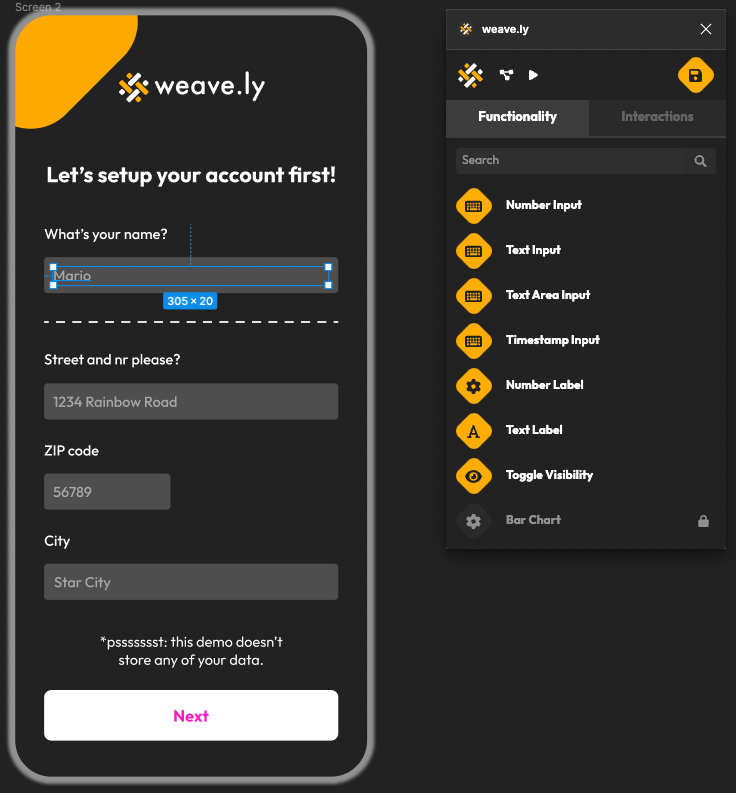 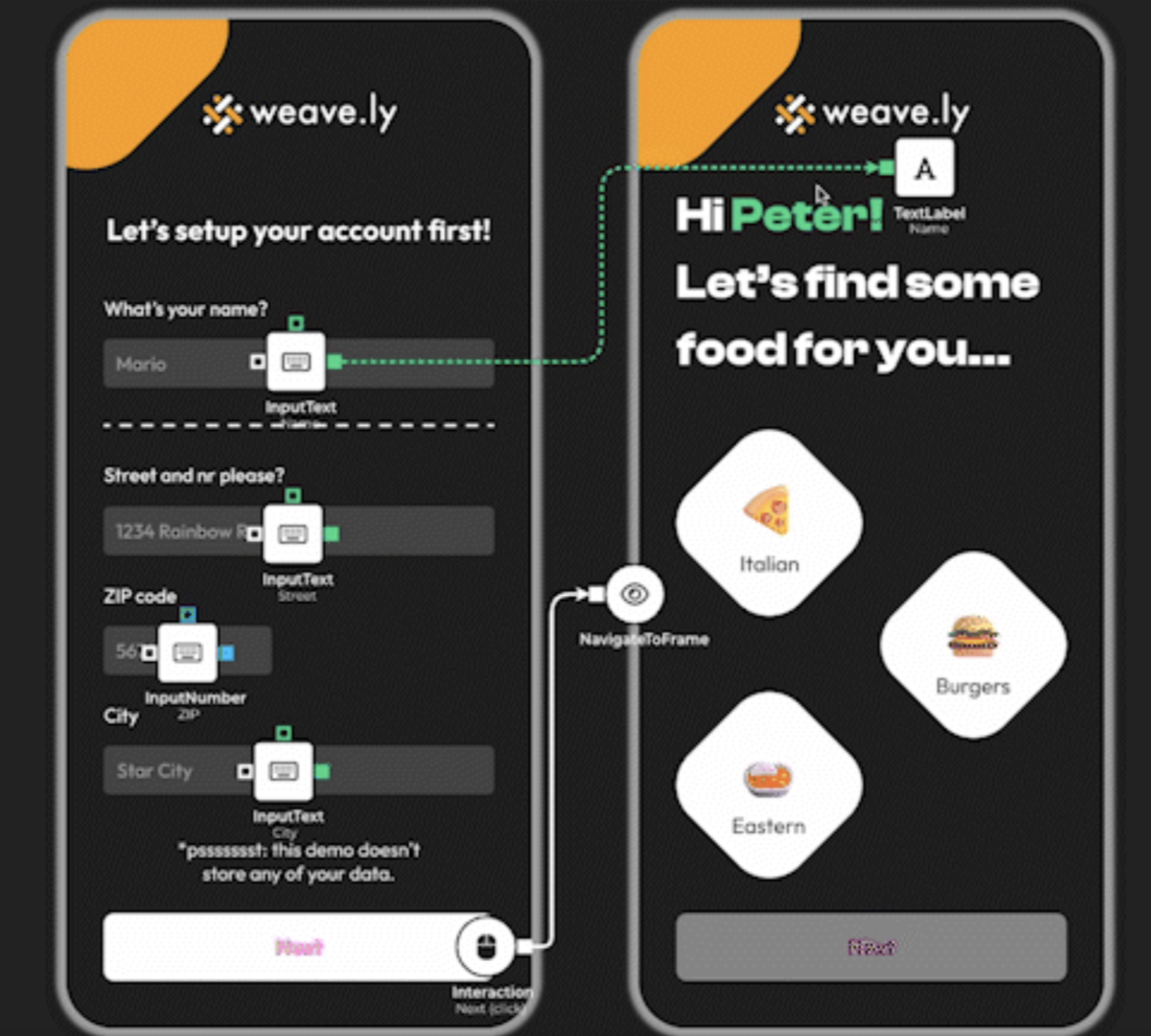 |
