Five9 is cloud contact center software for inbound, outbound, blended, or multi-channel operations. This solution includes management capabilities such as campaign management, quality monitoring, real-time and historical reporting, and call recording.
$119
per month
RealVNC Connect
Score 8.6 out of 10
N/A
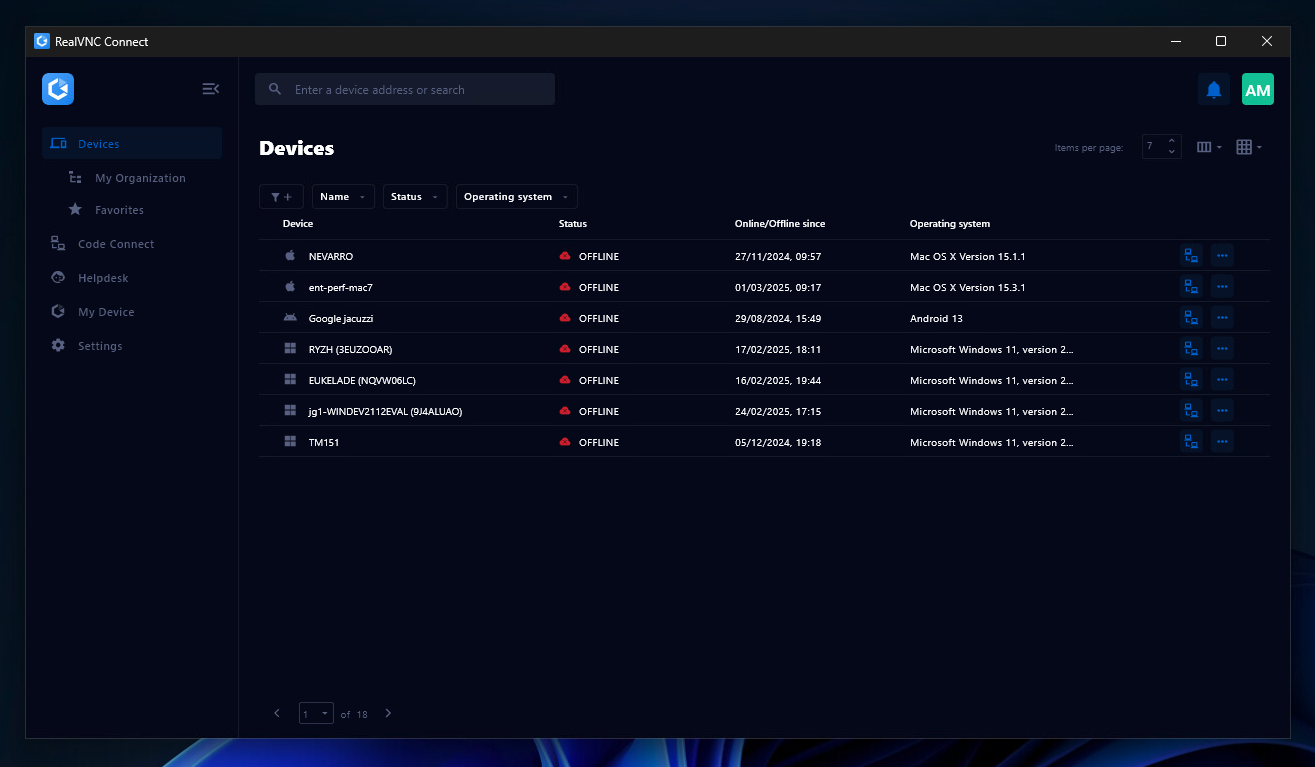
RealVNC® Connect is a secure remote access solution from RealVNC. It can be used to connect to a remote device anywhere in the world to view its desktop in real-time and take control as though sitting in front of it.
$99
per year (one concurrent session)
Pricing
Five9
RealVNC Connect
Editions & Modules
Core
$119
per month
Digital
$119
per month
Premium
Contact sales team
Contact sales team
Optimum
Contact sales team
Contact sales team
Ultimate
Contact sales team
Contact sales team
Essentials
$8.25
per month (billed annually) per concurrent session
Plus
$16.50
per month (billed annually) per concurrent session (add up to 3)
Premium
$29.75
per month (billed annually) per concurrent session (add up to 5)
Enterprise
Custom Pricing
per year
Enterprise
Custom Pricing
Offerings
Pricing Offerings
Five9
RealVNC Connect
Free Trial
No
Yes
Free/Freemium Version
No
Yes
Premium Consulting/Integration Services
Yes
No
Entry-level Setup Fee
No setup fee
No setup fee
Additional Details
Five9 offers pricing options to suit your business needs:
Monthly On-Demand —Companies looking to quickly scale their operations with minimum costs
Per-Minute Fees — Products such as voice message broadcasting or IVR with Speech recognition
Annual Contracts — Reduced fee compared to monthly on-demand pricing
Plans work on a Per Concurrent Session basis. Each plan gives access to a bundled number of devices, but limits apply to the amount of devices that can be connected at any given time.
The Premium plan includes On-Demand Assist, a useful tool for providing just-in-time remote support to end-users without them needing RealVNC Connect installed on their device.
More Pricing Information
Community Pulse
Five9
RealVNC Connect
Features
Five9
RealVNC Connect
Contact Center Software
Comparison of Contact Center Software features of Product A and Product B
Five9
8.0
20 Ratings
5% below category average
RealVNC Connect
-
Ratings
Agent dashboard
6.919 Ratings
00 Ratings
Validate callers
8.217 Ratings
00 Ratings
Outbound response
7.717 Ratings
00 Ratings
Call forwarding
7.715 Ratings
00 Ratings
Click-to-call (CTC)
8.515 Ratings
00 Ratings
Warm transfer
8.118 Ratings
00 Ratings
Predictive dialing
8.515 Ratings
00 Ratings
Interactive voice response
7.915 Ratings
00 Ratings
REST APIs
8.614 Ratings
00 Ratings
Call scripts
7.715 Ratings
00 Ratings
Call tracking
8.819 Ratings
00 Ratings
Multichannel integration
7.418 Ratings
00 Ratings
CRM software integration
7.818 Ratings
00 Ratings
Workforce Optimization (WFO)
Comparison of Workforce Optimization (WFO) features of Product A and Product B
Five9
8.1
28 Ratings
3% below category average
RealVNC Connect
-
Ratings
Inbound call routing
9.117 Ratings
00 Ratings
Omnichannel inbound routing
8.415 Ratings
00 Ratings
Recording
9.018 Ratings
00 Ratings
Quality management
8.127 Ratings
00 Ratings
Call analytics
7.417 Ratings
00 Ratings
Historical reporting
7.819 Ratings
00 Ratings
Live reporting
8.018 Ratings
00 Ratings
Customer interaction analytics
7.415 Ratings
00 Ratings
Remote Administration
Comparison of Remote Administration features of Product A and Product B
Five9
-
Ratings
RealVNC Connect
7.3
32 Ratings
8% below category average
Screen sharing
00 Ratings
9.028 Ratings
File transfer
00 Ratings
8.015 Ratings
Instant message
00 Ratings
6.119 Ratings
Secure remote access with Smart Card authentication
We use Five9 as a tool to make and receive calls from various departments such as Customer Service, Underwriting, Claims, and others. It's a tool that has helped us complete various tasks to contact our customers. It has also allowed us to replace Zoom Phone, as it makes it easier to assign new contact numbers to agents, while Zoom Phone only allows reusing numbers. It's a good tool with an easy-to-use interface for new users.
It is very easy to use if the remote device is already set up to receive connections, so if you are setting up devices before deploying them, it is a great tool to have. It is well-suited to use when shadowing users or using it as a teaching tool. There are other products that are better if you are trying to help someone on a one-use basis.
The service is so good and they give very efficient support in customer need.
The calls we can do in Five9 include incoming, outgoing, voicemails and we can also send a note to a specific person. It's a very reliable mode of communication.
VNC Connect does an excellent job in remotely connecting to a computer through either your local area network or even another computer on the internet. As long as the VNC Connect services is installed and the client is running in the background.
VNC Connect provides password protection to prevent unauthorized users from attempting to remotely access your computer. There's an option to have a separate password to remotely view vs view & access a computer. You can even add an additional level of security by turning on the feature to require Windows login credentials.
VNC Connect provides an additional set of controls after a remote connection has been established with another computer. You can have special keystrokes like Ctrl+Alt+Del sent as a command sequence to the other computer as well as access more than a single screen when in use at the remote computer location.
Text. Texting is incredibly difficult on Five9. We've had issues with only some texts logging to Salesforce, issues with threading of text conversations, and issues with having Salesforce contact information appear on the text widget (knowing who you are texting, not just their phone number).
The interface to "pause" is challenging. There are not good reminders to our reps to remember to pause or log out of Five9. If you forget to log out, this can affect stats about who worked the longest hours that day - and it's hard to know who actually was active on the phones.
Inbound voicemails are too-easily hidden. It's challenging for a lot of our reps to remember to check their inbound voicemails because it is hard to access them in the Five9 widget.
VNC is a solid product for the price. It simply works and its reliable across different platforms. Some products state they work well in the Mac environment but don't deliver. This one does what it says. Connections are reliable, but of course, this depends on internet connections. The product works well over wireless connections as well. It delivers on what a remote tool should deliver on. My technicians are happy with the product and customers appreciate the ease of use when letting us connect to their systems. Some also appreciate the remote support while they are multi-task.
overall usability is very great. User friendly interface for agents within the Salesforce with the engage button. Easy to go offline and online. Very good Integrations with Salesforce helps lot of clients that implemented Salesforce. As it is cloud based, agents can access it from anywhere. While the agent experience is goof, as a technical person it is hard to manage with the Five9 VCC and also the reporting User Interface is bad and slow when there are large amount of records.
It's a niche product and in that niche they try to cater to as many use cases as they can. Other as a TCO aspect i don't see many use cases where you can't use this product as the one tool for all remote session use cases in your company
The system's performance is great. Page loads quickly. Reports are generated quickly and sent to our email or FTP. The integration did not impact the performance of our other applications. We have not seen any drop in the performance of either applications since we performed the integration.
Five9's Customer Support team is also based in Manila Philippines, thus turnaround email response times for our reported issues are great for our requirements. Their CS agents also facilitate mobile calls to followup on outstanding issues and operate on a 24/7 schedule. We've also had experience working with the senior tech agents to investigate recurring issues to completion.
VNC Connect is a reliable product that has been around for a long time. It is reasonably priced and works well in the Mac & PC environment. When you have a small team that supports many users we need tools that we can rely upon and that will get the job done on the first try. Many customers appreciate the quick assistance and can multi-task while our team works on their computer issues remotely. From a customer service point of view, this tool gives us transparency and efficient effectiveness.
I took the certification course for administrator and also received some tips while working with the developer during implementation. The UI was very intuitive, so I was able to figure out how things worked when I configured the users, skills, campaigns, IVR scripts. I worked with the Five9 AI team to beta test Agent Assist.
The training is very informative, quick and to the point. All of the details one would need are present so the user doesn't have to go searching for additional information just to use the application. The layout of the training was also neat and concise, some of the other training sessions for other companies I've done in the past were confusing and not well thought out, this one is much more superior
The implementation team that was assigned to us was great. The project manager was very helpful and managed the timeline very efficiently. The developer was very helpful and provided insights while helping us configure the system.
Initially selected Five9 but have since switched to RingCentral which has given us what we needed. Better CRM integration, simpler and in my opinion more robust reporting capabilities and the same omnichannel solution at a fraction of the cost
VNC is light and sleek with the quick setup, was impressed with the quick setup despite poor Internet connection outdoor. TeamViewer is good, but the pricing is not as good as VNC. Both do the basic job, but VNC still outperform TeamViewer in terms of performance and ease of use.
It was very easy to add additional licenses. Once we placed the order, it was activated the following day. Since it's web-based, it's very quick to deploy across multiple sites.
Five9 Professional Services team is very knowledgeable and efficient. I worked with them during implementation and during beta testing for Five9 Agent Assist and Ai Insights.
I have just used the software for about 1 month and so far so god. I am saving time whenever I can access my client's computers from my desk as opposed to having to leave my office to go to their offices. Saves me time and the client money.