Flock is a collaborative business messaging application, designed to compete with Slack. The app is presented as a fast and reliable means of communication, and is available in a free edition for teams of up to twenty members.
$0
for teams of 1-20 members
Nuclino
Score7.1 out of 10
N/A
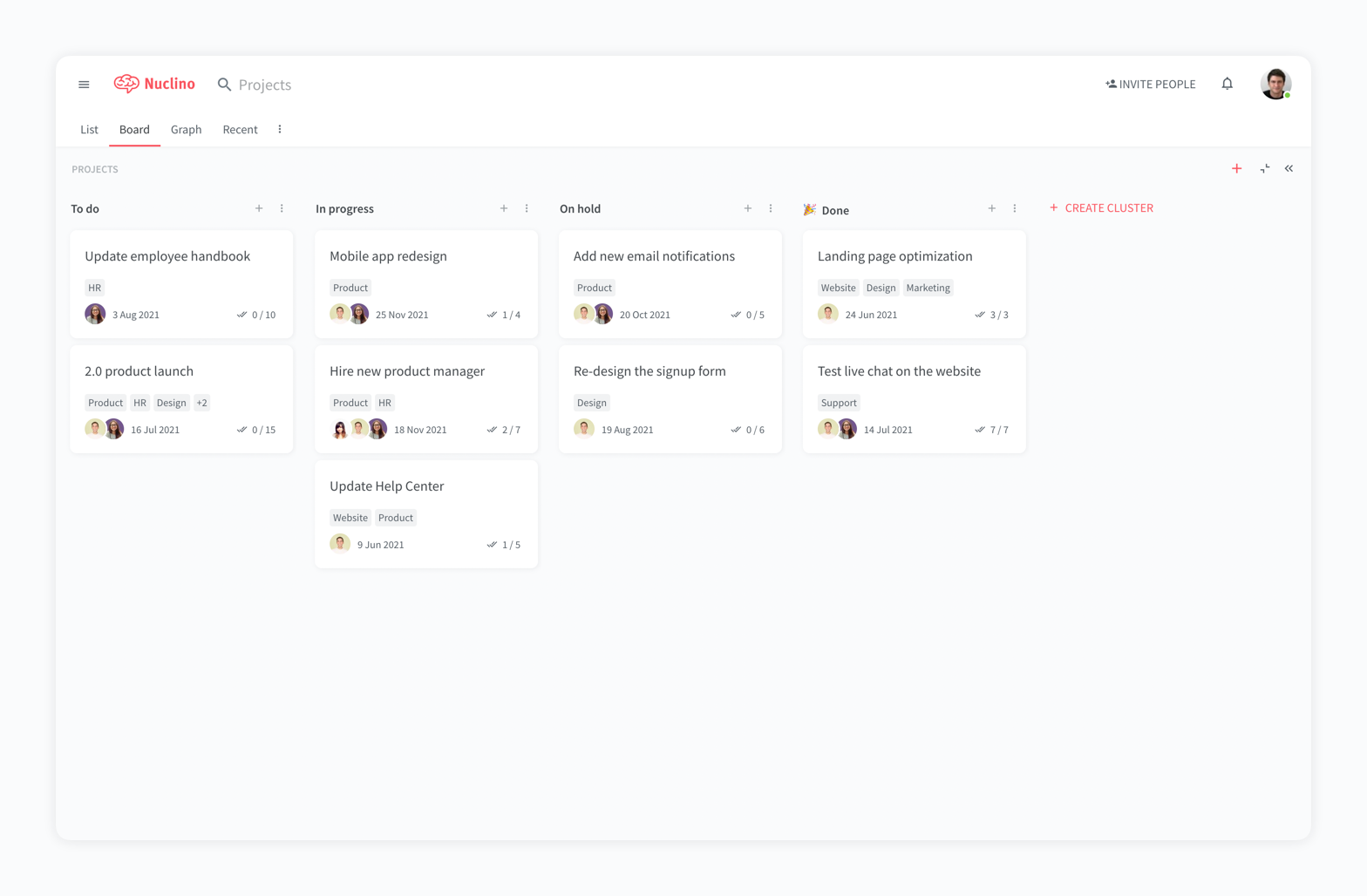
Nuclino is a unified workspace where teams can organize knowledge, manage projects, and share ideas. Progress can be tracked in a Kanban board, work structured in a hierarchical list, or data organized in a visual graph — Nuclino adapts to a team's workflow. Presented as simple and lightweight by design, Nuclino focuses on the essentials, doing away with clunky menus and rarely-used settings, to minimize the learning curve for new users. Teams from across the globe can use Nuclino…
$0
Pricing
Flock
Nuclino
Editions & Modules
Starter
$0
for teams of 1-20 members
Pro
$6
per month per user (ideal for teams of 20-100 users)
Enterprise
Contact Sales
for organizations of 100+ members
Free
$0
per month per user
Starter
$8
per month per user
Business
$12
per month per user
Offerings
Pricing Offerings
Flock
Nuclino
Free Trial
No
Yes
Free/Freemium Version
No
Yes
Premium Consulting/Integration Services
No
No
Entry-level Setup Fee
No setup fee
No setup fee
Additional Details
Discount available for annual pricing.
Nuclino offers a free plan for up to 50 items and 2GB total storage. Commercial plans support unlimited items, advanced features, and 10GB storage per user. 25% discount for annual pricing.
Flock is very well suited in scenarios where individuals must communicate via chat. It also works great when teams need to communicate via group chat messages. File and document sharing is another area where Flocks works well. Channels are used for discussions on specific topics or organization-wide announcements. Flock may be less appropriate when you use it for voice and video calls. Where.
A de minimis incentive was given to thank the reviewer for their time. The incentive was not used to bias or drive a particular response, nor was the incentive contingent on a positive endorsement. More Info
For game design - Perfect for personal notes, recipes, snippets - Perfect for storing some organized data (for example, links to resources) - Perfect for a content playground powered by AI - Very good for diagrams - Very good. Don't know any bad examples. Tool really great. Rich functionality. Especially love different views (table, graph).
Networked phones are a thing of past now. We don’t have to stop what we are doing to receive phone calls currently because Flock can do that
It is now easy to send messages to many people at the same time, all we need to do is to add all the contants in the chat and select all to send a message
This software has an in-built to-do-list which allows us to assign tasks to different people or users and then supervise each independently
A de minimis incentive was given to thank the reviewer for their time. The incentive was not used to bias or drive a particular response, nor was the incentive contingent on a positive endorsement. More Info
The system is extremely fast. The application loads and displays data in milliseconds. This makes the system easy to work with.
It's also easy to edit documentation and information, as information can be editing directly without the use of an "edit" button.
Pricing: Loading speed, ease of use and quick editing are its main advantage that makes it stand out from competitors. Having said that, the pricing is very good as well.
A de minimis incentive was given to thank the reviewer for their time. The incentive was not used to bias or drive a particular response, nor was the incentive contingent on a positive endorsement. More Info
A de minimis incentive was given to thank the reviewer for their time. The incentive was not used to bias or drive a particular response, nor was the incentive contingent on a positive endorsement. More Info
A de minimis incentive was given to thank the reviewer for their time. The incentive was not used to bias or drive a particular response, nor was the incentive contingent on a positive endorsement. More Info
We would likely to renew use of Flock for our organization since it meets most of the requirements of team collboration and communication for a small group like us. Most of our Flock users like it's features and use it extensively for day-to-day work. We are quite optimistic about it's future updates.
A de minimis incentive was given to thank the reviewer for their time. The incentive was not used to bias or drive a particular response, nor was the incentive contingent on a positive endorsement. More Info
It is good to give what an app deserves, Flock is very efficient and effective app to manage the all day to day activities and communicate across all team members, create groups, share files, send reminders schedule reminders for each group or persons and share notes.Pin files and search any messages from anyone with advanced filters. It's a great app.
A de minimis incentive was given to thank the reviewer for their time. The incentive was not used to bias or drive a particular response, nor was the incentive contingent on a positive endorsement. More Info
It has a very clean UI for me, the multiple views are so so useful, we can collaborate freely, and fast. This app helped us to grow because now we are giving our time more on generating ideas and of course getting more projects and clients giving real ROI instead of focusing on organizing files. But just like all apps out there, it has some room for improvement
A de minimis incentive was given to thank the reviewer for their time. The incentive was not used to bias or drive a particular response, nor was the incentive contingent on a positive endorsement. More Info
We've only needed customer support a few times with Flock (mainly concerning app integration and security), and they've always been timely and helpful, which are the only things I truly need from support. The response rate was still rapid, and there's plenty of support available online as well for Flock.
A de minimis incentive was given to thank the reviewer for their time. The incentive was not used to bias or drive a particular response, nor was the incentive contingent on a positive endorsement. More Info
My team has an individual dedicated to content management and Nuclino is one of her job descriptions. It's nice knowing she is able to handle any issues that arise before we even realize they exist. We haven't had any technical issues since implementation so that's been a very pleasant experience.
A de minimis incentive was given to thank the reviewer for their time. The incentive was not used to bias or drive a particular response, nor was the incentive contingent on a positive endorsement. More Info
Flock as mentioned takes the best of all these apps and improves upon them. Flock's UI was exactly what we were looking for and Flock doesn't overcharge small teams for search functional or messaging. It just offers a great product at a great price combined with great support. Their chat ticket system works almost immediately.
A de minimis incentive was given to thank the reviewer for their time. The incentive was not used to bias or drive a particular response, nor was the incentive contingent on a positive endorsement. More Info
Nuclino is the clear winner when it comes to ease of use for both the administrator and user. Less setup time and less "training" time. The streamlined interface is quick and intuitive to learn and is not cluttered as compared to Confluence. Every tool you need to use to create a page or administer the workspace is available immediately on screen or by right-clicking. In contrast, Confluence buries many tools in administrative interfaces and only allows use of some features once you make several clicks to include a "macro" or "plug-in". We use both tools and I get complaints constantly from my team about how complicated Confluence can get just to author a quick page.
A de minimis incentive was given to thank the reviewer for their time. The incentive was not used to bias or drive a particular response, nor was the incentive contingent on a positive endorsement. More Info
A de minimis incentive was given to thank the reviewer for their time. The incentive was not used to bias or drive a particular response, nor was the incentive contingent on a positive endorsement. More Info