FollowUp Power CRM for Construction is a CRM system for the construction industry. Features include lead tracking, sales pipeline analysis, closing ratios, quota management, project management, and dashboards. It can integrate with other marketing and accounting products.
N/A
Insightly
Score 7.7 out of 10
N/A
Insightly is presented as a modern, affordable CRM that is easy to use, simple to customize, and that scales with companies as they grow, designed to solve common pain points that legacy CRMs can't. Available in any vertical, Insightly CRM customers can add companion products for marketing automation, customer service, and integrations in the same platform. Insightly has more than a million users worldwide.
$348
per year per user
SuperOffice CRM
Score 7.0 out of 10
N/A
SuperOffice CRM is a customer relationship management (CRM) software built as an integration with all Microsoft Office applications.
One of the best things about FollowUp Power is that we can mark things for follow-up several months down the line, which we frequently have a need for since many of our clients are seasonal. For example, we'll get started working with them while they're here in Florida for the winter, then they'll head back north in the spring and not want to hear from us again until they return in the fall. With FollowUp Power, we can then mark them for follow up in the future rather than to have to somehow remember to contact them in the future.
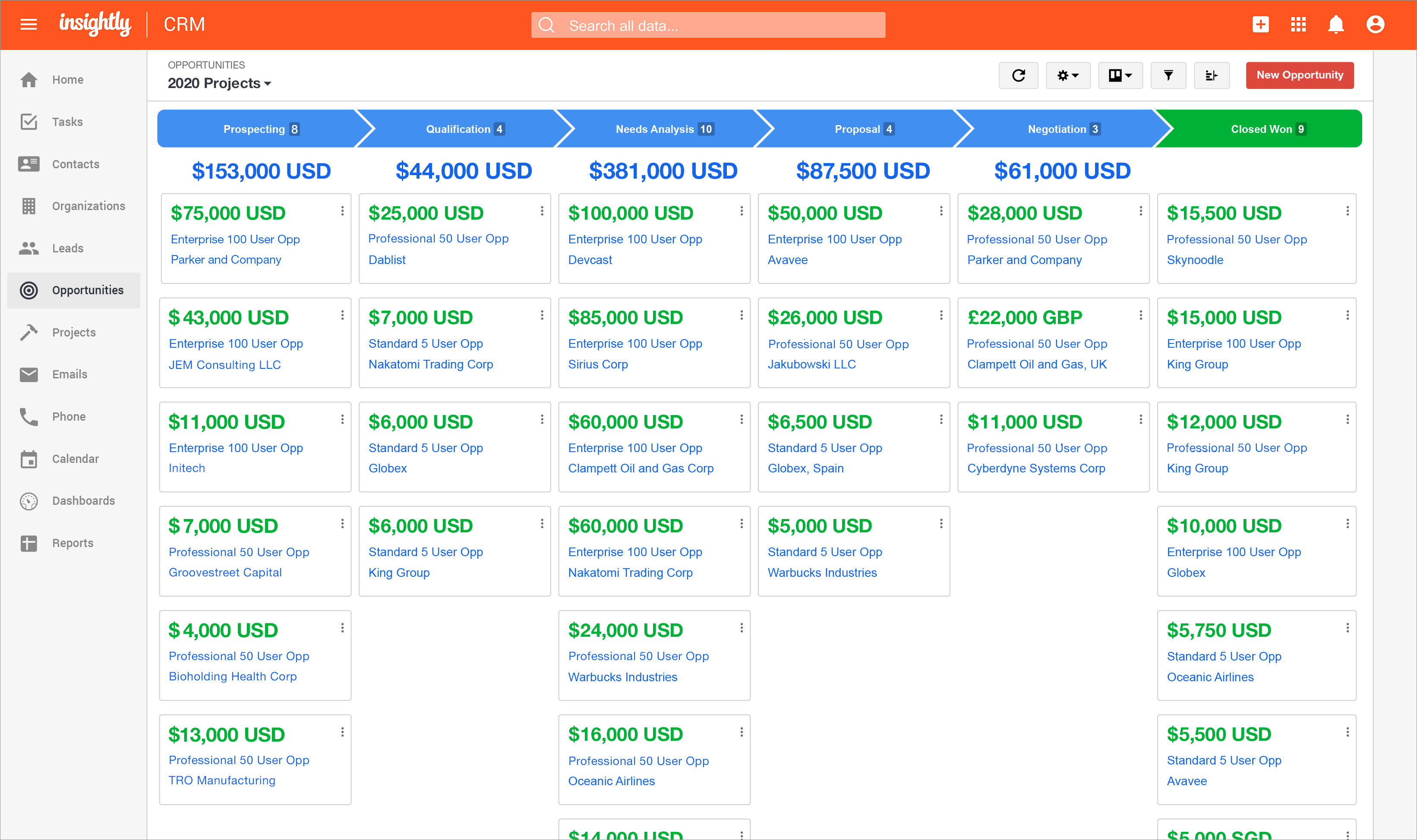
If a business has a simple workflow for purchasing a product or service for a customer and they want to keep track of this workflow then Insightly is very useful. The more complex a business operation is then Insightly starts to become difficult to use. I would recommend Insightly for small and medium sized businesses. Large businesses might have issues delegating tasks across many different users in a large company
Not the most modern or integrated crm in the world in my opinion. I feel that the user interface needs to be redone and modernized, the mobile app is outdated, and the cloud-based Microsoft Exchange calendar sync is way too expensive.
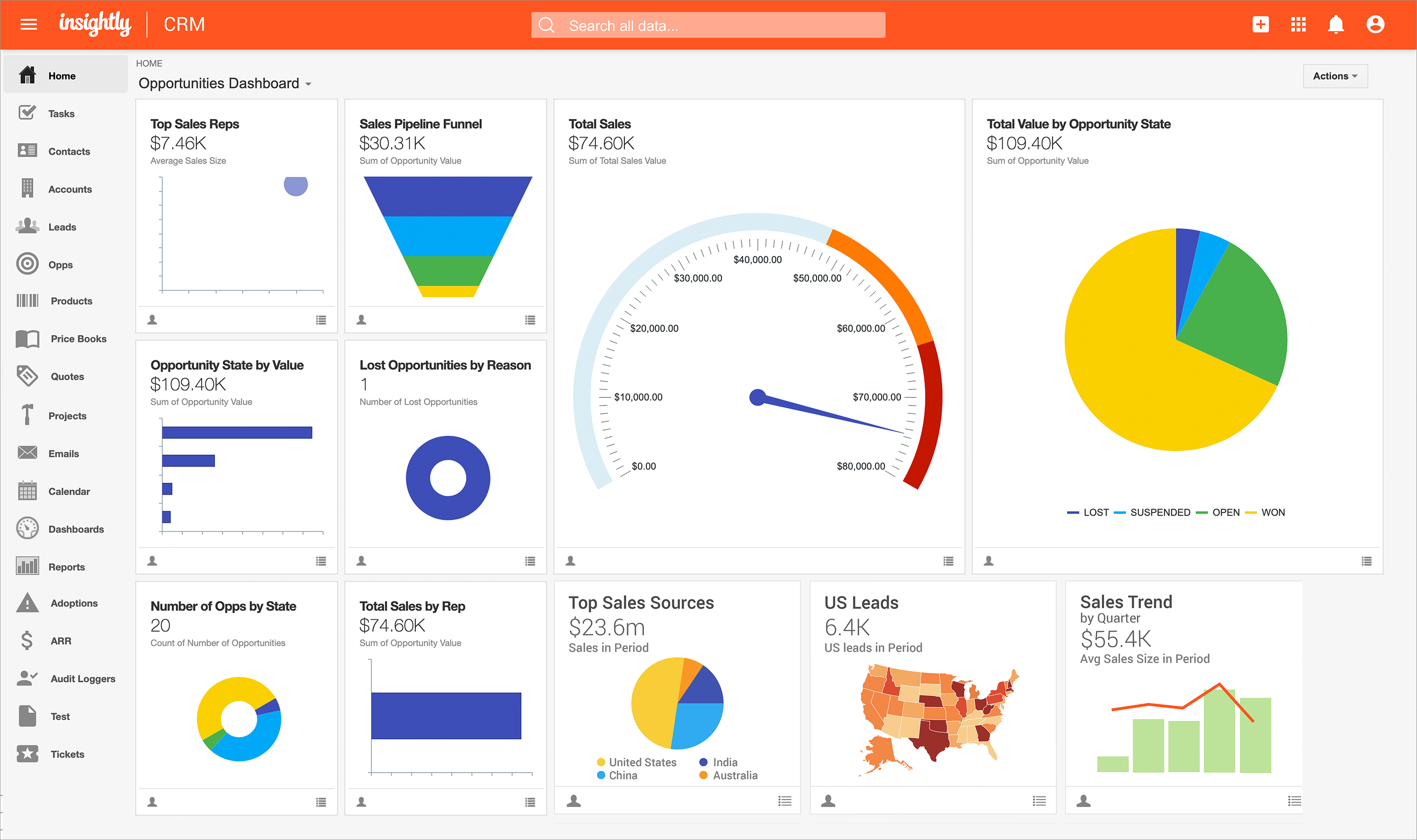
We love the dashboard feature. This is where we spend the majority of our time. The dashboard helps us avoid missing bid dates and deadlines.
The system is very intuitive and a new user will be up to speed within one hour after they start using the system. There is only one place to enter all data. This allows for ease of use and minimizes data entry mistakes.
Every task is date stamped to insure proper work flow and holds the team accountable to each other.
It really needs to have the capability of listing numerous phone #s with a note beside each one ("his cell#", "her work#", "do not call before 9a.m.", etc.).
It really needs to have the capability of listing numerous e-mail addresses ("hers", "his", "her email address at work", etc.).
It would be nice to have a separate general information box where we could put comments in that would show every time we bring up the account (such as "her nickname is Bobbi", "their dogs name is Fido, "their son is currently stationed in France", "husband is going through chemotherapy", etc.), which would help us to remember personal details that are important to our clients.
Once you are immersed in the platform, for all of its integration kudos, the platform became "intuitive" if that is the right word for it. There was some push back from staff on deployment.
The service and support team at Insightly was very responsive, but it seemed as if they had fielded similar complaints, and slower learning curves than we expected.
Unfortunately, while all has worked out nicely now and we are very happy with the platform, we had to have additional instruction time for all the staff during onboarding as workflows, dashboards, and pipelines were more time intensive than expected on the demo.
Insightly offers a great product; it's the right fit for our company at this time. We were, however, considering moving to Contactually due to their cost effective automation features. However, they lacked the project management capabilities of Insightly. As our company grows, we would love to stay with Insightly - and if they can nail the automation and add the ability to customize a little bit more, it would be the perfect solution for us. For a larger company with a more involved sales team, you might find the metrics/reporting to be a bit basic. Insightly offers great customer service even to free customers
Some items are not easily accessible as an admin, and the number of available resources is outdated (video from 2017). For basic tasks such as updating prospects or contacts, it is fine. However, when you change the screen size, the system becomes less responsive, with tables often being difficult to read.
The provider is 100% available, with no downtime, maintenance, or unexpected outages. We have been able to perform solid continuous services for 12 months without any interruptions. We have backups as well, unlike the in-house backup that they keep on their end. I believe they have a very good redundancy and backup infrastructure in case they get any outages.
Pages normally load quickly, but every now and then, as entering updates to fields, it take a while to update. Sometimes even after refreshing the screen, we have to exit and go back in to get the fields or queries to update.
We have used Insightly for almost 2 years now. We have always been able to get in touch with support for a variety of reasons and they have never disappointed us. The support staff have always been very understanding. They have assisted with answers to our questions and have provided great tech support. We would highly recommend them.
Well, we didn’t get the chance to do this in-person training but rather one-on-one online training with HR in-house. There were PowerPoints to discuss as well as video instructions on how to use the app, so it was okay. We were able to play around with it during the training or onboarding session.
I've used Insightly's online training &/ or learned as I went. I've found the blogs and online written material helpful. I've also attended a few webinars, which can be useful if you use a J-I-T approach so as not to overwhelm you (or your staff) with functionality that you are using just yet. The fact that it's all available on their website and you can learn at your own pace is invaluable
did not participate in the implementation of this product did not participate in the implementation of this product did not participate in the implementation of this product did not participate in the implementation of this product did not participate in the implementation of this product did not participate in the implementation of this product
My company had already implemented FollowUp Power CRM for Construction before I arrived. I have used other CRM programs in the past, and FollowUp Power is much more user friendly, and I have already seen a direct increase in my lead to customer conversion ratio as well as increased sales
Insightly is significantly better than Zendesk. It is easy to use, pleasant to look at, and makes sense. However, I don't think Insightly is fair now compared to Salesforce. Insightly can do many of the same things as Salesforce, but I've only started on some of these features. Insightly has excellent potential, and its support team drives me to make it what I believe it can be. For the price, I believe Insightly is worth it.
I don’t have the exact answers for this, but our accounting or finance department negotiates this. They always handle this kind of stuff and negotiate yearly licenses. Usually, they purchase 10 licenses in bulk and ask for a discount in bulk. Other than that, if there are any issues encountered on the app, they account for that. If it’s broken, that’s also taken into consideration when renewing the contract.
(+) Being able to download my LinkedIn connections was a huge benefit. (+) I use the task function to stay on top of my follow-up activity which is another positive feature. (+) The sorting capabilities also help me pinpoint the contacts that I need to stay on top of. (-) When I add a new lead from an existing organization, I would like the organization's information to automatically populate the fields like address, website, description. I enter all that information manually. (-) My mass mailing experience has been tedious due to the email function being interrupted and crashing due to bad email addresses in some of my records. (-) Many of my leads do not have current email addresses. I wish Insightly offered a tool to help find email addresses. I spend too much time researching to find email addresses.
I have seen a lot better tracking on my jobs when it comes to scheduling and staying on top of my jobs.
The dashboard is part of my daily routine it tells me exactly what I need to follow up on weather it is calling the customer or checking on the customer.
Payments or what the current status of the job is.
Positive Impact>Visibility is critical when it comes to taking proactive measures within the organization. The Insightly Tool has helped use with that which minimizes costs when it comes to rework. We can proactively plan for upcoming growth and identify areas of improvement.