TrustRadius: an HG Insights company

Save this comparison

Save this comparison

Add Product

Recommended Comparisons

    Overview
    ProductRatingMost Used ByProduct SummaryStarting Price

    FortiMonitor

    Score8 out of 10
    N/AFortiMonitor is a comprehensive, SaaS-based digital experience monitoring (DEM) platform that helps organizations modernize their performance-monitoring tools. It provides visibility into endpoint application performance and digital experience—no matter where the user resides or where the application is hosted. It is based on Panopta, which was acquired by Fortinet in late 2020.N/A

    LogMeIn Resolve

    Score9.1 out of 10
    N/ALogMeIn Resolve is an IT management and support solution designed to help organizations take control of their IT infrastructure. The platform combines features like remote monitoring, access, and support with tools such as ticketing, AI-assisted task automation, and patch management.

    $29

    per month

    Pricing
    FortiMonitorLogMeIn Resolve
    Editions & Modules
    No answers on this topic
    Starter
    $29
    per month
    Growth
    $55
    per month
    Advanced
    $78
    per month
    Premium Endpoint Management
    $78
    per month
    Complete
    $94
    per month
    Offerings
    Pricing Offerings
    FortiMonitorLogMeIn Resolve
    Free Trial
    YesYes
    Free/Freemium Version
    NoNo
    Premium Consulting/Integration Services
    YesNo
    Entry-level Setup FeeNo setup feeNo setup fee
    Additional DetailsOur simple, usage-based pricing model is ideal whether you have five servers, or 500 hundred. You’ll be charged monthly per the number of instances monitored, and any additional features you’re using, such as CounterMeasures and synthetic checks. Standard Instances - $6/Instance Network Devices - $9/Device Containers - $2/ContainerVolume discounts are available. MDM is available as a standalone or as an add-on. Discount available for annual billing.
    More Pricing Information
    Community Pulse
    FortiMonitorLogMeIn Resolve
    Considered Both Products
    Fortinet
    No answer on this topic
    GoTo formerly LogMeIn
    No answer on this topic
    Key User Insights
    Would buy again
    No answers on this topic
    91%
    Would buy again
    101 Answers
    Delivers good value for the price
    No answers on this topic
    94%
    Delivers good value for the price
    92 Answers
    Happy with the feature set
    No answers on this topic
    95%
    Happy with the feature set
    106 Answers
    Lived up to sales and marketing promises
    No answers on this topic
    93%
    Lived up to sales and marketing promises
    69 Answers
    Implementation went as expected
    No answers on this topic
    95%
    Implementation went as expected
    88 Answers
    Best Alternatives
    FortiMonitorLogMeIn Resolve
    Small Businesses
    No answers on this topic
    Avast CloudCare
    Score10 out of 10
    Medium-sized Companies
    Catchpoint
    Score8.5 out of 10
    Action1
    Score9.4 out of 10
    Enterprises
    Nexthink
    Score7.3 out of 10
    ManageEngine Endpoint Central
    Score9 out of 10
    All AlternativesView all alternativesView all alternatives
    User Ratings
    FortiMonitorLogMeIn Resolve
    Likelihood to Recommend
    8.0
    (1 ratings)
    9.0
    (131 ratings)
    Likelihood to Renew
    -
    (0 ratings)
    6.8
    (17 ratings)
    Usability
    -
    (0 ratings)
    8.3
    (111 ratings)
    Availability
    -
    (0 ratings)
    9.1
    (3 ratings)
    Performance
    -
    (0 ratings)
    6.4
    (2 ratings)
    Support Rating
    -
    (0 ratings)
    9.1
    (7 ratings)
    In-Person Training
    -
    (0 ratings)
    9.1
    (1 ratings)
    Online Training
    -
    (0 ratings)
    9.1
    (1 ratings)
    Implementation Rating
    -
    (0 ratings)
    9.1
    (5 ratings)
    Configurability
    -
    (0 ratings)
    9.1
    (1 ratings)
    Contract Terms and Pricing Model
    -
    (0 ratings)
    7.3
    (1 ratings)
    Product Scalability
    -
    (0 ratings)
    9.1
    (1 ratings)
    Professional Services
    -
    (0 ratings)
    9.1
    (1 ratings)
    Vendor post-sale
    -
    (0 ratings)
    9.1
    (1 ratings)
    Vendor pre-sale
    -
    (0 ratings)
    9.1
    (1 ratings)
    User Testimonials
    FortiMonitorLogMeIn Resolve
    Likelihood to Recommend
    Fortinet
    It is great for monitoring internet connections.
    The agent installed on Windows works efficiently and takes up little resources. The method of settling costs is not very clear.
    There should also be a table with the current list of costs visible.
    Incentivized
    Read full review
    GoTo formerly LogMeIn
    LogMeIn is well-suited for scenarios where remote support is needed. For example, a user submits a ticket about having an issue with Microsoft Word being unable to open documents on their PC. Since this is just a software issue on the device, LogMeIn is great for being able to fix the issue. Scenarios, I would say LogMeIn Resolve is not as well-suited for inventory management. But that's only because my organization has a proprietary system to manage assets.
    Incentivized
    Read full review
    Pros
    Fortinet
    • Monitoring from several locations
    • Fast notification
    • Push notifications, SMS and calling
    Incentivized
    Read full review
    GoTo formerly LogMeIn
    • Allows easy, comprehensive access to Apple products via web-based applet. (It does require customer input and cooperation.)
    • It allows me to resolve issues remotely, most times within minutes instead of hours, without a physical location visit.
    • It allows the customer to view my activity, giving them peace of mind that nothing untoward occurs during my interaction. I also use the record feature so all sessions are recorded, especially on rare occasions when there is an issue or question from the session.
    Incentivized
    Read full review
    Cons
    Fortinet
    • Simplifying the interface
    • Simplification of the process, e.g. notifications to Slack
    • Dark mode for panel and dashboard
    • Push notification - should contain more detailed information
    • A nicer looking dashboard
    Incentivized
    Read full review
    GoTo formerly LogMeIn
    • The user interface is clunky and difficult to use in terms of CRITICAL functions that lie at the core of any remote access solution.
    • ctrl + key combos are currently terribly implemented and difficult to use - since this is one of the most common keys used in Windows - this presents MASSIVE usability issues that impede my workflow all day every single day.
    • And now - in a recent development - SHIFT + key combos are currently terribly implemented and difficult to use - since this is one of the most common keys used in Windows - this presents MASSIVE usability issues that impede my workflow all day every single day.
    • Things like frequently used key combos and shortcuts should work the same via remote access solutions as they do on a hardware keyboard. Anything else is an annoyance and an impediment to workflow and productivity.
    Incentivized
    Read full review
    Likelihood to Renew
    Fortinet
    No answers on this topic
    GoTo formerly LogMeIn
    I would say yes, we would definitely renew, everyone likes it in the IT dept, and there are more features we have yet to put to use. I am expanding the Windows update / Endpoint features as I get time, and the remote PowerShell console is unbeatable for me at present when facing remote computers that are not letting create a new remote PSSession.
    Incentivized
    Read full review
    Usability
    Fortinet
    No answers on this topic
    GoTo formerly LogMeIn
    The interface is clean, intuitive, and easy to navigate. Common actions are easy to locate and exactly where I would expect them to be. Starting a remote session is quick and smooth, which reduces the time users need to wait before receiving support. I also appreciate the single-pane dashboard showing remote access, session details, and device information.
    Incentivized
    Read full review
    Reliability and Availability
    Fortinet
    No answers on this topic
    GoTo formerly LogMeIn
    Usually available without a problem, although sometimes calls get dropped or users sit in empty meeting rooms while waiting for an admin to arrive, while the call is actually going on.
    Read full review
    Performance
    Fortinet
    No answers on this topic
    GoTo formerly LogMeIn
    If you are connected to someone with proper bandwidth, there are no issues at all. With all things, if you connect to someone with dial-up (yes, it still exists), the performance is terrible.
    Read full review
    Support Rating
    Fortinet
    No answers on this topic
    GoTo formerly LogMeIn
    Ive used their tech support a handful of times, and each time they have been able to help me sort out any hiccups or kinks that arise. They have a resourceful knowledge base, and have experts available for training and troubleshooting. I often recommend them to my other coworkers and colleagues because of the ease of use and security
    Incentivized
    Read full review
    In-Person Training
    Fortinet
    No answers on this topic
    GoTo formerly LogMeIn
    we did not have in person training
    Incentivized
    Read full review
    Online Training
    Fortinet
    No answers on this topic
    GoTo formerly LogMeIn
    n/a - wasnt in attendance
    Incentivized
    Read full review
    Implementation Rating
    Fortinet
    No answers on this topic
    GoTo formerly LogMeIn
    GoToAssist SeeIt was very easy to implement. As long as your techs have a basic understanding of most remote support tools they will be able to understand this product easily.
    Incentivized
    Read full review
    Alternatives Considered
    Fortinet
    Panopta management from the cloud (remote panel).
    Easy work on installation.
    To monitor servers, it is enough for the server to have contact only with the Internet.

    Multiple channels for sending notifications.
    Incentivized
    Read full review
    GoTo formerly LogMeIn
    Although the SolarWinds help desk worked well for our help desk and inventory purposes, it did not provide remote access ability or remote execution of executable files or scripts. We were looking for a product that integrated all of these tasks in order to simplify our day to day IT functions.
    Incentivized
    Read full review
    Contract Terms and Pricing Model
    Fortinet
    No answers on this topic
    GoTo formerly LogMeIn
    I wasn't involved with this element of the sale/purchase
    Incentivized
    Read full review
    Scalability
    Fortinet
    No answers on this topic
    GoTo formerly LogMeIn
    The system was implemented quite quickly and easily.
    Incentivized
    Read full review
    Professional Services
    Fortinet
    No answers on this topic
    GoTo formerly LogMeIn
    I wasn't involved with this element of the sale/purchase
    Incentivized
    Read full review
    Return on Investment
    Fortinet
    • Provides high availability of services
    Incentivized
    Read full review
    GoTo formerly LogMeIn
    • LogMeIn Resolve has increased productivity for our support teams with the addition of camera share. Not only are we able to remote into workstations, but with camera share we can utilize end user and customer phones to visually see physical setups to troubleshoot some situations on the fly.
    • Unattended support now requires the agent to enter in a signature key as an extra layer of security before accessing a device, which further improves the safety of all devices registered for unattended.
    Incentivized
    Read full review
    ScreenShots

    FortiMonitor Screenshots

    Screenshot of Customizable dashboards offer a wide variety of widgets so you can easily adjust them to your workflow and track the health and performance of your deployments.Screenshot of Automate diagnostics and remediation. Whether it’s running a complex synthetic test or automatically restarting a system so that it will come back online, leave those tasks to us while your team gets back to what matters.Screenshot of Incidents include metrics and meta-data so engineers can begin working on the incident as soon as they’ve received an alert.

Integrating your alerting and and incident management creates a seamless, easy-to-use experience.  

Engineers can quickly acknowledge alerts, both from Panopta and the mobile app, making it easy for their teammates to see which incidents still need to be addressed. 

With customizable alerting workflows, creating alert policies which suit your team is simple and intuitiveScreenshot of Alert Timelines automatically escalate incidents if they remain open.

Assign leads to incidents, making delegation and keeping team members in the loop easy.

By running diagnostics using CounterMeasures, teams can quickly determine whether an admin is necessary to resolve the issue
Review and approve CounterMeasures to enrich incidents with more context.Screenshot of Know which incidents are being worked on at-a-glance.

Engineers can easily escalate an incident if they need a senior team member to resolve the issue.

Integrates with popular communication and ticketing tools like Slack and JIRA.

Stay connected with your team using the mobile app, or take quick actions like acknowledging, scheduling maintenance, or approve a CounterMeasure so your team knows you’re on it.Screenshot of Incidents are enriched with diagnostics and metrics, and include streamlined views of all related events that make it easier to diagnose and resolve incidents.

Engineers are able to see the full context of an incident before logging into any systems.

CounterMeasures provide an automated way to diagnose and resolve incidents, allowing engineers to focus on more valuable activities.

Metrics and data from incidents can be elevated to the incident summary, providing an easy way for teams to reference what they’d done to fix similar problems in the past.

    LogMeIn Resolve Screenshots

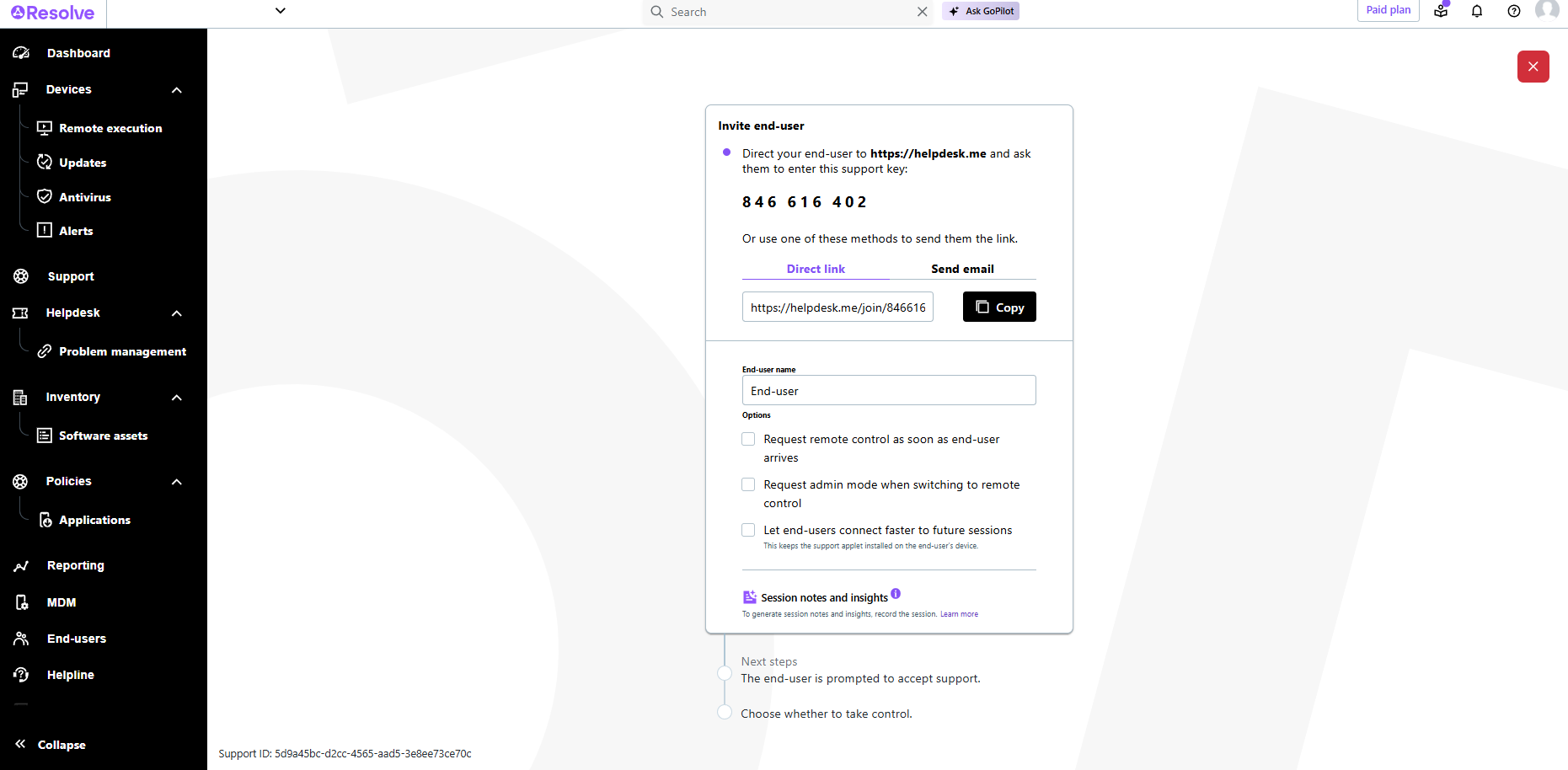
    Screenshot of LogMeIn Resolve Device QuickviewScreenshot of LogMeIn Resolve - DevicesScreenshot of LogMeIn Resolve - Guided Agent FlowScreenshot of LogMeIn Resolve MS Teams TicketingScreenshot of LogMeIn Resolve Support SessionScreenshot of LogMeIn Resolve Tickets Board