Glip was a conversation platform to plan, share and organize work. Glip featured text and video chat at its core, with file sharing, collaborative task management, shared calendars, and automatic version control. Glip was acquired by RingCentral in 2015 and is no longer available standalone, though its features are included in RingCentral MVP.
$11.99
Per User Per Month
Zoho Tables
Score8.2 out of 10
N/A
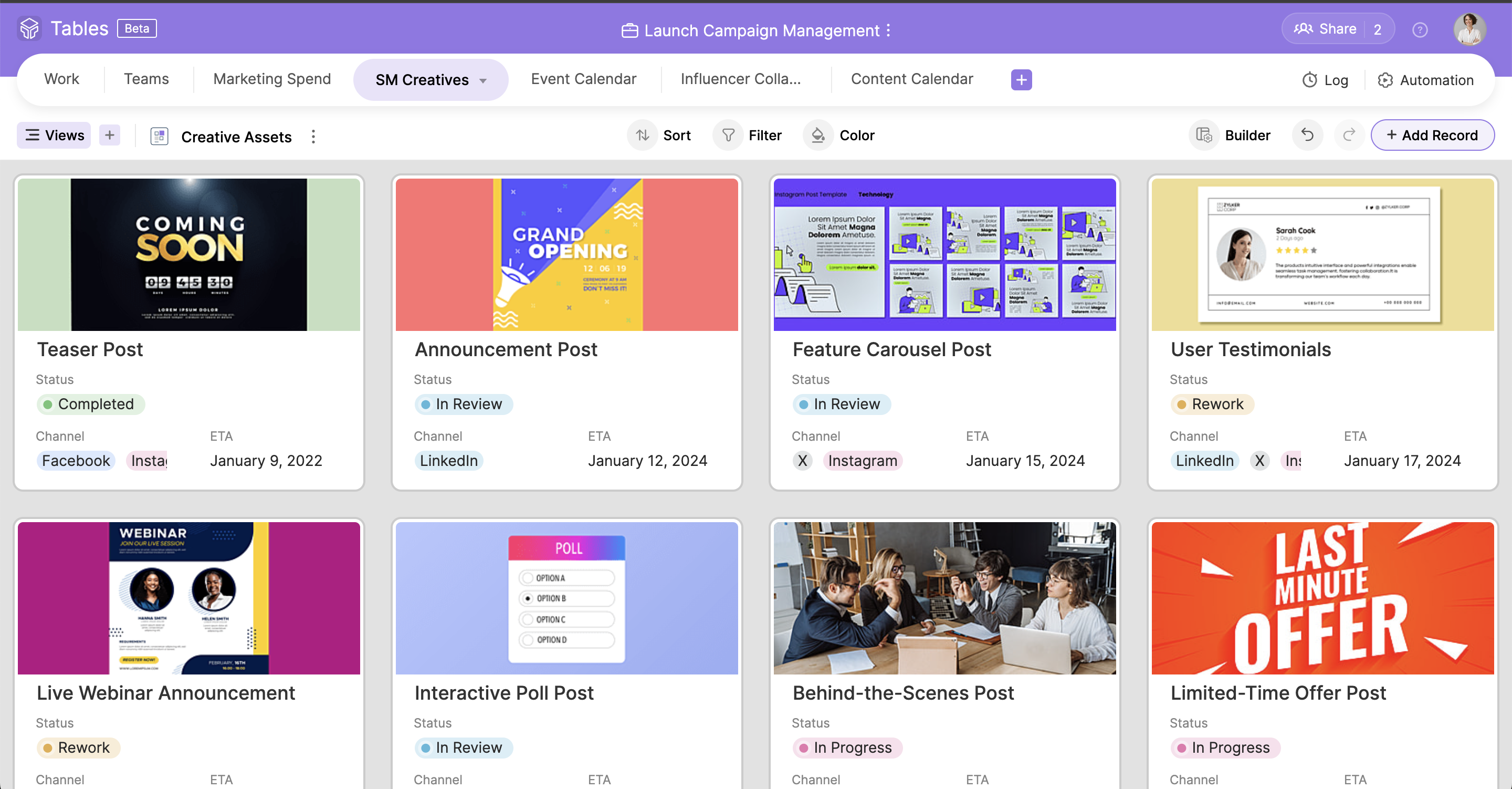
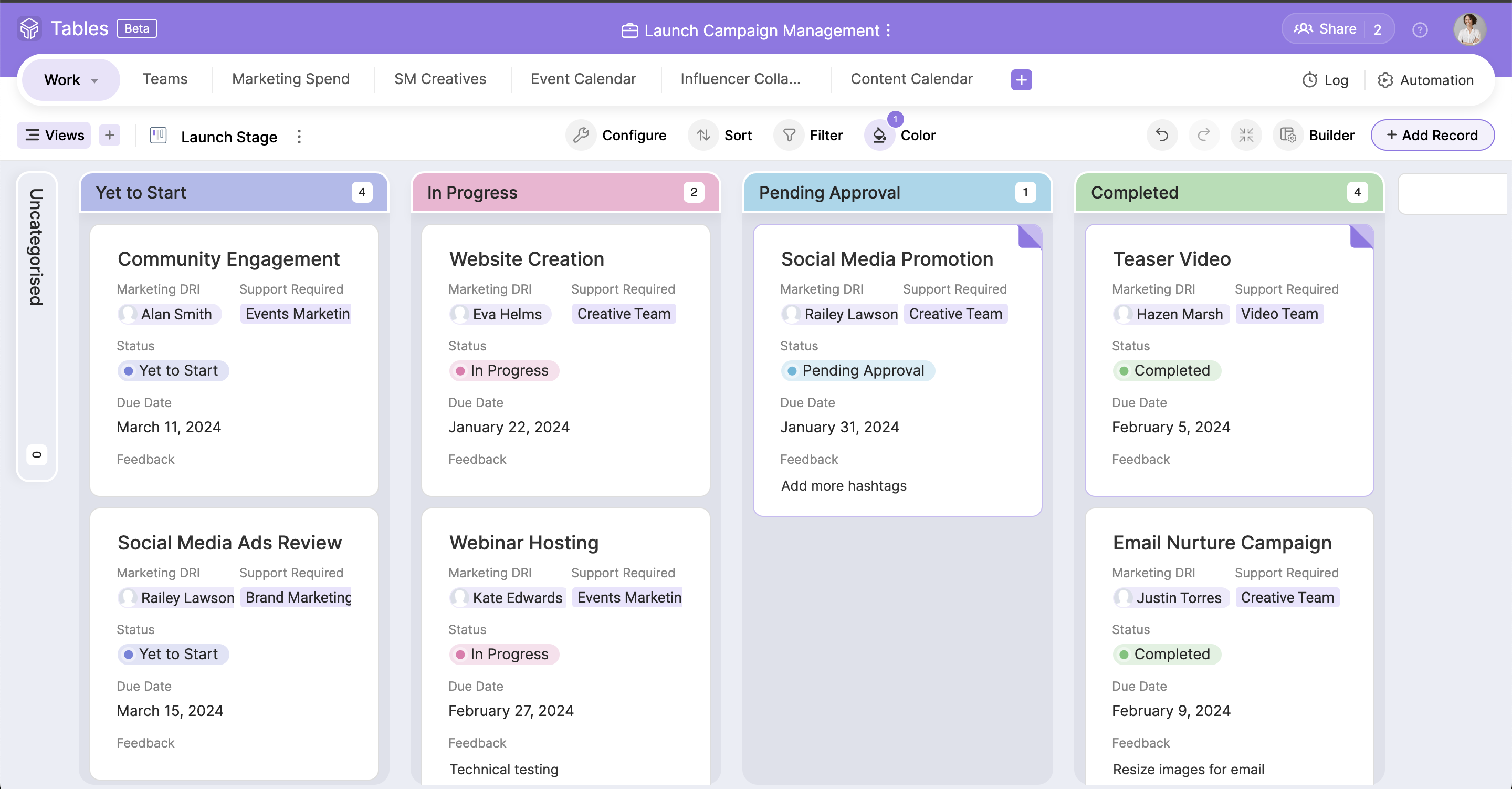
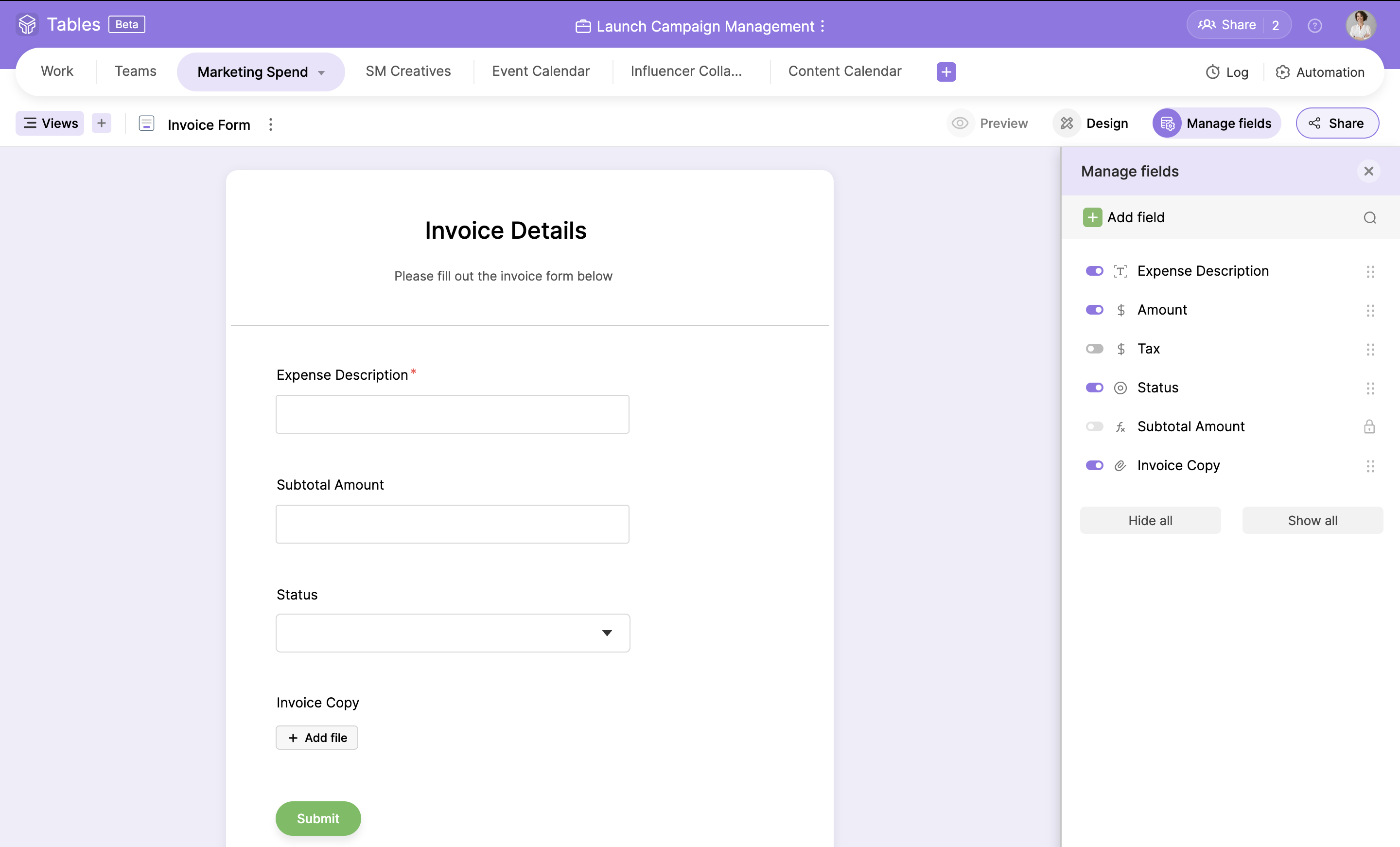
Zoho Tables is a no-code spreadsheet-and-database hybrid, combining familiar spreadsheet workflows with the advanced capabilities of a relational database. With five distinct views—Grid, Gallery, Kanban, Calendar, and Form—Zoho Tables allows users to visualize data in the way that best suits the task. It can also be used to build interactive dashboards to bring key metrics together, monitor progress, and gain valuable insights at a glance. Beyond…
$15
per month 3 licenses
Pricing
Glip (discontinued)
Zoho Tables
Editions & Modules
Pro
$11.99
Per User Per Month
Professional
$5
per month per user (starts from 3 licenses)
Offerings
Pricing Offerings
Glip (discontinued)
Zoho Tables
Free Trial
Yes
Yes
Free/Freemium Version
Yes
Yes
Premium Consulting/Integration Services
No
No
Entry-level Setup Fee
No setup fee
No setup fee
Additional Details
—
—
More Pricing Information
Features
Glip (discontinued)
Zoho Tables
Project Management
Comparison of Project Management features of Glip (discontinued) and Zoho Tables
Glip should definitely be on your shortlist for a team collaboration tool. Glip has a lower cost and contains all the features found in competitive tools such as Microsoft Teams and Webex Teams. Glip is also scalable and robust enough for large enterprises and is great to coordinate and document large projects with hundreds of tasks and hundreds of resources. Glip, MS, and Webex Teams are excellent for an individual to create and receive task assignments and document and complete those tasks but these tools do not replace enterprise project management software and tools. Glip, MS Teams, and Webex Teams quickly become complicated and disorganized and it becomes easy to drown in all the sea of data unless you work diligently and continually at organizing your workspace.
A de minimis incentive was given to thank the reviewer for their time. The incentive was not used to bias or drive a particular response, nor was the incentive contingent on a positive endorsement. More Info
Zoho Tables has been great! I have outlined many of my descriptions in my previous answers. It works great for many things, and could do with just a bit more refinement in the ability to customize what it can turn into. However, the best part of Zoho Tables is the simplicity of its original "blank" state. With the right pre-made User-defined automations for primary zoho apps such as projects and CRM, this would become our commonly used tool as a central hub for all our operations.
A de minimis incentive was given to thank the reviewer for their time. The incentive was not used to bias or drive a particular response, nor was the incentive contingent on a positive endorsement. More Info
A de minimis incentive was given to thank the reviewer for their time. The incentive was not used to bias or drive a particular response, nor was the incentive contingent on a positive endorsement. More Info
A de minimis incentive was given to thank the reviewer for their time. The incentive was not used to bias or drive a particular response, nor was the incentive contingent on a positive endorsement. More Info
Ability to create subgroups in a simple fashion in the Zoho Tables. That allows for drop downs. Does not change the formatting of any cells unless specifically addressed by user. But a light column is added at the start of the table with a button to dropdown each row.
Ability to fill a cell with color without reason or specific selection of field options, add an option for a simple color bucket fill.
It would be great to have an efficient way of updating tasks, projects, etc all on one table easily set up by the user! (Ie. When column "Next Action" equals "Add Task to Project 1" without using deluge)
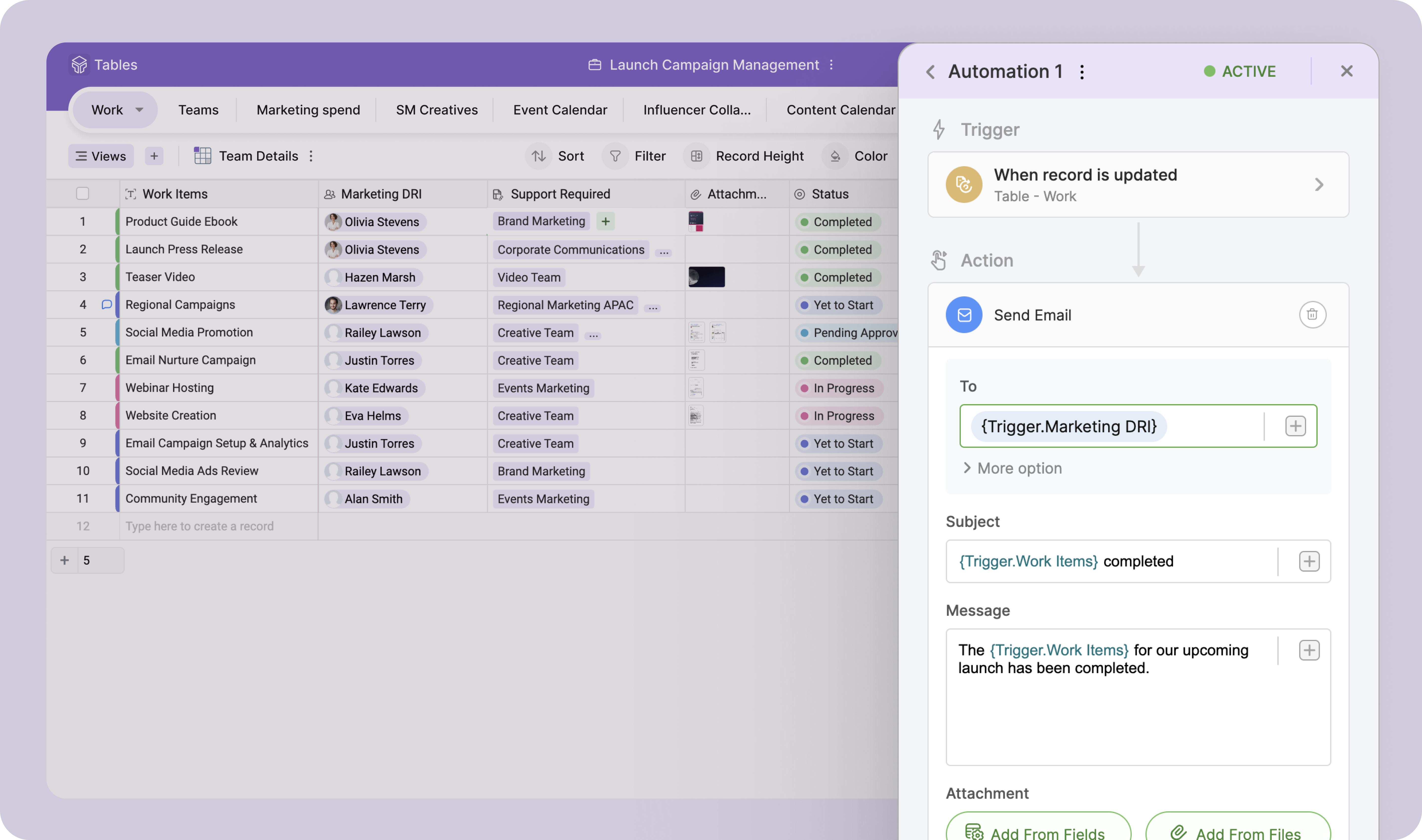
The best pre-made automations for Zoho Tables would be with all {} being user defined selections:
- Update {Selected Task Field} on {Task} when {Column}...
- When {Row} on table is created or edited: Add {Column} as a Task on {Project} in {Task List} then map {Related Table Columns} to {Project Columns}
Glip has saved us so much time that my team could no longer live without it. I don't know what we would do. All of us used it constantly all day every day. It is one of the best tools in my arsenal!
A de minimis incentive was given to thank the reviewer for their time. The incentive was not used to bias or drive a particular response, nor was the incentive contingent on a positive endorsement. More Info
Simple to use and as a Zoho user, for over a year, I had no issues whatsoever implementing tables almost within minutes to replace Airtable and other databases that were being used as intermediaries, without the automation. Highly recommend (note: in very early stages of testing)
A de minimis incentive was given to thank the reviewer for their time. The incentive was not used to bias or drive a particular response, nor was the incentive contingent on a positive endorsement. More Info
We have a free account so I understand why we are not at the top of the list. But we have had issues before that took forever for them to get back to us. Once I had to make a Twitter account just to tweet at them about the issue and they finally got back to me. After several weeks. And the issue was something we just had to wait out for a few more days. Normally you have to submit a ticket through their support page and maybe they will get back to you and maybe not. We had one issue where the standard user on the iMac was getting popups every few minutes about installing a helper tool. The only way to fix this was to delete and reinstall Glip as an admin user. This was frustrating because it took time to do this for me as the IT person, and after reaching out to a few times, I was finally given an answer two years after I had asked about it! Finally some devs reach out to me on Glip and told me to just put the app in the user folder instead of the app folder which is managed by the admin account. They said it should be fixed now and I believe it is.
A de minimis incentive was given to thank the reviewer for their time. The incentive was not used to bias or drive a particular response, nor was the incentive contingent on a positive endorsement. More Info
Zoom, Slack, and Wunderlist are all great applications. They do a good job at one core focus. If your team is already familiar with these applications and satisfied with them, you can stick with them. I found Slack confusing and difficult to learn, as did others when onboarding. Zoom and Wunderlist both have a solid user interface and do their jobs well -- not many complaints from them. I just valued simplicity and ease of adoption, which made us look at Glip as one app to do it all.
A de minimis incentive was given to thank the reviewer for their time. The incentive was not used to bias or drive a particular response, nor was the incentive contingent on a positive endorsement. More Info
Zoho Projects is great for it's intended use to track and manage projects, and the CRM is also great for it's intended use. However, when you are managing operations, everything essentially "ties" together when you are needing to make next decisions. This really comes into play for meetings, and to do lists, etc. Sometimes, all of the detail does not matter when you are trying to operate efficiently. For example, during a meeting, many times we will review KPIs (comes from CRM but in Analytics), then projects, and then general topics. At all points throughout the meeting, tasks are coming up which need to be added, etc. All range vastly resulting in a lot of different places. With Zoho Tables, I am basically working on a blank canvas of cells that can pull data from where I need it too and the more user friendly the ability to set up automations and workflows to be a central hub/home base type tool, the better it would be!
Because Glip was free, it helped us save money on our chat app. While not a crucial part of the business, the costs of software for your company add up and it was nice that, in this case, it did not add to our expenses.
This isn't really Glip directly, but we used it because we were using RingCentral Meetings for video conferencing with clients, and unfortunately RingCentral Meetings was a bit difficult to use. This was often the client doing things wrong, but it was annoying to have frequent audio feedback, etc. So if that is part of your reason to use Glip, check out if you have any problems there first.
A de minimis incentive was given to thank the reviewer for their time. The incentive was not used to bias or drive a particular response, nor was the incentive contingent on a positive endorsement. More Info
I have not had much ROI on this specific tool just yet. But I do foresee the ability to streamline a lot of our operations as we are beginning to scale.