Overview
ProductRatingMost Used ByProduct SummaryStarting Price
GQueues
Score 1.0 out of 10
N/A
GQQueues is a project management solution with features such as task management, calendar management, and smart filtering.
$3
per month per user
Microsoft Planner
Score 7.5 out of 10
N/A
Microsoft Planner is presented as a solution to organize teamwork with intuitive, collaborative, visual task management. With it, users can create Kanban boards using task cards with files, checklists, and labels. Users can collaborate in Planner and Microsoft Teams and check visual status charts—all in the Microsoft cloud.N/A
Progress MOVEit
Score 9.3 out of 10
Enterprise companies (1,001+ employees)
Progress MOVEit offers a range of solutions to help companies: Securely transfer files between applications, internal users, external customers or business partners. Automate and administer tasks without advanced programming. Consolidate costs and management while establishing a documented audit trail. Meet internal and external compliance requirements including HIPAA, SOX, GDPR, FINRA, BASEL, PCI and others.N/A
Pricing
GQueuesMicrosoft PlannerProgress MOVEit
Editions & Modules
GQueues for YOU
$3
per month per user
GQueues for BUSINESS
$4
per month per user
No answers on this topic
Offerings
Pricing Offerings
GQueuesMicrosoft PlannerProgress MOVEit
Free Trial
YesNoYes
Free/Freemium Version
YesNoNo
Premium Consulting/Integration Services
NoNoYes
Entry-level Setup FeeNo setup feeNo setup feeOptional
Additional DetailsNo credit card required. Plans billed annually.
More Pricing Information
Community Pulse
GQueuesMicrosoft PlannerProgress MOVEit
Best Alternatives
GQueuesMicrosoft PlannerProgress MOVEit
Small Businesses
7shifts
7shifts
Score 9.9 out of 10
7shifts
7shifts
Score 9.9 out of 10
DataMotion
DataMotion
Score 9.3 out of 10
Medium-sized Companies
Todoist
Todoist
Score 9.2 out of 10
Todoist
Todoist
Score 9.2 out of 10
DataMotion
DataMotion
Score 9.3 out of 10
Enterprises
Notion
Notion
Score 8.8 out of 10
Notion
Notion
Score 8.8 out of 10
Fortra's GoAnywhere MFT
Score 7.7 out of 10
All AlternativesView all alternativesView all alternativesView all alternatives
User Ratings
GQueuesMicrosoft PlannerProgress MOVEit
Likelihood to Recommend
1.0
(5 ratings)
7.5
(28 ratings)
9.0
(7 ratings)
Likelihood to Renew
-
(0 ratings)
10.0
(2 ratings)
-
(0 ratings)
Usability
-
(0 ratings)
7.7
(12 ratings)
-
(0 ratings)
Support Rating
9.2
(2 ratings)
-
(0 ratings)
-
(0 ratings)
User Testimonials
GQueuesMicrosoft PlannerProgress MOVEit
Likelihood to Recommend
Gqueues LLC
GQueues ties in very nicely with the principles outlined in David Allen's "Getting Things Done" so if you're a fan, give GQueues a try. I use GQueues both personally and professionally to help keep things in order. I find it easy to modify how I use this service when my needs change. I also use GQueues to keep track of future ideas, websites and books to be read someday and overall goals. It is very customizable to what you need.
Read full review
Microsoft
There are a few examples where MS Planner would be suitable for employees at a mature organization. In my opinion, if you have Outlook or Teams, you already have built-in calendars and to-do lists. If you need a project management tool, you have two options: either pay for MS Project or use an alternative tool like Monday, Asana, or Jira. Regardless, their free versions are much more sophisticated than Microsoft's (MS Planner). Any team wishing to put together a halfway-decent project management board will need to look elsewhere, as MS Planner is only suitable for a personal to-do list.
Read full review
Progress Software
MOVEit is actively used on a dedicated server to supply clients with SFTP transactions. Automation is configured easily and safely. We rely on MOVEit to provide the transmission of daily, weekly, and monthly files across many companies and businesses. MOVEit is recommended by my group for any SFTP needs etc.
Read full review
Pros
Gqueues LLC
  • Handling recurring tasks.
  • Assigning tasks.
Read full review
Microsoft
  • I love the ability to tag and untag others as needed
  • I love the ability to customize the tag labels and that there are so many options
  • I love the ability to add comments and it notifies the others tagged in the task
  • I love that the task description can be changed as needed without notification to others assigned to the task
Read full review
Progress Software
  • Dashboard provides good insight and quick access to troubled jobs
  • Being able to handle file transfer across various protocols securely
  • Ability to connect to various cloud sites and storage (SharePoint, Amazon S3)
  • Easy SSL certificate implementation of the web UI
  • Easy SSH with certificate implementation
  • Strong permissions configuration.
Read full review
Cons
Gqueues LLC
  • Needs more display options, e.g. display tasks in "card" format
  • Screen format is a bit dated.
  • Awkward to use when window is maximized.
Read full review
Microsoft
  • Would be nice to see a calendar view instead of a list view
  • Permissions aren't configurable, anyone can delete any task at any time and there is no recycle bin
  • Notifications aren't great, you have to be attached as an owner to a task to see comments and be notified of changes, and even then notifications aren't shown for a lot of things
Read full review
Progress Software
  • Drag and dropping of files to attached to packages.
  • I believe there is room for improvement when it comes to setting up folder and group security.
  • A better mobile app is absolutely needed. The current app lacks in features.
Read full review
Likelihood to Renew
Gqueues LLC
No answers on this topic
Microsoft
It is a very useful tool that brings teams in sync with one another. The integration with other Microsoft products makes it an obvious choice because you don't have to purchase a license for a completely different tool that doesn't have cross-functional capabilities with the software you already use on a daily basis.
Read full review
Progress Software
No answers on this topic
Usability
Gqueues LLC
No answers on this topic
Microsoft
The board-and-bucket layout makes it easy to organize tasks, track progress, and prioritize work at a glance, even for first-time users. I also appreciate how Planner seamlessly integrates with tools like Teams, Outlook, and SharePoint, enabling users to collaborate, schedule tasks, and access their plans without needing to switch platforms. I also like how it’s accessible not only on desktops, but also on mobile devices.
Read full review
Progress Software
No answers on this topic
Support Rating
Gqueues LLC
They are very responsive via email.
Read full review
Microsoft
No answers on this topic
Progress Software
No answers on this topic
Alternatives Considered
Gqueues LLC
We have tried some other task management tools such as Producteev. This one is very intuitive and just does what you need it to do and does it well.
Read full review
Microsoft
Many areas of the company still use Trello to organize their activities and tasks, but gradually Microsoft Planner must replace the activities. Users are often "attached" to familiar technologies, but Office 365 takes advantage of the more organized use of the tools. This year we will not renew the Trello contract.
Read full review
Progress Software
We previously used Attunity MFT (Formerly Repliweb MFT); We were looking to move away from the platform becuase, while flexible, it was too flexible. The flexibility was gained by running scripts with each job to do what you want. So, not only did you have to define the job (Source and Destination), you had to have a fairly strong programming background. Tasks as simple as renaming files with a date stamp, required a script be written. MoveIt has many of these basic macros available for file name manipulations like various date pieces, times, file names, etc, and they're all well documented. Ex: [OrigName] = Original Filename (TestFile.pdf), [OnlyName] = Just the filename, no extension (TestFile), [OnlyExt] = Just the file extentions (.pdf). Pretty much every field within a job can use pre-defined Macros, which is a huge benefit. We also moved away from that platform because it had gone stale, it wasn't their "Core" product. The vendor supported it, but was not actively developing it or fixing bugs or anything. We went 2-3 years without even an update to the binary. MoveIt is one of Progress's "Core" products, so they are adding features / functionality and fixing bugs actively
Read full review
Return on Investment
Gqueues LLC
  • GQueues makes it easy for me to track next steps to avoid missing deadlines
Read full review
Microsoft
  • In my experience, productivity is negatively impacted because assigning subtasks aren't clear on Microsoft Planner
  • Managers aren't able to track direct reports' tasks across multiple boards -- leading to poor visibility for us
  • Notifications aren't always sent to inbox, so you rely on people's own project management skills to follow the communication on tasks they're assigned to. In my experience, this leads to missed deadlines impacting customer relationships.
Read full review
Progress Software
  • It gave us the ability to exchange files with customers and vendors in a secure manner.
  • Given the sensitivity of our files exchange, MOVEit helped in gaining the trust of our customers that their data is safe.
  • Using its API, we were able to build a custom app that is adding even more features, specific to our needs, like empowering project managers with more permissions on their folders
Read full review
ScreenShots

GQueues Screenshots

Screenshot of Screenshot of Screenshot of Screenshot of Screenshot of

Progress MOVEit Screenshots

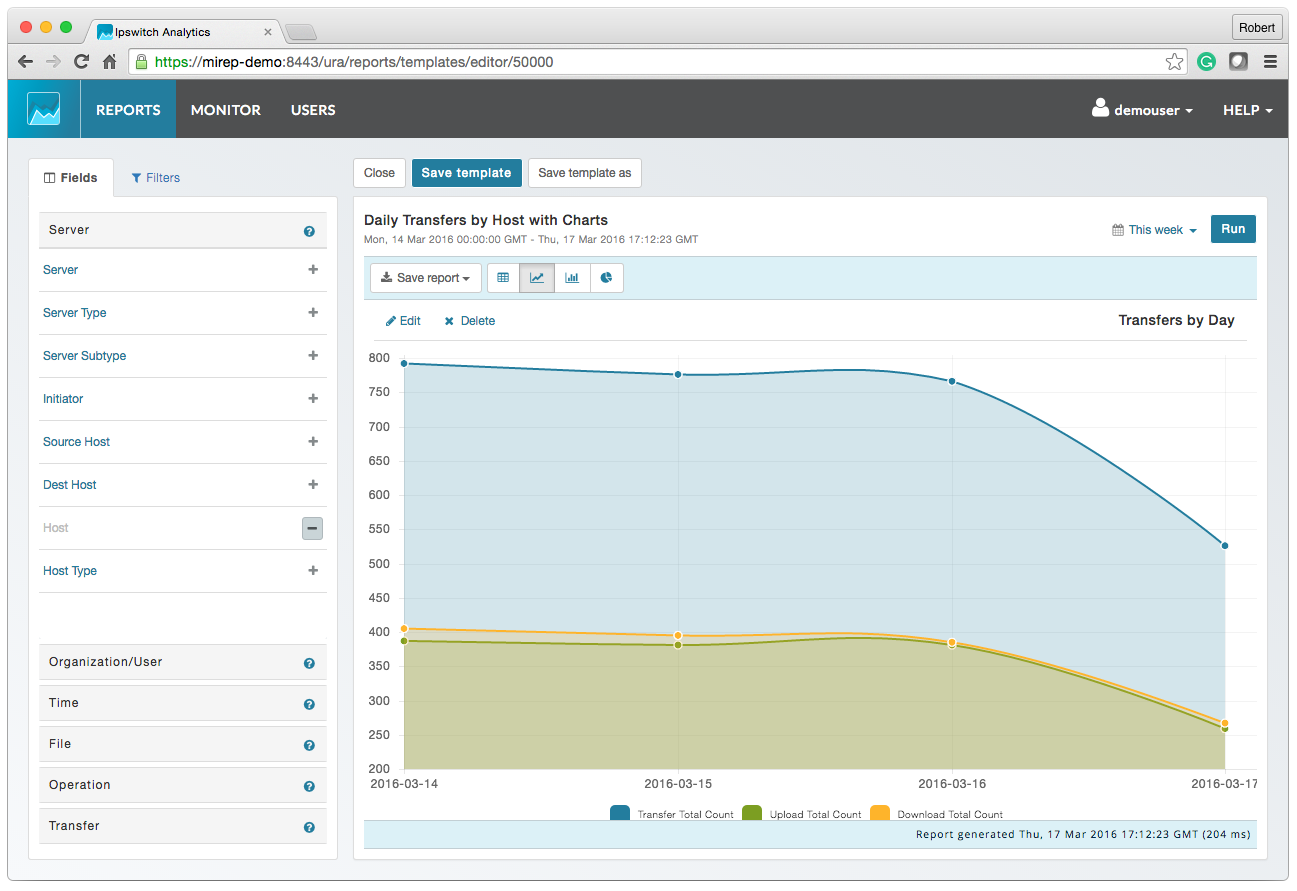
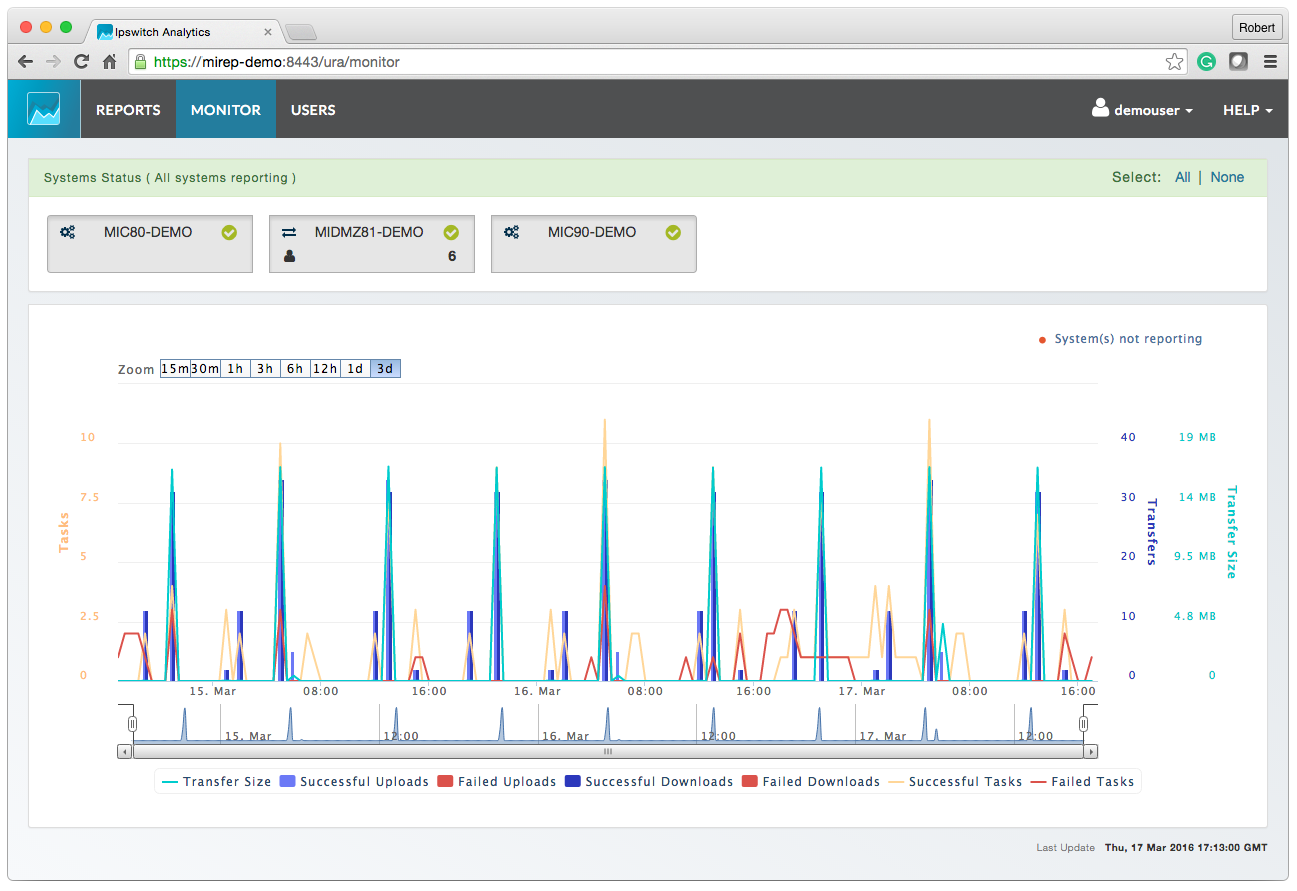
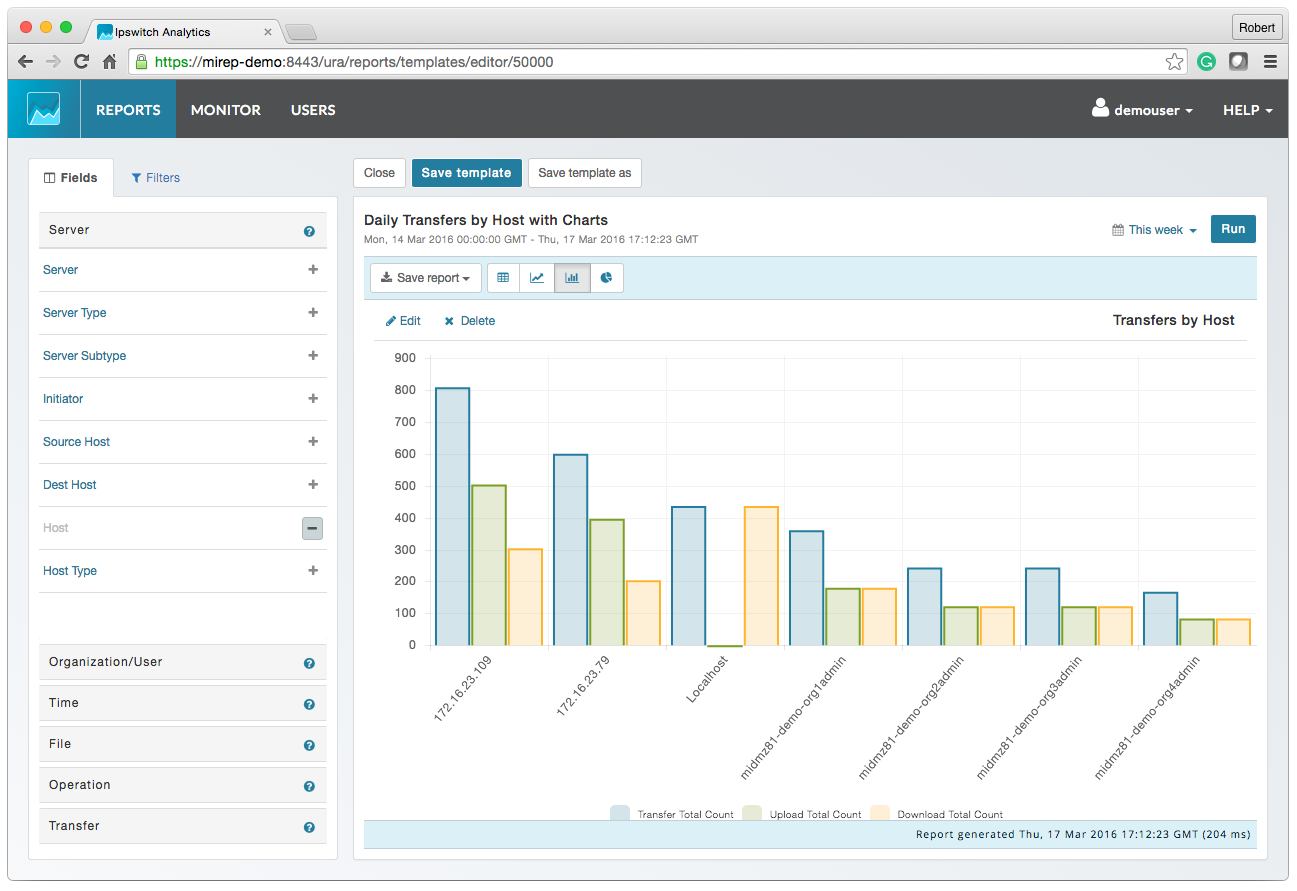
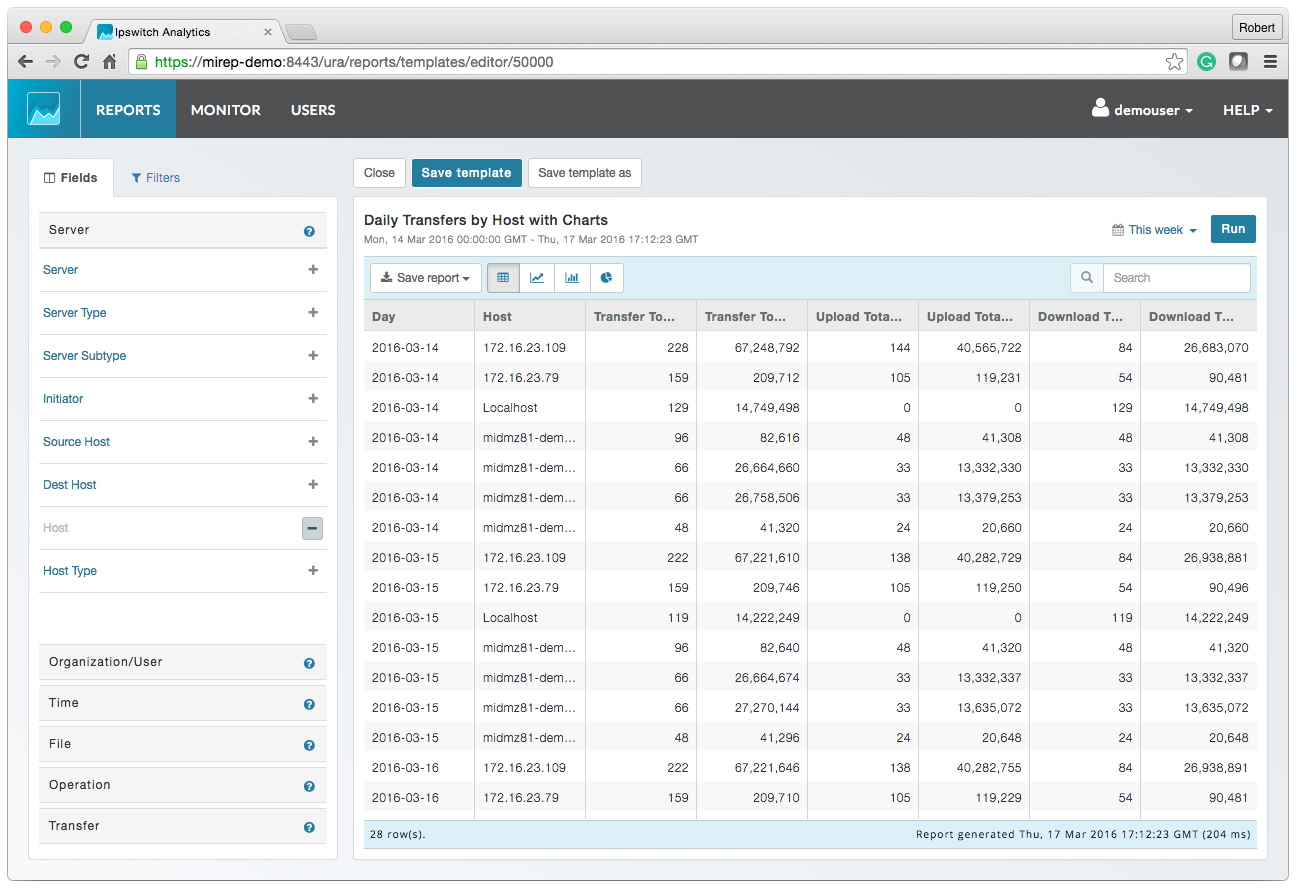
Screenshot of MOVEit AnalyticsScreenshot of MOVEit Automated ReportingScreenshot of MOVEit Data ConsolidationScreenshot of MOVEit AuditsScreenshot of MOVEit TransfersScreenshot of MOVEit Visibility and Control