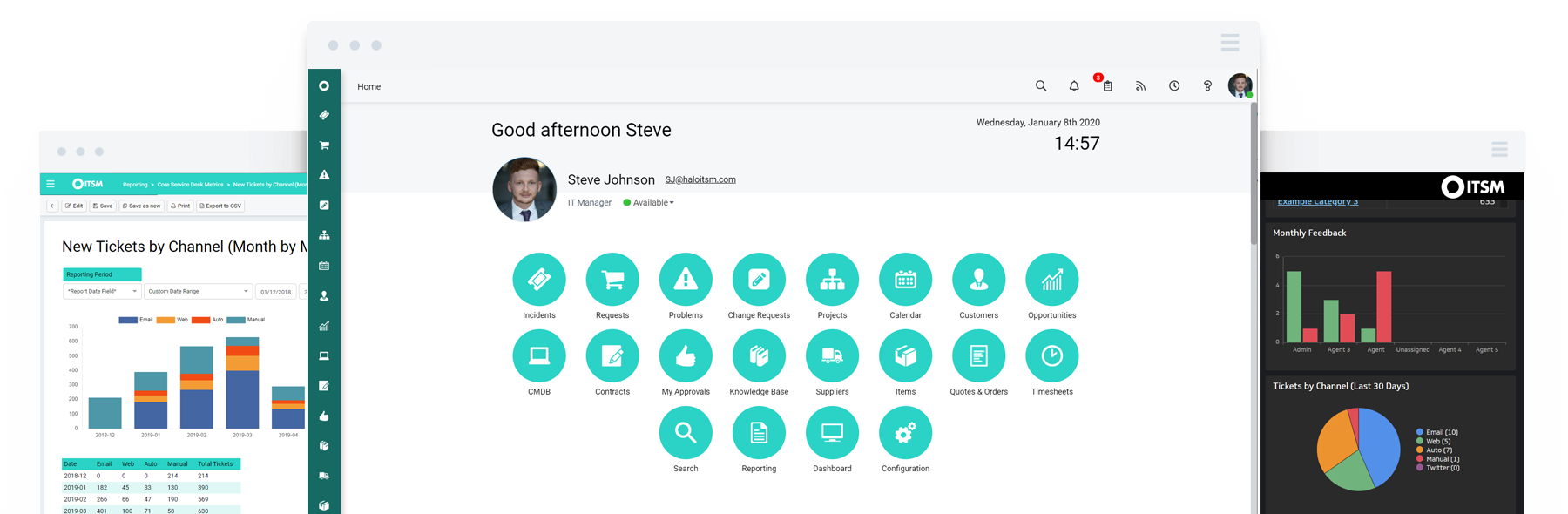
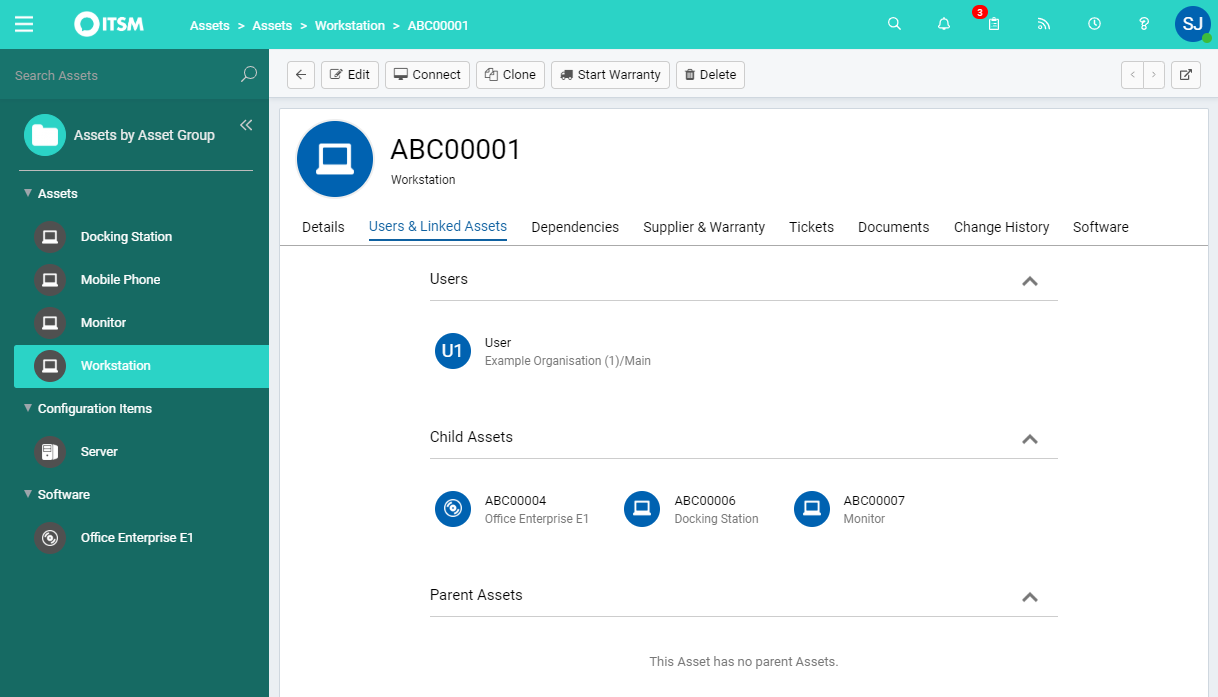
HaloITSM provides ITIL aligned help desk software that can be installed on premise or in the cloud. Boasting over 25 years of experience, HaloITSM has been developed to offer a feature rich application whilst maintaining a simple to use interface. Features include: Incident Management, Problem Management, Change Management, Asset Management, Service Catalogue, Telephony Integration, as well as the best of breed mobile apps. The vendor describes the following five differentiators: 1.…
$49
per month per user
Lansweeper
Score 8.4 out of 10
N/A
Lansweeper is an IT asset management solution that provides network discovery of all connected users, devices, and software within the IT estate. Lansweeper's device recognition capabilities provide complete visibility across the entire IT estate, in one centralized IT inventory. Lansweeper automatically and continuously discovers IT assets across infrastructure — servers, laptops, desktops, virtual & cloud machines, networks devices and IoT assets— in order to…
$2,868
per year (includes 2000 assets)
Pricing
HaloITSM
Lansweeper
Editions & Modules
On Premise
$49
per month per user
Cloud
$49
per month per user
Starter
$2868
per year Includes 2,000 assets
Pro
$5268
per year Includes 2,000 assets
Enterprise
Contact Sales
Starts at 10,000 Assets
Offerings
Pricing Offerings
HaloITSM
Lansweeper
Free Trial
Yes
Yes
Free/Freemium Version
No
Yes
Premium Consulting/Integration Services
Yes
Yes
Entry-level Setup Fee
Optional
No setup fee
Additional Details
There is 15% discount for all charities, educational institutions and non-profit organisations.
—
More Pricing Information
Community Pulse
HaloITSM
Lansweeper
Features
HaloITSM
Lansweeper
Incident and problem management
Comparison of Incident and problem management features of Product A and Product B
HaloITSM
8.4
12 Ratings
2% above category average
Lansweeper
-
Ratings
Organize and prioritize service tickets
8.612 Ratings
00 Ratings
Expert directory
8.58 Ratings
00 Ratings
Service restoration
8.77 Ratings
00 Ratings
Self-service tools
8.611 Ratings
00 Ratings
Subscription-based notifications
8.612 Ratings
00 Ratings
ITSM collaboration and documentation
8.39 Ratings
00 Ratings
ITSM reports and dashboards
7.712 Ratings
00 Ratings
ITSM asset management
Comparison of ITSM asset management features of Product A and Product B
HaloITSM
7.9
10 Ratings
4% below category average
Lansweeper
-
Ratings
Configuration mangement
8.07 Ratings
00 Ratings
Asset management dashboard
7.77 Ratings
00 Ratings
Policy and contract enforcement
8.05 Ratings
00 Ratings
Change management
Comparison of Change management features of Product A and Product B
HaloITSM
8.8
9 Ratings
3% above category average
Lansweeper
-
Ratings
Change requests repository
8.79 Ratings
00 Ratings
Change calendar
8.77 Ratings
00 Ratings
Service-level management
9.08 Ratings
00 Ratings
IT Asset Management
Comparison of IT Asset Management features of Product A and Product B
If you want a value for money full system, which you could use out of the box then this is the one for you. If you want a system that can take care of tasks then this is the one for you. [HaloITSM] is easily scalable with very competitive pricing. New features are added regularly based on best practices and customer requirements.
Lansweeper I believe is well suited for any environment - its low cost and small footprint make it an easy addition to any organization, big or small, that is looking for an asset inventory solution that can either replace or supplement existing asset management systems. It may not be well suited for situations where a lot of customization is necessary, such as pulling in custom fields or details from equipment that don't reside in a registry.
The Self Service Portal is very easy to configure and the end-users have commented on how easy it is to log and manage their own calls.
Asset and User Management works very well and it is simple to link them to tickets. Looking up ticket history for particular Users or Assets is also very useful.
The ability [to] use different ticket types and templates is fantastic. The added ability to merge and clone tickets is also a great benefit.
Inventory - LANSweeper scans the network for devices - anything with an SNMP trap or using AD or local credentials. We can get an in-depth look at devices.
Reporting - LANSweeper can generate just about any report you can imagine. We can check RAM in groups and determine where upgrades are needed. We can find local printers (which aren't allowed on our network) and address that issue with the user. We can check CPU type to help determine end of life without our network.
Printers - It's nice to have a quick look at printer statuses. Toner levels, out of paper, and service errors are all reported via LANSweeper.
Can only scan what it sees. Doesn't show every item on the machine. Patches are also absent.
Software Recognition is OK with Microsoft. It is dire within our network of multiple products. Recognition is at about 35% with constant manual work needed to baseline for each manufacturer in each network
Datacenter compliance is a manual project. We used Excel extensively.
License optimization is limited to installations v surplus licenses. We need to know who's using what and how.
Its a great tool, not perfect but it does the job. I would recommend it to any larger organisation. It is not cheap but can be used to save money by improving your asset and software tracking and to mitigate potential security risks. If it was more affordable and consistent with price for contract extensions I would give it a 9.5 for sure
I've made overall positive experiences with the Halo support. The only thing to increase would be some follow ups on feature requests. If someone would reach out to me, telling me wheter or not my feature request will be considered in future updates or not.
Lots of info online there are tons of SQL Reports you can copy from the web as Lansweeper and users post many of them. They also send out alerts that pop up on Lansweeper, letting you know of an update that you need for certain software and provide an SQL report so you can scan your system to see what PCs need this update.
HaloITSM offered the highest level of functionality, available as standard, at our price level. Halo support during our trial period was second to none and unrestricted. We had a list of deciding factors covering the most important areas of functionality and HaloITSM covered all of these.
Microsoft System Center needs to install agents on all IT asset for discovery and sometimes the agents can easily get corrupted. Lansweeper is a SaaS solution and it's easier to deploy to all IT asset that are connected to the network. This save us a lot of deployment time without the need to engage vendor for professional service.
It enabled us to allow our Service Desk Staff to work from home during COVID and this has continued ever since.
We have halved our average resolution time.
Some of the automation processes, when implemented alongside the MS Power Platform, have saved approximately 30 hours a month. This includes times when customers were unable to access the system until they had been trained. This is now automated via Halo and they get sent to on-demand training, instead of waiting up to 3 weeks for the next scheduled session.
It had a positive impact on solutions expense cause several teams we're using different solutions with different costs that used several servers and DB resources. Now, we've been able to simply that a lot with Lansweeper.
With my previous point, people had to train and learn about each of their solutions. Now we can put a team in charge and so the other teams can focus on other tasks.
Last year Lansweeper changed their licencing prices a lot so it slashed our budget.