Harvest is used to track time, gain insights from past projects, and get paid for work. Dedicated apps and integrations with popular tools like Asana and Slack allow Harvest to fit into a team’s workflow.
A selection of visual reports are offered to keep projects running smoothly and an organization's team supported. Harvest also helps to turn a team’s tracked time and expenses into professional nvoices and collect payment quickly with integrated online payments.
$13.75
per month per seat
HoneyBook
Score 6.7 out of 10
Small Businesses (1-50 employees)
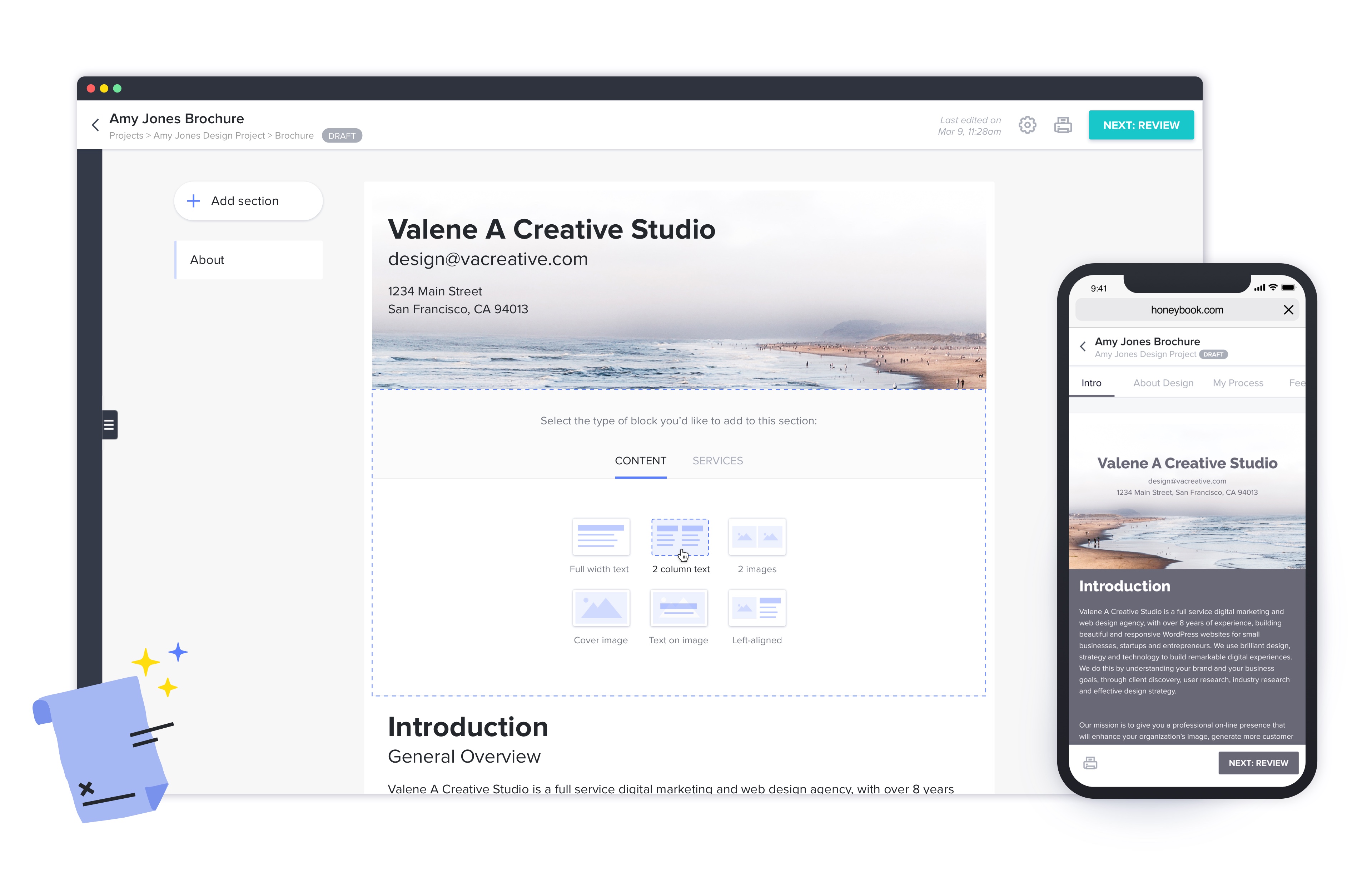
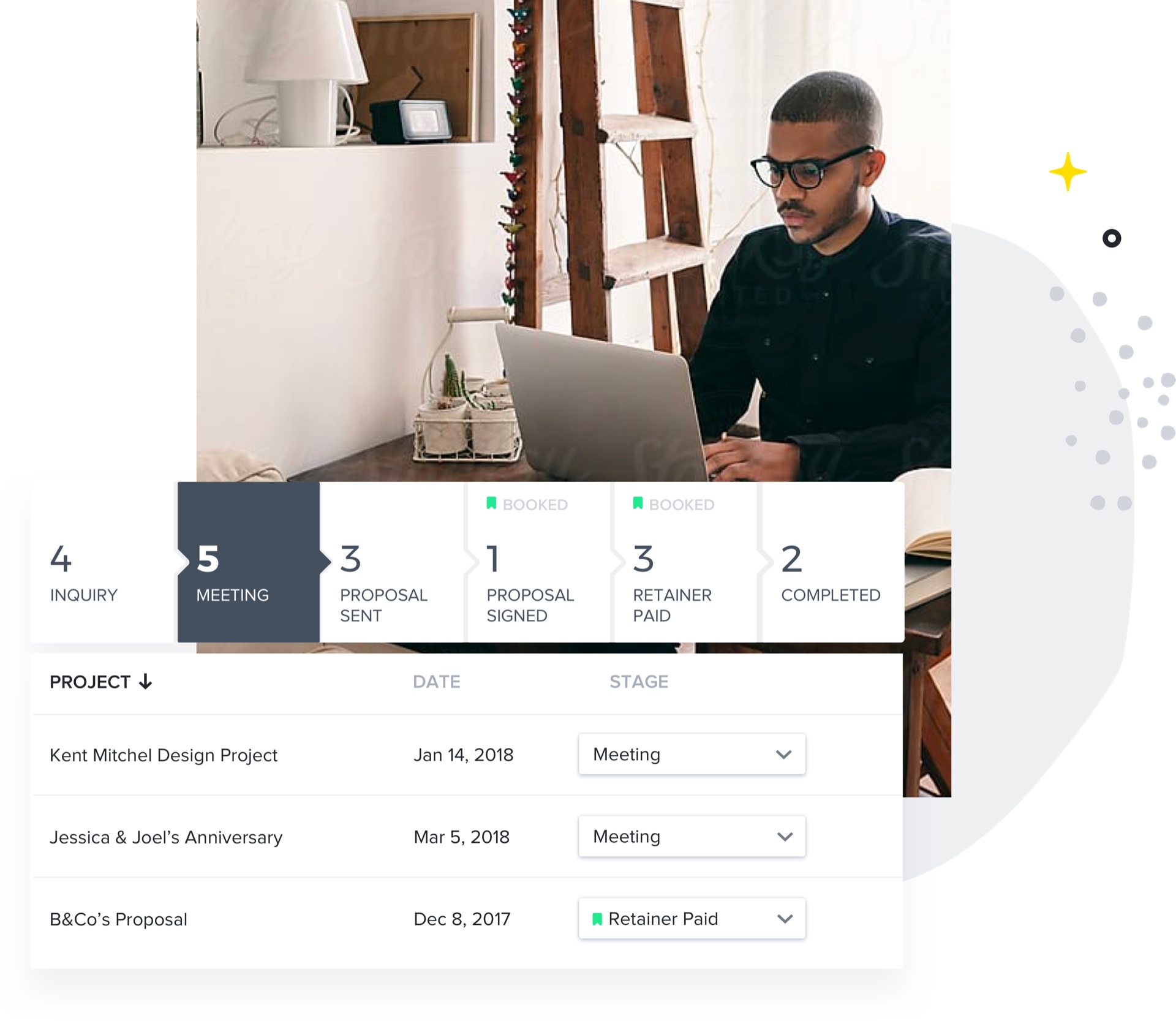
HoneyBook aims to help creative entrepreneurs and freelancers book more clients, manage projects and get paid all in one place. With HoneyBook, users can automate busy work and stay on top of to-dos, saving time and money, while growing a business. HoneyBook is designed to emulate a personal assistant. The vendor states that small business owners and freelancer customers have tripled their bookings and saved multiple hours a day using HoneyBook. They further state that a variety of small…
$36
per month
TimeCamp
Score 7.0 out of 10
Small Businesses (1-50 employees)
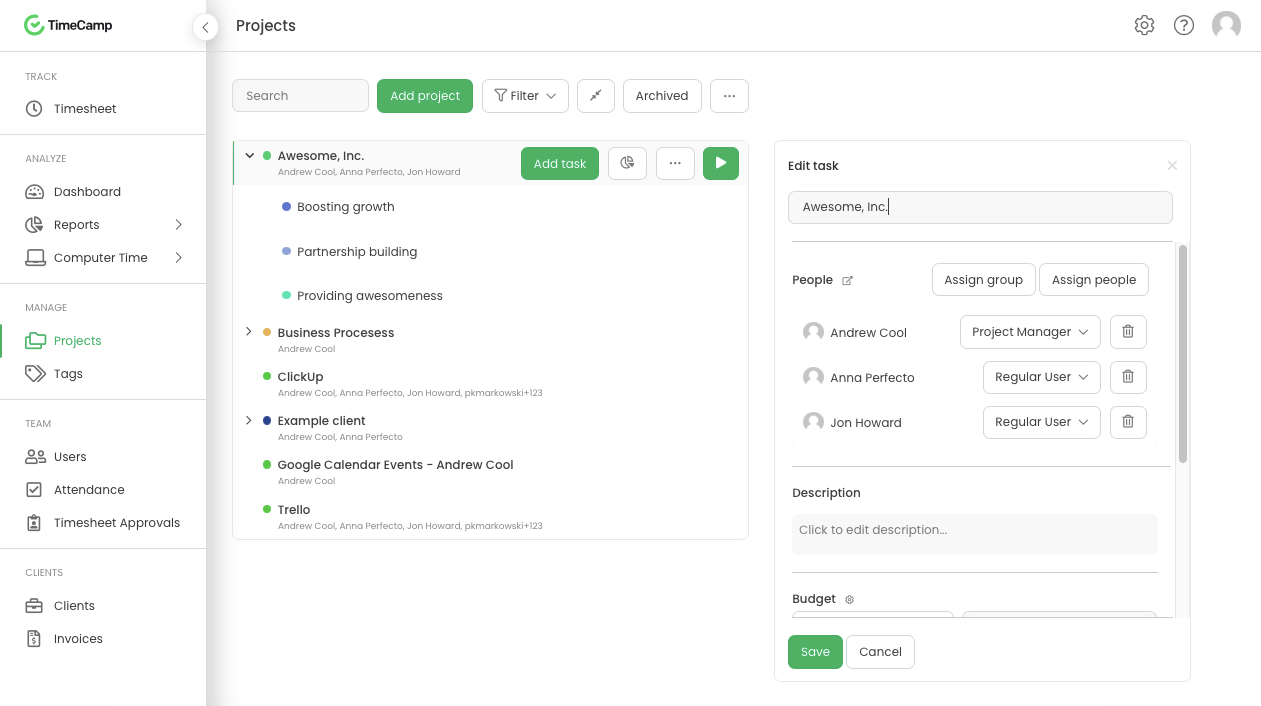
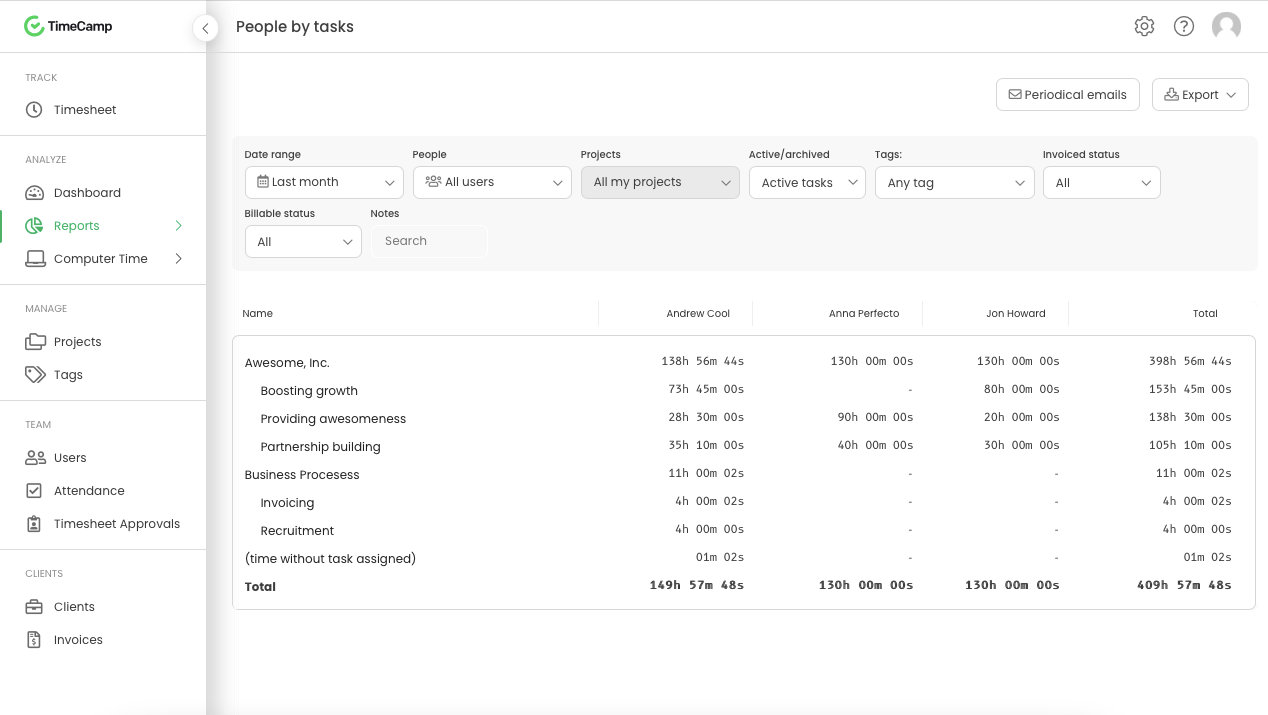
TimeCamp is cloud based, multi-platform (Windows, Mac, Linux, iOS, Android) time tracking and invoicing software.
$2.99
per month per user
Pricing
Harvest
HoneyBook
TimeCamp
Editions & Modules
Harvest Pro
$13.75
per month per seat
Harvest Premium
$17.50
per month per seat
Starter
$36
per month
Unlimited Plan - Monthly
$39
Month
Essentials
$59
per month
Premium
$129
per month
Free
$0
For unlimited users
Starter
$2.99
per month per user
Premium
$4.99
per month per user
Ultimate
$7.99
per month per user
Enterprise
Custom
Offerings
Pricing Offerings
Harvest
HoneyBook
TimeCamp
Free Trial
Yes
Yes
Yes
Free/Freemium Version
Yes
No
Yes
Premium Consulting/Integration Services
No
No
Yes
Entry-level Setup Fee
No setup fee
No setup fee
No setup fee
Additional Details
20% discount for annual billing on Pro and Premium plans.
2 months free with annual billing.
Free plan includes: unlimited users, unlimited rojects & tasks, project templates, bulk edit, desktop & mobile app, one integration, tags, PDF export
More Pricing Information
Community Pulse
Harvest
HoneyBook
TimeCamp
Features
Harvest
HoneyBook
TimeCamp
Sales Force Automation
Comparison of Sales Force Automation features of Product A and Product B
Harvest
-
Ratings
HoneyBook
6.4
12 Ratings
20% below category average
TimeCamp
-
Ratings
Customer data management / contact management
00 Ratings
6.412 Ratings
00 Ratings
Workflow management
00 Ratings
5.610 Ratings
00 Ratings
Opportunity management
00 Ratings
5.011 Ratings
00 Ratings
Integration with email client (e.g., Outlook or Gmail)
00 Ratings
8.711 Ratings
00 Ratings
Contract management
00 Ratings
7.012 Ratings
00 Ratings
Quote & order management
00 Ratings
5.310 Ratings
00 Ratings
Interaction tracking
00 Ratings
6.59 Ratings
00 Ratings
Customer Service & Support
Comparison of Customer Service & Support features of Product A and Product B
Harvest
-
Ratings
HoneyBook
7.7
10 Ratings
0% above category average
TimeCamp
-
Ratings
Case management
00 Ratings
8.78 Ratings
00 Ratings
Help desk management
00 Ratings
6.79 Ratings
00 Ratings
Marketing Automation
Comparison of Marketing Automation features of Product A and Product B
Harvest
-
Ratings
HoneyBook
4.7
10 Ratings
49% below category average
TimeCamp
-
Ratings
Lead management
00 Ratings
4.710 Ratings
00 Ratings
CRM Project Management
Comparison of CRM Project Management features of Product A and Product B
Harvest
-
Ratings
HoneyBook
7.0
12 Ratings
9% below category average
TimeCamp
-
Ratings
Task management
00 Ratings
5.712 Ratings
00 Ratings
Billing and invoicing management
00 Ratings
7.011 Ratings
00 Ratings
Reporting
00 Ratings
8.311 Ratings
00 Ratings
CRM Reporting & Analytics
Comparison of CRM Reporting & Analytics features of Product A and Product B
Harvest
-
Ratings
HoneyBook
5.5
8 Ratings
33% below category average
TimeCamp
-
Ratings
Customizable reports
00 Ratings
5.58 Ratings
00 Ratings
Customization
Comparison of Customization features of Product A and Product B
Harvest
-
Ratings
HoneyBook
9.0
10 Ratings
16% above category average
TimeCamp
-
Ratings
Custom fields
00 Ratings
9.010 Ratings
00 Ratings
Custom objects
00 Ratings
9.010 Ratings
00 Ratings
Security
Comparison of Security features of Product A and Product B
Harvest
-
Ratings
HoneyBook
6.5
11 Ratings
26% below category average
TimeCamp
-
Ratings
Single sign-on capability
00 Ratings
6.49 Ratings
00 Ratings
Role-based user permissions
00 Ratings
6.710 Ratings
00 Ratings
Platform
Comparison of Platform features of Product A and Product B
Harvest is ideally suited for a variety of scenarios, particularly in the realms of freelance or consulting work, where accurate hour tracking for billing is crucial. It excels in small to medium businesses managing team projects, allowing for effective resource allocation and time management across multiple concurrent projects. For budgeting and forecasting, Harvest provides valuable data, aiding in accurately estimating the duration and cost of future projects based on past data. It's also highly beneficial for remote or distributed teams, thanks to its cloud-based platform that facilitates seamless coordination. Additionally, its detailed reporting features enhance client transparency, fostering trust through clear communication of time spent on projects. However, Harvest may be less suitable for larger enterprises with complex integration needs or specialized industries requiring more niche features. Small startups or individuals on tight budgets might find the cost challenging, especially if they don't fully utilize all its features. Lastly, for those needing only basic time tracking, simpler or free tools might be more appropriate, making Harvest an unnecessary expenditure for basic needs.
I would recommend Honeybook to other coaches, consultants, and small business owners. It may not be appropriate for a large team's use, but works for the size of organization I currently own and manage. It also integrates with QuickBooks and makes financial data management fairly seamless.
TimeCamp is comparable to all other time tracking apps. It predominantly depends on your specific use case and if the UX works for you if TimeCamp will be a good fit. Personally, I found the software not super intuitive and I think that was a big turn off.
Offers several options on using the tool, for example, you can use the app on your phone, the app for desktop, or simply have the website open.
The timer integrates with other platforms. For example, our team uses Asana as our project management tool. Now, in real-time, I can know which projects my team is working on and whether we're implementing good time management strategies to meet our goals.
The summary break downs are wonderful! You can view an individual's hours as well as project hours. There are even notifications you could receive when your team is getting close to reaching the allotted time for a client's project.
HoneyBook offers incredible resources to train users how to best use their system. It's informative and eye-opening to watch one of their training sessions.
I love how easy HoneyBook makes it to create highly professional materials that are beautiful. Its brochures and selling materials are stellar and I'm able to streamline the process without feeling like I actually have to sell my capabilities.
I'm thrilled with the billing system and how simple it is to automate. I love that I can see how my customers have engaged with the bills.
The app helps me feel connected to my leads and data while I'm away from my computer.
TimeCamp does what it is made to do and it does it very well. It allows multiple levels of billing rates and does a great job tracking.
TImeCamp does take a little bit of time to set up, but that is no different than any other tool. The interface is easily understandable so the configuration goes pretty quickly.
I’m still trying to figure out how tasks best associate to a specific project. There’s a couple different places to edit that and I’m a little confused as to best practice.
Does not integrate into basecamp which is our project management system
The online scheduling tool does not work with different time zones very well. It doesn't automatically adjust to my clients' timezones and it doesn't even have many international time zones as an option! I had 3 clients in a row schedule meetings at the wrong time when I first started using HoneyBook's scheduler. I had to switch to Calendly because HoneyBook's scheduling tool was causing me to lose business.
The transaction fees for instant deposits are expensive.
[I believe} many of the features on HoneyBook are half-baked. It's marketed as an all-in-one business management platform, but I'm still using Calendly, Google Drive, Typeform, Clockify, and ClickUp because HoneyBook's equivalent features aren't as sophisticated or as easy to use.
The notes section for client projects does not have much space or allow for any custom formatting such as hyperlinks, bold text, highlighted text, etc. Tools such as Teamwork, Pipedrive, Asana, and ClickUp do a much better job at displaying this type of information.
TimeCamp is a little bit expensive. It needs overall improvement in all tools. Moreover, the mobile version is not as useful as the web version of TimeCamp.
Other than that, customer service needs more attention and requires more improvement.
Also, I feel like that if there are more features of TimeCamp then it would be better.
Since I do not use ALL the functionality in HoneyBook, I have wondered if the plan I am on is too much. That is why I rated a 9 rather than 10. I have definitely considered downgrading but not leaving HoneyBook.
Again, just a minor compatibility issues using with other platforms such as Basecamp, but it does do everything promised. The only downfall we have found is having to create a job in both platforms and then connecting them later vs being able to create a project once and having them automatically connect.
This is now a copy-paste response since this platform is asking me to answer every single question. It is such a negative experience with Honeybook that they even upset me while I'm trying to warn others of all the horrible pitfalls in working with the platform.
They're very responsive and do their best to answer whatever questions we've had. Sometimes, the question or request we've made is for a feature that doesn't yet exist, however in most cases those features have been built later and did eventually address our need.
They have ALWAYS been amazing when I needed any type of service or help. Their concierge service is also amazing vs other services I have used in the past. I have confidence when I ask for help - both through Chat or even on their Facebook group that I will get an answer quickly.
I am giving support a rating of 8 but that is quite arbitrary. Honestly, we have never had the need to contact support for any reason. There has not been a situation where we became stuck and could not figure out how to work through it. Sign up was easy and billing is like clockwork so there has been no need to contact billing support. I think this is a testament to the ease of use of TimeCamp.
Harvest is significantly better than Jira. I think Jira's is not originally intended to be used as a time logging/management system, but we had been previously using it as that. It was much clunkier, and many employees had a difficult time using it as a user interface goes. Harvest is much more user friendly and has simplified the daily time-logging process for everyone in our office
Honeybook and Dubsado have a lot of similarities. I'd say the only big difference is that Dubsado still has more advanced workflow capabilities. Dubsado also is much harder to set up. Honeybook is simpler and easier to use right from the start.
TimeCamp is distinctive and virtuous because it provides a flexible payment system with a free plan to make it even more attractive, it simply provides the essential alternatives in our work processes, and the customer service team executes its work very effectively and with a positive attitude positive.
HoneyBook was very cost effective which was great for ROI!
HoneyBook was easy to use which made for a quick employee on-boarding for new team members.
HoneyBook had some features that were not available on the platform that are considered standard for any other CRM such as data pull, platform integrations, and customization options.