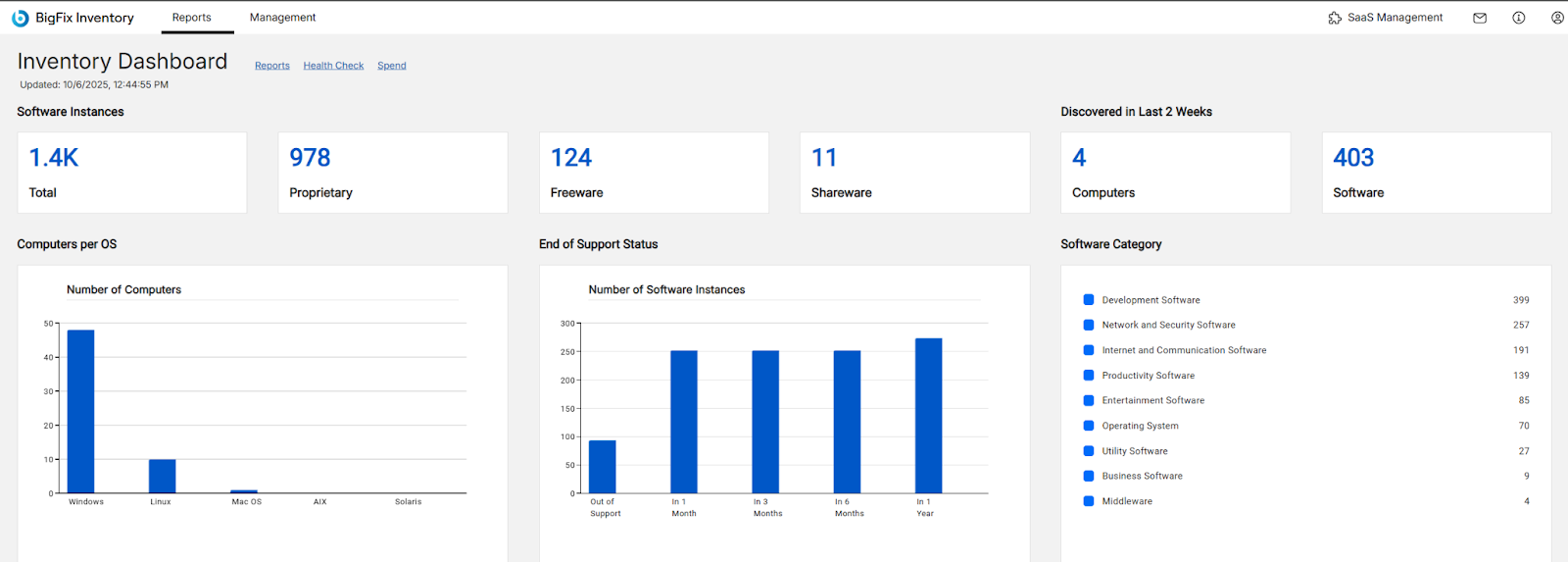
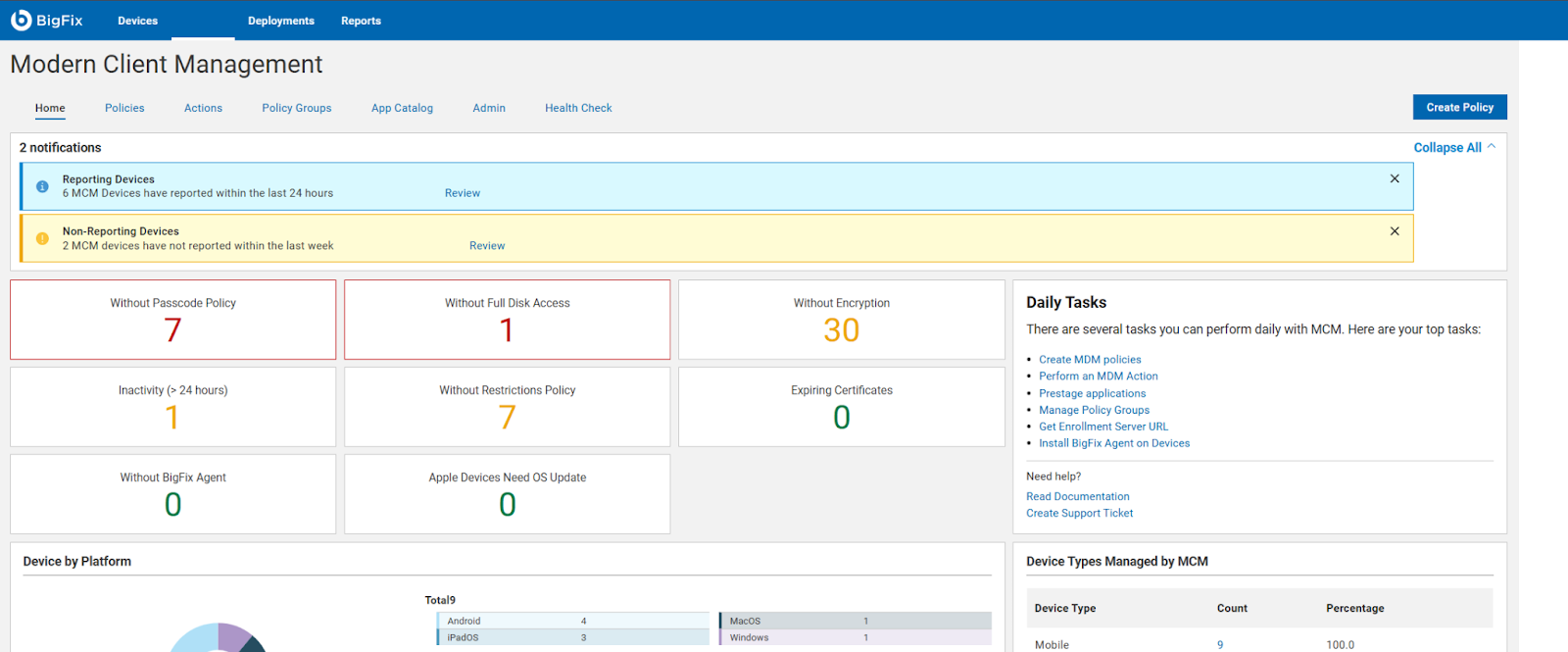
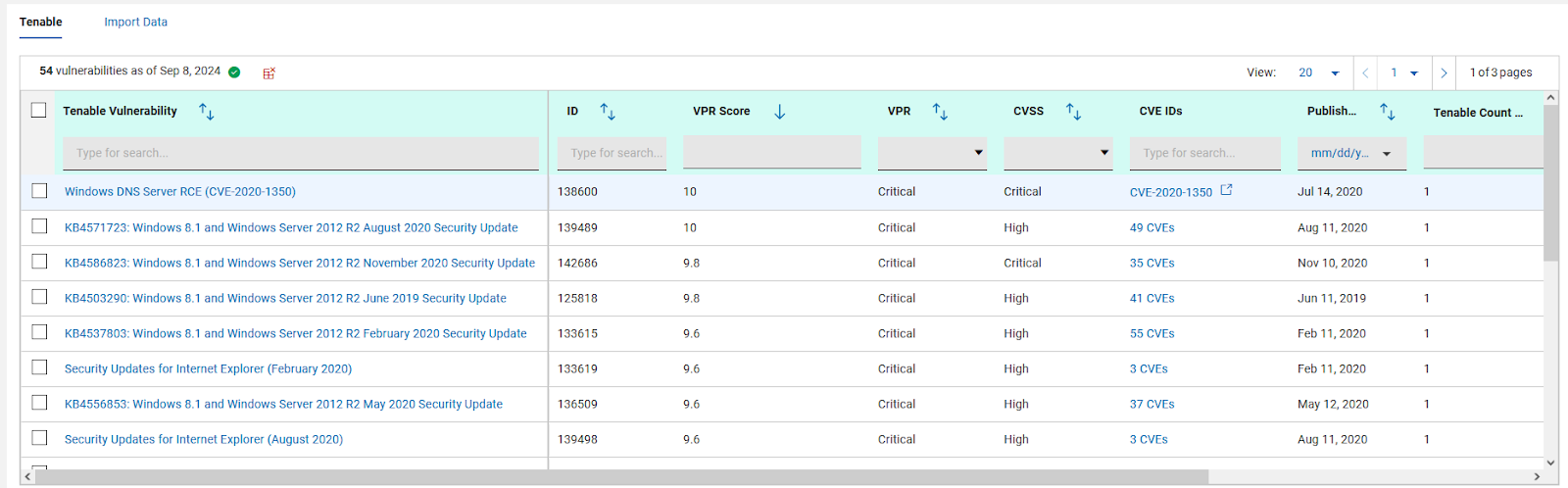
BigFix, now supported by HCL Technologies since the acquisition of BigFix from IBM in 2018, is an endpoint management solution providing endpoint visibility and IT asset discovery, automated endpoint patching (BigFix Lifecycle and BigFix Patch) policy enforcement (BigFix Compliance), and software asset discovery for licensed and unlicensed software (BigFix Inventory).
N/A
Trend Micro Worry-Free Services Suite
Score8.2 out of 10
N/A
Trend Micro offers an end-to-end hosted security solution which they call the Worry-Free Business Security suite for midsize and larger enterprises, which provides a wide range of services such as endpoint protection, email encryption, general antivirus and threat detection and prevention, as well as protection of cloud applications as well, with no maintenance.
Patch Management for Diverse Devices: HCL BigFix is ideal for organizations with a diverse range of devices, including laptops, desktops, cloud, virtual machines, and mobile devices. Its endpoint management functionality enables seamless patching across various operating systems such as Windows, MacOS, ChromeOS, and Linux.
Comprehensive Patch Management: With HCL BigFix, organizations can achieve comprehensive patch management across their IT infrastructures. It ensures that all endpoints, regardless of the operating system, receive timely and secure patches, reducing vulnerabilities and enhancing overall security.
Troubleshooting and Monitoring: HCL BigFix excels in providing a dashboard that effectively displays problematic and functional machines. This feature allows IT teams to quickly identify and address issues, improving overall troubleshooting efficiency. However, there are some scenarios where HCL BigFix may be less appropriate or areas for improvement: 1. Coverage Expansion: It is important for HCL BigFix to continue expanding its coverage to include all possible resources installed within the IT infrastructure. Ensuring comprehensive coverage can enhance its effectiveness. 2.On-Site and OS Upgrades: Optimizing the process of on-site and operating system upgrades can help streamline the deployment process further. Improvements in this area would contribute to a smoother and more efficient upgrade experience. 3.Communication Speed: Enhancing the speed of communication between the HCL BigFix agent and the server can help improve the overall responsiveness and efficiency of the solution.
Pricing Optimization: Adjusting the pricing of HCL BigFix to be more cost-effective would make it more accessible and attractive to organizations of different sizes and budgets.
With around 80 users and 150 devices (including 6 server instances), this solution served us very well, with instant admin notifications and scheduled overall reports. Detection appears extremely reliable, and the memory and CPU footprint of the service seemed less intrusive than Panda, which we had issues running on Terminal Services instances, as it seems to hog excessive memory allocation. Rollout was smooth and we never had an instance of a corrupt installation.
A de minimis incentive was given to thank the reviewer for their time. The incentive was not used to bias or drive a particular response, nor was the incentive contingent on a positive endorsement. More Info
A de minimis incentive was given to thank the reviewer for their time. The incentive was not used to bias or drive a particular response, nor was the incentive contingent on a positive endorsement. More Info
A de minimis incentive was given to thank the reviewer for their time. The incentive was not used to bias or drive a particular response, nor was the incentive contingent on a positive endorsement. More Info
A de minimis incentive was given to thank the reviewer for their time. The incentive was not used to bias or drive a particular response, nor was the incentive contingent on a positive endorsement. More Info
It would be better if there were an unload password for each policy instead of one for the whole organization.
We have one app that gets blocked with no log of any reason why, there should be a better way to troubleshoot that other than just closing the AV every time. Allow listing has not worked in this case.
When something is blocked it should specify exactly which setting or feature blocked it to make it easier to use the allow list or adjust.
A de minimis incentive was given to thank the reviewer for their time. The incentive was not used to bias or drive a particular response, nor was the incentive contingent on a positive endorsement. More Info
Installation and administration tools are fantastic. I found the endpoint policies to be not intuitive and clunky. The endpoint client was difficult to disable when trying to troubleshoot Apple issues and I often had to uninstall and then reinstall which was very time-consuming. Reporting is very useful and I was impressed with the reports I received.
A de minimis incentive was given to thank the reviewer for their time. The incentive was not used to bias or drive a particular response, nor was the incentive contingent on a positive endorsement. More Info
A de minimis incentive was given to thank the reviewer for their time. The incentive was not used to bias or drive a particular response, nor was the incentive contingent on a positive endorsement. More Info
The few times I needed to contact support I was fully satisfied. They worked all the way through the issue, no matter how long it took, and made sure I had a permanent solution. I was pleased with the professionalism, courteousness, and knowledge of the product they were supporting.
A de minimis incentive was given to thank the reviewer for their time. The incentive was not used to bias or drive a particular response, nor was the incentive contingent on a positive endorsement. More Info
We have significantly enhanced our ability to patch desktops, including laptops, desktop, cloud, virtual machines and other mobile devices used by end-users. BigFix's endpoint management functionality allows us to seamlessly patch a wide range of operating systems, such as Windows, MacOS, ChromeOS, and Linux systems, ensuring comprehensive patch management across IT infrastructures. We have established a track record of delivering secure and hassle-free patching solutions to our clients
Avast was clunky, difficult to roll out, missed loads of malware on machines, and required that we purchase a separate license to install AV on our servers. Trend Micro could not have been any different. You just contact their sales department and get a demo, or even ask for a trial of sorts to test policy creations and client installation. You'll be obsessed with the whole process and the admin dashboard you have access to.
A de minimis incentive was given to thank the reviewer for their time. The incentive was not used to bias or drive a particular response, nor was the incentive contingent on a positive endorsement. More Info
A de minimis incentive was given to thank the reviewer for their time. The incentive was not used to bias or drive a particular response, nor was the incentive contingent on a positive endorsement. More Info
A de minimis incentive was given to thank the reviewer for their time. The incentive was not used to bias or drive a particular response, nor was the incentive contingent on a positive endorsement. More Info