HCL Digital Experience is based on the former IBM Web Content Manager and IBM WebSphere Portal products, acquired by HCL Technologies from IBM in late 2018. The product allows the user to create, manage and deliver engaging omnichannel digital experiences to audiences with responsive content, targeted offers, seamlessly integrated applications and consistent branding across channels (web, mobile, and hybrid mobile/web applications and more).
N/A
Paligo
Score8.7 out of 10
N/A
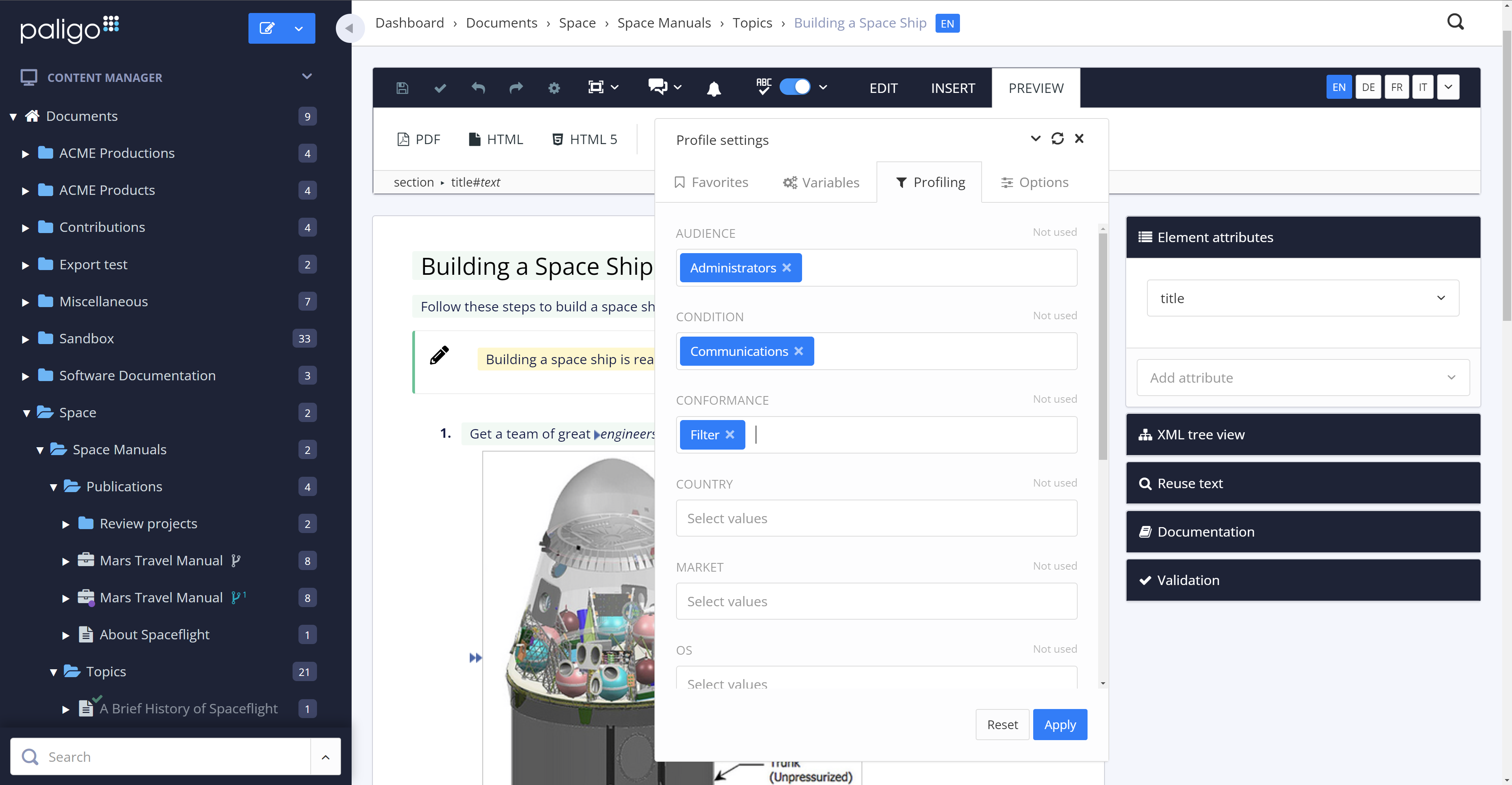
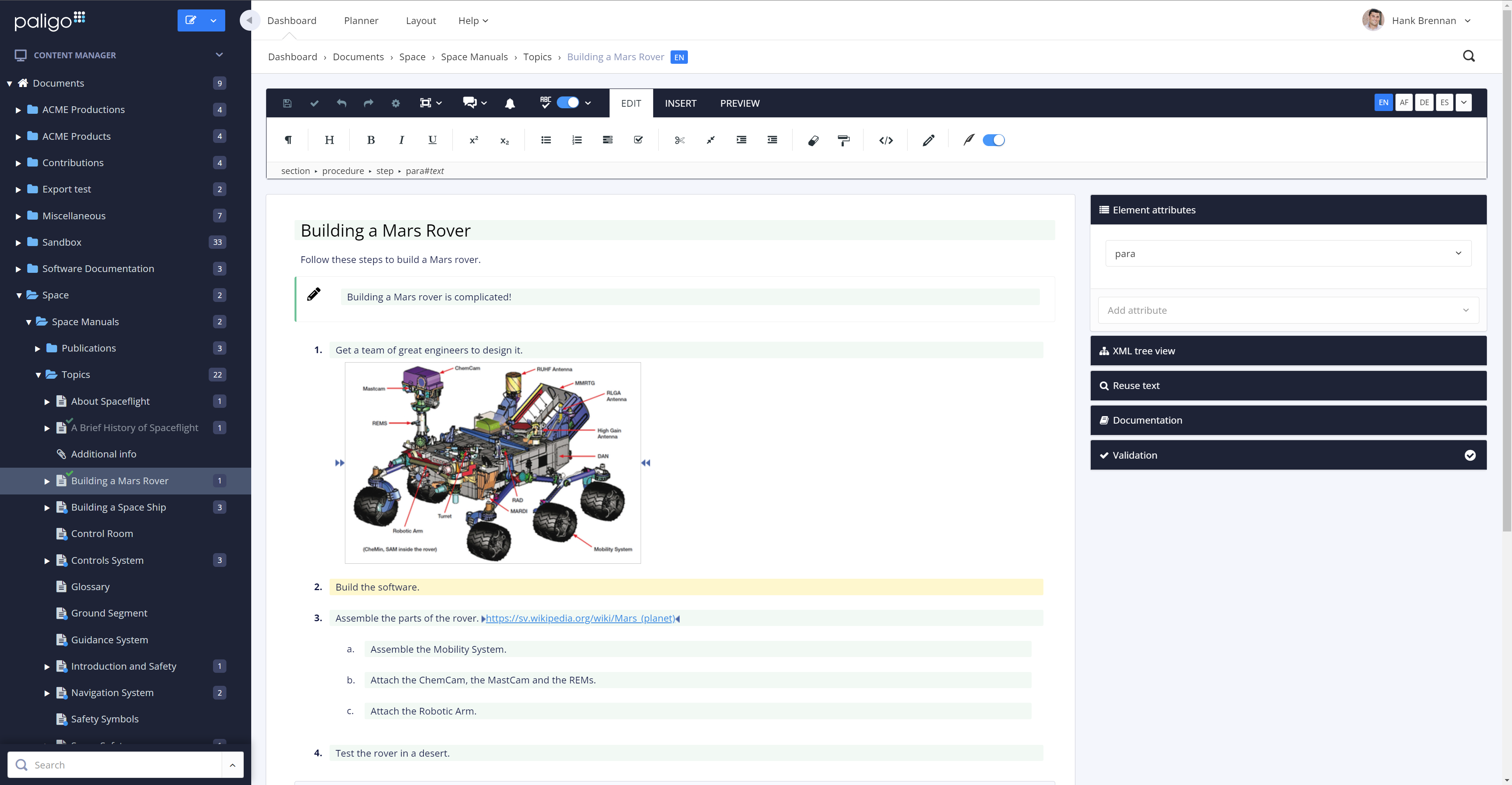
Paligo is a component content management system (CCMS) that helps teams manage complex technical documentation through structured authoring, content reuse, and controlled publishing.
HCL DX does really well at managing and maintaining the site. It allows the business to basically maintain the site while IT spent time developing new and enhanced functions. The main issue I currently have with HCL DX is not directly with the product but it does play a role. It is difficult finding skilled resources to support HCL DX in my experience.
A de minimis incentive was given to thank the reviewer for their time. The incentive was not used to bias or drive a particular response, nor was the incentive contingent on a positive endorsement. More Info
One of the biggest strengths is the structured authoring, which not only gives clean content for users but is also well-suited for providing AI content. I also make good use of content reuse, which simplifies maintenance and documentation updates when features change. The taxonomy has allowed me to create versioned documentation on our site that correlates with customers' installed software versions. We're switching over to using the API for publishing to our website and that will be a nice switch from the publication structure we've used previously. The tool doesn't, at this time, allow me to connect it to a custom GPT or create one that would be based on our style guide. There also isn't an MCP server option to work better with my Claude configurations.
A de minimis incentive was given to thank the reviewer for their time. The incentive was not used to bias or drive a particular response, nor was the incentive contingent on a positive endorsement. More Info
With Version 8.5, IBM Web Content Manager introduced in place editing capabilities which allow authors to make content edits on sections of the page instead of going to the content itself. This feature allows authors to make changes in context of the page and preview changes within the actual look and feel of a live page.
Projects provide a collaborative atmosphere for the author community so that authors can interact and work as a team to manage inter-dependent content changes under one project and publish all changes at once, instead of working separately on individual content changes. This brings awareness across authors in an organization and easy knowledge share.
IBM Digital Data Connector is a cool feature that allows [users] to integrate external content sources onto the portal using IBM Web Content Manager presentation components. This allows UI/UX designers to present integrated external data in any manner they want, manage UI changes with an underlying approval process and leverage syndication to push changes live immediately.
IBM Web Content Manager offers a targeted content feature that allows business users to deliver personalized content to customers based on customer demographic information, browsing history and other transaction related information. Any rules created follow the publishing process thereby making it just a configurable item resulting in less turn around to turn on the feature on a website.
IBM Web Content Manager offers 'multi lingual solution' out of the box which allows content creation for almost all popular languages.
Syndication feature has improved a lot and it now provides a detailed views comprising of 'failed items', 'items that have syndicated successfully, 'items in queue'. Failed items view provides detailed and clear cut information of what resulted in failure helping IT to troubleshoot problems easily.
A de minimis incentive was given to thank the reviewer for their time. The incentive was not used to bias or drive a particular response, nor was the incentive contingent on a positive endorsement. More Info
The review mode is super convenient. Comparing a snapshot of the previous versions with the current one clearly outlines the respective changes and reduces the necessary content to review tremendously.
The option to reuse text fragments is another handy feature. Text fragments will be updated whenever the original text fragment is altered is also extremely helpful.
Managing a content's structure was never easier. An intuitive drag & drop functionality allows you to design your document's structure however you like.
You can also fork content, in addition to reuse text fragments. This is another helpful option that no longer requires you to create repetetive chapters over and over.
A de minimis incentive was given to thank the reviewer for their time. The incentive was not used to bias or drive a particular response, nor was the incentive contingent on a positive endorsement. More Info
IBM Web Content Manager should provide some easily usable connectors through a GUI to connect to bring content from custom data sources including connecting to Salesforce and custom databases.
Should further optimize and enhance creation of rich and responsive content driven UIs on various digital channels.
Should further optimize and enhance content personalization features.
A de minimis incentive was given to thank the reviewer for their time. The incentive was not used to bias or drive a particular response, nor was the incentive contingent on a positive endorsement. More Info
The amount of CSS/JS required to customize a site's appearance can be cumbersome
Product documentation can be lacking, specifically with integrations; in some cases, support offered no real help when trying to solve a problem with an integrated service
Some features require extensive development experience to use, which can sometimes be an obstacle to less-experienced team members
A de minimis incentive was given to thank the reviewer for their time. The incentive was not used to bias or drive a particular response, nor was the incentive contingent on a positive endorsement. More Info
IBM products always moves forward to adapt to new requirements and technologies. I have used versions 6, 6.1, 7 and 8 of IBM WCM, and I know IBM is ready to revamp the tool based on emerging needs, and still provide the capabilities to migrate your old system to the newer versions.
A de minimis incentive was given to thank the reviewer for their time. The incentive was not used to bias or drive a particular response, nor was the incentive contingent on a positive endorsement. More Info
Reuse feature was the main reason for selection Paligo. It is the most powerful feature for us as now we have only one source of content that is used in all other documents through reuse. Makes it very easy when we need to update the content (in some cases at least once a quarter) and batch publishing makes it very easy to publish 100s of documents in one click
A de minimis incentive was given to thank the reviewer for their time. The incentive was not used to bias or drive a particular response, nor was the incentive contingent on a positive endorsement. More Info
All the support requests I've submitted have been resolved in one way or another. Sometimes it takes some back and forth, which is to be expected. This is where being on a different continent becomes a drawback. Since we became Enterprise users, we've also had an additional level of help and support from a dedicated account manager in the US, and the resolutions seem to come more quickly
A de minimis incentive was given to thank the reviewer for their time. The incentive was not used to bias or drive a particular response, nor was the incentive contingent on a positive endorsement. More Info
A de minimis incentive was given to thank the reviewer for their time. The incentive was not used to bias or drive a particular response, nor was the incentive contingent on a positive endorsement. More Info
Magento and Prestashop are E-commerce CMS platforms. They are used in a different scale of application than WCM.
Concerning Joomla, it's a useful CMS forsmaller website. Once again this is an other scale of application than WCM Liveray can compete WCM 7 concerning the : ¤ specific development ¤ security ¤ responsive
We moved from Flare to Paligo. One of the main reasons was the fact that Paligo is a cloud product. Collaboration with anyone outside of our team was more difficult with Flare. Also, maintaining a server for Flare content was going to become an issue, and overall I felt the Flare desktop product was prone to errors and issues. The flexibility of assigning Paligo licenses was a huge factor, as was the stability of the cloud platform.
A de minimis incentive was given to thank the reviewer for their time. The incentive was not used to bias or drive a particular response, nor was the incentive contingent on a positive endorsement. More Info
A de minimis incentive was given to thank the reviewer for their time. The incentive was not used to bias or drive a particular response, nor was the incentive contingent on a positive endorsement. More Info
I am not involved in the financial decisions for my company regarding Paligo; the decision to migrate our content to this environment predates my hiring. However, I know that the migration effort from WordPress to Paligo was an initially heavy lift, but any content migration effort would be. I believe that ultimately, getting our content out of WordPress was a positive move, and I look forward to seeing what Paligo will help us accomplish in the future. Sorry, no hard numbers from me. :)