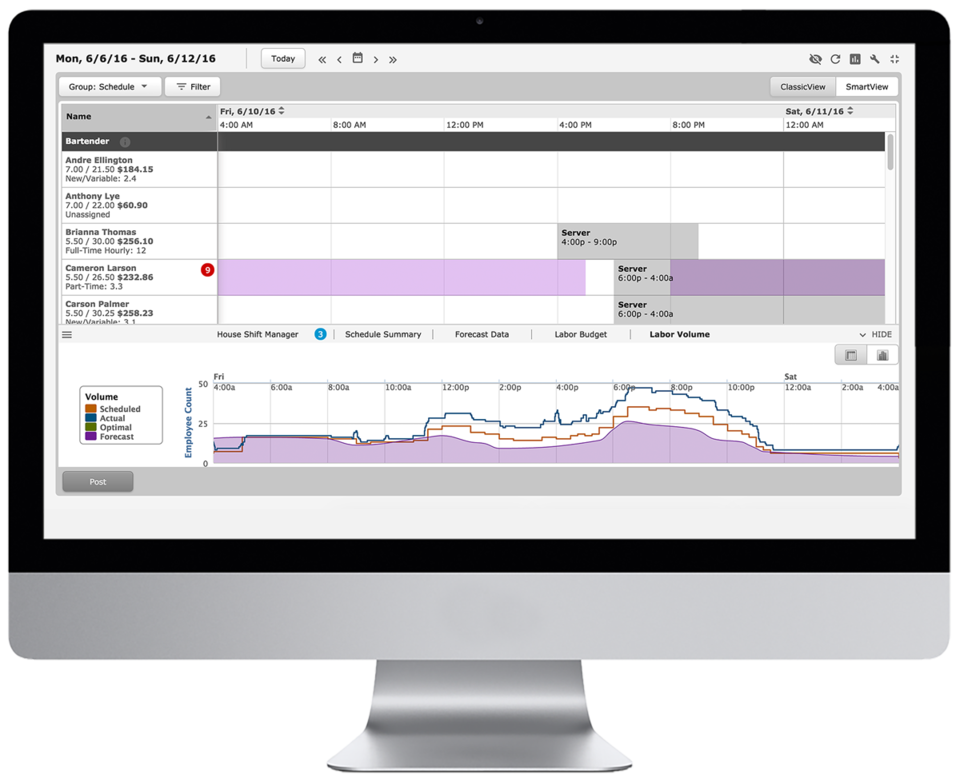
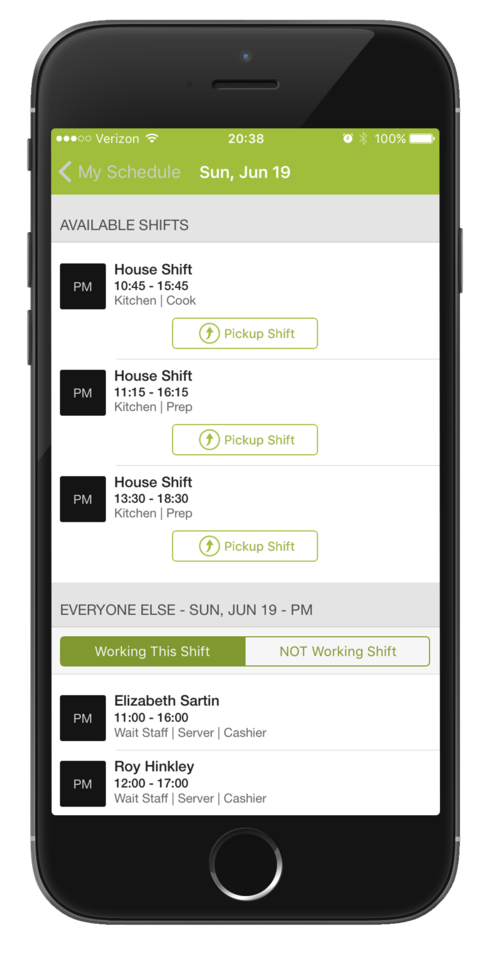
HotSchedules is a cloud-based scheduling, labor and communication management software solution serving the restaurant and hospitality industry. According to the vendor, key benefits include: Build & Communicate Schedules The scheduling and labor management software reduces the time it takes managers to create and communicate schedules. All scheduling and employee information is stored in one central location, so managers have access to time-off requests,…
$2
per month per employee
Wagepoint
Score7.4 out of 10
N/A
Wagepoint is payroll software, from the multinational company of the same name headquartered in Calgary.
$20
per month Plus $4 per employee/contractor
Pricing
HotSchedules
Wagepoint
Editions & Modules
Essentials
$2
per month per employee
Plus
$4
per month per employee
Quote-Based
Quote-based pricing
No answers on this topic
Offerings
Pricing Offerings
HotSchedules
Wagepoint
Free Trial
Yes
Yes
Free/Freemium Version
No
No
Premium Consulting/Integration Services
No
No
Entry-level Setup Fee
No setup fee
No setup fee
Additional Details
—
Pricing is based on a monthly subscription model. The right plan depends on how often a business runs payroll.
Solo plan
Best for businesses that only run one payroll per month.
$20/month plus $4 per employee/contractor
Unlimited plan
All-you-can-payroll. Best for businesses handling multiple payrolls in a month.
$40/month plus $6 per employee/contractor
*All prices above are CAD
More Pricing Information
Features
HotSchedules
Wagepoint
Payroll Management
Comparison of Payroll Management features of HotSchedules and Wagepoint
For small to medium-sized companies HotSchedules works great when business is very static. If you are simply using HotSchedules for a schedule writing tool, it is phenomenal. However, it does miss the mark as a labor control software. Needs more controls to keep managers aware of spending versus historical sales data.
A de minimis incentive was given to thank the reviewer for their time. The incentive was not used to bias or drive a particular response, nor was the incentive contingent on a positive endorsement. More Info
I highly recommend Wagepoint, especially for start-up companies. Their fees are really cheap and the quality of their work is really good. They may have room for improvement on the reporting side, but given their flexibility, they can always find a way to help your organization. I definitely recommend Wagepoint.
A de minimis incentive was given to thank the reviewer for their time. The incentive was not used to bias or drive a particular response, nor was the incentive contingent on a positive endorsement. More Info
Communication is so simple on HotSchedules. Whether it is communicating a new schedule release, or a quick note about tonight's shift we as managers are able to easily communicate and know that it will reach our team through text notifications, or email notifications.
The Meal Break planning tool is very useful in being able to help our floor leaders clearly understand and plan for what breaks are needed throughout the shift. This allows them to come up with a strategic game plan quickly and spend more time with our guests.
Shift Swaps and Releases are so seamless. This is our favorite tool as it makes helping our team cover shifts extremely easy and painless. On the flip side it also makes staff who want more hours be able to find what is available in real time.
A de minimis incentive was given to thank the reviewer for their time. The incentive was not used to bias or drive a particular response, nor was the incentive contingent on a positive endorsement. More Info
A de minimis incentive was given to thank the reviewer for their time. The incentive was not used to bias or drive a particular response, nor was the incentive contingent on a positive endorsement. More Info
Clocking In and out can be a little slow. It takes longer to clock in then our previous method. Before we just had a card you swiped and it would clock you in. Took 2 seconds. Now with the Hotschdules method we use it take 30 seconds or so. Not a huge issue but it can add up if you have one computer and a line of employees waiting to clock in.
Time Cards. It does not allow you to view someones current time until the "punch" has ended. If the manager would like to check what time the employee clocked in/out from lunch they have to wait until the employee has clocked out for the day before the record is generated. As a shift lead you may send and employee to lunch but forget to note what time you sent them. Awhile passes and you feel like they should be back by now, so you want to go in and see what time they left for lunch but it does not show you that punch record because the employee is still "clocked in" they are just on their "Meal Break"
The ability to customize the restrictions for Clocking in and out. You can set it up so that employees can only clock in from a specific location, however if you have a manager who is allowed to work from home they would not be able to clock in without being at the same location as set in the software. It would be nice to see it able to be customized per user.
A de minimis incentive was given to thank the reviewer for their time. The incentive was not used to bias or drive a particular response, nor was the incentive contingent on a positive endorsement. More Info
A de minimis incentive was given to thank the reviewer for their time. The incentive was not used to bias or drive a particular response, nor was the incentive contingent on a positive endorsement. More Info
A de minimis incentive was given to thank the reviewer for their time. The incentive was not used to bias or drive a particular response, nor was the incentive contingent on a positive endorsement. More Info
6 Years of Experience provides me the insight on the upgrades and changes that HotSchedules has done to improve the experience of its users. There are so many features that we still have not started or used to the fullest, but we believe that we are currently getting a strong value out of the money that is paid for this product.
A de minimis incentive was given to thank the reviewer for their time. The incentive was not used to bias or drive a particular response, nor was the incentive contingent on a positive endorsement. More Info
On rare occasions a phone call has been required to find the solution to a problem, the HotSchedules response staff have been helpful, courteous, and genuinely seem to care for their clients and take pride in what they do. The consistent development and fine tuning of the platform, interface, and mobile environment shows that this is not a program full of people who rest on their laurels.
A de minimis incentive was given to thank the reviewer for their time. The incentive was not used to bias or drive a particular response, nor was the incentive contingent on a positive endorsement. More Info
I have not used any other Scheduling software for employees. As a campground manager in the summer season, we are using campground master for reservations. it is very similar in process to employee scheduling. the ability to the user of that program to set up their own parameters for time and reservations is something that would benefit the employee scheduling software.
A de minimis incentive was given to thank the reviewer for their time. The incentive was not used to bias or drive a particular response, nor was the incentive contingent on a positive endorsement. More Info
Wagepoint is great for our Canadian employees, as Gusto does not support multi-national workforces. However, Gusto provides a much more robust system with which you can manage employees salaries, healthcare benefits, and additional benefits. Gusto also provides ample data with which to evaluate costs, understand employees, and forecast future costs, which Wagepoint does not support.
A de minimis incentive was given to thank the reviewer for their time. The incentive was not used to bias or drive a particular response, nor was the incentive contingent on a positive endorsement. More Info
Saving time on scheduling means our managers can focus more on guest experience, managing the floor and other areas that contribute to the success of our business.
A de minimis incentive was given to thank the reviewer for their time. The incentive was not used to bias or drive a particular response, nor was the incentive contingent on a positive endorsement. More Info
A de minimis incentive was given to thank the reviewer for their time. The incentive was not used to bias or drive a particular response, nor was the incentive contingent on a positive endorsement. More Info