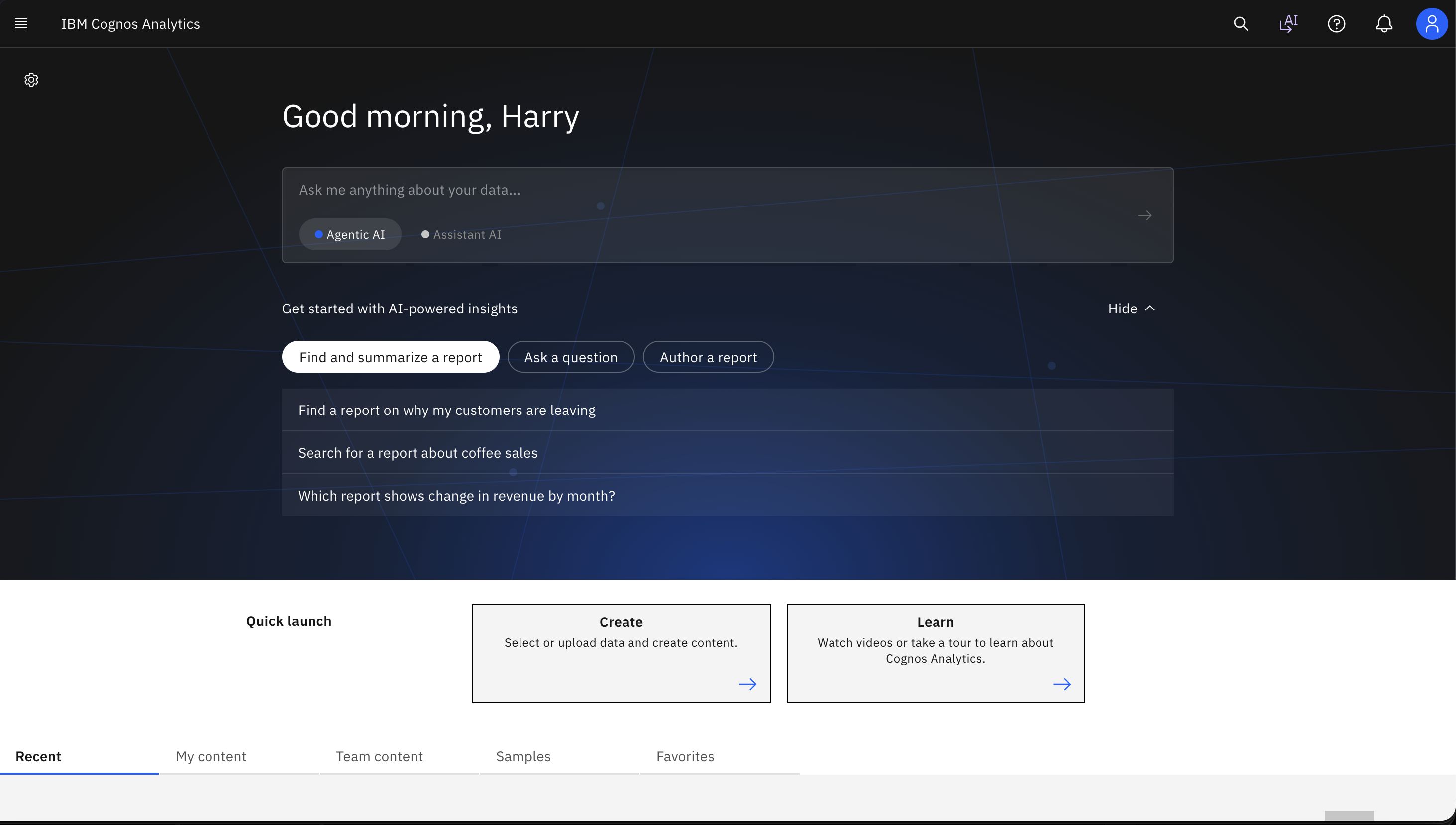
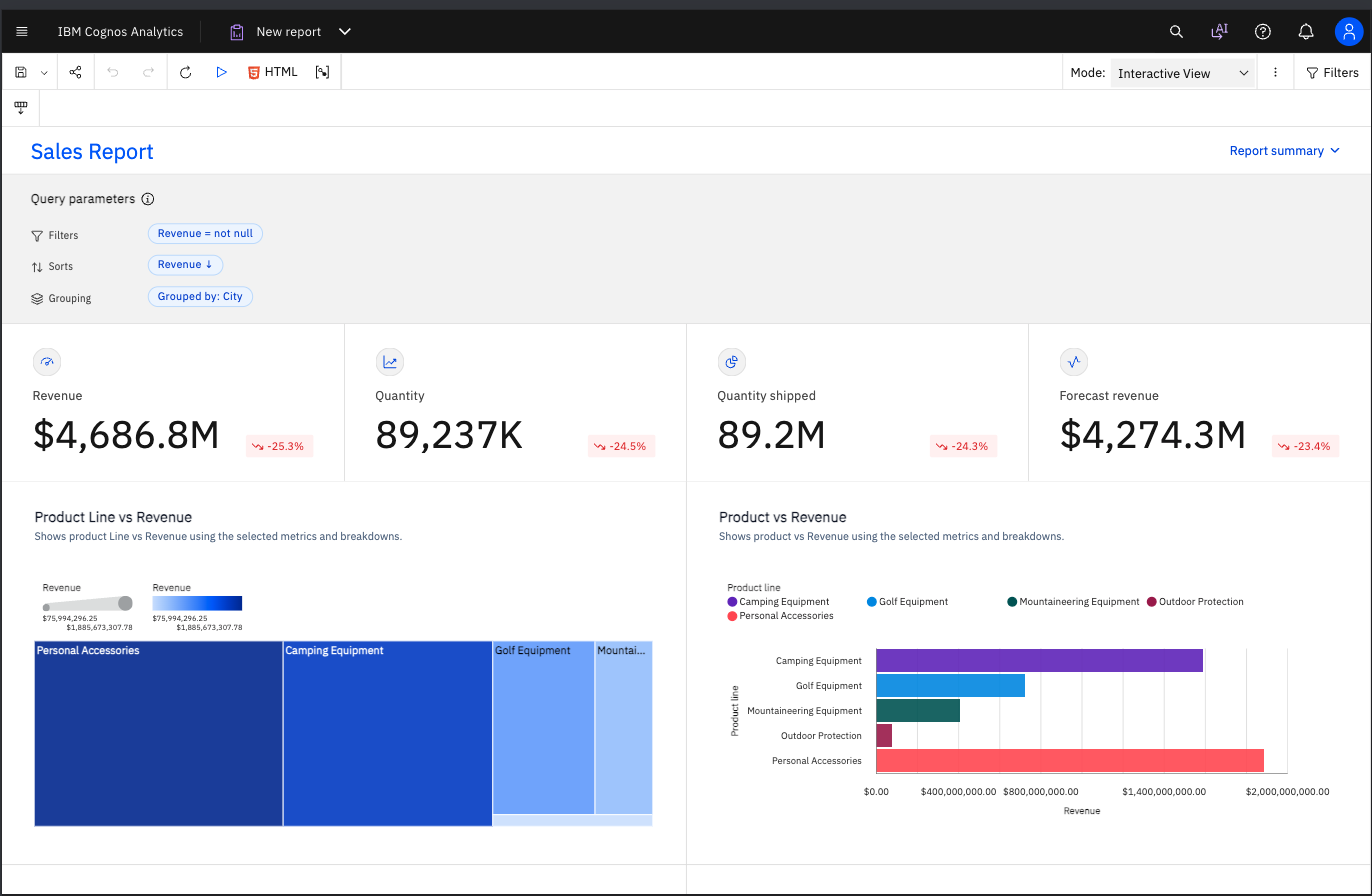
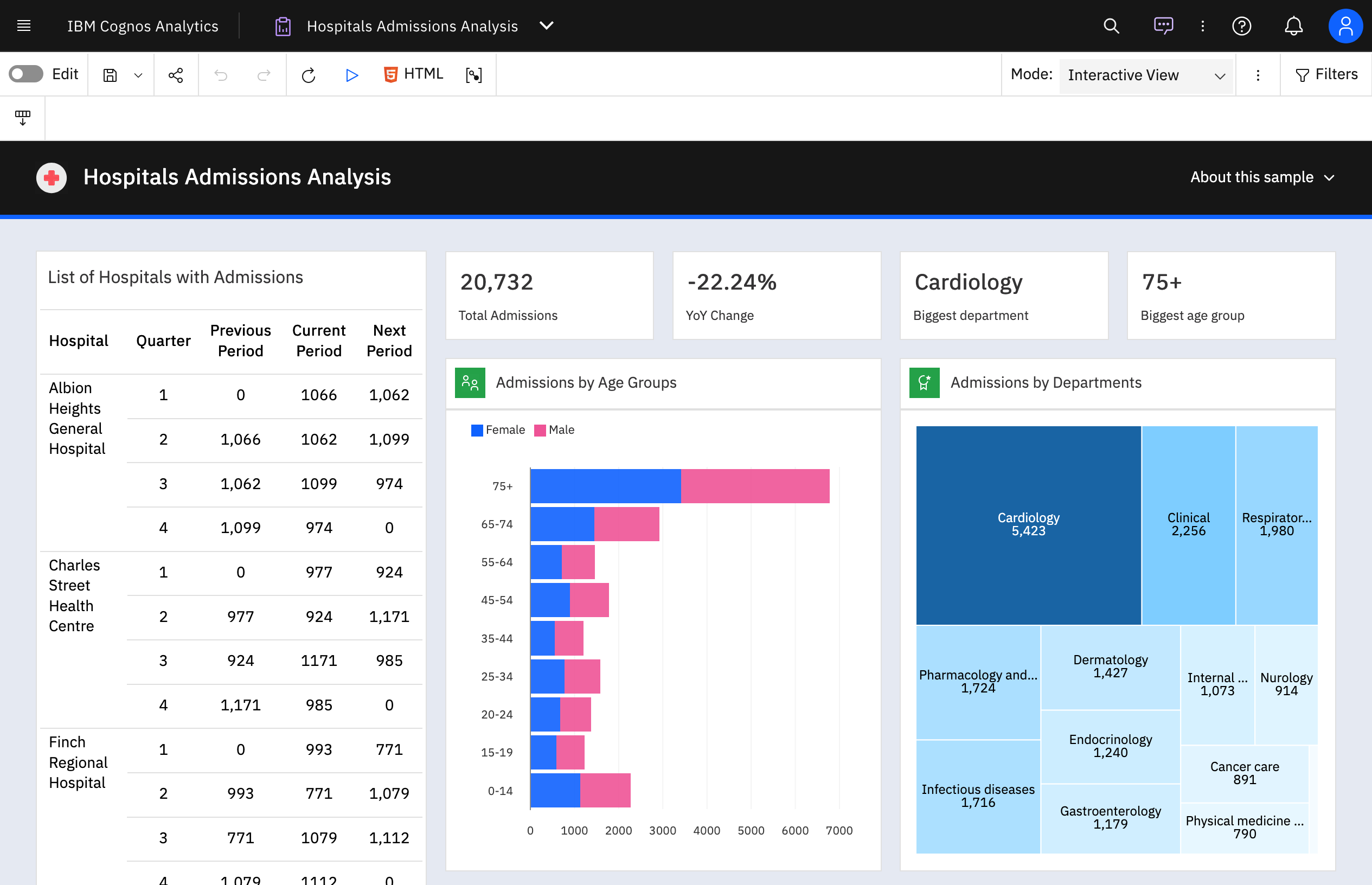
IBM Cognos is a full-featured business intelligence suite by IBM, designed for larger deployments. It comprises Query Studio, Reporting Studio, Analysis Studio and Event Studio, and Cognos Administration along with tools for Microsoft Office integration, full-text search, and dashboards.
$11.25
per month per user
IntelliJ IDEA
Score9.2 out of 10
N/A
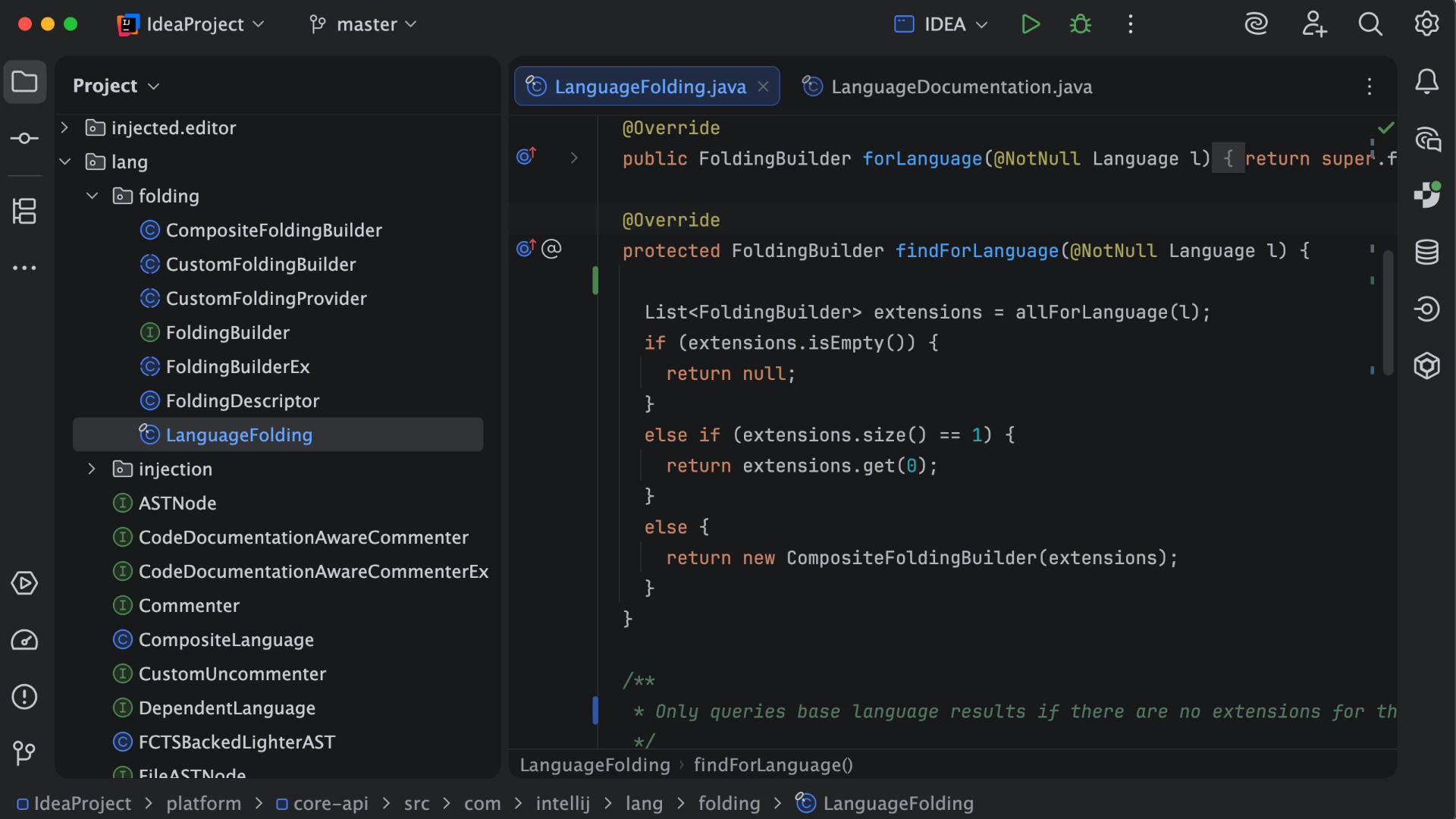
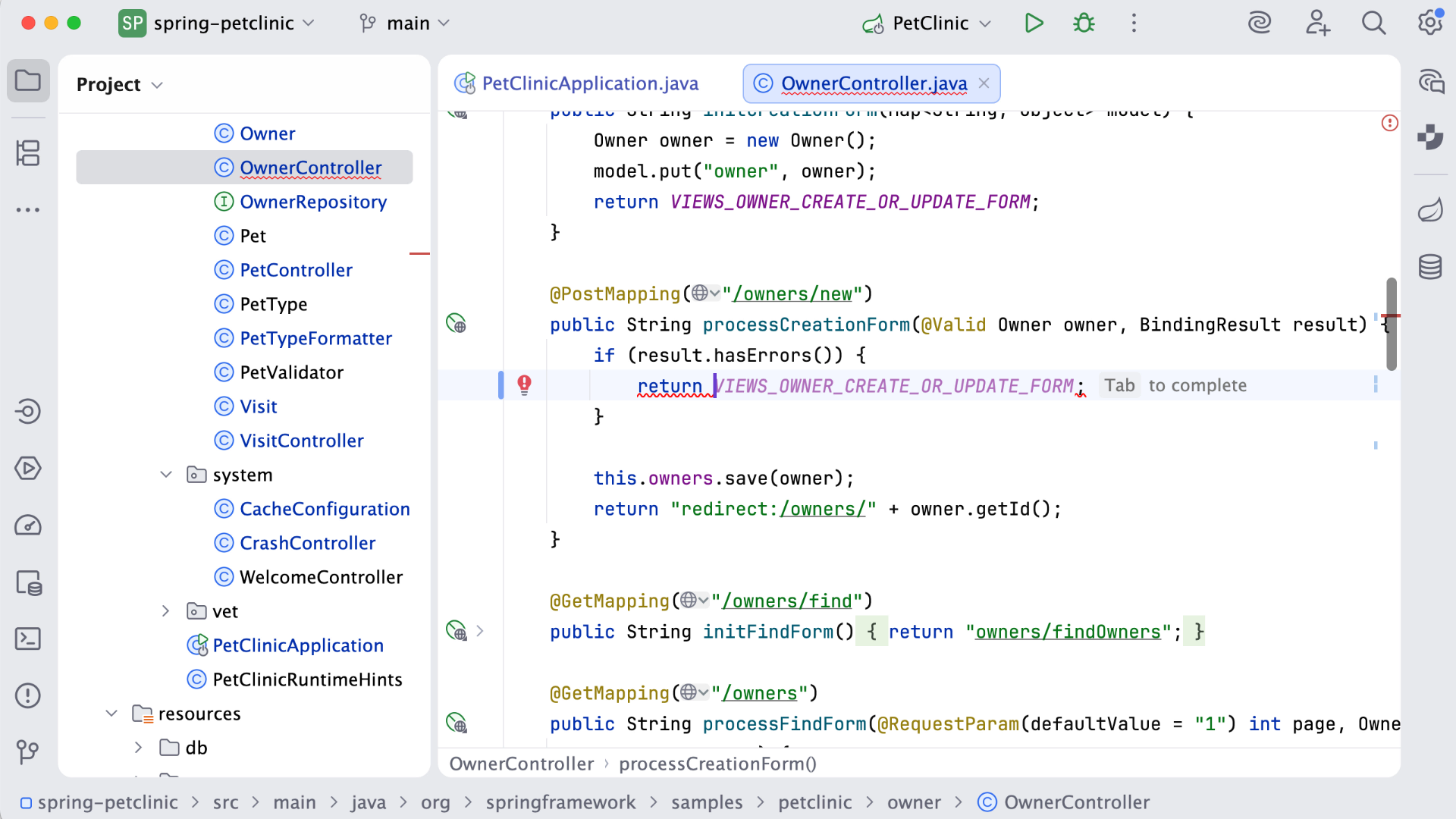
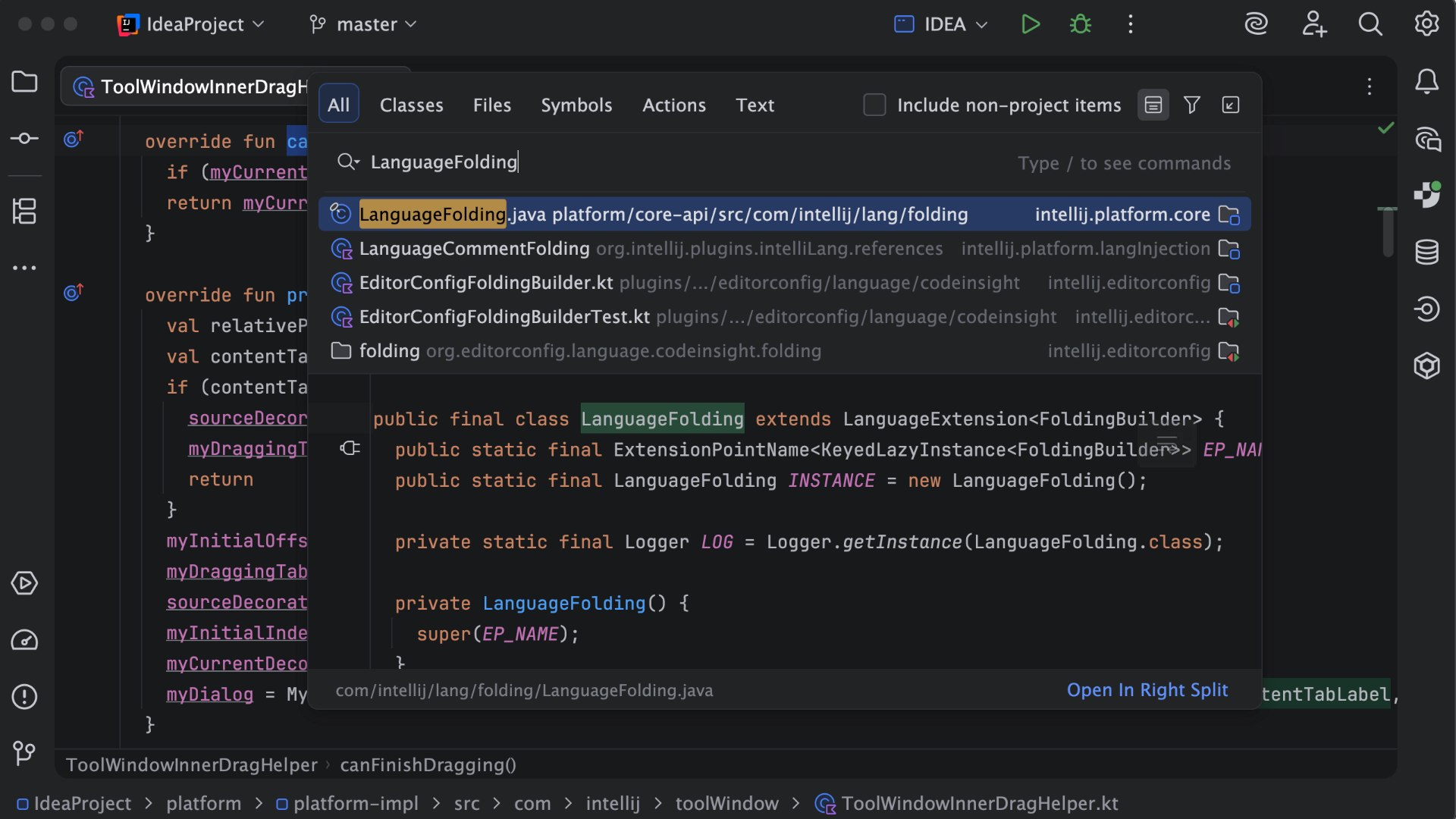
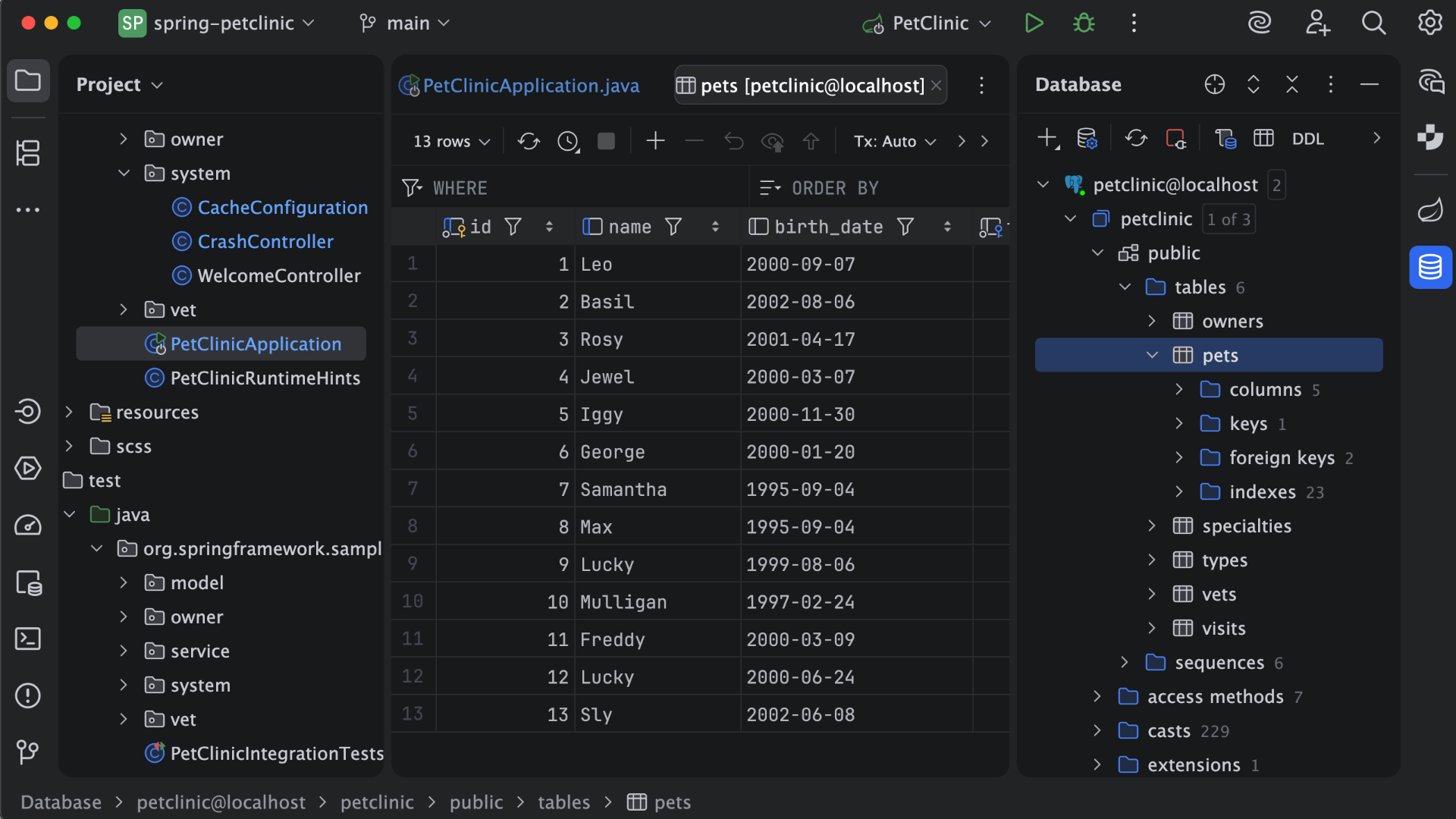
IntelliJ IDEA is an IDE that aims to give Java and Kotlin developers everything they need out of the box, including a smart code editor, built-in developer tools, framework support, database support, web development support, and much more.
$19.90
per month
PyCharm
Score9.3 out of 10
N/A
PyCharm is an extensive Integrated
Development Environment (IDE) for Python developers. Its
arsenal includes intelligent code completion, error detection, and rapid
problem-solving features, all of which aim to bolster efficiency. The product supports programmers in composing orderly and maintainable
code by offering PEP8 checks, testing assistance, intelligent refactorings, and
inspections. Moreover, it caters to web development frameworks like Django and
Flask by providing framework…
$9.90
per month per user
Pricing
IBM Cognos Analytics
IntelliJ IDEA
PyCharm
Editions & Modules
On Demand - Standard
USD 11.25
per month per user
On Demand - Premium
USD 44.90
per month per user
For Individual Use (Monthly billing)
$19.90
per month
For Organizations (Monthly billing)
$71.90
per month
For Individual Use (Yearly billing)
$199
per year
For Organizations (Yearly billing)
$719
per year
For Individuals
$99
per year per user
All Products Pack for Organizations
$249
per year per user
All Products Pack for Individuals
$289
per year per user
For Organizations
$779
per year per user
Offerings
Pricing Offerings
IBM Cognos Analytics
IntelliJ IDEA
PyCharm
Free Trial
Yes
Yes
Yes
Free/Freemium Version
No
Yes
No
Premium Consulting/Integration Services
Yes
No
No
Entry-level Setup Fee
Optional
No setup fee
No setup fee
Additional Details
—
All Products Pack (For Individual Use) – $299 /1st year, $ 239 /2nd year and $ 179 /3d year onwards
All Products Pack (For Organizations) – $979 / year
Senior Member of Technical Staff in Engineering at athenahealth (Hospital & Health Care, 5001-10,000 employees)
Chose IntelliJ IDEA
IntelliJ stacks better against Eclipse or vs code because it provides better code suggestions, out-of-the-box SonarLint integration, and built-in support for version control with git. It also has a vast collection of plugins that can increase developer productivity, reduce …
A de minimis incentive was given to thank the reviewer for their time. The incentive was not used to bias or drive a particular response, nor was the incentive contingent on a positive endorsement. More Info
Verified User
Chose IntelliJ IDEA
IntelliJ IDEA is the most specific and oriented towards my line of work, however, after using it for years - it's also my preferred IDE that I use for personal projects as well. Jetbrains other IDE offerings are almost as good and I do use them from time to time but IntelliJ …
A de minimis incentive was given to thank the reviewer for their time. The incentive was not used to bias or drive a particular response, nor was the incentive contingent on a positive endorsement. More Info
Verified User
Chose IntelliJ IDEA
It is much more friendly to use and has more features in terms of leading to more efficient and productive software engineers. I prefer the interface as well as the code Completion/code refactoring and error suggestions
A de minimis incentive was given to thank the reviewer for their time. The incentive was not used to bias or drive a particular response, nor was the incentive contingent on a positive endorsement. More Info
Salesforce/Apttus Developer in Information Technology at Wipro Limited (Computer Software, 5001-10,000 employees)
Chose IntelliJ IDEA
Previously we were using Eclipse but due to the ease of understanding and easy to navigate user interface with drop downs, wizards they are better in IntelliJ moreover for experienced developers migrating to IntelliJ as compared to Eclipse. It has an easy to understand UI and …
A de minimis incentive was given to thank the reviewer for their time. The incentive was not used to bias or drive a particular response, nor was the incentive contingent on a positive endorsement. More Info
Software Developer in Engineering at Webvalto Ltd. (Banking, 51-200 employees)
Chose IntelliJ IDEA
IntelliJ surpassed every single competitor. The only viable alternative I still use is VisualStudio Code build in a browser for demo purposes... other than that, IDEA does everything better, faster, and in a more comfy way. This is the best IDE out there. This is just as good …
A de minimis incentive was given to thank the reviewer for their time. The incentive was not used to bias or drive a particular response, nor was the incentive contingent on a positive endorsement. More Info
A de minimis incentive was given to thank the reviewer for their time. The incentive was not used to bias or drive a particular response, nor was the incentive contingent on a positive endorsement. More Info
DevOps Engineer in Engineering at CBRE (Real Estate, 10,001+ employees)
Chose IntelliJ IDEA
IntelliJ is much more polished and is consistently updated with quality features. Yes, it has its flaws, but using Eclipse is the IDE equivalent of Windows Vista. I would much rather spend the extra time learning how to use all the intricate features than not have the features …
A de minimis incentive was given to thank the reviewer for their time. The incentive was not used to bias or drive a particular response, nor was the incentive contingent on a positive endorsement. More Info
Verified User
Chose IntelliJ IDEA
IntelliJ IDEA is the best we have found so far for development and querying CRM and databases. We buy licenses for several users to speed up our development and configuration processes. It really accelerates our development and productivity. It is stable and fast and easier to …
A de minimis incentive was given to thank the reviewer for their time. The incentive was not used to bias or drive a particular response, nor was the incentive contingent on a positive endorsement. More Info
QA Test Lead in Quality Assurance at Action-MCFR Mediagroup (Information Services, 1001-5000 employees)
Chose IntelliJ IDEA
IDEA has great roadmap, every update brings useful features. Support is great. Excellent documentation. It's full-featured as it comes out of the box and even if you can't find something you'll get it via plugins.
A de minimis incentive was given to thank the reviewer for their time. The incentive was not used to bias or drive a particular response, nor was the incentive contingent on a positive endorsement. More Info
Software Engineer in Engineering at AlmaBay (Computer Software, 11-50 employees)
Chose IntelliJ IDEA
Against competition I can say about IntelliJ that:
1. It is definitely faster and efficient than other IDEs. Comparing with Eclipse it emerges as a clear winner in terms or raw performance. 2. More feature Rich with great support for modern technologies. It has great support for …
A de minimis incentive was given to thank the reviewer for their time. The incentive was not used to bias or drive a particular response, nor was the incentive contingent on a positive endorsement. More Info
A de minimis incentive was given to thank the reviewer for their time. The incentive was not used to bias or drive a particular response, nor was the incentive contingent on a positive endorsement. More Info
Sr. Director, Engineering in Engineering at VMware (Computer Software, 51-200 employees)
Chose IntelliJ IDEA
There are a number of alternatives to IntelliJ IDEA on the market, some free, some paid. Overall, IntelliJ IDEA is easier to use and far more full-featured as it comes out of the box. It provides a simpler level of customization and the ability to share this customization with …
A de minimis incentive was given to thank the reviewer for their time. The incentive was not used to bias or drive a particular response, nor was the incentive contingent on a positive endorsement. More Info
Frontend Developer in Information Technology at Fiverr (Computer Software, 1-10 employees)
Chose PyCharm
First of all, PyCharm is easy to install for beginners whose parent organization is JetBrains. It can be installed on any operating system with ease. It provides Python Django Framework for FrontEnd Developers which others do not provide. The UI is also simpler as compared to …
A de minimis incentive was given to thank the reviewer for their time. The incentive was not used to bias or drive a particular response, nor was the incentive contingent on a positive endorsement. More Info
Verified User
Chose PyCharm
PyCharm has a dark theme which is cool and more helpful tips while coding. It has more powerful navigation in XML and code.
A de minimis incentive was given to thank the reviewer for their time. The incentive was not used to bias or drive a particular response, nor was the incentive contingent on a positive endorsement. More Info
Verified User
Chose PyCharm
I've used Sublime, VSCode, Wing IDE, Visual Studio, IntelliJ, WebStorm. For Java development, Intellij is best - being built by the same company as PyCharm it provides a helpful familiarity. The same can be said for WebStorm, although more lightweight IDEs are usually …
A de minimis incentive was given to thank the reviewer for their time. The incentive was not used to bias or drive a particular response, nor was the incentive contingent on a positive endorsement. More Info
Software Developer in Engineering at Webvalto Ltd. (Banking, 51-200 employees)
Chose PyCharm
Simply one of the best IDE's of our time. It has a lot of features, a big user base, and a professional developer team behind it. It simply surpasses most of its competitors, as there are not too many Python-specialized IDEs anyway.
A de minimis incentive was given to thank the reviewer for their time. The incentive was not used to bias or drive a particular response, nor was the incentive contingent on a positive endorsement. More Info
Verified User
Chose PyCharm
Compared to bare bones editors like Sublime and Notepad++, Pycharm is a full-service IDE with all the bells and whistles that makes python coding easy and convenient. There is no need to use the terminal or Mac finder to navigate to different files or use CMD+F to find where a …
A de minimis incentive was given to thank the reviewer for their time. The incentive was not used to bias or drive a particular response, nor was the incentive contingent on a positive endorsement. More Info
Verified User
Chose PyCharm
I've used IntelliJ with Python extensions in past for working in Python but it's not best suited for that it doesn't give all the flexibility for Python projects like auto-indentation for Python code. Its paid version is a bit cheaper than IntelliJ. PyCharm offers integration …
A de minimis incentive was given to thank the reviewer for their time. The incentive was not used to bias or drive a particular response, nor was the incentive contingent on a positive endorsement. More Info
Principle Automation Engineer in Engineering at Workshare (Computer Software, 51-200 employees)
Chose PyCharm
I needed a Python dedicated solution Pycharm is the best suited, giving no hassle in setting up and providing an off the shelf solution for python development. Using Eclipse is cumbersome, some additional plugins must be installed and configured
A de minimis incentive was given to thank the reviewer for their time. The incentive was not used to bias or drive a particular response, nor was the incentive contingent on a positive endorsement. More Info
In our environment, we used to use a reporting tool called Crystal Reports and we replaced this tool with Cognos. I would recommend this switch for any one who's using a report tool that can be replaced with Cognos. This eliminates any JDBC or ODBC connections and User setups within any databases which was needed so the users can gain access to the report. Cognos makes logging in and fetching any report much easier.
A de minimis incentive was given to thank the reviewer for their time. The incentive was not used to bias or drive a particular response, nor was the incentive contingent on a positive endorsement. More Info
This is a superb tool if your project involves a lot of backend development, especially in Java/Spring Boot and Kotlin. The support for the front end is great as well, but some developers may prefer to use the GitHub copilot add-on. I especially love using the GitHub copilot add-on. It may be less appropriate if your project requires heavy use of HotSwaps for backend debugging, as sometimes the support for that can be limited.
A de minimis incentive was given to thank the reviewer for their time. The incentive was not used to bias or drive a particular response, nor was the incentive contingent on a positive endorsement. More Info
PyCharm is well suited to developing and deploying Python applications in the cloud using Kubernetes or serverless pipelines. The integration with GitLab is great; merges and rebates are easily done and help the developer move quickly. The search engine that allows you to search inside your code is also great. It is less appropriate for other languages.
A de minimis incentive was given to thank the reviewer for their time. The incentive was not used to bias or drive a particular response, nor was the incentive contingent on a positive endorsement. More Info
Enterprise reporting - Create, customise, and run reports on sales trends, consumer sentiment, etc.
Dashboard creation and data exploration & analysis - Using drag and drop feature to create ad-hoc visualisation. Additionally, using AI powered natural language query feature for data analysis and dashboard input (formation of pie, bar, line charts). It's useful for no-technical person to put queries around the spreadsheet data to get quick answers.
Building insights for accurate decision making - Package reports with data backed insights for stakeholders in pdf, and Excel format to support business ad-hoc cases, forecasting and strategic recommendations on relevant asks.
A de minimis incentive was given to thank the reviewer for their time. The incentive was not used to bias or drive a particular response, nor was the incentive contingent on a positive endorsement. More Info
Unit testing: Fully integrated into IntelliJ IDEA. Your unit tests will run smoothly and efficiently, with excellent debugging tools for when things get tricky.
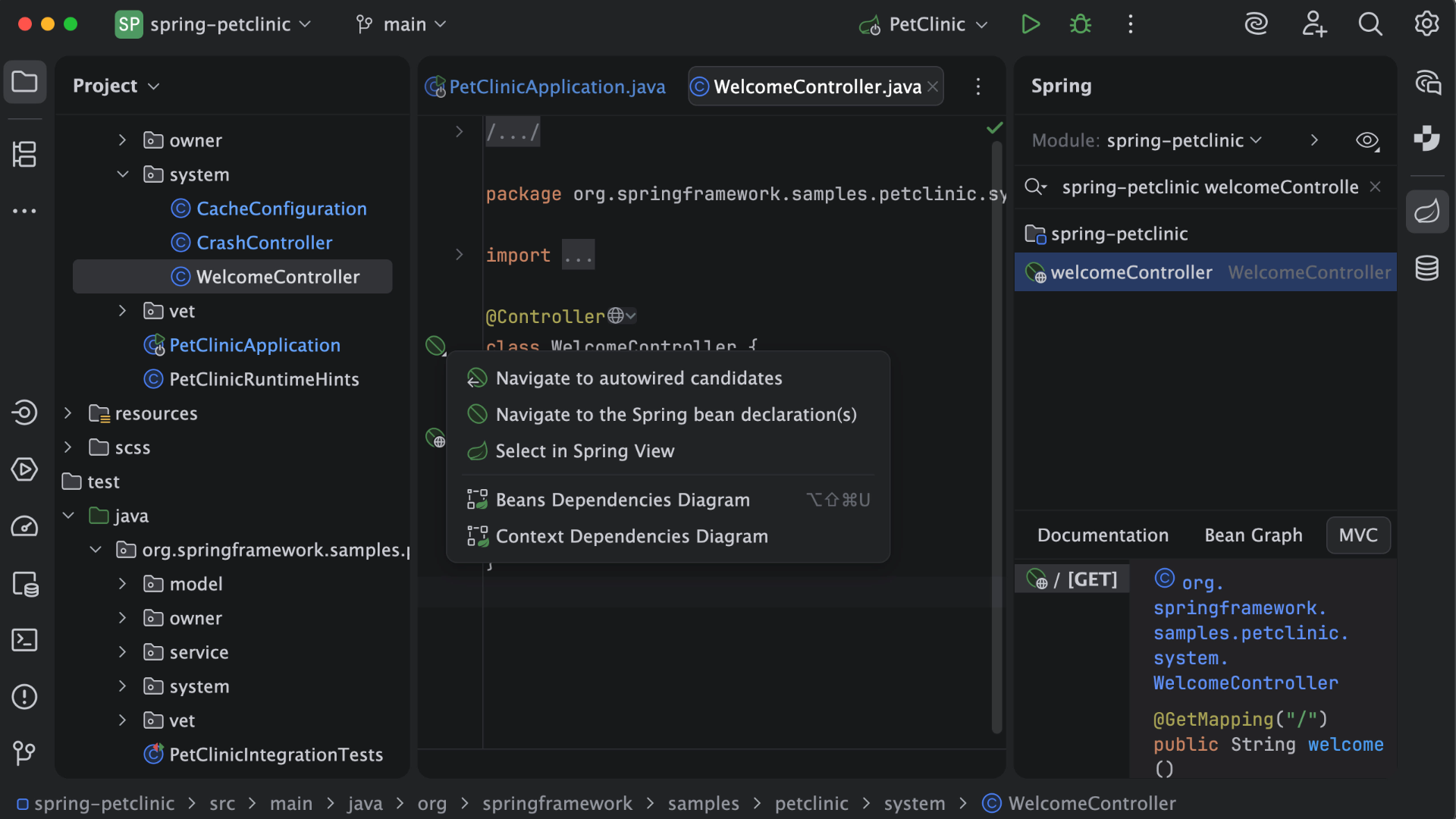
Spring integration: Our Spring project using Maven works flawlessly in IntelliJ IDEA. I know firsthand that Apache is also easily and readily supported too. The integration is seamless and very easy to set up using IntelliJ IDEA's set up wizard when importing new projects.
Customization: IntelliJ IDEA comes out of the box with a bunch of handy shortcuts, as well as text prediction, syntax error detection, and other tools to help keep your code clean. But even better is that it allows for total customization of shortcuts you can easily create to suit your needs.
A de minimis incentive was given to thank the reviewer for their time. The incentive was not used to bias or drive a particular response, nor was the incentive contingent on a positive endorsement. More Info
Git integration is really essential as it allows anyone to visually see the local and remote changes, compare revisions without the need for complex commands.
Complex debugging tools are basked into the IDE. Controls like break on exception are sometimes very helpful to identify errors quickly.
Multiple runtimes - Python, Flask, Django, Docker are native the to IDE. This makes development and debugging and even more seamless.
Integrates with Jupyter and Markdown files as well. Side by side rendering and editing makes it simple to develop such files.
A de minimis incentive was given to thank the reviewer for their time. The incentive was not used to bias or drive a particular response, nor was the incentive contingent on a positive endorsement. More Info
IBM Cognos Analytics enables customer data segmentation, which is essential for marketing, improving and streamlining purchasing behavior and preferences. This helps companies create more targeted and effective marketing campaigns.
Our clients Through data analysis, we can identify and observe trends in the behavior of other clients, allowing us to anticipate needs and adjust strategies to avoid consequences.
A de minimis incentive was given to thank the reviewer for their time. The incentive was not used to bias or drive a particular response, nor was the incentive contingent on a positive endorsement. TR verified that a representative sample of customers was invited. More Info
A de minimis incentive was given to thank the reviewer for their time. The incentive was not used to bias or drive a particular response, nor was the incentive contingent on a positive endorsement. More Info
The biggest complaint I have about PyCharm is that it can use a lot of RAM which slows down the computer / IDE. I use the paid version, and have otherwise found nothing to complain about the interface, utility, and capabilities.
A de minimis incentive was given to thank the reviewer for their time. The incentive was not used to bias or drive a particular response, nor was the incentive contingent on a positive endorsement. More Info
For an existing solution, renewing licenses does provide a good return on investment. Additionally, while rolling out scorecards and dashboards with little adhoc capabilities, to end users, cognos is very easily scalable. It also allows to create a solution that has a mix of OLAP and relational data-sources, which is a limitation with other tools. Synchronizing with existing security setup is easy too.
VS Code is maturing and has a Scala plugin now. The overall experience with VS Code - for web development at least - is very snappy/fast. IntelliJ feels a bit sluggish in comparison. If that Scala plugin for VS Code is deemed mature enough - we may not bother renewing and resort to the Community Edition if we need it.
A de minimis incentive was given to thank the reviewer for their time. The incentive was not used to bias or drive a particular response, nor was the incentive contingent on a positive endorsement. More Info
A de minimis incentive was given to thank the reviewer for their time. The incentive was not used to bias or drive a particular response, nor was the incentive contingent on a positive endorsement. More Info
We have a strong user base (3500 users) that are highly utilizing this tool. Basic users are able to consume content within the applied security model. We have a set of advanced users that really push the limits of Cognos with Report and Query Studio. These users have created a lot of personal content and stored it in 'My Reports'. Users enjoy this flexibility.
There is always room for improvement, but I haven't met any IDE that I liked more so far. Even if it did not fit a use case right out of the box, there is always a way to configure how it works to do just that.
A de minimis incentive was given to thank the reviewer for their time. The incentive was not used to bias or drive a particular response, nor was the incentive contingent on a positive endorsement. More Info
It's pretty easy to use, but if it's your first time using it, you need time to adapt. Nevertheless, it has a lot of options, and everything is pretty easy to find. The console has a lot of advantages and lets you accelerate your development from the first day.
A de minimis incentive was given to thank the reviewer for their time. The incentive was not used to bias or drive a particular response, nor was the incentive contingent on a positive endorsement. More Info
Reports can typically be viewed through any browser that can access the server, so the availability is ultimately up to what the company utilizing it is comfortable with allowing, though report development tends to be more picky about browsers and settings as mentioned above. It also has an optional iPad app and general mobile browsing support, but dashboards lack the mobile compatibility. What keeps it from getting a higher score is the desktop tools that are vital to the development process. The compatibility with only Windows when the server has a wide range of compatibility can be a real sore point for a company that outfits its employees exclusively with Mac or Linux machines. Of course, if they are planning on outsourcing the development anyways, it's a rather moot point
Overall no major complaints but it doesn't handle DMR (Dimensionally Modeled for Relational) very well. DMR modelling is a capability that IBM Cognos Framework Manager provides allowing you to specify dimensional information for relational metadata and allows for OLAP-style queries. However, the capability is not very efficient and, for example, if I'm using only 2 columns on a 20-column model, the software is not smart enough to exclude 18 columns and the query side gets progressively larger and larger until it's effectively unusable.
Why is their web application not working as fast as you think it should? They never know, and it is always a a bunch of shots in the dark to find out. Trying to download software from them is like trying to find a book at the library before computers were invented.
A de minimis incentive was given to thank the reviewer for their time. The incentive was not used to bias or drive a particular response, nor was the incentive contingent on a positive endorsement. More Info
Customer support is really good in the case of IntelliJ. If you are paying for this product then, the company makes sure that you will get all the services adequately. Regular update patches are provided to improve the IDE. An online bug report makes it easier for the developers to find the solution as fast as possible. The large online community also helps to find the various solutions to the issues.
A de minimis incentive was given to thank the reviewer for their time. The incentive was not used to bias or drive a particular response, nor was the incentive contingent on a positive endorsement. More Info
I rate 10/10 because I have never needed a direct customer support from the JetBrains so far. Whenever and for whatever kind of problems I came across, I have been able to resolve it within the internet community, simply by Googling because turns out most of the time, it was me who lacked the proper information to use the IDE or simply make the proper configuration. I have never came across a bug in PyCharm either so it deserves 10/10 for overall support
A de minimis incentive was given to thank the reviewer for their time. The incentive was not used to bias or drive a particular response, nor was the incentive contingent on a positive endorsement. More Info
Onsite training provided by IBM Cognos was effective and as expected. They did not perform training with our data which was a bit difficult for our end-users.
The online courses they offer are thorough and presented in such a way that someone who isn't already familiar with the general design methodologies used in this field will be capable of making a good design. The training environments are provided as a fully self contained virtual machine with everything needed already to create the environments. We've had some persisting issues with the environments becoming unavailable, but support has been responsive when these issues arise and straightening them out for us
Make sure that any custom tables that you have, are built into your metadata packages. You can still access them via SQL queries in Cognos, but it is much easier to have them as a part of the available metadata packages.
This installs just like any other application - its pretty straight forward. Perhaps licensing could be more challenging - but if you use the cloud licensing they offer its as simple as having engineers login to the application and it just works.
A de minimis incentive was given to thank the reviewer for their time. The incentive was not used to bias or drive a particular response, nor was the incentive contingent on a positive endorsement. More Info
Power BI is stronger for quick ad-hoc analysis and dashboards, but IBM Cognos Analytics is better when consistency, precision, and mass distribution matter. Tableau is best for interactive analysis, while IBM Cognos Analytics is better for standardized, repeatable enterprise reporting. Sigma shines for customizable dashboards and drill-down analysis while IBM Cognos Analytics holds an edge in data discovery and visualization.
A de minimis incentive was given to thank the reviewer for their time. The incentive was not used to bias or drive a particular response, nor was the incentive contingent on a positive endorsement. TR verified that a representative sample of customers was invited. More Info
Eclipse is just so old, like a dinosaur, compared to IntelliJ. There are still formats that Eclipse supports better, especially old and/or propriety ones. Still, most of the modern software development needs can be done on IntelliJ, & in a much better way, some of them are not even supported on Eclipse.
A de minimis incentive was given to thank the reviewer for their time. The incentive was not used to bias or drive a particular response, nor was the incentive contingent on a positive endorsement. More Info
When it comes to development and debugging PyCharm is better than Spyder as it provides good debugging support and top-quality code completion suggestions. Compared to Jupiter notebook it's easy to install required packages in PyCharm, also PyChram is a good option when we want to write production-grade code because it provides required suggestions.
A de minimis incentive was given to thank the reviewer for their time. The incentive was not used to bias or drive a particular response, nor was the incentive contingent on a positive endorsement. More Info
We rate IBM Cognos Analytics a 9 out of 10 for overall scalability. The platform handles large numbers of users, reports, and analytical workloads very reliably. We have experienced strong performance even in demanding enterprise environments with substantial data volumes. Its architecture provides sufficient flexibility to scale resources according to demand, making it well suited for large, business-critical deployments.
A de minimis incentive was given to thank the reviewer for their time. The incentive was not used to bias or drive a particular response, nor was the incentive contingent on a positive endorsement. More Info
A de minimis incentive was given to thank the reviewer for their time. The incentive was not used to bias or drive a particular response, nor was the incentive contingent on a positive endorsement. TR verified that a representative sample of customers was invited. More Info
A de minimis incentive was given to thank the reviewer for their time. The incentive was not used to bias or drive a particular response, nor was the incentive contingent on a positive endorsement. More Info
A de minimis incentive was given to thank the reviewer for their time. The incentive was not used to bias or drive a particular response, nor was the incentive contingent on a positive endorsement. TR verified that a representative sample of customers was invited. More Info