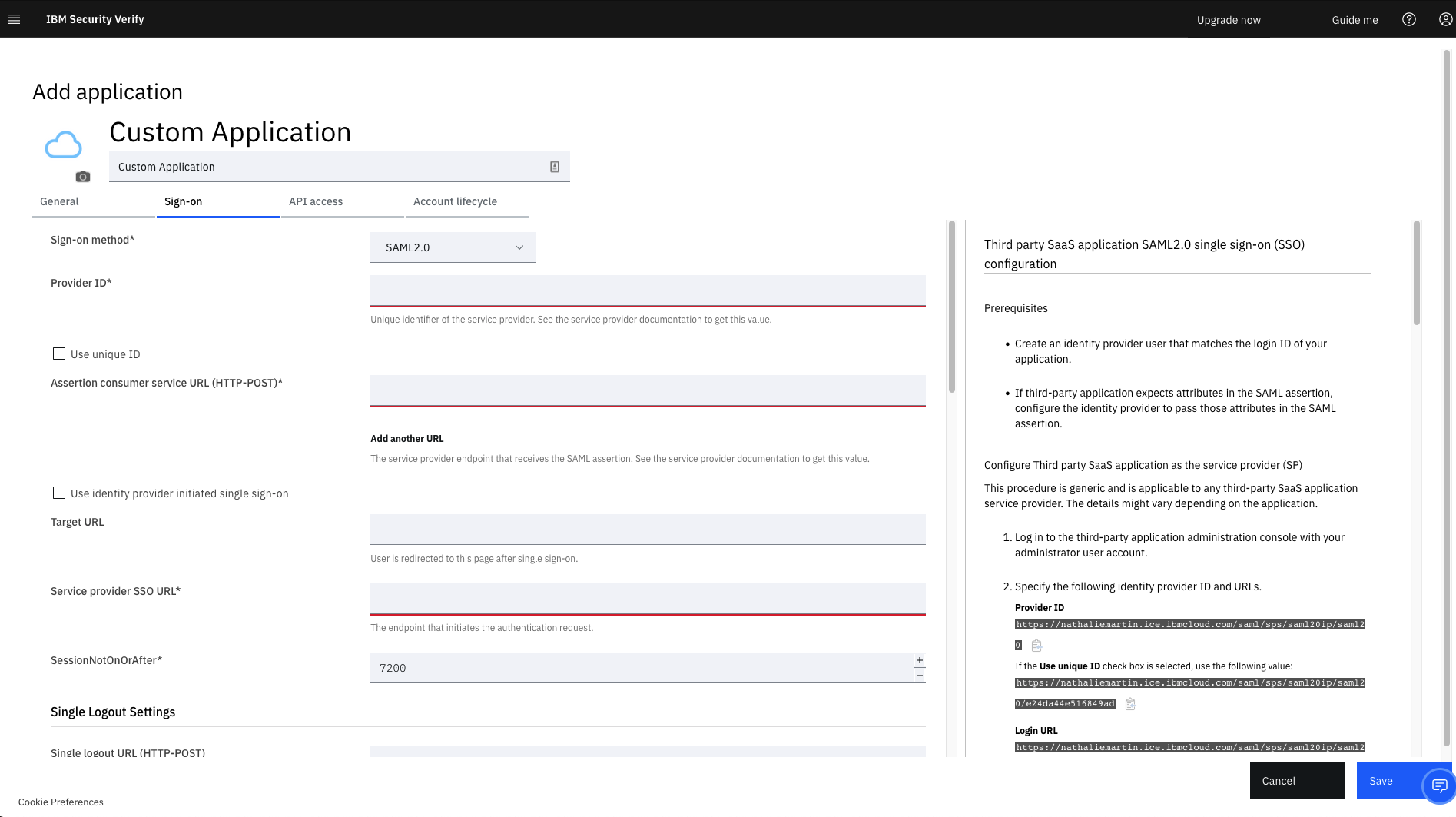
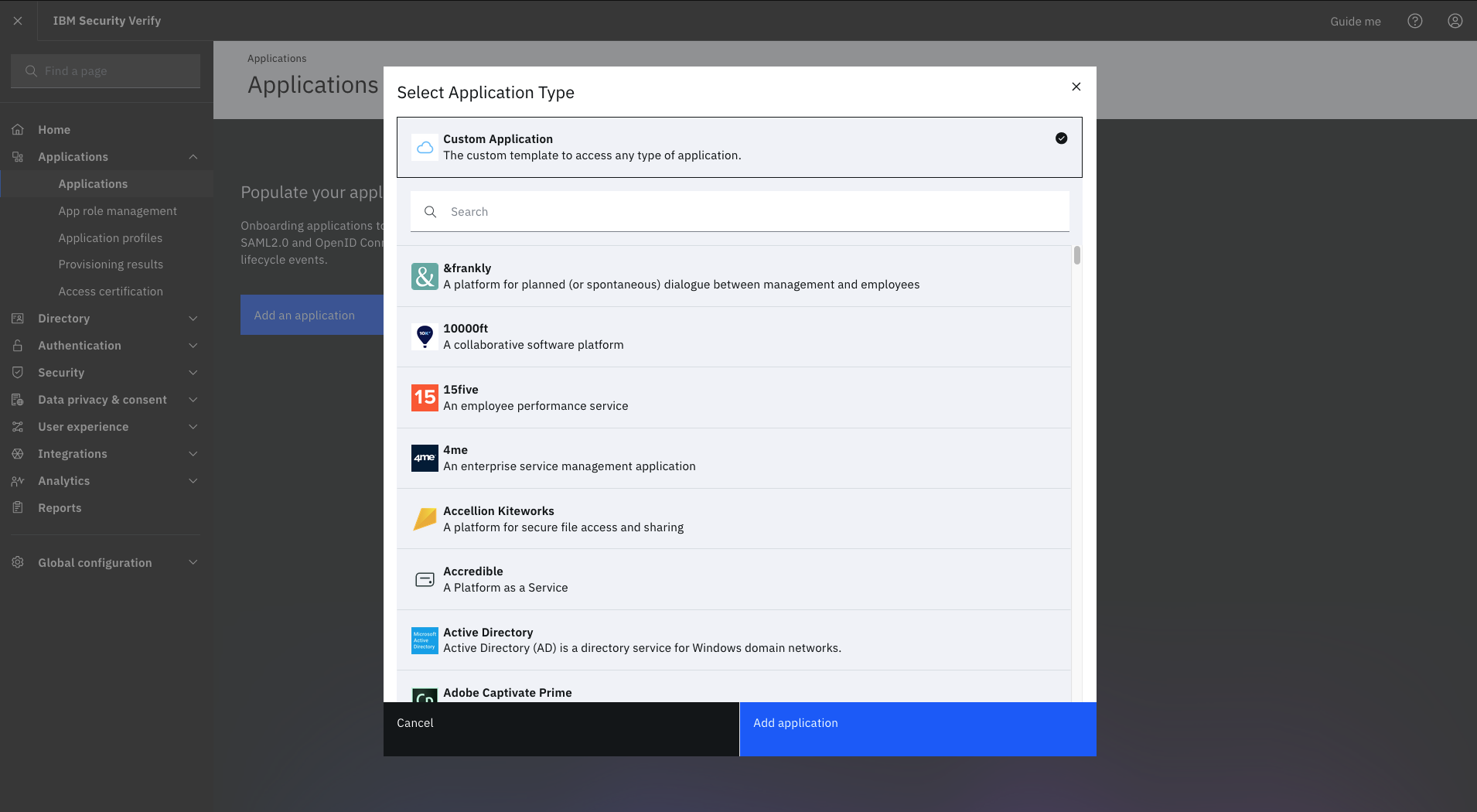
IBM Verify, formerly known as IBM Cloud Identity, is an identity-as-a-service (IDaaS) offering that aggregates dynamic user, device and environmental context to automate risk protection and continuously authenticate any user to any resource.
$1.81
per month per user
Microsoft 365
Score8.7 out of 10
N/A
Microsoft 365 (formerly Office 365) is a Microsoft Cloud subscription service that includes Microsoft Office products (Word, Excel, PowerPoint, OneNote, Outlook, Publisher, and Access). The software can be installed across multiple devices and ensures that users always have the most up-to-date version of the included Office applications.
$5
Per User Per Month
Pricing
IBM Verify
Microsoft 365
Editions & Modules
No answers on this topic
Business Basic
$5.00
Per User Per Month
Individual
$5.84
*Per Month
Business - Apps
$8.25
Per User Per Month
Enterprise - F3
$10.00
Per User Per Month
Business Standard
$12.50
Per User Per Month
Business Premium
$20.00
Per User Per Month
Enterprise - E3
$32.00
Per User Per Month
Enterprise - E5
$57.00
Per User Per Month
Offerings
Pricing Offerings
IBM Verify
Microsoft 365
Free Trial
Yes
No
Free/Freemium Version
No
No
Premium Consulting/Integration Services
Yes
No
Entry-level Setup Fee
Optional
No setup fee
Additional Details
Sample Pricing Breakdown (NOTE: for competitive pricing per contract, please consult with your IBM Security Account Rep)
Users: 5,000
SSO* -- USD 1.71 per user per month
MFA* -- USD 1.71 per user per month
Adaptive Access* -- USD 1.71 per user per month
Lifecycle and provisioning** -- USD 2.01 per user per month
Identity analytics** -- USD 2.13 per user per month
* Single sign-on (SSO), multifactor authentication (MFA) and adaptive access pricing based on total active monthly users per use case. Costs decrease if users are active less than once per month.
** Lifecycle and provisioning and identity analytics pricing based on total users per use case.
Global Marketing & E-Commerce in Marketing at LATAM Airlines (Airlines/Aviation, 10,001+ employees)
Chose IBM Verify
We conducted a comparison study between IBM Verify and Okta as well as Duo Security before making our selection. IBM Verify emerged as the perfect fit because its superior capability to integrate with our current system environment surpassed competitor security solutions. IBM …
A de minimis incentive was given to thank the reviewer for their time. The incentive was not used to bias or drive a particular response, nor was the incentive contingent on a positive endorsement. More Info
Marketing and Digital Communication Specialist in Marketing at Grupo Planeta (Libraries, 5001-10,000 employees)
Chose IBM Verify
Owing to the general findings formulated in this paper, comparing Okta and Microsoft Entra ID to IBM Verify, the latter appears to be the only tool that delivers a number of features for integrating with legacy systems. However, since IBM Verify has the upper hand in terms of …
A de minimis incentive was given to thank the reviewer for their time. The incentive was not used to bias or drive a particular response, nor was the incentive contingent on a positive endorsement. More Info
It is well-suited for managing different users and roles and assigning permissions based on their defined roles. It is well-suited when one needs to add extra layers of authentication for certain roles or users, create custom rules for some users, and so on.
A de minimis incentive was given to thank the reviewer for their time. The incentive was not used to bias or drive a particular response, nor was the incentive contingent on a positive endorsement. More Info
Microsoft 365 would be well suited for medium to large enterprises. This is where there are several hundreds or thousands of people. Since most everyone has used one of the applications the learning curve would be reduced. Another reason would be the ability to implement security measures to prevent access to sensitive data. This could justify the cost of an Enterprise license.
A de minimis incentive was given to thank the reviewer for their time. The incentive was not used to bias or drive a particular response, nor was the incentive contingent on a positive endorsement. More Info
A de minimis incentive was given to thank the reviewer for their time. The incentive was not used to bias or drive a particular response, nor was the incentive contingent on a positive endorsement. More Info
A de minimis incentive was given to thank the reviewer for their time. The incentive was not used to bias or drive a particular response, nor was the incentive contingent on a positive endorsement. More Info
A de minimis incentive was given to thank the reviewer for their time. The incentive was not used to bias or drive a particular response, nor was the incentive contingent on a positive endorsement. More Info
Slack is 1000x better than teams. Why put a 250 limit on a chat? Our company hasn't moved fully to channels and it's making us lose transparency. Plus, the teams channels we do have nobody is going to. 90% loss in visibility and engagement.
Teams for web meetings. I think the UI/UX should match Zoom which is the standard for all our customers. They don't like it when we use Teams.
Chats and Channels need to somehow be on one screen automatically without having to choose that view because majority of our company hasn't opened Teams Channels and only stays in chats.
A de minimis incentive was given to thank the reviewer for their time. The incentive was not used to bias or drive a particular response, nor was the incentive contingent on a positive endorsement. More Info
It works flawlessly, i have never faced any major issues with this. It has all the features such as Iam and security management. I think its a good investment and the benefits we reap from this software are worth the price.
A de minimis incentive was given to thank the reviewer for their time. The incentive was not used to bias or drive a particular response, nor was the incentive contingent on a positive endorsement. More Info
A de minimis incentive was given to thank the reviewer for their time. The incentive was not used to bias or drive a particular response, nor was the incentive contingent on a positive endorsement. More Info
While setup and implementation takes work and time, the flexibility and possibilities make up for that in the long run. This is not a product you can just install and run, but if you design and implement your ruleset well, it will save you a lot of work afterwards. Just make sure that the systems you want to use it for have an existing and proven connector.
A de minimis incentive was given to thank the reviewer for their time. The incentive was not used to bias or drive a particular response, nor was the incentive contingent on a positive endorsement. More Info
Microsoft 365 is the gold standard for performing project tasks in a professional environment, enabling the quick transfer and exchange of files and ideas for team members who work locally and remotely. Its suite of tools is familiar and has evolved to being cloud based, allowing for files to be updated in real time from near and far.
A de minimis incentive was given to thank the reviewer for their time. The incentive was not used to bias or drive a particular response, nor was the incentive contingent on a positive endorsement. More Info
It has never let us down since its inception and installation. User credentials and secure access have always been guaranteed. Ironclad security (through single sign-on, MFA, etc.) has ensured that our user credential details are safe as is our information/data. The correct access is given to users, based on role-based access with segregation of duty and the principle of least privilege being deployed. The IBM support has also been first class and they have proactively resolved any minor issues we have encountered.
A de minimis incentive was given to thank the reviewer for their time. The incentive was not used to bias or drive a particular response, nor was the incentive contingent on a positive endorsement. More Info
The support team has always been the primary consultation base when we are faced by performance problems. From the deployment stage the team has managed to monitor the operation lifecycle and give best insights based on their observation. It works 24/7 to enhance productive service delivery to clients. The IBM Security Verify Support team has been the main player in the successful performance of this software.
A de minimis incentive was given to thank the reviewer for their time. The incentive was not used to bias or drive a particular response, nor was the incentive contingent on a positive endorsement. More Info
Over the past 8 years of using Microsoft 365, I have noticed that they change vendors often. This always leads to a poor experience in the beginning, then levels out after some time for the company to get things worked out. As a customer, it is really frustrating because I don't have time when something isn't working to have them "look into my issue" and get back with me. They have even closed a ticket I specifically told them to keep open. Your applications are only as good as the support.
A de minimis incentive was given to thank the reviewer for their time. The incentive was not used to bias or drive a particular response, nor was the incentive contingent on a positive endorsement. More Info
A de minimis incentive was given to thank the reviewer for their time. The incentive was not used to bias or drive a particular response, nor was the incentive contingent on a positive endorsement. More Info
We conducted a comparison study between IBM Verify and Okta as well as Duo Security before making our selection. IBM Verify emerged as the perfect fit because its superior capability to integrate with our current system environment surpassed competitor security solutions. IBM Verify demonstrated superior reliability through its enterprise-class scalability and fully transparent auditing mechanisms.
A de minimis incentive was given to thank the reviewer for their time. The incentive was not used to bias or drive a particular response, nor was the incentive contingent on a positive endorsement. More Info
Its very user-friendly, collaborative and efficient that boosts productivity using cloud tools. their security is strong and it provides data protection. There are regular updates that shields us from attackers too. It offers a wealth of learning resources, including tutorials, help articles and video guide to help users make the most of the application and personally upgrade their skills.
The licensing terms were favourable due to their flexibility based on the size and purpose of implementation. The billing frequency is done on quarterly basis. The vendor team has enacted best user policies that gives the company the full control of this platform. It is cost-effective as compared to most security verification tools in the market.
A de minimis incentive was given to thank the reviewer for their time. The incentive was not used to bias or drive a particular response, nor was the incentive contingent on a positive endorsement. More Info
In the case of adjustments, we were often able to carry them out completely on our own and only used professional services for new requirements. Particularly in the case of access management, it is very positive that we usually needed IBM for a task in less than an hour and then developed the solution further on our own.
A de minimis incentive was given to thank the reviewer for their time. The incentive was not used to bias or drive a particular response, nor was the incentive contingent on a positive endorsement. More Info
Use of the software has enabled us to track access to our premises and systems, which has, in turn, reduced unauthorised access.
The software has enabled us to centralize identify and access management.
IBM Verify use in our organisation has reduced security risks by ensuring compliance, streamlining, and automating all critical identity management processes.
A de minimis incentive was given to thank the reviewer for their time. The incentive was not used to bias or drive a particular response, nor was the incentive contingent on a positive endorsement. More Info
We have a lot of nonprofit users, so they have a good ROI.
I like the constant updates without having to purchase the software repeatedly.
I used to purchase each Office (insert year here) often, so the software was up to date and had the newest options and connectors. I think my return on investment would have been much better if Microsoft had updated those versions to keep them current; after all, we did pay for them.
Microsoft 365's offering a monthly fee or a discount for a year helps, and you can look at it as a free backup if you have everything set to back up to One Drive. (Cloud-based document filing you can access anywhere ( with an internet connection)—you Can't beat that!)