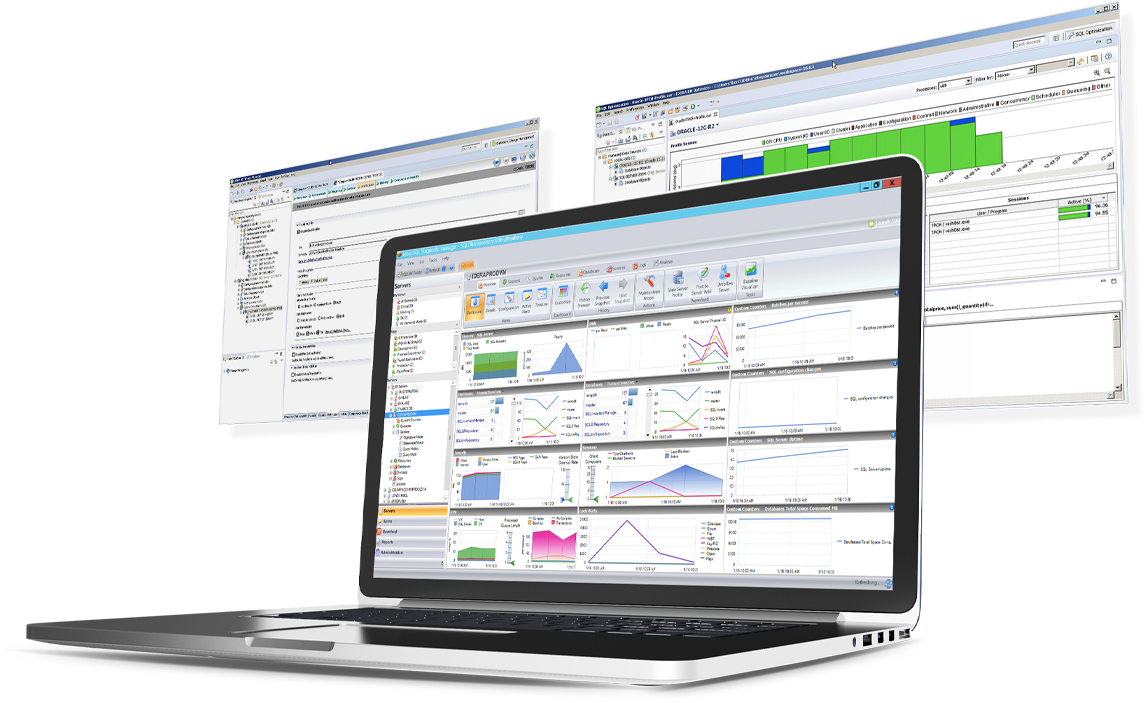
SQL Diagnostic Manager for Microsoft SQL Server helps database administrators to find and fix Microsoft SQL Server performance problems in physical, virtual, and cloud environments. Unlike its competition, it provides effective scalability, advanced SQL query analysis and optimization, prescriptive analysis with corrective SQL scripts, powerful automated alert responses, broad PowerShell integration, complete customization, and extensive support for current and legacy Microsoft SQL Server and…
$1,996
per instance with first year maintenance included
SolarWinds Pingdom
Score8 out of 10
N/A
SolarWinds Pingdom is a website uptime monitoring and alert tool, with additional reporting and Real User Monitoring capabilities. Pingdom is part of SolarWinds’s DevOps package, enabling full-stack monitoring as a service.
SQL Server [Business Intelligence] Manager is useful for tracking performance across SSIS, SSRS and SSA and have the data represented in dashboards. It helps improve performance and helps end users. However, several features are redundant for smaller organization that can use the tools that comes with existing Microsoft products. These features also takes time to learn and use.
A de minimis incentive was given to thank the reviewer for their time. The incentive was not used to bias or drive a particular response, nor was the incentive contingent on a positive endorsement. More Info
I believe the scenarios we used it for were quite well covered, from the executive perspective. The downtime alarms worked very well and were easy to setup, uptime monitoring tools were clear and easy to use, even for non-technical people (C-level) and the SLA management tools allowed us to spend less time, and have less friction, with our clients
A de minimis incentive was given to thank the reviewer for their time. The incentive was not used to bias or drive a particular response, nor was the incentive contingent on a positive endorsement. More Info
SQLdm does a good job of providing information at a high level, but also allows me to drill down to specific queries and events if needed. I don't always need to sift through tons of details to get the information I need. It also gives a very wide range of information from SQL specific metrics, to OS metrics, to VM metrics, all the way up to host server metrics.
I like how the alert and notification system can be customized. For example, if you know a certain server regularly has long-running queries, you can adjust the alert to not fire unless a query has been running for 30 minutes while the rest of the servers fire after 30 seconds. That is very helpful in not being bombarded at dinner with alerts from a server similar to, "I've been at 90% cpu for 26 milliseconds!!!!!!!...and now it's back down to 30%" Good information to know, but not something you need to literally lose sleep over.
I like how you can configure different servers to be monitored differently. For example, you can have a group of servers called DEVELOPMENT that you can turn on heavier monitoring on so you can test how changes in applications might affect the SQL environment, but in the PRODUCTION group, you may only want to enable the heavier analysis and logging when performance issues are actively being reported.
A de minimis incentive was given to thank the reviewer for their time. The incentive was not used to bias or drive a particular response, nor was the incentive contingent on a positive endorsement. More Info
A de minimis incentive was given to thank the reviewer for their time. The incentive was not used to bias or drive a particular response, nor was the incentive contingent on a positive endorsement. More Info
Windows client has some issues. When you have small time intervals for your data collection, it can cause the client to become unresponsive and require you to restart it.
It takes more time to get the web client running than it does to get the windows client running.
The visualizations have been the same for the last eight years--could use a little bit of a refresh.
A de minimis incentive was given to thank the reviewer for their time. The incentive was not used to bias or drive a particular response, nor was the incentive contingent on a positive endorsement. More Info
The PagerDuty integration could be a lot better. When you use the PagerDuty integration, it doesn't send any information about which check failed! It just sends a message like "Timeout (> 30s)" -- this isn't very helpful when we have hundreds of checks. We've worked around this by using both the PagerDuty and Slack integrations and having them both post to the same Slack channel. But this means that when an engineer is paged from PagerDuty, they have to go to Slack (or Pingdom) to find the details about the page; it's not available on the page itself.
A de minimis incentive was given to thank the reviewer for their time. The incentive was not used to bias or drive a particular response, nor was the incentive contingent on a positive endorsement. TR verified that a representative sample of customers was invited. More Info
Recently added features have made Pingdom less intuitive for our requirements. While Pingdom has a broad offering and remains a good value, it is becoming more than we need. Our customer base is becoming more and more global and Pingdom still lacks Asia-Pacific monitoring, which we will need within a year.
Pingdom is easy to use, very intuitive and has a very short learning curve. From the onset, we've been able to jump in and leverage the tool to accomplish our goals for page speed performance and discover the insights we need to make improvements. Its a well-designed tool and makes for a good user experience.
A de minimis incentive was given to thank the reviewer for their time. The incentive was not used to bias or drive a particular response, nor was the incentive contingent on a positive endorsement. More Info
Support responded the same day to my query, as I was setting the product up but couldn't find the setting I needed. This was successfully resolved in a short time frame, so I was pleased with how quickly we were able to get this resolved. I haven't needed to contact support since.
A de minimis incentive was given to thank the reviewer for their time. The incentive was not used to bias or drive a particular response, nor was the incentive contingent on a positive endorsement. More Info
IDERA SQL Diagnostic Manager for SQL, Redgate SQL, and MonitorLogicMonitor are similar products to each other. We decided on IDERA SQL Diagnostic Manager for SQL because our experience with locating heavy queries has been very good and it provides real-time monitoring of all servers and databases. It also allows you to have a large volume of historical data which allows you to analyze trends in the databases.
A de minimis incentive was given to thank the reviewer for their time. The incentive was not used to bias or drive a particular response, nor was the incentive contingent on a positive endorsement. More Info
PRTG Network Monitor was a far more complicated tool to use and set up albeit it does both Internal and External monitoring. The setup wasn't intuitive and there are too many configuration options to complete to form an alert
Amazon CloudWatch is specific to AWS resources and cannot be easily use outside of the AWS Ecosystem
A de minimis incentive was given to thank the reviewer for their time. The incentive was not used to bias or drive a particular response, nor was the incentive contingent on a positive endorsement. More Info
A de minimis incentive was given to thank the reviewer for their time. The incentive was not used to bias or drive a particular response, nor was the incentive contingent on a positive endorsement. More Info
Honestly, we have 4 other products that overlap this functionality whose organizations provide far superior support. At this point it is an unnecessary expense.
In my opinion, their lack of support responsiveness and commitment has impacted our IT agility.