Informatica Intelligent Data Management Cloud vs. SAP Integration Suite vs. Swagger Open Source, supported by SmartBear

Overview
ProductRatingMost Used ByProduct SummaryStarting Price
Informatica Intelligent Data Management Cloud
Score 7.0 out of 10
N/A
The Informatica® Intelligent Data Management Cloud™ (IDMC) is designed to help businesses efficiently handle the complex challenges of dispersed and fragmented data to innovate with their data on virtually any platform, any cloud, multi-cloud and multi-hybrid.N/A
SAP Integration Suite
Score 8.5 out of 10
N/A
SAP Integration Suite is a modern, secure integration platform as a service (iPaaS) that connects applications, data, processes, and AI agents across SAP and non‑SAP environments.
$11,199
per year
Swagger Open Source, supported by SmartBear
Score 9.2 out of 10
N/A
Supported by SmartBear, Swagger is a set of tools used by developers to design, document, build, and test APIs in the OpenAPI Specification.N/A
Pricing
Informatica Intelligent Data Management CloudSAP Integration SuiteSwagger Open Source, supported by SmartBear
Editions & Modules
No answers on this topic
Offerings
Pricing Offerings
Informatica Intelligent Data Management CloudSAP Integration SuiteSwagger Open Source, supported by SmartBear
Free Trial
NoYesNo
Free/Freemium Version
NoNoNo
Premium Consulting/Integration Services
NoNoNo
Entry-level Setup FeeNo setup feeNo setup feeNo setup fee
Additional DetailsAccess to free tier services does not expire while there is an active Pay-As-You-Go or CPEA account with SAP. Once a free tier service limit has been reached users have the option to update from a free to a paid service plan in the same account.
More Pricing Information
Community Pulse
Informatica Intelligent Data Management CloudSAP Integration SuiteSwagger Open Source, supported by SmartBear
Features
Informatica Intelligent Data Management CloudSAP Integration SuiteSwagger Open Source, supported by SmartBear
Cloud Data Integration
Comparison of Cloud Data Integration features of Product A and Product B
Informatica Intelligent Data Management Cloud
-
Ratings
SAP Integration Suite
7.9
262 Ratings
1% below category average
Swagger Open Source, supported by SmartBear
-
Ratings
Pre-built connectors00 Ratings8.3248 Ratings00 Ratings
Connector modification00 Ratings7.8213 Ratings00 Ratings
Support for real-time and batch integration00 Ratings8.2241 Ratings00 Ratings
Data quality services00 Ratings8.0219 Ratings00 Ratings
Data security features00 Ratings8.2232 Ratings00 Ratings
Monitoring console00 Ratings7.1239 Ratings00 Ratings
API Management
Comparison of API Management features of Product A and Product B
Informatica Intelligent Data Management Cloud
-
Ratings
SAP Integration Suite
-
Ratings
Swagger Open Source, supported by SmartBear
7.4
1 Ratings
13% below category average
API access control00 Ratings00 Ratings7.01 Ratings
Rate limits and usage policies00 Ratings00 Ratings7.01 Ratings
API usage data00 Ratings00 Ratings7.01 Ratings
API user onboarding00 Ratings00 Ratings7.01 Ratings
API versioning00 Ratings00 Ratings10.01 Ratings
Usage billing and payments00 Ratings00 Ratings7.01 Ratings
API monitoring and logging00 Ratings00 Ratings7.01 Ratings
Best Alternatives
Informatica Intelligent Data Management CloudSAP Integration SuiteSwagger Open Source, supported by SmartBear
Small Businesses
Skyvia
Skyvia
Score 10.0 out of 10
Make
Make
Score 9.3 out of 10
NGINX
NGINX
Score 9.1 out of 10
Medium-sized Companies
IBM InfoSphere Information Server
Score 8.0 out of 10
IBM App Connect
IBM App Connect
Score 9.2 out of 10
NGINX
NGINX
Score 9.1 out of 10
Enterprises
IBM InfoSphere Information Server
Score 8.0 out of 10
IBM App Connect
IBM App Connect
Score 9.2 out of 10
NGINX
NGINX
Score 9.1 out of 10
All AlternativesView all alternativesView all alternativesView all alternatives
User Ratings
Informatica Intelligent Data Management CloudSAP Integration SuiteSwagger Open Source, supported by SmartBear
Likelihood to Recommend
8.3
(13 ratings)
8.5
(303 ratings)
10.0
(1 ratings)
Likelihood to Renew
9.0
(1 ratings)
8.8
(7 ratings)
-
(0 ratings)
Usability
-
(0 ratings)
2.1
(3 ratings)
-
(0 ratings)
Support Rating
8.0
(3 ratings)
6.0
(4 ratings)
-
(0 ratings)
Implementation Rating
-
(0 ratings)
7.3
(1 ratings)
-
(0 ratings)
User Testimonials
Informatica Intelligent Data Management CloudSAP Integration SuiteSwagger Open Source, supported by SmartBear
Likelihood to Recommend
Informatica
Informatica Cloud is a great tool for use when data must be formatted consistently. Once configured, it is very robust and reliable. It is also well-suited for an organization without a robust IT staff to maintain a full server infrastructure. It offers a cost-effective approach to high-quality data integration for even the largest organizations. Organizations without staff experienced in data analytics may find it challenging to take advantage of the more complex results of this tool.
Read full review
SAP
Good at: 1. Integrations with in SAP applications, especially with event based triggers 2. Can be integrated very well with other BTP services to attain Batch processing and store credentials 3. Supports many authentication models Improvements: 1. No version history available compared to as it is available in S4HANA 2. Need a lot of improvement in git hub connections
Read full review
SmartBear
To my opinion Swagger Open Source is a very good tool to quickly produce an api documentation, that how I use it.Swagger can also produce an open api file to generate an api for our application server (Inersystems Iris) but we don't use this functionality for now. We plan to use more Swagger features in the future.
Read full review
Pros
Informatica
  • Once the secure connection is established it’s quite easy to operate and create new jobs. The controls are simple, and we appreciate the fact there are not a lot of complex fine-tunings required. Navigation is also easy, and we enjoy the ability to open multiple tabs in the browser to work on multiple projects.
  • The monitoring functionality works well to help track the progress of the jobs, again, without too much complication. In a fast dev environment, speed is essential and we quickly seeing the status/progress of jobs as well as any errors if the jobs fail helps us maintain speed.
  • The web interface is a lot easier to interact with than the client/on-prem version. Putting much of the heavy lifting of interacting with the tool onto the shoulders of the browser makes it easier to keep multiple sessions open and get in/out quickly without having to VPN into the office.
Read full review
SAP
  • The extensive catalog of pre package integrations that have in the discovery center. That allows developers to find solutions that can fit the needs.
  • Monitor of the integrations and api deployed.
  • API management has been for us a very usefull tool inside integration suite, to be able to have the API Hub with the documentation of our apis.
Read full review
SmartBear
  • Produce documentation
  • user interface to create api definition
  • reusability of data description
Read full review
Cons
Informatica
  • The User Interface can be a bit difficult to get in initial stages.
  • Error messages are hard to understand which sometimes takes a lot of time for the resolution
  • Cannot Implement complex SQL queries which should be fixed in future release.
Read full review
SAP
  • Provide more pre-built integrations to use within SuccessFactors or other modules instead of everything having to be custom built
  • Support is unable to provide advice on custom builds so you often have to engage a 3rd party partner
  • Works best when you have the functional and technical teams working together. Otherwise, the system is too technical for a functional user to create integration and a technical user not always understand the functional perspective
Read full review
SmartBear
  • for me the UI can be more simple
  • too many functionnalities when just want to produce doc, can be a separate app
  • A french documentation will be apreciated
Read full review
Likelihood to Renew
Informatica
No answers on this topic
SAP
It is in place, our system integrators are familiar with it, and it fits into the ecosystem. A better user interface, flow build and debugging experience would see it grow, many technical staff do not enjoy using it for this reason, however it is quite capable and powerful behind this one shortcoming.
Read full review
SmartBear
No answers on this topic
Usability
Informatica
No answers on this topic
SAP
The user interface is messy and not intuitive. It has a steep learning curve, and flows developed around are easy to make a mess with layout and can be difficult to follow. The debugging is also quite difficult, it takes some time to figure out how to follow the flow and examine data. Error handling is also difficult and not intuitive, it is better to let some errors leak and monitor through ALM.
Read full review
SmartBear
No answers on this topic
Support Rating
Informatica
I've never had trouble getting into contact with Informatica's support for technical help. I give it a nine because it does pretty well for mid to enterprise-scale workflows.
Read full review
SAP
The support for SAP Integration Suite is satisfactory. We leverage SAP support through our manage services partner. So far, we have not had many major issues. One concern, to make our rating a ten, would be turnaround time on high priority incidents. SAP Integration Suite drives our key business functions forward. Without a reasonable service level agreement on turnaround, we sometimes find us running into issues running pay, etc.
Read full review
SmartBear
No answers on this topic
Implementation Rating
Informatica
No answers on this topic
SAP
Work with an SAP implementation partner, if possible.
Read full review
SmartBear
No answers on this topic
Alternatives Considered
Informatica
First, the wizard is easy to use making the learning curve for simple ETL tasks nice. Second, since Informatica is mature there are a good variety of connectors available. Finally, we have driven some fairly complex ETL solutions using only the cloud.
Read full review
SAP
Before deploying SAP Integration Suite, we assessed Oracle Financial Services Analytics and IBM Risk Analytics. While Oracle had proved its mettle in the exceptional database support and IBM in presenting risk model tools, SAP Integration Suite overwhelmed others by being effortlessly integrated with our existing banking framework.
Read full review
SmartBear
We use swagger only to generate the API documentation, for testing the APIs, we use Postman. We don't find an other tools for producing API documentation in web pages and also in pdf files. Postman is a good complement for testing APIs on InterSystems IRIS (a powerful application server and DB manager) which implements these APIs.
Read full review
Return on Investment
Informatica
  • Cut costs on the number of staff we need for data import.
  • Cut costs for automation that can be done for data that no longer has to be manually imported.
  • We've saved countless dollars by eliminating duplicates in our system with this tool.
Read full review
SAP
  • Positive impact would be availability of pre-defined integration content via templates.
  • One can re-use a template as a starting point to modify and adopt to client-specific integration flow.
  • Availability of adaptors and connectors, making it easier to piece together the integration flow.
Read full review
SmartBear
  • Less time to produce our documentation
  • Documentation can be accessed online, this is a plus for our customers and partners
  • Great tools to communicate with other project actors
Read full review
ScreenShots

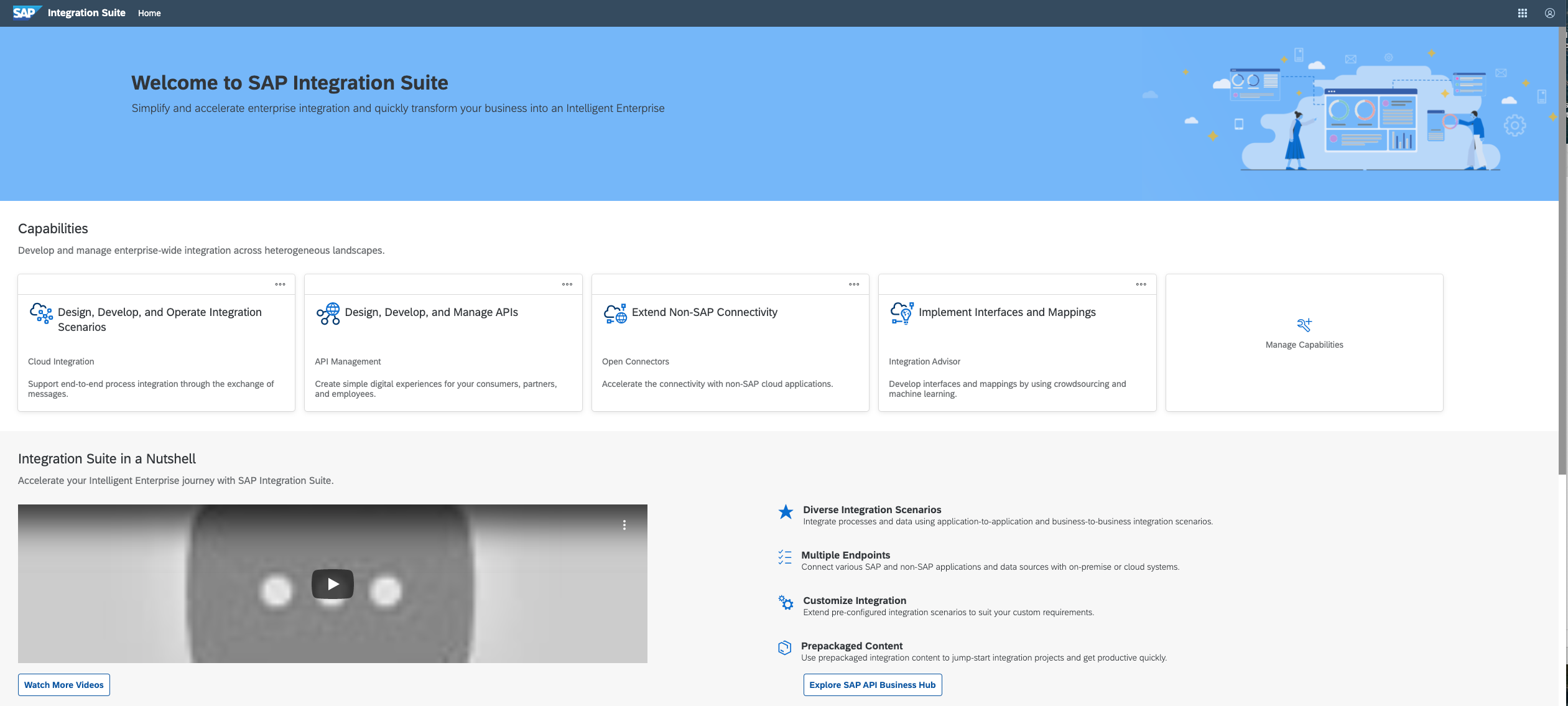
SAP Integration Suite Screenshots

Screenshot of Screenshot of Screenshot of Screenshot of Screenshot of