
ISL Light vs. SecureLink Customer Connect
| Product | Rating | Most Used By | Product Summary | Starting Price |
|---|---|---|---|---|
 ISL Light | Score8.9 out of 10 | Small Businesses (1-50 employees) | ISL Light is remote support and remote access software that enables SMBs and large enterprises to offer fast and efficient support and maintenance for Windows, Mac and Linux computers as well as mobile device support for Android and iOS. | $16.90 per month (1 concurrent user) |
 SecureLink Customer Connect | Score9 out of 10 | N/A | SecureLink Customer Connect is a remote access platform built for technology vendors and service providers that provides a secure and enterprise-grade remote access connection into customer networks. With Customer Connect, vendors can meet their customers' security requirements for control over and visibility into remote access connections, with granular access controls and audit trails. With its enterprise-grade access that supports all connectivity protocols and controls that meet… | N/A |
| ISL Light | SecureLink Customer Connect | |||||||||||||||
|---|---|---|---|---|---|---|---|---|---|---|---|---|---|---|---|---|
| Editions & Modules |
| No answers on this topic | ||||||||||||||
| Offerings |
| |||||||||||||||
| Entry-level Setup Fee | No setup fee | No setup fee | ||||||||||||||
| Additional Details | ISL Online's pricing model considers the number of licenses purchased, which determines the maximum number of concurrent users within the organization. A concurrent user is defined as anyone running one or more sessions simultaneously from any device. There are no restrictions on the number of ISL Light users within a company or the remote devices managed. For example, with three licenses, an unlimited number of people in a company can use ISL Light and can access an unlimited number of remote devices, but only three users can use it concurrently. When one of these three users ends their session, a fourth user can begin their session, and so on. | — | ||||||||||||||
| More Pricing Information | ||||||||||||||||
| ISL Light | SecureLink Customer Connect | |
|---|---|---|
| Considered Both Products | No answer on this topic | No answer on this topic |
| Key User Insights | ||
| Would buy again | ||
100% Would buy again 108 Answers | No answers on this topic | |
| Delivers good value for the price | ||
98% Delivers good value for the price 101 Answers | No answers on this topic | |
| Happy with the feature set | ||
99% Happy with the feature set 107 Answers | No answers on this topic | |
| Lived up to sales and marketing promises | ||
99% Lived up to sales and marketing promises 87 Answers | No answers on this topic | |
| Implementation went as expected | ||
99% Implementation went as expected 101 Answers | No answers on this topic | |
| ISL Light | SecureLink Customer Connect | ||||||||||||||||||||||||||||||||||||||||||||||
|---|---|---|---|---|---|---|---|---|---|---|---|---|---|---|---|---|---|---|---|---|---|---|---|---|---|---|---|---|---|---|---|---|---|---|---|---|---|---|---|---|---|---|---|---|---|---|---|
| Remote Administration |
| ||||||||||||||||||||||||||||||||||||||||||||||
| ISL Light | SecureLink Customer Connect | |
|---|---|---|
| Small Businesses |  N-able Take Control Score7.2 out of 10 |  LogMeIn Rescue Score8.2 out of 10 |
| Medium-sized Companies |  Remote Desktop Manager Score9.6 out of 10 |  BeyondTrust Remote Support Score8.6 out of 10 |
| Enterprises |  BeyondTrust Privileged Remote Access Score9.1 out of 10 |  TeamViewer Score8.6 out of 10 |
| All Alternatives | View all alternatives | View all alternatives |
| ISL Light | SecureLink Customer Connect | |
|---|---|---|
| Likelihood to Recommend | 8.7 | - |
| Likelihood to Renew | 9.0 | - |
| Usability | 8.7 | - |
| Availability | 9.6 | - |
| Performance | 9.6 | - |
| Support Rating | 9.0 | - |
| Online Training | 9.1 | - |
| Implementation Rating | 9.0 | - |
| Configurability | 9.6 | - |
| Contract Terms and Pricing Model | 7.9 | - |
| Product Scalability | 8.5 | - |
| Vendor post-sale | 9.6 | - |
| Vendor pre-sale | 9.6 | - |
| ISL Light | SecureLink Customer Connect | |
|---|---|---|
| Likelihood to Recommend |
| No answers on this topic |
| Pros |
| No answers on this topic |
| Cons |
| No answers on this topic |
| Likelihood to Renew |
| No answers on this topic |
| Usability |
| No answers on this topic |
| Reliability and Availability |
| No answers on this topic |
| Performance |
| No answers on this topic |
| Support Rating |
| No answers on this topic |
| Implementation Rating |
| No answers on this topic |
| Alternatives Considered |
| No answers on this topic |
| Contract Terms and Pricing Model |
| No answers on this topic |
| Scalability |
| No answers on this topic |
| Professional Services |
| No answers on this topic |
| Return on Investment |
| No answers on this topic |
| ScreenShots | ISL Light Screenshots     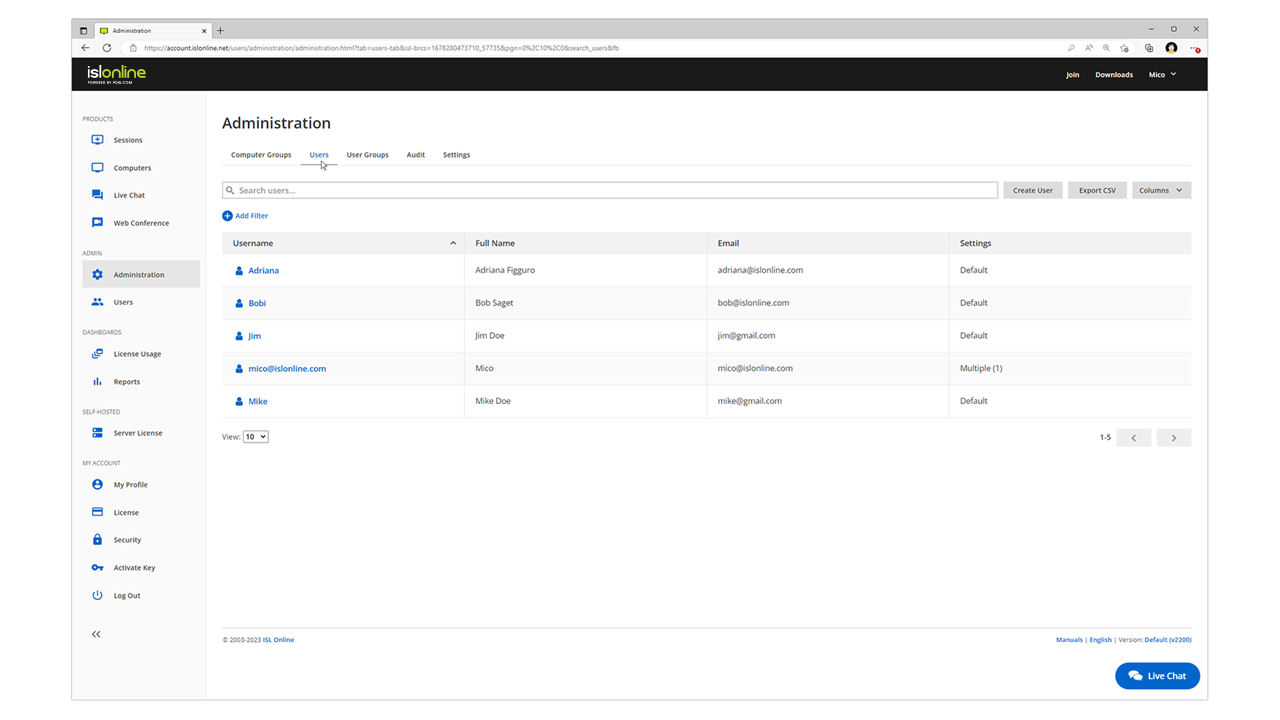 |

