Kanban Tool is a visual project management application based on Kanban that helps companies visualize workflow, track project progress, analyze and improve business processes. Some key features include: time tracking and time reports, real-time collaboration and Kaban analytics.
$6
per month per user
OnBase
Score9.5 out of 10
N/A
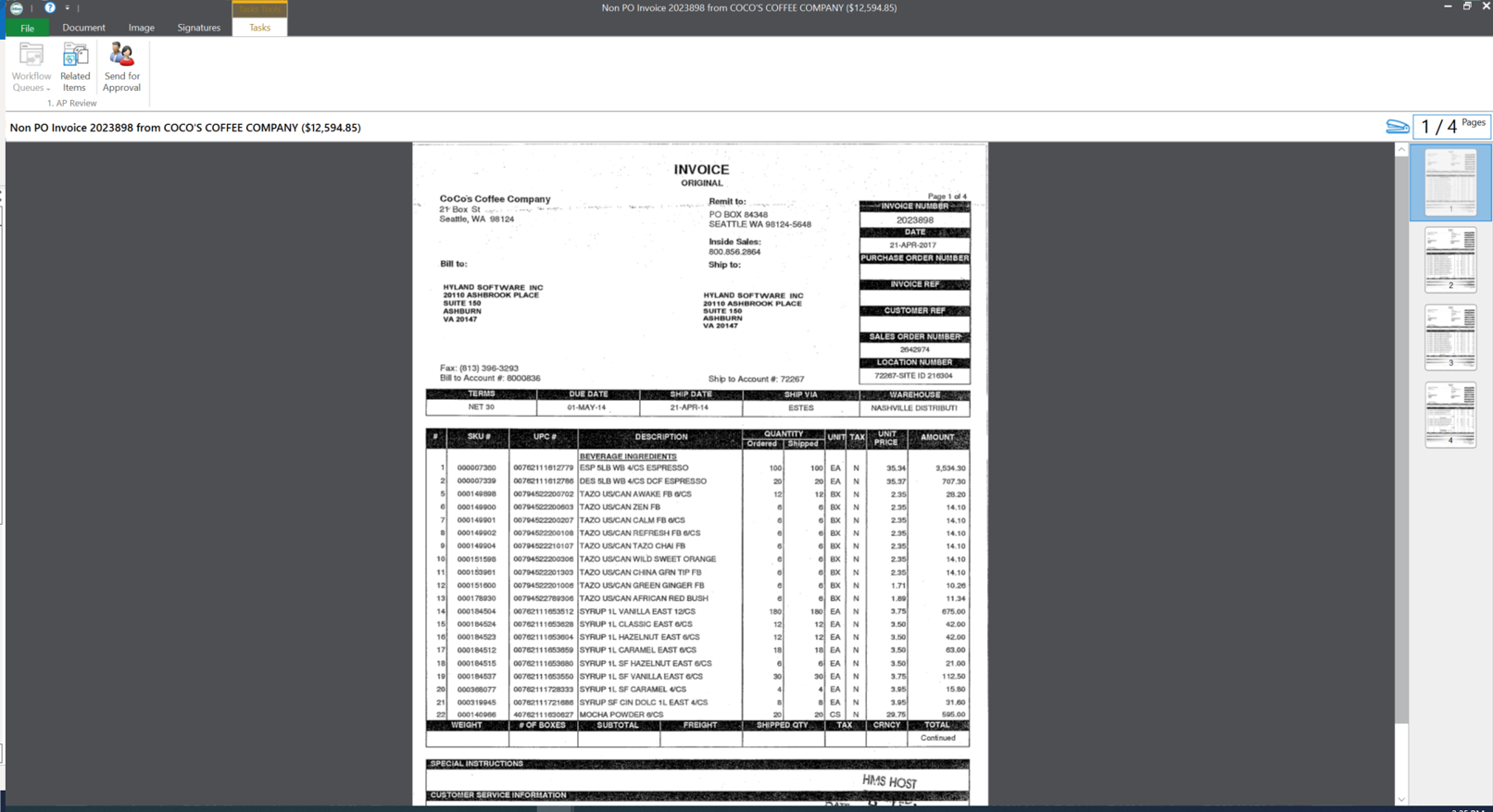
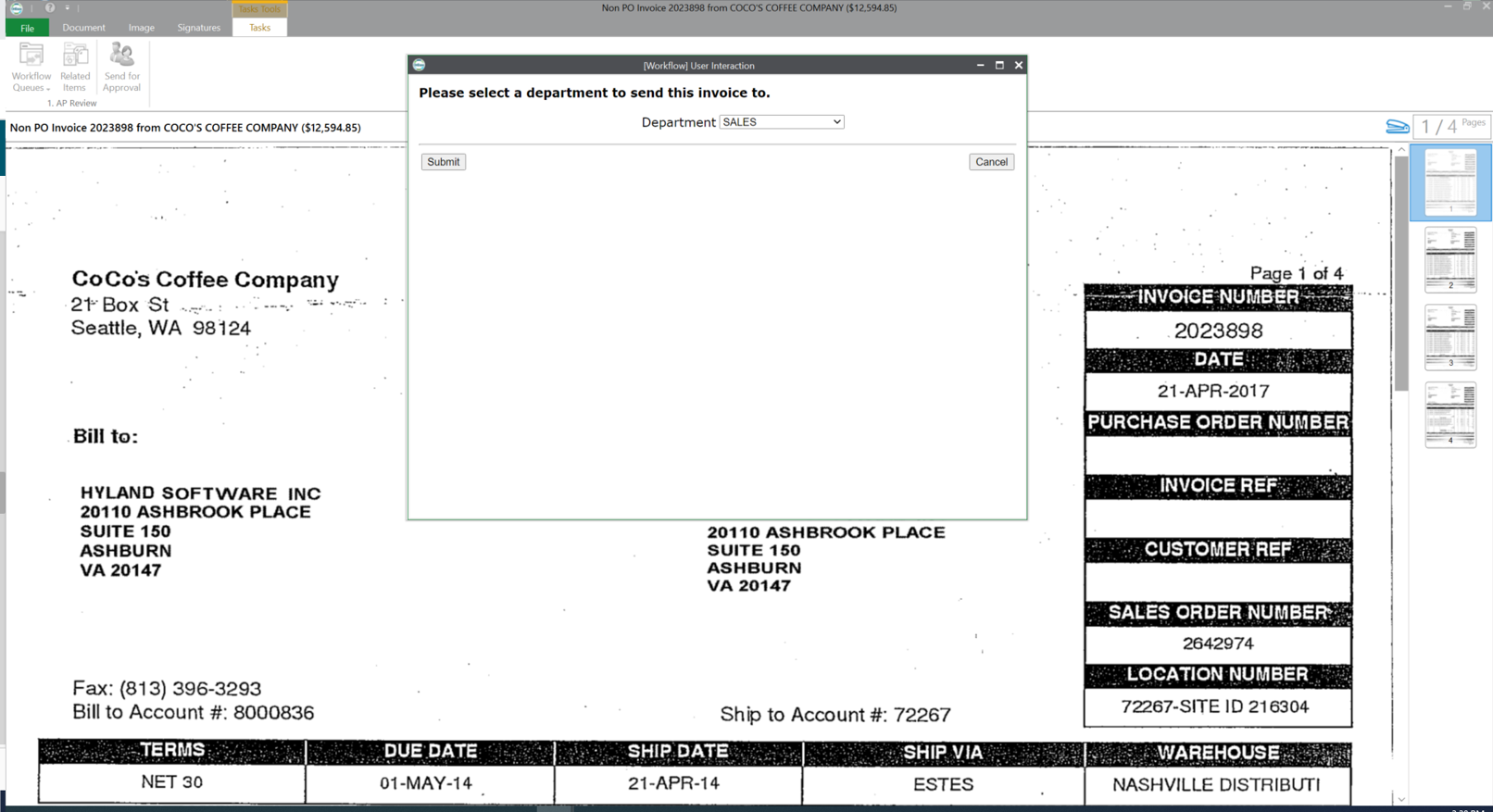
OnBase by Hyland is an enterprise content management platform with business process and case management capabilities. It is modular by design and allows users to tailor the solution to their specific requirements.
Kanban is well suited for a fast-paced working environment for larger teams who want continuous communication with users. Kanban is good for rapid development and daily meetings for updates and statuses. Kanban is less suited for smaller teams or groups who don't require collaboration and constant communication with involved users. Kanban is time-consuming and it takes additional effort outside of your regular work to maintain and manage the tool.
A de minimis incentive was given to thank the reviewer for their time. The incentive was not used to bias or drive a particular response, nor was the incentive contingent on a positive endorsement. More Info
OnBase is a content services solution for organizations that need high visibility to documents or information across multiple teams or departments. It supports users' access control, workflow functionality with transaction history, electronic document retention, and destruction documentation. Hyland can support the organization for implementations or solutions, or the organization can utilize the education services and build out the solution themselves.
A de minimis incentive was given to thank the reviewer for their time. The incentive was not used to bias or drive a particular response, nor was the incentive contingent on a positive endorsement. More Info
A de minimis incentive was given to thank the reviewer for their time. The incentive was not used to bias or drive a particular response, nor was the incentive contingent on a positive endorsement. More Info
Kanban does not show the task or story clearly. You have to open the project separately to view the details of the project.
Kanban gives a higher level project management view but it lacks customization and personal settings features.
I would like to see Kanban provide mobile access to their tool, data, and board. This would be very useful for all companies and provide an increase in efficiency and productivity.
A de minimis incentive was given to thank the reviewer for their time. The incentive was not used to bias or drive a particular response, nor was the incentive contingent on a positive endorsement. More Info
I personally find the user inferface to be obnoxious and obtuse.
When we have issues it is often hard to resolve the problem as there are many variables such as file types, DPI, and scanner setting that combine to make it hard to pinpoint trouble spots.
The upgrade process has always been a nightmare for our team. We are not on the latest version now due to this issue.
A de minimis incentive was given to thank the reviewer for their time. The incentive was not used to bias or drive a particular response, nor was the incentive contingent on a positive endorsement. More Info
A de minimis incentive was given to thank the reviewer for their time. The incentive was not used to bias or drive a particular response, nor was the incentive contingent on a positive endorsement. More Info
OnBase has become a core part of our enterprise solutions toolkit due to its ever-growing integration capabilities. Any business process that produces or tracks documents or object entities can be modeled and managed within OnBase and used to supplement almost any line-of-business system that we use.
A de minimis incentive was given to thank the reviewer for their time. The incentive was not used to bias or drive a particular response, nor was the incentive contingent on a positive endorsement. More Info
The integration with Teams is well suited. This works wonderful for my company. Our team can easily prioritize tasks based on their importance. It help our team identify and reduce inefficiencies in workflow. With great visibility in data our team can make informed decisions. Ensuring clear accountability and responsibility of team members
You get out of something what you put into it. You reap what you sow! If an organization will spend time setting the solution up, dedicating staff to its development and ongoing support, and always keep the end-user in mind during development, you will have one of the most well-received solutions in your organization. So many organizations that I speak with stand up a solution but don't commit someone to its upkeep and development. It is vital that you have the staff to work within the solution on a daily basis.
A de minimis incentive was given to thank the reviewer for their time. The incentive was not used to bias or drive a particular response, nor was the incentive contingent on a positive endorsement. More Info
This rating is a compromise because I technically have 2 tiers of support. I go through a re-seller that I give a (10). I send an email and receive acknowledgment within minutes. For the few times we need to contact Hyland for assistance, it sometimes takes a couple of days to receive a response - and then the first tier might go back and forth a dozen times through email instead of initiating a phone call. And for an advanced issue, they take too long before they forward to an evangelist or someone more knowledgeable that is able to assist. I give that process an (8).
A de minimis incentive was given to thank the reviewer for their time. The incentive was not used to bias or drive a particular response, nor was the incentive contingent on a positive endorsement. More Info
The trainer was very knowledgeable and was a Hyland employee. The training was at their corporate headquarters, so it allowed our team to become familiar with organization and culture.
A de minimis incentive was given to thank the reviewer for their time. The incentive was not used to bias or drive a particular response, nor was the incentive contingent on a positive endorsement. More Info
A de minimis incentive was given to thank the reviewer for their time. The incentive was not used to bias or drive a particular response, nor was the incentive contingent on a positive endorsement. More Info
Using Hyland professional services to assist with the implementation made things much easier. They have the knowledge and experience to get the system live as users are expecting
A de minimis incentive was given to thank the reviewer for their time. The incentive was not used to bias or drive a particular response, nor was the incentive contingent on a positive endorsement. More Info
We've only tried JIRA Agile and KanbanFlow before. Kanban Tool was the one that our team actually liked and enjoyed working with. Also - it's been much easier to get started with and to understand than some of the other two (JIRA in particular). Although JIRA has many more features that we would have possibly used, the user feedback on it was so poor we were afraid that the negativity would create time wasted and less "job satisfaction" amongst the team.
The version of SharePoint we were utilizing was not very practical. We oftentimes had issues with archived documents, where they could be found or opening them all together. It seemed the older the document the harder it was to access when logged into SharePoint. This is critical in our business as we need to behave full access to documentation sent and received for an owner's account.
OnBase provides a very reliable ECM platform for the company.
OnBase helped to remove the dependency on paper files and file folders. This saved real estate cost as well as facilitated the ability to work from anywhere.
OnBase made same day processing of all incoming and outgoing documents a reality.
A de minimis incentive was given to thank the reviewer for their time. The incentive was not used to bias or drive a particular response, nor was the incentive contingent on a positive endorsement. More Info