Chose Kaspersky Endpoint Security
Offers equal or greater protection against current threats, stays updated. Its license is cheaper than the competition (i.e. EPDR) and financiers really like this.

| Product | Rating | Most Used By | Product Summary | Starting Price |
|---|---|---|---|---|
 Kaspersky Endpoint Security | N/A | Kaspersky Small Office Security (formerly Kaspersky Work Space Security) is antivirus / endpoint security software from Russian company Kaspersky. | $29.99 per month | |
 WatchGuard Endpoint Security | N/A | WatchGuard EPDR (formerly Panda Adaptive Defense 360) combines next-generation antivirus protection, endpoint detection and response (EDR), patch management, content filtering, email security, full disk encryption, and more, into one package. The platform touts a unique zero-trust security service that certifies the legitimacy and safety of all running applications thanks to a combination of automated, AI-driven processes and investigation services provided by a team of malware analysts. | N/A |
| Kaspersky Endpoint Security | WatchGuard Endpoint Security | |||||||||||||||
|---|---|---|---|---|---|---|---|---|---|---|---|---|---|---|---|---|
| Editions & Modules |
| No answers on this topic | ||||||||||||||
| Offerings |
| |||||||||||||||
| Entry-level Setup Fee | No setup fee | No setup fee | ||||||||||||||
| Additional Details | — | — | ||||||||||||||
| More Pricing Information | ||||||||||||||||
| Kaspersky Endpoint Security | WatchGuard Endpoint Security | |
|---|---|---|
| Considered Both Products |  Kaspersky Endpoint Security | WatchGuard Endpoint Security  Jeroen Goorts Director Chose WatchGuard Endpoint Security Since we switched to the WatchGuard products the amount of incidents that needed an engineer for resolution has dropped considerable.  Karel Grulich Owner Chose WatchGuard Endpoint Security We used Kaspersky for all of our clients for many years. It was a good platform, but Panda Adaptive Defense works better and is easier to manage. Adaptive Defense 360 classifies the network environment first and will only allow trusted applications in the future upon review and …  Gianluca Fiuzzi IT Manager Chose WatchGuard Endpoint Security Much more intuitive management consoleFeeling of a more complete and safe product  Alec Chin Lee Operations Manager Chose WatchGuard Endpoint Security Better cloud management than both options. Easier deployment and much better service from WatchGuard/Panda. Chose WatchGuard Endpoint Security No performance problems, great protection and nice and easy management  Gabriele Minniti CyberSecurity Expert, CEO Chose WatchGuard Endpoint Security The product is good, but the console is not that easy to pick up. It takes time. [Adaptive Defense 360 / WatchGuard EPDR] with ART is the best especially for EDR requirements, to [analyze] what a PUA or malware tried to do while it started to be active before it got stopped.  Jorge Vasconcelos Network Admin Chose WatchGuard Endpoint Security Panda just works flawlessly and we don't have issues such as over-complicated management policies and decrease performance of system caused by over usage of systems resources. |
| Kaspersky Endpoint Security | WatchGuard Endpoint Security | ||||||||||||||||||||||||
|---|---|---|---|---|---|---|---|---|---|---|---|---|---|---|---|---|---|---|---|---|---|---|---|---|---|
| Endpoint Security |
|
| Kaspersky Endpoint Security | WatchGuard Endpoint Security | |
|---|---|---|
| Small Businesses |  ThreatLocker Score 9.1 out of 10 | ThreatLocker Score 9.1 out of 10 |
| Medium-sized Companies |  BlackBerry Protect (CylancePROTECT) Score 9.1 out of 10 | BlackBerry Protect (CylancePROTECT) Score 9.1 out of 10 |
| Enterprises |  BeyondTrust Endpoint Privilege Management Score 10.0 out of 10 | BeyondTrust Endpoint Privilege Management Score 10.0 out of 10 |
| All Alternatives | View all alternatives | View all alternatives |
| Kaspersky Endpoint Security | WatchGuard Endpoint Security | |
|---|---|---|
| Likelihood to Recommend | 9.0 (28 ratings) | 8.5 (144 ratings) |
| Likelihood to Renew | 10.0 (2 ratings) | 9.1 (15 ratings) |
| Usability | 9.0 (3 ratings) | 10.0 (88 ratings) |
| Availability | 10.0 (1 ratings) | 8.7 (4 ratings) |
| Performance | 10.0 (1 ratings) | 6.4 (5 ratings) |
| Support Rating | 8.5 (3 ratings) | 8.0 (14 ratings) |
| In-Person Training | - (0 ratings) | 10.0 (1 ratings) |
| Online Training | - (0 ratings) | 7.6 (2 ratings) |
| Implementation Rating | 9.0 (1 ratings) | 7.8 (10 ratings) |
| Configurability | - (0 ratings) | 7.3 (3 ratings) |
| Ease of integration | - (0 ratings) | 7.3 (3 ratings) |
| Product Scalability | 10.0 (1 ratings) | 8.7 (4 ratings) |
| Vendor post-sale | - (0 ratings) | 9.1 (5 ratings) |
| Vendor pre-sale | - (0 ratings) | 9.1 (5 ratings) |
| Kaspersky Endpoint Security | WatchGuard Endpoint Security | |
|---|---|---|
| Likelihood to Recommend | Kaspersky Lab
 Karen Thompson Systems Analyst | WatchGuard Technologies
|
| Pros | Kaspersky Lab
 David Judice IT Director | WatchGuard Technologies
|
| Cons | Kaspersky Lab
 Ian Raloff Senior IT Systems Administrator | WatchGuard Technologies
|
| Likelihood to Renew | Kaspersky Lab
| WatchGuard Technologies
|
| Usability | Kaspersky Lab
| WatchGuard Technologies
|
| Reliability and Availability | Kaspersky Lab
Karen Thompson Systems Analyst | WatchGuard Technologies
|
| Performance | Kaspersky Lab
Karen Thompson Systems Analyst | WatchGuard Technologies
|
| Support Rating | Kaspersky Lab
| WatchGuard Technologies
 Mike Narumiya President, Principal |
| In-Person Training | Kaspersky Lab No answers on this topic | WatchGuard Technologies
 Krzysztof Wisniewski Senior Systems Engineer |
| Online Training | Kaspersky Lab No answers on this topic | WatchGuard Technologies
|
| Implementation Rating | Kaspersky Lab
| WatchGuard Technologies
|
| Alternatives Considered | Kaspersky Lab
 Alex Waitkus, CISSP-ISSAP, OSCP Security Architect | WatchGuard Technologies
|
| Scalability | Kaspersky Lab
Karen Thompson Systems Analyst | WatchGuard Technologies
|
| Return on Investment | Kaspersky Lab
 Kevin Staley MIS Administrator | WatchGuard Technologies
 Steve Neuss Director of Sales |
| ScreenShots | WatchGuard Endpoint Security Screenshots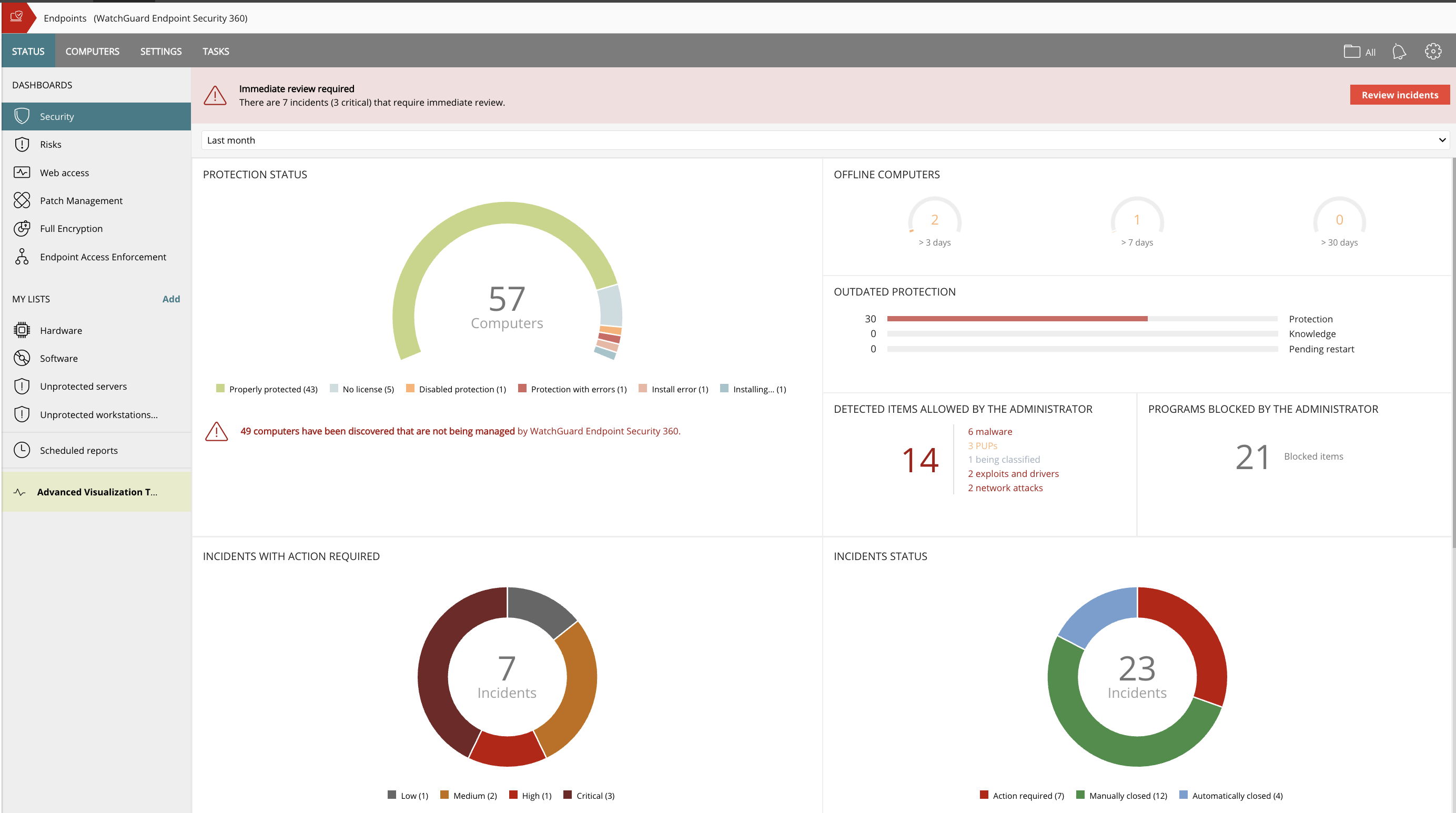 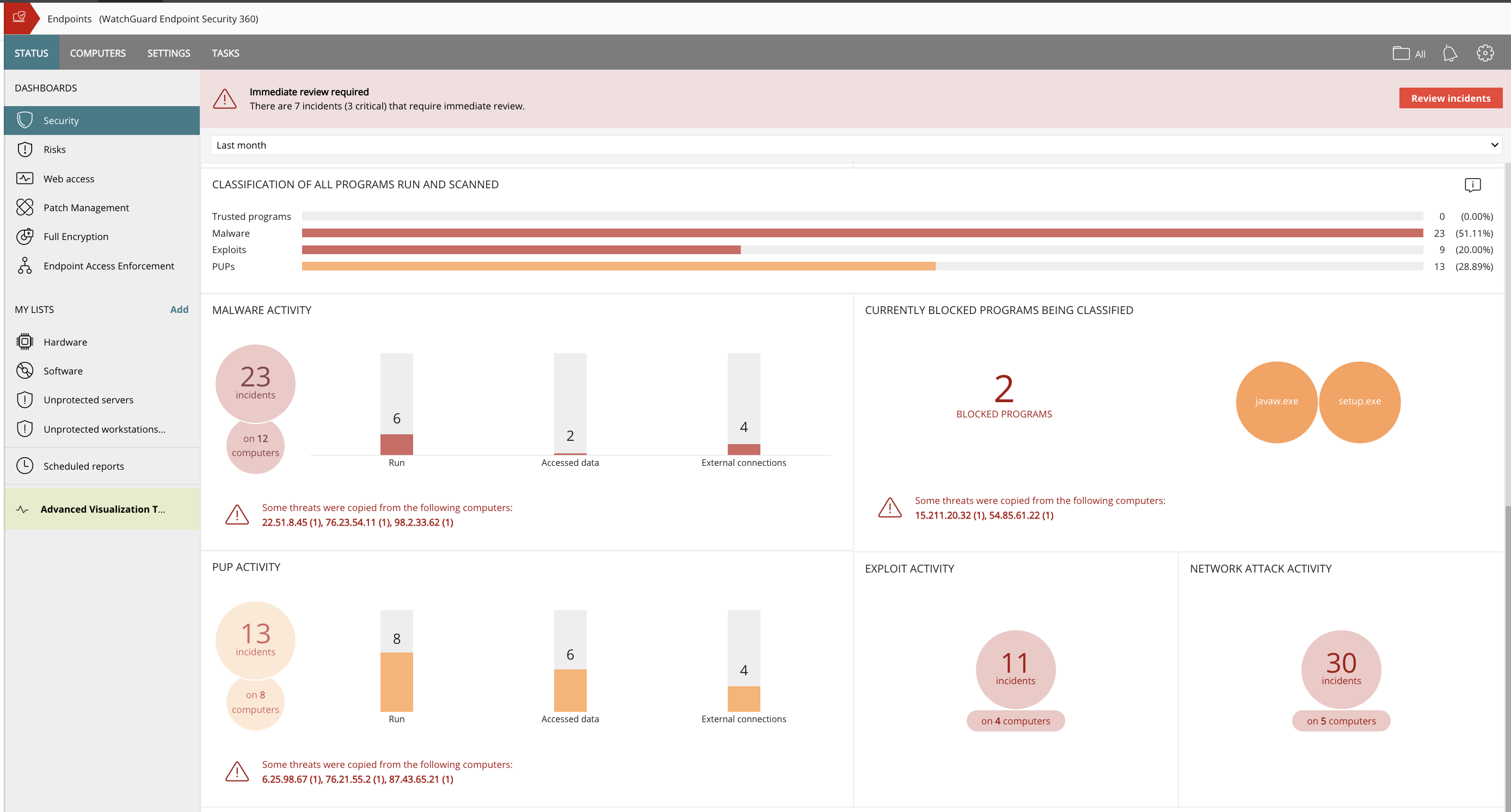 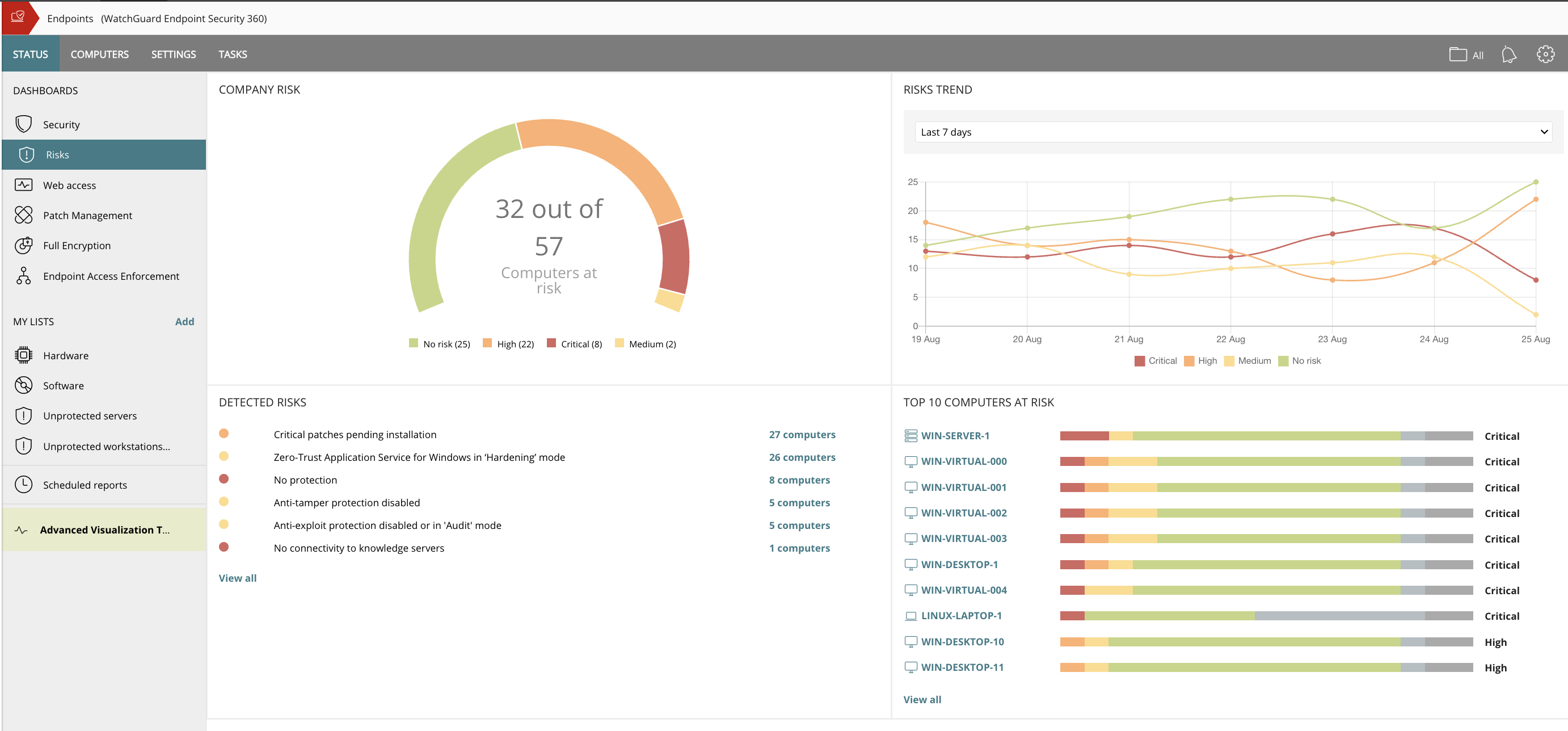   |
