Kintone vs. Really Simple Systems

Overview
ProductRatingMost Used ByProduct SummaryStarting Price
Kintone
Score 9.7 out of 10
N/A
Kintone is a customizable digital workplace platform used to manage data, tasks, and communication. The no-code drag-and-drop interface can be used to create custom applications.
$24
per month per user
Really Simple Systems
Score 7.6 out of 10
Small Businesses (1-50 employees)
Really Simple Systems is a customer relationship management (CRM) software deployed via cloud with built-in features like email marketing, pipeline management, and case management.
$0
2 Users and 100 Company Records
Pricing
KintoneReally Simple Systems
Editions & Modules
Professional Subscription
$24
per month per user
Free CRM
$0
2 Users and 100 Company Records
Starter
$15
per User, 1000 Company Records, Unlimited Contacts, 1 GB Document Storage, MailSync, Custom Settings, Custom Reports, API Integration, Online ‘self-service’ Support Hub, Email and Online Chat Support, Optional Marketing Module
Professional
$33
per User, 5000 Company Records, Unlimited Contacts, 5 GB Document Storage, MailSync, Custom Settings, Custom Reports, API Integration, Advanced User Permission Levels, Online ‘self-service’ Support Hub, Free Email, Chat and Phone Support, Priority Technical Support, Optional Marketing and Service Desk Modules
Enterprise
$50
per User, Unlimited Company Records, Unlimited Contacts, Unlimited Document Storage, MailSync, Advanced Reporting, Custom Settings, Advanced User Permission Levels, API Integration, Online ‘self-service’ Support Hub, Free Email, Chat and Phone Support , Top Priority Technical Support, Dedicated Account Manager, Free Online Team Training , Optional Marketing and Service Desk Modules
Offerings
Pricing Offerings
KintoneReally Simple Systems
Free Trial
YesYes
Free/Freemium Version
NoYes
Premium Consulting/Integration Services
NoNo
Entry-level Setup FeeOptionalNo setup fee
Additional DetailsMinimum requirement of 5 users. Kintone offers a free prototype to build with using existing process.All plans include free customer support and setup help.
More Pricing Information
Community Pulse
KintoneReally Simple Systems
Considered Both Products
Kintone
Chose Kintone
Kintone is more customizable, which allowed our small organization to create exactly what we needed. The other platforms we evaluated were really designed for larger organizations with more need for customer facing tools.
Chose Kintone
We've used many, many applications that all do one thing, but none have the versatility of Kintone.
Chose Kintone
I don't know if this is the right Salesforce platform we used, but it was way too clunky and not built for the metrics we actually wanted to collect. Kintone doesn't have all the bells and whistles of Salesforce, but I don't really need them. For our small organization's needs, …
Chose Kintone
We used to use Facilicase and Kintone is miles above in reliability and customization.
Chose Kintone
Kintone is more customisable. Platforms like Zendesk and Monday were much more than we needed, yet also lacked things we wanted. Access, which we used for years, was customisable, but also required us to maintain servers on site and tended to be slow. Kintone was the perfect …
Chose Kintone
Kintone wasn’t cookie cutter like the other options I consider. It was customizable and had great customer service to help me make it what I need.
Chose Kintone
We tested Pipedrive with the free 30-day trial. We did not like the standard layout. It was not customizable to our liking, and it could not perform the functions we were looking for in our daily business workflow.
Chose Kintone
We transferred our data records from google sheets to Kintone. While they aren't very comparable, the amount of tools and analysis that Kintone allowed us to do were far superior to Google Sheets.
Chose Kintone
Again, I came along after the implementation of Kintone. Kintone does provide plenty of customization and personalization within the program without the ability to code HTML.
Chose Kintone
More customizable in my opinion and free, though Kintone has drag and drop which is excellent and my favorite part.
Chose Kintone
Kintone is the easiest product to create from and the cost is the lowest I believe. In addition, reconfigurability and extendability are great. If you look for a low code tool, you can try Kintone. But as same as another low code tool, don't expect too much.
Chose Kintone
It's more flexible and better looking than its competitors. But the main reason is that after extensive searches for a product that would support our requirements, Kintone was the only one that claimed to be able to do so. After building the project, it works as expected. We …
Chose Kintone
Kintone is the best value for the dollar amount. It is also based on JavaScript (as far as the more in-depth customizations go) so you don’t have to learn a new language. Quickbase was extremely expensive for what it offered and FileMaker Pro required learning their custom …
Chose Kintone
We spent 6 months working with programmers and customer service representatives from ActiveCampaign to try to customize ActiveCampaign for our needs. ActiveCampaign employees finally told us that our use-case was too complicated for their system since it was not designed to do …
Chose Kintone
Previously we used, sequalm access, and something called CSST. None of them were as dynamic or easy to build and update as Kintone.
Chose Kintone
Kintone won out based on a few factors. MS Access can be a good alternative, but you can have trouble with sharing the data when needed. We like the mobile app that Kintone provides as well. Compared to Trello, the price of Kintone was better, considering the differences in …
Chose Kintone
These systems have always lacked customization which is really where Kintone shines. That being said, Salesforce did allow a certain level of customization on a more grand scale for a giant company I worked. for.
Chose Kintone
Salesforce was very difficult to navigate and I couldn't figure out how to use it. Their interface is not very user-friendly. I contacted someone for help and they gave me a very typical business presentation, which was not useful. I figured out how to use Kintone immediately, …
Chose Kintone
Monday.com — I used this in my previous job and loved it for tracking stages and tasks (and I color-code everything), but at the time it was more clunky on raw data. It may have improved in this since then? Kintone is strong on data and I still color-code everything! …
Chose Kintone
We have used RDP, a SalesForce product but you must pay to have any customization done and it is not user-friendly.
Chose Kintone
Kintone allowed me to test its product more fully than other platforms. Scalable pricing was an incentive, as was the ability to create apps to perform diverse functions, like scheduling and project management. Kintone's help documentation enabled me to really play around with …
Chose Kintone
We selected Kintone because it was the best combination of price and function. We needed something that could grow and scale with the organization, and that included looking at future prices. We didn't want to invest in something if we would be priced out five new users later. …
Really Simple Systems
Chose Really Simple Systems
Really Simple Systems has less features than Zoho [CRM] but is a lot easier to use and therefore more suitable for our smaller business with employees using it who also have many other tasks.
Chose Really Simple Systems
It's like it takes the best bits from the above and puts it all into one easy-to-use system. Nowhere near as complicated. A couple of tweaks to be perfect but [it] certainly does the job I need it to.
Chose Really Simple Systems
[Really Simple Systems is a] good price for package value, [and we] can add more users.
Chose Really Simple Systems
Really simpler systems [are] a lot more simple to use for employees are not as confident with computers/technology, in comparison Zoho CRM was a lot more complicated to use. Really Simple Systems was the better option for our business.
Chose Really Simple Systems
We like it as it's good value for the price, [a lot] of us like to use it and it's a great location everyone knows to access for contacts[.]
Chose Really Simple Systems
Active campaign - much more expensive and hosting issues for us based in JSY[.]
Chose Really Simple Systems
We choose RSS due to cost. We are a startup and needed a great solution that did not cost [a lot]. RSS [fits] all our needs at the perfect price. We could not be more thrilled with our choice and it has simplified our client interaction[.]
Chose Really Simple Systems
I originally used Zoho CRM, but made the switch to REally Simple Systems and haven't looked back. Really Simple Systems at the time provided a more comprehensive customer database management and task tool than Zoho. Easier to use and nicer to look at. Never regretted the …
Chose Really Simple Systems
I was placing all my client information on Trello by using an excel file and adding to the upload documents cards on the Marketing Moon office board. This was all for the employees to see what going on with clients. The problem is, it was so frustrating excel UX was not as …
Chose Really Simple Systems
Goldmine was an older technology platform [that] became outdated in look, feel, and functionality.
Sage CRM was really built for Sage account users and is well integrated but limited in its marketing functionality.
Microsoft Dynamics took too long to build and implement. [We] got …
Chose Really Simple Systems
I have tried several other customer database programs and none have been as user friendly and at the same time very comprehensive on its capability.
Chose Really Simple Systems
We evaluated multiple products, and for our purposes Really Simple Systems appeared to be the best fit. Other than a couple of little quirks, we are not disappointed at all.
Chose Really Simple Systems
Really Simple is lower in cost and provides better customer support. salesforce doesn't provide a lot of back office support and is very expensive.
Chose Really Simple Systems
While Really Simple Systems doesn't have an APP Exchange like Sales Force does, most small businesses will find Really Simple Systems easy to use, affordable, and most of all their customer service is EXCELLENT! When you wear multiple hats like I do, Really Simple Systems …
Chose Really Simple Systems
I'm very familiar with salesforce.com and frankly speaking, they place a high mark for anyone in the space. I like the simplicity of Really Simple but I'm concerned that it comes at a price (giving a more comprehensive CRM).
Chose Really Simple Systems
Easier to use. Customer Service better. Better Value.
Chose Really Simple Systems
RSS was just significantly cheaper, I was able to manage everything myself, and I didn't get bogged down with an implementation team. I spent probably 5% of what I would have spent on these larger systems. I also really like the fact that I am not "tied" to RSS, and can switch …
Chose Really Simple Systems
simpler, less expensive, default organization is by company instead of by contact. RSS does not overcomplicate things. You don't have to take a 20 hour course before you can start using RSS to good effect.
Chose Really Simple Systems
I selected because of ease of use.
Chose Really Simple Systems
Really Simple Systems has the ability to be tailored by the user to the needs of the business with help if required provided very quickly and efficient processing and if very much part of our culture not simply a tool to process data. THe key selling point is the fact that we …
Chose Really Simple Systems
We were limited in terms of budget and our IT department wanted the data hosted in the UK. RSS fit with all of our requirements. We looked very closely at Kinetix as this also has an integrated event booking system which would have been ideal for us but it was too expensive.
Features
KintoneReally Simple Systems
Sales Force Automation
Comparison of Sales Force Automation features of Product A and Product B
Kintone
8.3
Ratings
6% above category average
Really Simple Systems
7.2
Ratings
9% below category average
Customer data management / contact management9.70 Ratings7.80 Ratings
Workflow management9.10 Ratings7.20 Ratings
Territory management8.50 Ratings6.90 Ratings
Opportunity management8.50 Ratings7.70 Ratings
Integration with email client (e.g., Outlook or Gmail)7.00 Ratings6.30 Ratings
Contract management7.00 Ratings00 Ratings
Quote & order management7.50 Ratings00 Ratings
Channel / partner relationship management9.30 Ratings00 Ratings
Interaction tracking00 Ratings7.50 Ratings
Customer Service & Support
Comparison of Customer Service & Support features of Product A and Product B
Kintone
9.0
Ratings
15% above category average
Really Simple Systems
7.2
Ratings
7% below category average
Case management9.60 Ratings7.40 Ratings
Help desk management8.50 Ratings7.00 Ratings
Marketing Automation
Comparison of Marketing Automation features of Product A and Product B
Kintone
8.0
Ratings
3% above category average
Really Simple Systems
7.1
Ratings
9% below category average
Lead management8.00 Ratings7.00 Ratings
Email marketing00 Ratings7.20 Ratings
CRM Project Management
Comparison of CRM Project Management features of Product A and Product B
Kintone
8.8
Ratings
13% above category average
Really Simple Systems
7.0
Ratings
10% below category average
Task management9.00 Ratings7.10 Ratings
Reporting8.60 Ratings6.90 Ratings
CRM Reporting & Analytics
Comparison of CRM Reporting & Analytics features of Product A and Product B
Kintone
8.6
Ratings
12% above category average
Really Simple Systems
6.5
Ratings
16% below category average
Pipeline visualization8.30 Ratings6.30 Ratings
Customizable reports8.90 Ratings6.80 Ratings
Forecasting00 Ratings6.30 Ratings
Customization
Comparison of Customization features of Product A and Product B
Kintone
9.6
Ratings
22% above category average
Really Simple Systems
6.8
Ratings
12% below category average
Custom fields9.40 Ratings7.10 Ratings
Custom objects9.30 Ratings6.80 Ratings
API for custom integration10.00 Ratings6.50 Ratings
Integrations with 3rd-party Software
Comparison of Integrations with 3rd-party Software features of Product A and Product B
Kintone
8.5
Ratings
12% above category average
Really Simple Systems
-
Ratings
Marketing automation8.50 Ratings00 Ratings
Platform
Comparison of Platform features of Product A and Product B
Kintone
9.3
Ratings
19% above category average
Really Simple Systems
6.8
Ratings
12% below category average
Mobile access9.30 Ratings6.80 Ratings
Security
Comparison of Security features of Product A and Product B
Kintone
9.4
Ratings
11% above category average
Really Simple Systems
7.8
Ratings
8% below category average
Role-based user permissions9.40 Ratings7.80 Ratings
Best Alternatives
KintoneReally Simple Systems
Small Businesses
Salesmate
Salesmate
Score 10.0 out of 10
Salesmate
Salesmate
Score 10.0 out of 10
Medium-sized Companies
Creatio
Creatio
Score 9.3 out of 10
Creatio
Creatio
Score 9.3 out of 10
Enterprises
Creatio
Creatio
Score 9.3 out of 10
Creatio
Creatio
Score 9.3 out of 10
All AlternativesView all alternativesView all alternatives
User Ratings
KintoneReally Simple Systems
Likelihood to Recommend
9.7
(0 ratings)
7.6
(0 ratings)
Likelihood to Renew
10.0
(0 ratings)
9.1
(0 ratings)
Usability
9.3
(0 ratings)
7.8
(0 ratings)
Availability
10.0
(0 ratings)
-
(0 ratings)
Performance
10.0
(0 ratings)
-
(0 ratings)
Support Rating
9.4
(0 ratings)
8.0
(0 ratings)
Online Training
10.0
(0 ratings)
-
(0 ratings)
Implementation Rating
6.8
(0 ratings)
-
(0 ratings)
Configurability
9.0
(0 ratings)
-
(0 ratings)
Ease of integration
10.0
(0 ratings)
-
(0 ratings)
Product Scalability
10.0
(0 ratings)
-
(0 ratings)
Vendor post-sale
10.0
(0 ratings)
-
(0 ratings)
Vendor pre-sale
10.0
(0 ratings)
-
(0 ratings)
User Testimonials
KintoneReally Simple Systems
Likelihood to Recommend
I recommend Kintone for companies that need the ability to customize standalone applications or to provide a 'hub' to employees as a jumping-off point. I also recommend Kintone for any company that is drowning in spreadsheets, or is using 10 apps for 10 different purposes - you can consolidate everything into one place. Kintone, I think, needs a larger team for customization as your company grows. If you are a small office of 20 people, using it out of the box will likely be just fine for your needs. If you're working with 200 people out of an office, it'd likely be good to have someone with a bit of CSS, Java, and API experience in order to maximize what you get out of it - though you won't need that if you're keeping it simple.
Read full review
I think one of the plus points is the simplicity of sending a simple email to your database and managing your prospects list. However, if you wanted to manage your sales pipeline in more depth it might not be right for you.
Read full review
Pros
  • Flexibility. You can build apps (without coding) to serve a wide range of processes and projects.
  • Ease of use. The interface is intuitive.
  • Training. There are resources readily available to train new users. Even starting from scratch, I felt like I was up to speed in just a few hours.
Read full review
  • Customer Service is EXCELLENT! Fast response time, professional, and helpful.
  • Platform is very intuitive and love the FREE WEBINARS they offer. Really Simple Systems gave us some ideas of how to use their product that we hadn't thought of ourselves.
  • Very reasonably priced even at the Enterprise level, which we have chosen for our company.
Read full review
Cons
  • I feel that Kintone is not well enough known yet. This means that other apps/APIs are not necessarily easy to connect with Kintone. Yes, you can use Zapier though for interfacing with other apps.
  • It would be great if it could give more customized options to change the look and format of certain things. You can make price quote apps, for example, but have to rely on 3rd party apps or programming skills to customize the look and fields.
  • If you make a table as an input field, it cannot connect to other internal Kintone apps for lookups and such.
  • I think there is more potential to make more customized data graphs.
Read full review
  • Wish I could sort by tags a bit easier. I manage this by using their Reports feature. But I would like to assign the same task to a list of prospects with the same tag, and the only way I can do that is to either add the task one-by-one or export a report with all the accounts with that tag, add the task in excel, and then import it. Not ideal.
Read full review
Likelihood to Renew
We have been quite happy with our use of Kintone thus far. We looked at several options before choosing Kintone and believe it had the best value and best features, while allowing for complete customization, rather than being locked into preformatted apps that may not address exactly what we need or be more than what we need.
Read full review
No answers on this topic
Usability
Kintone is extremely user friendly and self explanatory. Very little knowledge is needed to build or use the apps. Kintone has a very robust help section to guide you through anything you might need assistance with while building out apps. The process of building apps is basically drag and drop, making it easy for anyone to create what they need.
Read full review
Simple systems is great for smaller sales and marketing teams to log their territories and report on progress on their opportunities. There are many useful features such as tasks and reporting to show to management how opportunities are progressing and when the estimated close date would occur. The two main issues are scalability within larger [organizations] and the ease to duplicate contacts.
Read full review
Reliability and Availability
Yes, it is always available
Read full review
No answers on this topic
Performance
No issues.
Read full review
No answers on this topic
Support Rating
I am very happy with Kintone and support it fully. I think that it is a great place for any company that wants to create a platform for better management. It is easy to use and pretty affordable. It is straightforward and has many tools that can be used by anyone. There are many helpful tutorials available too to guide users
Read full review
Whenever I have had any issues, which is probably only 3 times in 10 years, the back office support has been fantastic and got me up and running again in a very short time. Cannot fault them at all. But as I stated, problems have been very few and far between.
Read full review
Online Training
The training was seamless and easy to follow
Read full review
No answers on this topic
Implementation Rating
Everyone has their own tastes of things and way they want to work. Asking them to adapt to the changes with the new tools or apps is always difficult. We would want to start with a very small but best example within the organization, which in our case was that the employees will not be bothered by the bosses by being asked to find the documents, status of the progresses, or major things/requests/projects.
Read full review
No answers on this topic
Alternatives Considered
I don't know if this is the right Salesforce platform we used, but it was way too clunky and not built for the metrics we actually wanted to collect. Kintone doesn't have all the bells and whistles of Salesforce, but I don't really need them. For our small organization's needs, we needed something a little smaller and a little more versatile.
Read full review
Really simpler systems [are] a lot more simple to use for employees are not as confident with computers/technology, in comparison Zoho CRM was a lot more complicated to use. Really Simple Systems was the better option for our business.
Read full review
Scalability
I could see this work for all departments if implemented correctly.
Read full review
No answers on this topic
Return on Investment
  • It used to take us 15-20 minutes to create a quote for a client. It now takes less than 3.
  • It allows a few of our employees to work remotely, which was essentially impossible prior.
  • We can see raw data for success/failure rates, which we actively use in our employee review process.
Read full review
  • Moved away from Excel based worksheets to an on-line system
  • Multi-device used on laptop, iPad, and iPhone effectively and up to the minute access
  • I can simply review my opportunities, companies, and contacts regularly and do ongoing reviews at my own leisure having built the CRM system and committed the right quality of data
Read full review
ScreenShots

Kintone Screenshots

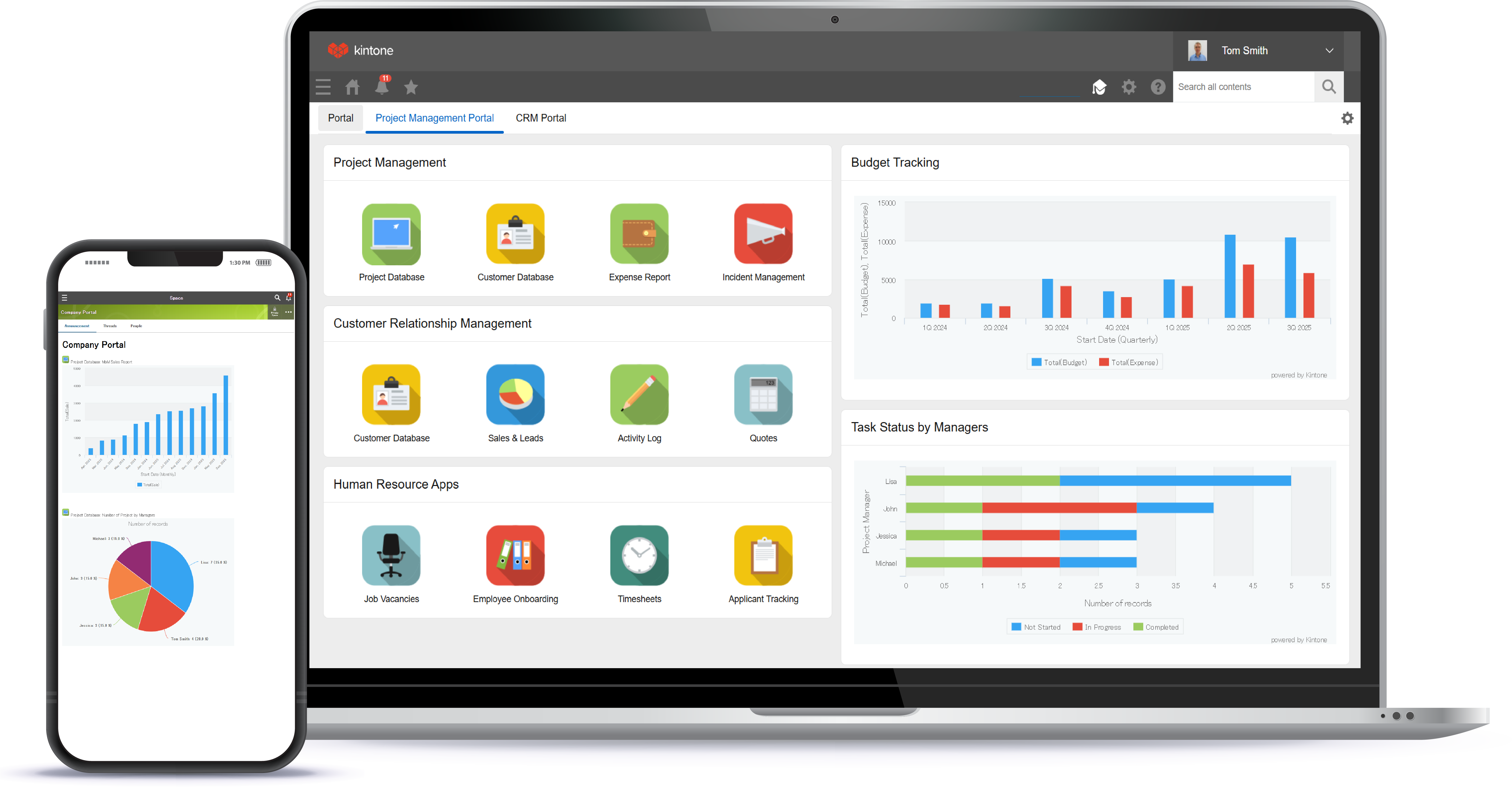
Screenshot of a view of apps from the portalScreenshot of 4 ways to build an appScreenshot of the drag and drop interfaceScreenshot of business app viewsScreenshot of Kintone appearing across desktop, and mobile

Really Simple Systems Screenshots

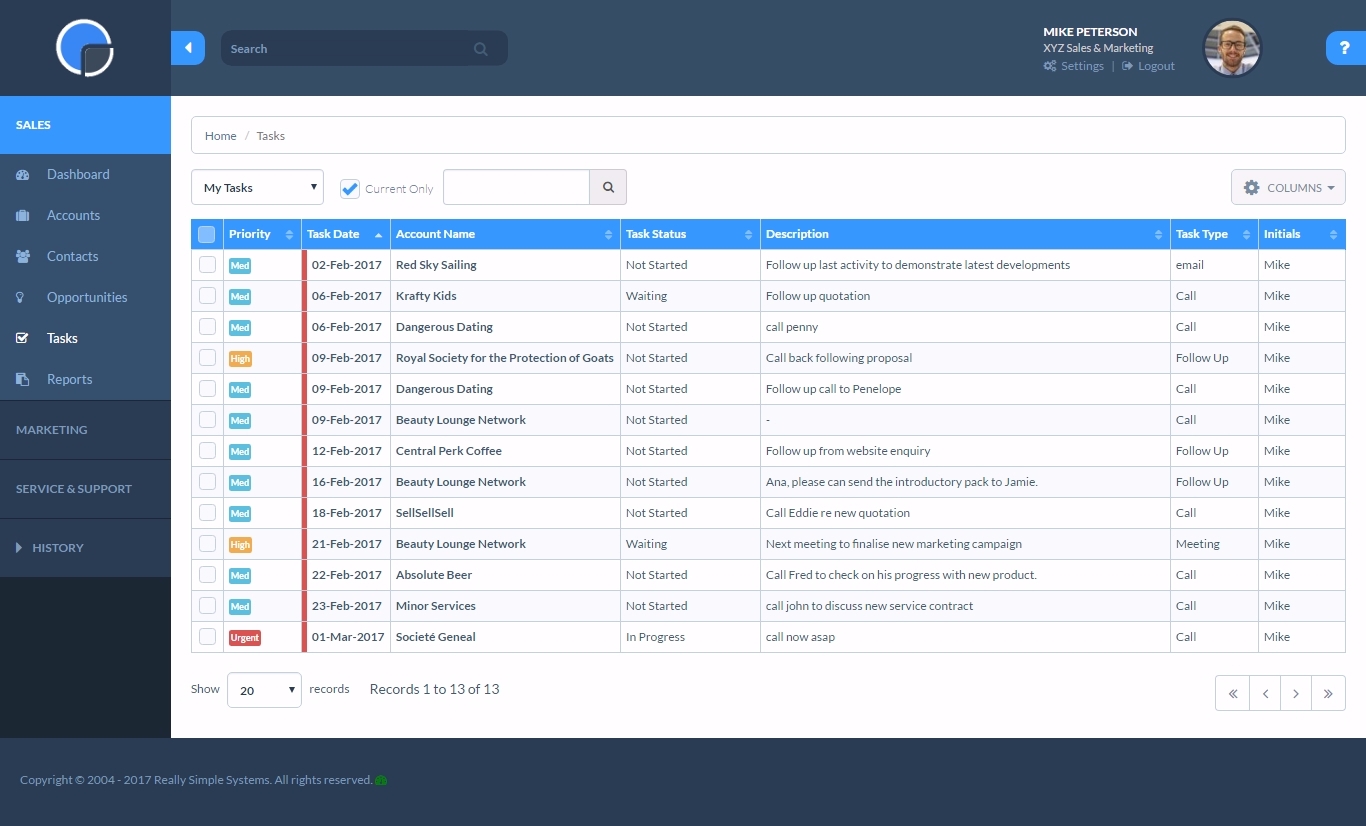
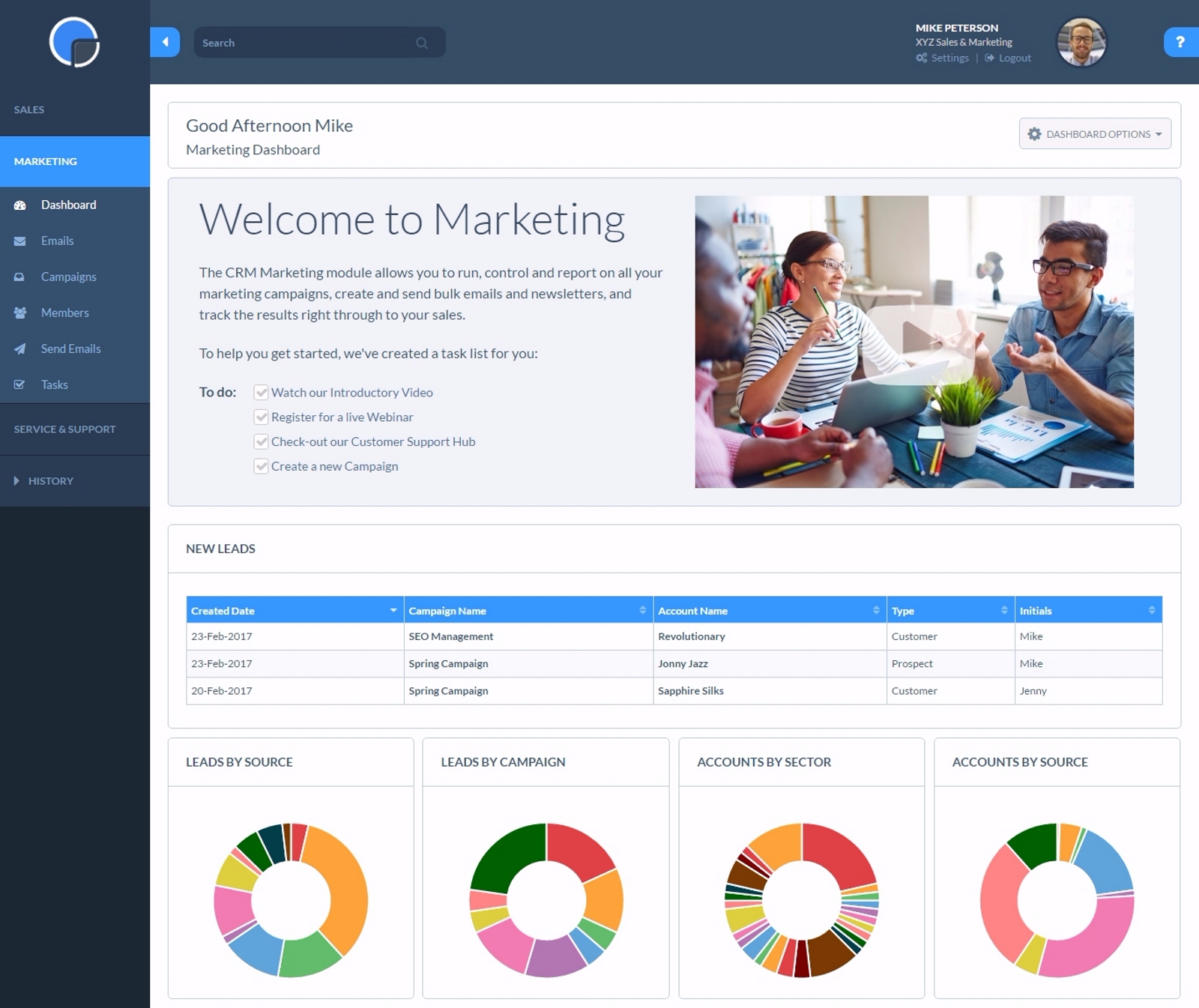
Screenshot of Accounts PageScreenshot of Tasks PageScreenshot of Marketing Dashboard