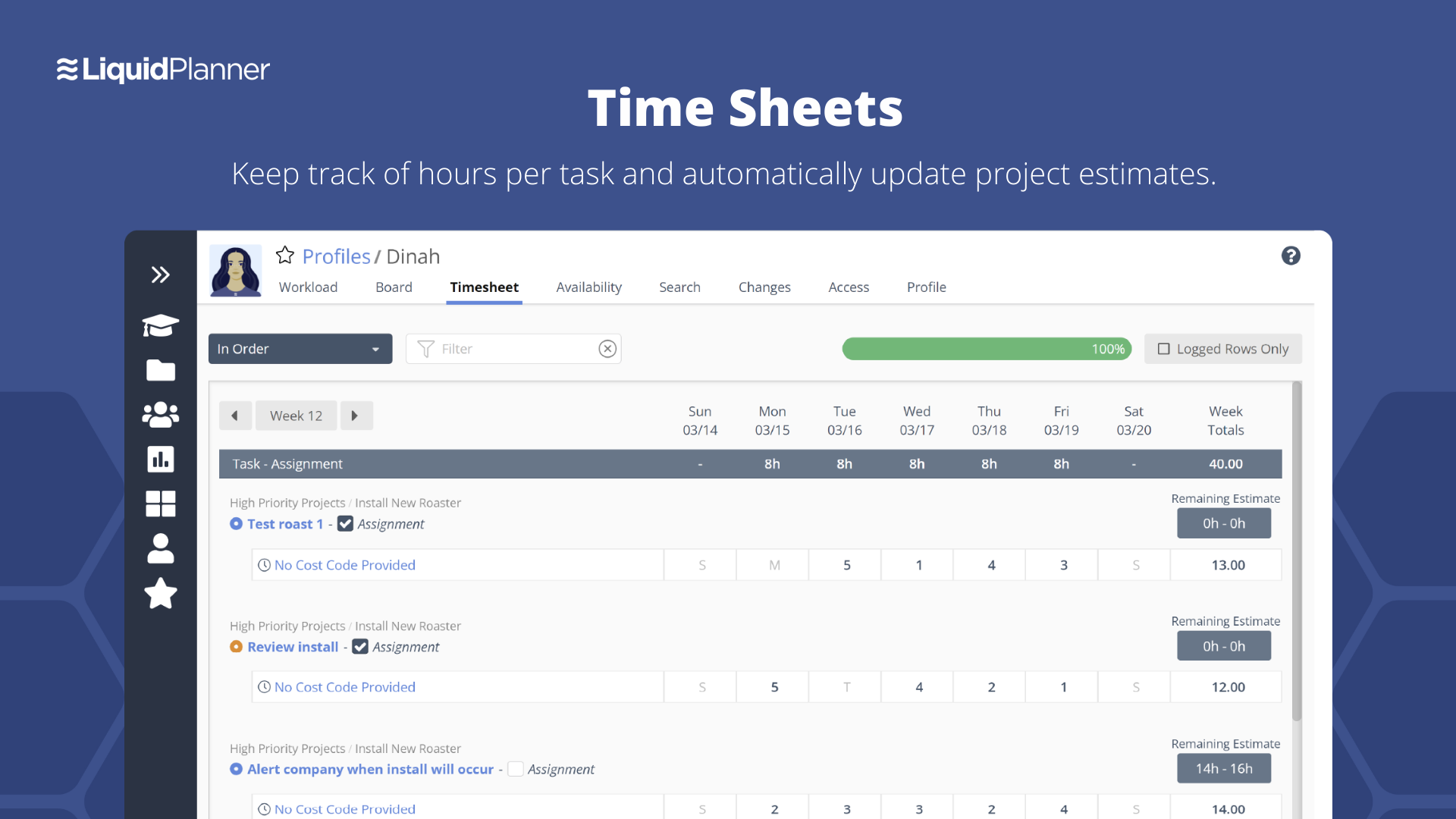
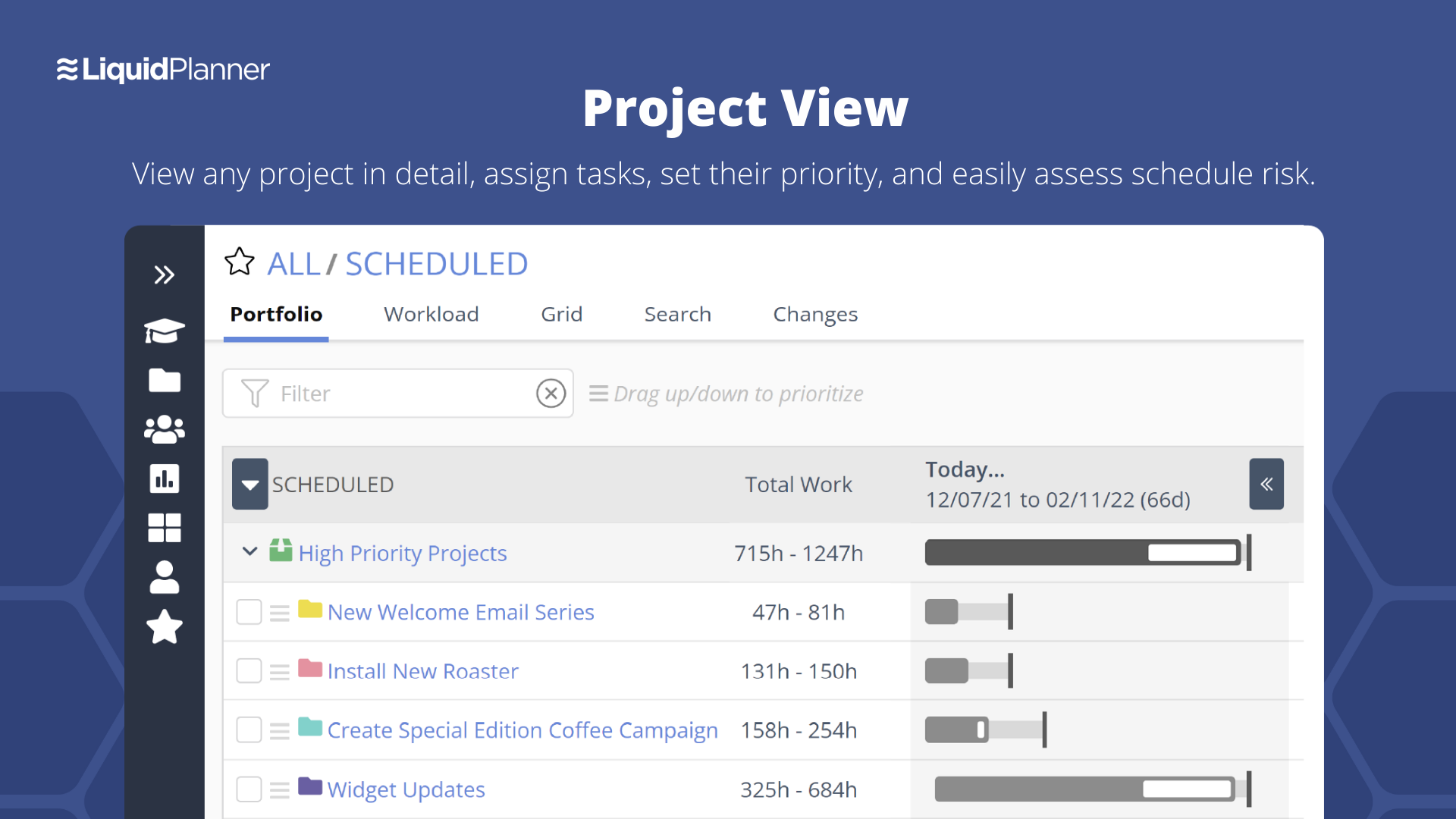
LiquidPlanner is a cloud based predictive project management solution. Some key features include: Dynamic Timeline View, Workload View, and Real-Time Activity Stream.
$0
per month per user
OpenText ALM/Quality Center
Score9.3 out of 10
N/A
OpenText™ ALM/Quality Center, formerly from Micro Focus, serves as the single pane of glass for software quality management. It helps users to govern application lifecycle management activities and implement rigorous, auditable lifecycle processes.
LiquidPlanner is amazing for any time of project management scenario where you have to manage several teams and details. Running a project through LiquidPlanner is so easy because it lets you break down the project into sections and folders and small tasks that you can assign to specific people. With a small to medium size team-- LiquidPlanner is amazing for organizing and tracking details. If you have a huge team or not a ton of details to track LiquidPlanner might not be right for you because it is a software that requires some good training to learn and has tons of functions that can be utilized so it seems better suited to be used by a smaller group looking to coordinate or for people who have lots of details that can be difficult to track.
A de minimis incentive was given to thank the reviewer for their time. The incentive was not used to bias or drive a particular response, nor was the incentive contingent on a positive endorsement. More Info
For an organisation that has completely adopted SAFe structure including naming terminology, it is less appropriate and apart from that. It can suit any organisation out there, and it can solve all your problems one way or another by customising it. It is a robust and highly scalable solution to support all the business needs. It improves a lot of productivity and visibility.
A de minimis incentive was given to thank the reviewer for their time. The incentive was not used to bias or drive a particular response, nor was the incentive contingent on a positive endorsement. More Info
Priority based planning. Every other planning software we've used relies on dates and therefore needs constant attention. Priority based planning means that the plan is always up to date.
Ease of use. LiquidPlanner has a very short learning curve. This is critical to getting team members to use it.
Forecasting. LiquidPlanner makes it very easy to run scenarios by simply dragging and dropping projects and reassigning resources.
Awesome Support. I get personal responses very fast. Usually within a couple hours. And, they listen and ask for more information.
A de minimis incentive was given to thank the reviewer for their time. The incentive was not used to bias or drive a particular response, nor was the incentive contingent on a positive endorsement. More Info
If you have a mix of automation & manual test suites, HPALM is the best tool to manage that. It definitely integrates very well with HP automation tools like HP Unified Functional Testing and HP LoadRunner. Automated Suites can be executed, reports can be maintained automatically. It also classifies which test suites are manual & which are automated & managers can see the progress happening in moving from manual to automated suites. In HPA ALM all the functional test suites, performance test suites, security suites can be defined, managed & tracked in one place.
It is a wonderful tool for test management. Whether you want to create test cases, or import it, from execution to snapshot capturing, it supports all activities very well. The linking of defects to test runs is excellent. Any changes in mandatory fields or status of the defect triggers an e-mail and sent automatically to the user that the defect is assigned to.
It also supports devops implementation by interacting with development tool sets such as Jenkins & GIT. It also bring in team collaboration by supporting collaboration tools like Slack and Hubot.
This tool can integrate to any environment, any source control management tool bringing in changes and creates that trace-ability and links between source control changes to requirements to tests across the sdlc life-cycle.
A de minimis incentive was given to thank the reviewer for their time. The incentive was not used to bias or drive a particular response, nor was the incentive contingent on a positive endorsement. More Info
The interface is messy and cluttered. The best way to find things and see what you actually want to see is the main Projects view which is also the most cluttered and hardest to maneuver in.
Clicking an external link someone posted in a comment or task description doesn't open in a new window by default, so we are constantly having to go back to get to LiquidPlanner again.
The way that the interface saves your state globally (rather than per tab instance) means that if you click a link from someone else to a task that's not yours, then it adjusts your filters on the Projects page. Then if you refresh another LiquidPlanner window where you were on the Projects tab, suddenly all of its filters are updated and what you were looking at may no longer be there.
It might just be the way that we use the system, but the Home and My Work tabs are fairly useless for us. They typically don't show the tasks we're actually looking for.
A de minimis incentive was given to thank the reviewer for their time. The incentive was not used to bias or drive a particular response, nor was the incentive contingent on a positive endorsement. More Info
The requirements module is not as user friendly as other applications, such as Blue Bird. Managing requirements is usually done in another tool. However, having the requirements in ALM is important to ensure traceability to tests and defects.
Reporting across multiple ALM repositories is not supported within the tool. Only graphs are included within ALM functionality. Due to size considerations, one or two projects is not a good solution. Alternatively, we have started leveraging the template functionality within ALM and are integrating with a third party reporting tool to work around this issue.
NET (not Octane) requires a package for deployment to machines without administrative rights. Every time there is a change, a new package must be created, which increases the time to deploy. It also forces us to wait until multiple patches have been provided before updating production.
A de minimis incentive was given to thank the reviewer for their time. The incentive was not used to bias or drive a particular response, nor was the incentive contingent on a positive endorsement. More Info
We may not renew LiquidPlanner's contract, but only because my company has recently been acquired and we'll be adopting some of the software that they're using to standardize process. LiquidPlanner's development team releases new features pretty often, so it seems like the gaps and inefficiencies are slowly getting smaller/less frequent
A de minimis incentive was given to thank the reviewer for their time. The incentive was not used to bias or drive a particular response, nor was the incentive contingent on a positive endorsement. More Info
A de minimis incentive was given to thank the reviewer for their time. The incentive was not used to bias or drive a particular response, nor was the incentive contingent on a positive endorsement. More Info
A de minimis incentive was given to thank the reviewer for their time. The incentive was not used to bias or drive a particular response, nor was the incentive contingent on a positive endorsement. More Info
Because it lets me track the test cases with detailed scenarios and is clearly separated in folders. Also the defect filter helps me filter only the ones that have been assigned to a particular area of interest. The availability of reports lets me see the essentials fields which I might be missing the data on and helps me to work on these instead of having to go through everything.
A de minimis incentive was given to thank the reviewer for their time. The incentive was not used to bias or drive a particular response, nor was the incentive contingent on a positive endorsement. More Info
They have been great in trying to come up with creative solutions to help us do what we want to do with the platform. I would say their support has been exceptional because we have hit them with some complex requests.
A de minimis incentive was given to thank the reviewer for their time. The incentive was not used to bias or drive a particular response, nor was the incentive contingent on a positive endorsement. More Info
It is a great tool, however, it got this rating because there is a lot of learning that takes a lot longer than other tools. There are no mobile versions of ALM even with just a project summary view. I believe ALM is well capable of integration with other analytics tools that can help business solutions prediction based on current and past project data. This is Data held in ALM but with no other use apart from human reading and project progress. ALM looks like a steady platform that I believe can handle more dynamic functionality. You could add an internal communication platform that is not a third party. Limit that communication tool to specific project members.
A de minimis incentive was given to thank the reviewer for their time. The incentive was not used to bias or drive a particular response, nor was the incentive contingent on a positive endorsement. More Info
Miro is a more versatile tool, but not quite made for planning and organizing. LiquidPlanner is very intuitive, fast to learn and easy to communicate. The added value of prioritizing tasks, personalized boards and gantt charts are really important during the planning and design thinking in the business. LiquidPlanner is simplified yet more helpful.
A de minimis incentive was given to thank the reviewer for their time. The incentive was not used to bias or drive a particular response, nor was the incentive contingent on a positive endorsement. More Info
We have other tools in our organization like Atlassian JIRA and Microsoft Team Foundation Server, which are very capable tools but very narrow in their approach and feature set and does not come even close to the some of the core capabilities of HP ALM. HP ALM is the "System of Record" in our organization. It gives visibility for an artifact throughout the delivery chain, which cut downs unnecessary bottlenecks and noise during releases.
A de minimis incentive was given to thank the reviewer for their time. The incentive was not used to bias or drive a particular response, nor was the incentive contingent on a positive endorsement. More Info
LiquidPlanner really forces you to map out your workflow. For me, honing into a template that I can later adjust as needed has been huge, as there is less time at the beginning of a project trying to assign and figure out what needs to happen when usually it never changes.
Communication between employees, especially ones not immediately available in the office has been very welcomed. It helps having conversations documented in a public, logical place that is easy to find and refer to as the project continues.
Our productivity has definitely skyrocketed as we've really gotten a feel and committed to using LiquidPlanner daily. As we move forward, we continually try to add more and more ways for us to use the service.
A de minimis incentive was given to thank the reviewer for their time. The incentive was not used to bias or drive a particular response, nor was the incentive contingent on a positive endorsement. More Info
A de minimis incentive was given to thank the reviewer for their time. The incentive was not used to bias or drive a particular response, nor was the incentive contingent on a positive endorsement. More Info